
Create your advertiser account
Register as an advertiser on Affitor, verify your email, and land in your dashboard ready to set up a program.
Create your Affitor advertiser account in about five minutes: choose the Advertiser role, verify your email, and complete a one-time setup wizard. When you finish, you land in the advertiser dashboard, ready to set up your program.
Creating an account is free, and you don't need Stripe or payment details yet. The platform fee is $0 until your program earns its first $10,000 through affiliates, then 3.5% on affiliate-driven sales only.
The flow at a glance
Step 1: Open the portal and choose the Advertiser role
Affitor has two account types — advertisers who run programs and partners who promote them — so registration starts with a role choice.
- Go to affitor.com/welcome.
- Click Get started.
- On the role selection page, click I'm a Company.
I'm a Company is the advertiser path. I'm a Partner is for affiliate marketers who want to promote other companies' products.
Step 2: Verify your email
Your email is your sign-in and where Affitor sends account notifications, so it must be confirmed before the account activates.
- Sign up with your company email address and a password, or continue with Google.
- Open the verification email and confirm your address.
A shared address like partnerships@yourcompany.com keeps team access manageable as your program grows.
Step 3: Complete the setup wizard
New accounts are redirected to a one-time setup wizard that creates the shell of your affiliate program. It asks for three things:
- Program name — what partners will see, for example "Acme Partners Program".
- Website URL — the site where your product lives.
- Logo — your company or program logo, used for branding.
Everything you enter here is editable later in Settings, so don't stall on wording — finish the wizard and refine afterwards.
Verify it worked
When the wizard completes, your browser lands on the advertiser dashboard.
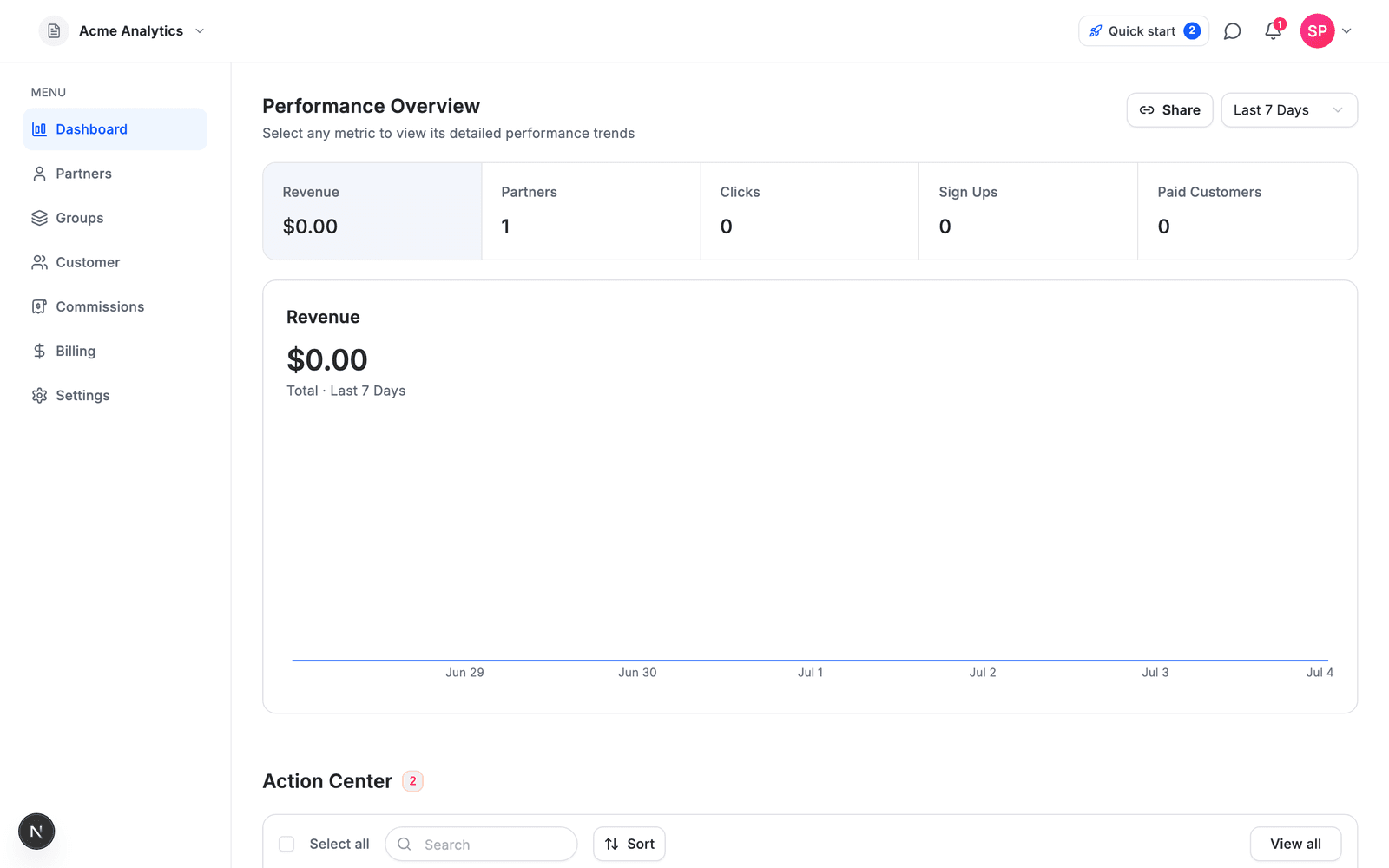
- You are redirected to the advertiser dashboard after the wizard finishes
- The Performance Overview loads, with your program name in the top-left workspace switcher
- The Quick start checklist in the top bar shows your remaining setup steps
- No verification email? Check your spam folder and confirm you typed the address correctly
- Landed somewhere unexpected? Make sure you chose I'm a Company — I'm a Partner opens the affiliate flow
- Wizard details wrong? Everything you entered is editable later under Settings