---
id: "index"
type: "doc"
url: "https://docs.affitor.com/"
---
# What is Affitor?
> Affitor is an affiliate growth platform for SaaS: $0/month with a 3.5% fee only after your first $10,000 in affiliate revenue, Stripe-native attribution, and an integration an AI agent can complete and verify.
Affitor is an affiliate growth platform for SaaS companies — run partner programs with click, signup, and sale attribution, then manage commissions and payouts through one workflow.
> **Key terms:**
> - **Advertiser** — the SaaS company running an affiliate program
> - **Partner** — the affiliate, creator, agency, or other promoter sending traffic
## Overview
Run an affiliate program with partner applications, links, tracking, and commission operations.
Track clicks, signups, and sales through Server-side tracking or Stripe integration.
Commissions move through review, hold, and payout operations inside Affitor.
Integrate via the `affitor` CLI, MCP server, or `skill.md` runbook — a self-verify loop fires a synthetic click, lead, and sale and returns `integration_verified: true`.
## How it fits into your stack
Affitor runs alongside your existing product stack.
Partner shares link → visitor clicks → **Affitor tracks the click**
Customer signs up → **lead linked to partner**
Customer pays → **sale attributed** via `Server-side tracking` or `Stripe integration`
**Commission + payout workflow** handled in Affitor
You keep your own site and checkout. In the invoice billing model, you continue collecting payment through your own Stripe or payment setup.
## Performance-based pricing
- No monthly subscription
- No setup fee
- 3.5% platform fee on partner-generated revenue
- $10K fee-free threshold on affiliate-driven revenue
## Who this is best for
Affitor fits SaaS teams that want:
- A partner program without subscription-based affiliate software pricing
- Clear attribution from click to revenue
- A Stripe Checkout or backend sale-tracking path they can implement cleanly
- An integration they can hand to an AI coding agent and get back proof it works
- Commission and payout operations in one workflow
## Next steps
Start the advertiser setup flow.
Review the lifecycle from click to payout operations.
Ready to start? [Create your program at affitor.com](https://affitor.com) — $0/month, no setup fee, and your first $10,000 in affiliate-driven revenue is fee-free.
---
id: "api-reference/agent-integration"
type: "doc"
url: "https://docs.affitor.com/api-reference/agent-integration"
---
# Agent Integration
> How AI coding agents (Claude Code, Cursor, Copilot, and others) auto-install Affitor tracking using generated instruction files.
> **Beta** — The Affitor SDKs and CLI are in active development. The documented happy-path works; edge cases may change. Report issues on GitHub.
`npx affitor init` generates two instruction files inside `.affitor/` that any AI coding agent can read to wire up tracking automatically — without you writing a single line yourself.
---
## How it works
When you run `npx affitor init` the CLI authenticates, fetches your program config, and writes these files to your project root:
| File | Path | Purpose |
|------|------|---------|
| `AGENTS.md` | `.affitor/AGENTS.md` | Universal AI-agent instructions — consumed by Claude Code, Cursor, GitHub Copilot, Windsurf, Aider, and any tool that honours `AGENTS.md` |
| `skills.md` | `.affitor/skills.md` | Identical content, written for backward compatibility with agent tools that look for `skills.md` specifically |
| `.env` | `.affitor/.env` | Secrets (`AFFITOR_API_KEY`, `AFFITOR_PROGRAM_ID`, `STRIPE_CONNECTED_ACCOUNT_ID`). Auto-added to `.gitignore` |
| `.env.example` | `.affitor/.env.example` | Safe-to-commit template of the env vars |
Both `AGENTS.md` and `skills.md` contain **identical content**. The duplication ensures coverage regardless of which filename convention a given agent looks for.
---
## What AGENTS.md contains
The file is pre-populated with your live program values at init time. It includes:
### Program context block
```markdown
## Project Context
This project uses Affitor for affiliate/partner tracking.
- **Program ID**: `42`
- **Domain**: `yourapp.com`
- **Commission**: 20% per sale
- **Cookie Duration**: 30 days
- **API Base URL**: `https://api.affitor.com`
- **API Key**: stored in `.affitor/.env` as `AFFITOR_API_KEY`
```
### Ready-to-paste integration snippets
The file contains three verbatim integration sections an agent can copy directly into your codebase:
**1. Click tracking** — script tag for plain HTML, plus the React/Next.js SDK variant:
```html
```
```tsx
// app/providers.tsx — client component
'use client';
import { useEffect } from 'react';
import { init } from '@affitor/sdk';
export function AffitorInit() {
useEffect(() => { init({ programId: YOUR_PROGRAM_ID }); }, []);
return null;
}
// render once in app/layout.tsx
```
**2. Signup/lead tracking** — browser-side helper and server-side curl:
```javascript
// Browser (requires tracker script loaded)
await window.affitor.signup(user.id, user.email);
```
```bash
# Server-side
curl -X POST https://api.affitor.com/api/v1/track/lead \
-H "Authorization: Bearer $AFFITOR_API_KEY" \
-H "Content-Type: application/json" \
-d '{"customer_key": "user_123", "email": "user@example.com"}'
```
**3. Sale tracking** — three options in priority order: Stripe OAuth auto-connect, Server-side tracking vs Stripe integration:
```bash
# Option A: auto-connect Stripe (recommended)
npx affitor setup stripe
# Option B: Server-side tracking — your backend calls POST /api/v1/track/sale (any payment provider)
curl -X POST https://api.affitor.com/api/v1/track/sale \
-H "Authorization: Bearer $AFFITOR_API_KEY" \
-H "Content-Type: application/json" \
-d '{
"transaction_id": "txn_unique_id",
"customer_key": "user_123",
"amount_cents": 4900,
"currency": "USD"
}'
```
```javascript
// Option C: Stripe integration — metadata (manual Checkout Sessions)
metadata: {
affitor_click_id: clickId,
affitor_customer_key: user.id,
program_id: '42'
}
```
### Identifier consistency table
The file includes a table that tells agents which field name to use in each context — preventing the most common integration mistake (using different IDs at signup vs. payment):
| Context | Field name |
|---------|------------|
| Browser signup helper | `customerKey` (1st argument) |
| Lead API | `customer_key` |
| Server-side tracking | `customer_key` |
| Stripe metadata | `affitor_customer_key` |
### CLI reference and API endpoint table
```bash
npx affitor status # Check program health
npx affitor setup stripe # Auto-connect Stripe via OAuth
npx affitor test click # Send test click event
npx affitor test lead # Send test lead event
npx affitor test sale # Send test sale event
```
| Endpoint | Method | Auth | Purpose |
|----------|--------|------|---------|
| `/api/v1/track/lead` | POST | Bearer API key | Track signup/lead |
| `/api/v1/track/sale` | POST | Bearer API key | Track sale/payment |
| `/api/v1/cli/status` | GET | Bearer API key | Program health check |
---
## Using it with an AI agent
Once `.affitor/AGENTS.md` exists in your repo, tell your agent in plain English:
> "Add Affitor referral tracking to this project."
The agent reads `AGENTS.md`, finds the click-tracking snippet for your framework, wires `window.affitor.signup()` into your registration handler, and inserts the correct `customer_key` at checkout — all from the context in that single file.
This works with any agent that reads project context files:
Reads AGENTS.md automatically when present in the project tree.
Picks up .affitor/AGENTS.md as project rules context.
Workspace context includes AGENTS.md files.
Reads AGENTS.md as part of repo-level instructions.
Include AGENTS.md in the aider context for automatic pickup.
---
## Conventions the agent must follow
AGENTS.md instructs agents to follow these rules. They apply equally when you integrate manually:
- All amounts are in **cents** (e.g. $49.00 = `4900`)
- `transaction_id` must be **unique per sale** — duplicates return `409`
- Use the **same internal user ID** as `customer_key` at lead time and at sale time
- For subscriptions, duplicate the Stripe metadata fields in `subscription_data.metadata`
- Test events: add `"additional_data": {"test_mode": true}` to skip commission creation during development
---
## File locations and gitignore
`npx affitor init` appends these entries to `.gitignore` automatically:
```text
# Affitor secrets (do not commit)
.affitor/.env
.affitor/.env.*
```
`AGENTS.md` and `skills.md` are safe to commit — they contain no secrets and help future contributors (and agents) understand how tracking is wired.
---
## Related
- [MCP Server](/api-reference/mcp/) — let agents track events, fetch an integration plan, and self-verify via the `@affitor/mcp` Model Context Protocol server
- [SDK Reference](/api-reference/sdks/) — `@affitor/sdk` package for React and Next.js
- [Track Lead](/api-reference/track-lead/) — full API contract for signup tracking
- [Track Sale](/api-reference/track-sale/) — full API contract for sale/revenue tracking
- [Get Tracking Status](/api-reference/status/) — verify integration health after setup
---
id: "api-reference/attribution"
type: "doc"
url: "https://docs.affitor.com/api-reference/attribution"
---
# Attribution Mechanics
> How Affitor assigns credit to partners — the cookie, the click ID, the attribution windows, and what happens on re-click.
> **Beta** — The Affitor SDKs and CLI are in active development. The documented happy-path works; edge cases may change. Report issues on GitHub.
Affitor uses a **last-click, last-partner-wins** attribution model. When a visitor clicks an affiliate link the SDK writes a first-party cookie. Every downstream lead and sale resolves to the partner whose click is active in that cookie at conversion time.
---
## Attribution model
| Setting | Default | Range | Description |
|---------|---------|-------|-------------|
| `attribution_model` | `last_click` | `last_click`, `first_click`, `linear` | Which click receives credit when a customer converts |
| `cookie_window_days` | `90` | 1 – 365 | How long the `affitor_click_id` cookie stays valid |
| `attribution_window_days` | `60` | 1 – 365 | Maximum lookback when matching a sale to a prior click |
Both windows are **per-program** and configurable from your program settings. The SDK receives `cookie_window_days` from the `/api/v1/track/click` response and applies it when writing the cookie — so no SDK update is needed when you change the value in the dashboard.
---
## The `affitor_click_id` cookie
When a visitor lands on a URL containing `?aff=`, the SDK calls `POST /api/v1/track/click` and stores two first-party cookies:
| Cookie | Purpose |
|--------|---------|
| `affitor_click_id` | The primary attribution token. Passed to lead and sale calls. |
| `affitor_aff_url` | The full landing URL used to detect partner changes on re-click. |
A legacy `customer_code` cookie is written alongside `affitor_click_id` for backwards compatibility with older integrations. On read, if only `customer_code` exists, the SDK migrates its value into `affitor_click_id` automatically.
Cookie expiry defaults to **60 days** inside the SDK (`DEFAULT_COOKIE_EXPIRE_DAYS`) but is overridden at runtime by the `cookie_window_days` value returned from the click endpoint, which defaults to **90 days** at the program level.
---
## Cross-subdomain cookie sharing
The SDK auto-detects the broadest writable domain so attribution follows a visitor across subdomains (e.g. `app.example.com` and `www.example.com` share the same cookie).
**Detection algorithm** (`getRootDomain`, line 147–165 of `index.ts`):
1. Split `window.location.hostname` into parts.
2. Starting from the registrable domain (e.g. `.example.com`), attempt to write a probe cookie with each candidate domain.
3. The first domain that accepts the write becomes the cookie domain for the session and is cached in `cookieDomain`.
4. `localhost` and bare IP addresses are excluded — no domain is set, so the cookie is host-only.
You can skip auto-detection by passing an explicit `cookieDomain` to `init()`:
```ts
import { init } from '@affitor/sdk';
init({ programId: 123, cookieDomain: '.example.com' });
```
---
## Last-partner-wins on re-click
If a visitor already has an `affitor_click_id` cookie and clicks a **different** partner's link, the SDK detects a partner switch and creates a **new click record** that replaces the old attribution.
```ts
// Simplified logic from initializeAffiliateAttribution() — lines 114–144
const isNewPartner = existingAff !== null && currentAff !== existingAff;
const needsTracking = !existingClickId || isNewPartner;
if (needsTracking) {
// Pass existingClickId so the server can record the partner switch
void this.trackClick(currentUrl, isNewPartner ? existingClickId : null);
}
```
| Scenario | Outcome |
|----------|---------|
| No existing cookie, `?aff=` present | New click tracked, new `affitor_click_id` written |
| Same partner link clicked again | Existing cookie reused — no new click event |
| Different partner link clicked | New click tracked, old `click_id` superseded (`existing_click_id` forwarded to server for audit) |
| No `?aff=` in URL, cookie present | Existing attribution restored from cookie silently |
| No `?aff=` in URL, no cookie | `hasAttribution` stays `false`; lead/sale calls fire without a `click_id` |
---
## Cookie window vs. attribution window
These two windows serve different purposes:
**Cookie window (`cookie_window_days`, default 90)**
How long the `affitor_click_id` cookie lives in the visitor's browser. A sale can only carry attribution if the cookie is still present at checkout time.
**Attribution window (`attribution_window_days`, default 60)**
The maximum lookback the server uses when matching a sale to a prior click record in the database. Even if the cookie is present, a click older than `attribution_window_days` will not generate a commission.
In practice the attribution window is the binding constraint: a sale must occur within 60 days of the attributed click (by default), regardless of cookie lifetime.
```
Click event
│
├── cookie_window_days (90d default) ────────────────────────────►
│ cookie expires
│
└── attribution_window_days (60d default) ──────────►
outside this → no commission
```
---
## Recurring revenue attribution
For subscription products, every recurring charge can generate a commission as long as the original click is within the attribution window and the `subscription_id` matches.
| Commission type | `default_duration_months` | Behavior |
|-----------------|--------------------------|---------|
| `cps_recurring` | e.g. `12` | Commission paid for up to N months of renewals |
| `cps_lifetime` | `null` | Commission paid on every renewal indefinitely |
| `cps_one_time` | `0` | Commission paid once on the first payment only |
The Stripe webhook handler uses `is_recurring: true` and `subscription_id` on the `/api/v1/track/sale` call to match renewals back to the original attributed partner. No action is required from the SDK on renewal — Stripe autocapture handles it automatically when the webhook is connected.
---
## Program-level attribution fields
These fields are stored on the `affiliate_programs` content type and can be updated from your program settings:
| Field | Type | Default | Description |
|-------|------|---------|-------------|
| `attribution_model` | `enum` | `last_click` | `last_click`, `first_click`, or `linear` |
| `cookie_window_days` | `integer` | `90` | Browser cookie lifetime (1–365 days) |
| `attribution_window_days` | `integer` | `60` | Commission lookback window (1–365 days) |
| `default_commission_type` | `enum` | — | `cpc`, `cpl`, `cps_one_time`, `cps_recurring`, `cps_lifetime` |
| `default_duration_months` | `integer` | — | Recurring commission duration; `null` = lifetime, `0` = one-time |
| `default_hold_period_days` | `integer` | `15` | Days a commission stays in hold before becoming payable (max 31) |
---
## Related pages
Endpoint that creates the click record and returns the click ID.
Record a sale and trigger commission creation against the attributed click.
Check whether tracking is wired up correctly for your program.
---
id: "api-reference/errors"
type: "doc"
url: "https://docs.affitor.com/api-reference/errors"
---
# Errors & Troubleshooting
> All API error codes, their causes, and how to fix common integration problems.
> **Beta** — The Affitor SDKs and CLI are in active development. The documented happy-path works; edge cases may change. Report issues on GitHub.
This page covers every error response the tracking API can return and practical fixes for the most common integration issues.
---
## Error response shape
All error responses return JSON with an `"error"` string. There is no wrapper envelope on error paths.
```json
{
"error": "transaction_id is required and must be a string"
}
```
---
## Error reference
### Authentication errors (401)
| Status | Condition | Meaning | Fix |
|--------|-----------|---------|-----|
| `401` | `Authorization` header missing or does not start with `Bearer ` | The request reached a server-authenticated endpoint without a valid header | Add `Authorization: Bearer YOUR_PROGRAM_API_KEY` to the request |
| `401` | Header present but token string is empty after trimming | Bearer prefix found but no token value followed it | Check for trailing spaces or an empty env variable |
| `401` | Token does not match any `api_token` in the program table | Wrong key, revoked key, or key from a different program | Copy the API key from your program settings in the Affitor dashboard |
Endpoints that require a Bearer token: `POST /api/v1/track/sale`, `POST /api/v1/track/refund`. The lead endpoint accepts a Bearer token for server mode but does not require it for browser mode.
---
### Validation errors (400)
#### Track click
| Status | Error message | Meaning | Fix |
|--------|---------------|---------|-----|
| `400` | `affiliate_url is required` | Body did not include `affiliate_url` | Pass the full URL that contains the `?aff=` parameter |
| `400` | `Invalid affiliate_url` | URL could not be parsed by `new URL()` | Ensure the value is a fully-qualified URL (includes scheme) |
| `400` | `No aff parameter found in affiliate_url` | URL was valid but had no `aff` query parameter | Only call this endpoint when `?aff=` is present in the URL |
| `400` | `Referral link not found` | No referral link matched the `aff` value | Verify the partner link exists and `short_link` matches the `aff` value |
| `400` | `Invalid referral link configuration` | Link exists but has no linked partner or program | Contact Affitor support — the referral link record is incomplete |
#### Track lead
| Status | Error message | Meaning | Fix |
|--------|---------------|---------|-----|
| `400` | `click_id or customer_key is required` | Neither identifier was sent in the body | Pass the `click_id` from the `affitor_click_id` cookie, or the `customer_key` set at signup |
| `400` | `Customer not found. Provide a valid click_id or customer_key.` | No customer record matched either identifier | The click was not tracked, the cookie was cleared, or the customer_key was never recorded — ensure `init()` and `signup()` ran successfully |
| `400` | `Customer does not belong to this program` | Customer was found but is attributed to a different program (server mode only) | Use the API key for the program that originated the click |
| `400` | `Customer status cannot be updated to lead. Current status: ` | Lead service rejected the status transition | A lead was already recorded for this customer, or the customer is at a later funnel stage — this is usually safe to ignore |
#### Track sale
| Status | Error message | Meaning | Fix |
|--------|---------------|---------|-----|
| `400` | `transaction_id is required and must be a string` | Field missing or not a string type | Always pass `transaction_id` as a string |
| `400` | `amount_cents is required and must be a positive integer` | Field missing, zero, negative, or wrong type | Pass sale amount in smallest currency unit (e.g. `4900` for $49.00 USD) as a positive integer |
| `400` | `Customer not found. Provide customer_key or click_id.` | Neither identifier resolved a customer | Ensure lead tracking ran first and the customer record exists |
| `400` | `No affiliate attribution found for this customer in this program` | Customer exists but is attributed to a different program | Use the API key matching the program where the click originated |
| `400` | `No partner-program relationship found for this customer` | Customer has no linked partner-program junction | The customer record is missing a partner relationship — check that the original click was tracked correctly |
| `400` | `partnerId required to create commission` | Customer resolved but has no `affiliate_partner` relation | Internal data inconsistency — contact Affitor support |
#### Track refund
| Status | Error message | Meaning | Fix |
|--------|---------------|---------|-----|
| `400` | `transaction_id is required` | Body did not include `transaction_id` | Pass the same `transaction_id` used when recording the original sale |
---
### Conflict errors (409)
| Status | Error message | Meaning | Fix |
|--------|---------------|---------|-----|
| `409` | `Duplicate transaction_id. This sale has already been recorded.` | A sale event with this `processor_event_id` already exists | This is the intended duplicate-guard behavior — do not retry with the same `transaction_id`. If the original was a test, check if you need to clear test data. |
Duplicate detection is keyed on `processor_event_id` (mapped from `transaction_id`). The check is scoped globally, not per-program.
---
### Not found errors (404)
| Status | Error message | Meaning | Fix |
|--------|---------------|---------|-----|
| `404` | `Sale not found for transaction_id` | Refund was attempted but no sale with that `transaction_id` exists in the program | Verify the `transaction_id` matches exactly what was sent to `/track/sale` and that the Bearer token is for the same program |
---
### Server errors (500)
| Status | Error message | Meaning | Fix |
|--------|---------------|---------|-----|
| `500` | `Click tracking failed` | Unhandled exception in click handler | Check server logs; usually a DB or network error |
| `500` | `Lead tracking failed` | Unhandled exception in lead handler | Check server logs |
| `500` | `Sale tracking failed` | Unhandled exception in sale handler | Check server logs |
| `500` | `Refund tracking failed` | Unhandled exception in refund handler | Check server logs |
| `500` | `Failed to create commission` (or commission service error message) | Commission creation step threw internally after the sale event was written | The sale record exists but has no commission — contact Affitor support with the `transaction_id` |
Metric update failures (step 10 in the sale flow) are logged as warnings and do not cause a 500 — the sale and commission are still created.
---
## Troubleshooting
### Cookies blocked by the browser
The Affitor browser SDK stores the click ID in a first-party cookie named `affitor_click_id` (`SameSite=Lax; Secure` on HTTPS). Attribution is lost when:
- The user has a browser extension or privacy setting that blocks first-party cookies.
- The page is served over HTTP in production (the `Secure` flag is only set on HTTPS).
- Safari ITP aggressively expires cookies set via JavaScript within 7 days for domains classified as trackers.
**Fix:** The SDK auto-detects the root domain and sets the cookie there (e.g. `.example.com`) to share attribution across subdomains. For custom domains or cross-domain attribution, pass `cookieDomain` explicitly:
```ts
init({ programId: 123, cookieDomain: '.example.com' });
```
There is no server-side fallback for blocked cookies — if the cookie is missing when `signup()` fires, pass `customer_key` alone and accept that the lead will be unattributed.
---
### CORS
The tracking API (`api.affitor.com`) must allow your site's origin for browser-mode requests. If you see CORS errors:
1. Check that your site's domain is listed in the allowed origins on the Affitor program settings page.
2. Browser-mode tracking calls (`/track/click`, `/track/lead` without a Bearer token) are the only routes intended for direct browser fetch. Server-mode routes (`/track/sale`, `/track/refund`) should only be called from your backend — they do not need CORS.
3. In development, use `localhost` explicitly rather than `127.0.0.1` (or vice versa) — the two are treated as different origins.
---
### Attribution window edge cases
The attribution window defaults to 60 days and is set per program (`cookie_window_days`). The actual value is returned in the click response:
```json
{
"success": true,
"click_id": "cust_42_1712345678901",
"cookie_window_days": 60
}
```
The SDK applies this value as the cookie expiry. Edge cases:
| Scenario | Behavior |
|----------|----------|
| User clears cookies before signup | Attribution is lost; lead and sale will be unattributed unless you pass `customer_key` server-side |
| User visits with a different partner's link after the first click | Last-touch attribution: the SDK detects a new `aff` value, fires a new click, and overwrites the cookie |
| Signup fires after cookie expiry | `click_id` from cookie is null; lead is still recorded (unattributed) if `customer_key` is provided |
| Sale fires with a `customer_key` for a customer whose window expired | Sale is recorded and attribution is resolved from the stored customer record, not the cookie — the window only governs cookie persistence |
---
### Duplicate `transaction_id` handling
The sale endpoint uses `transaction_id` as a globally unique idempotency key stored as `processor_event_id`. The rules:
- Sending the same `transaction_id` twice returns `409 Conflict` — the second request is a no-op.
- The 409 is **not** an error to retry. Your integration should treat it as "already recorded" and proceed.
- Test-mode sales use `test_txn_` when `transaction_id` is omitted, so test records are never duplicates unless you pass the same value explicitly.
- If a sale was recorded but commission creation failed (500), the `transaction_id` is still consumed. Contact Affitor support to investigate the commission state before re-submitting under a new ID.
**Recommended pattern:**
```ts
const response = await fetch('https://api.affitor.com/api/v1/track/sale', {
method: 'POST',
headers: {
Authorization: `Bearer ${PROGRAM_API_KEY}`,
'Content-Type': 'application/json',
},
body: JSON.stringify({ transaction_id: chargeId, ... }),
});
if (response.status === 409) {
// Already recorded — safe to continue
return;
}
if (!response.ok) {
// Unexpected error — log and alert
const body = await response.json();
throw new Error(`Affitor error ${response.status}: ${body.error}`);
}
```
---
### SDK `debug: true` for verbose logging
Pass `debug: true` to `init()` to enable verbose console output. This sets `AffitorInitOptions.debug` on the tracker instance.
```ts
import { init } from '@affitor/sdk';
init({
programId: 123,
debug: true,
});
```
With `debug: true`, the SDK logs to the browser console using `[Affitor]` as the prefix for every `info` and `warn` level message — including initialization, program ID resolution, click tracking, and signup calls. Errors (`console.error`) are always logged regardless of the `debug` flag.
```
[Affitor] Affitor SDK initialized: { programId: 123, debug: true }
[Affitor] Using program ID: 123
[Affitor] Click tracked, click_id saved: cust_42_1712345678901
[Affitor] Signup tracked successfully
```
**Disable in production.** The `debug` flag is intended for development and integration testing only. Leave it off in production builds to avoid leaking internal state to end users.
To check the current tracker state at any point:
```ts
import { getData } from '@affitor/sdk';
console.log(getData());
// {
// clickId: "cust_42_1712345678901",
// programId: 123,
// hasAttribution: true,
// affiliateUrl: "https://example.com/?aff=abc123"
// }
```
---
id: "api-reference/events"
type: "doc"
url: "https://docs.affitor.com/api-reference/events"
---
# List Tracking Events
> Retrieve paginated, merged tracking events (clicks, leads, conversions) for a program
`GET /api/tracking/events/:programId`
Returns a merged, reverse-chronological list of click, lead, and conversion events recorded for the specified program. Events from all three tables are fetched, normalized to a common shape, sorted by timestamp, and then paginated.
---
## Authentication
This endpoint uses workspace-policy enforcement. The request must carry a valid authenticated session that has been granted the `tracking:list` action for the program. This is enforced by the `verify-program-access` policy on the Strapi backend.
---
## Path Parameter
| Parameter | Type | Required | Description |
|-----------|------|----------|-------------|
| `programId` | integer | **Yes** | Numeric ID of the affiliate program |
---
## Query Parameters
| Parameter | Type | Required | Default | Description |
|-----------|------|----------|---------|-------------|
| `page` | integer | No | `1` | Page number (1-indexed) |
| `pageSize` | integer | No | `10` | Number of events per page |
| `eventType` | string | No | *(all)* | Filter by event type. Accepted values: `click`, `lead`, `conversion` |
| `dateFrom` | string (ISO 8601) | No | *(none)* | Inclusive lower bound on event timestamp |
| `dateTo` | string (ISO 8601) | No | *(none)* | Inclusive upper bound on event timestamp |
### Example request
```bash
GET /api/tracking/events/42?page=1&pageSize=10&eventType=click&dateFrom=2026-06-01T00:00:00Z&dateTo=2026-06-07T23:59:59Z
```
---
## Response
Returns a `data` array of normalized event objects and a `meta.pagination` block.
### Success `200`
```json
{
"data": [
{
"id": 301,
"event_type": "click",
"timestamp": "2026-06-07T14:22:10.000Z",
"click_id": "cust_42_1749305730000",
"session_id": "sess_1749305730000",
"page_url": "https://example.com/pricing?aff=PARTNER123",
"referrer_url": "https://twitter.com",
"geo_country": "US",
"geo_region": "CA",
"geo_city": "San Francisco",
"device_type": "desktop",
"device_os": "macOS",
"browser_name": "Chrome",
"converted": false,
"createdAt": "2026-06-07T14:22:10.512Z"
},
{
"id": 87,
"event_type": "lead",
"timestamp": "2026-06-06T09:11:42.000Z",
"click_id": "cust_42_1749218702000",
"customer_key": "usr_abc123",
"session_id": "sess_1749218702000",
"page_url": "https://example.com/signup",
"converted": false,
"createdAt": "2026-06-06T09:11:42.301Z"
},
{
"id": 15,
"event_type": "conversion",
"timestamp": "2026-06-05T16:45:00.000Z",
"click_id": "cust_42_1749131100000",
"amount_cents": 9900,
"currency": "USD",
"sale_type": "payment",
"payment_status": "paid",
"processor_event_id": "txn_abc123",
"is_recurring": false,
"createdAt": "2026-06-05T16:45:01.000Z"
}
],
"meta": {
"pagination": {
"page": 1,
"pageSize": 10,
"pageCount": 3,
"total": 28
}
}
}
```
### Field notes
- `event_type` is a normalized field added by the server: `"click"`, `"lead"`, or `"conversion"`.
- `timestamp` is a normalized field set to the source event's native time field (`click_timestamp`, `lead_timestamp`, or `sale_date`).
- Test events (`is_test: true`) are excluded from all three tables before merging.
- The response `total` reflects the merged in-memory count after applying filters, not a direct DB count.
---
## Errors
| Status | When |
|--------|------|
| `404` | `programId` does not match any program |
| `403` | Caller does not have `tracking:list` access for the program |
| `500` | Unexpected server error |
---
id: "api-reference/mcp"
type: "doc"
url: "https://docs.affitor.com/api-reference/mcp"
---
# MCP Server
> The @affitor/mcp Model Context Protocol server — let AI agents (Claude Desktop, Cursor) track clicks, leads, sales and refunds, generate per-stack integration plans, and self-verify attribution as tool calls.
`@affitor/mcp` is a [Model Context Protocol](https://modelcontextprotocol.io) **stdio server** for Affitor. It exposes Affitor's affiliate-tracking capabilities as MCP tools, so an AI agent — Claude Desktop, Cursor, or any MCP client — can report clicks, leads, sales and refunds, fetch a per-stack integration plan, and prove attribution works, all as native tool calls.
Under the hood it wraps the consolidated server client [`@affitor/sdk/server`](/api-reference/sdks/) (the `Affitor` class). Authentication is your **program API key**, supplied via the `AFFITOR_API_KEY` environment variable.
:::note
The `@affitor/mcp` and `@affitor/sdk` packages are **Beta**. The documented happy-path works; report issues on GitHub.
:::
---
## Add it to your MCP client
Add Affitor to your client's MCP server config — `claude_desktop_config.json` for Claude Desktop, or `.cursor/mcp.json` for Cursor:
```json
{
"mcpServers": {
"affitor": {
"command": "npx",
"args": ["-y", "@affitor/mcp"],
"env": {
"AFFITOR_API_KEY": "your_program_key"
}
}
}
}
```
Restart your client and the `affitor_*` tools become available to the agent.
### Environment variables
| Variable | Required | Description |
|---|---|---|
| `AFFITOR_API_KEY` | Yes | Your Affitor **program API key** (Bearer). Server-side only — never ship it to a browser. |
| `AFFITOR_API_URL` | No | API base override. Defaults to `https://api.affitor.com`. |
If `AFFITOR_API_KEY` is not set, the server prints a clear message to stderr and exits.
:::note
The program API key is a server-side secret. The MCP server runs locally and reads it from your client config — it is never exposed to the browser or sent to the agent's model.
:::
---
## Tools
The server registers seven tools. Each returns the Affitor API's JSON payload as text content; a failed request (a thrown error or an `{ ok: false }` envelope) returns an MCP error result with the message.
| Tool | Inputs | Description |
|---|---|---|
| `affitor_readiness` | `forceRecheck?: boolean` | Check this program's integration/onboarding readiness — returns a 5-gate verdict + `blocker` + `next_action`. Poll until `integration_verified` is true. |
| `affitor_track_click` | `affiliateUrl?`, `pageUrl?`, `referrerUrl?`, `existingClickId?` (all optional strings) | Report a click (usually browser-side; public, no customer needed). |
| `affitor_track_lead` | `customerExternalId?: string`, `clickId?: string`, `email?: string` (one of `customerExternalId` / `clickId` required) | Report a lead/signup. Binds the customer to the click so later sales attribute by `customerExternalId` alone. |
| `affitor_track_sale` | `customerExternalId?` / `clickId?` (one required), `amount: number` (cents), `invoiceId: string`, `currency?`, `saleType?`, `isRecurring?`, `subscriptionId?`, `subscriptionInterval?` | Report a sale. Resolves attribution by `customerExternalId` (bound at lead time). |
| `affitor_track_refund` | `invoiceId: string`, `refundAmountCents?: number`, `refundReason?: string` | Report a refund (omit amount = full → commission reversed; partial → refunded). Idempotent by `invoiceId`. |
| `affitor_get_integration_plan` | `framework`, `provider`, `mode?` | Return the deterministic per-stack integration plan — install, checkout-metadata snippet, `trackSale` snippet + where to inject it, and the verify step. |
| `affitor_run_verification` | _(none)_ | Fire the synthetic click → lead → sale verification chain through the real attribution pipeline (isolated `is_test` rows). |
### Tracking tool inputs
**`affitor_track_lead`** — one of `customerExternalId` / `clickId` is required:
- `customerExternalId?: string` — your own user id; binds this customer to the click.
- `clickId?: string` — Affitor click id (from the `affitor_click_id` cookie).
- `email?: string` — the lead's email address.
**`affitor_track_sale`** — one of `customerExternalId` / `clickId` is required:
- `customerExternalId?: string` — your own user id; resolves attribution (no `clickId` needed once bound at lead time).
- `clickId?: string` — Affitor click id.
- `amount: number` — sale amount in **integer cents** (e.g. `4999` = $49.99).
- `invoiceId: string` — idempotency key; dedups retries (your invoice / transaction id).
- `currency?: string` — ISO currency code (default `USD`).
- `saleType?: "payment" | "subscription"` — one-off payment or subscription.
- `isRecurring?: boolean` — whether this sale recurs (subscription renewal).
- `subscriptionId?: string` — provider subscription id, if applicable.
- `subscriptionInterval?: "monthly" | "quarterly" | "annual"` — billing interval for a subscription sale.
**`affitor_track_refund`**:
- `invoiceId: string` — the sale's idempotency key (the `invoiceId` you passed to `affitor_track_sale`).
- `refundAmountCents?: number` — integer cents. Omit (or `0`) = full refund → commission reversed; partial → refunded.
- `refundReason?: string` — optional human-readable refund reason.
**`affitor_track_click`** — all optional:
- `affiliateUrl?: string` — the affiliate/referral URL that was clicked.
- `pageUrl?: string` — the landing page URL the click arrived on.
- `referrerUrl?: string` — the HTTP referrer URL, if any.
- `existingClickId?: string` — reuse an existing Affitor click id instead of minting a new one.
---
## `affitor_get_integration_plan`
A **pure** tool: it reads the canonical recipe registry (`@affitor/recipes`) and returns the deterministic integration plan for a given stack. It never touches the network or the client — so the agent follows a fixed contract instead of guessing one.
| Input | Values | Description |
|---|---|---|
| `framework` | `next-app`, `next-pages`, `fastify`, `express`, `node`, `unknown` | The detected app framework. Determines where `trackSale` is injected. |
| `provider` | `stripe` (default), `polar`, `lemonsqueezy`, `paddle`, `unknown` | The detected payment provider. |
| `mode` | `stripe_connect` (default), `s2s` | Payment-tracking mode. `stripe_connect` = Connect autocaptures the sale (metadata only, no `trackSale`); `s2s` = inject `trackSale` in your webhook. |
The plan it returns includes:
1. **install** — what to add (`npm i @affitor/sdk`).
2. **metadata** — the checkout-session attribution snippet to plant at checkout creation (always required for Stripe).
3. **sale** — the `trackSale` snippet and exactly where to inject it. For `mode: "stripe_connect"` this is `null` — Stripe Connect records the sale server-side, so the agent injects metadata only and must **not** also call `trackSale` (the double-count guard).
4. **renewals** — for Stripe `s2s`, a separate `case 'invoice.paid'` handler so subscription renewals are not silently missed.
5. **verify** — the self-verify step (synthetic chain → readiness gate).
:::note
Because the CLI (`affitor init` / `affitor onboard`), this MCP tool, and the public integration guides all read the same recipe registry, the integration contract can never drift between surfaces.
:::
---
## `affitor_run_verification`
The agent's **proof step**. It fires Affitor's synthetic click → lead → sale chain through the **real** attribution pipeline, writing isolated `is_test` rows that never create real commissions. Run it, then poll `affitor_readiness` until `integration_verified: true`.
The recommended agent loop:
1. Call `affitor_run_verification` to fire the chain.
2. Call `affitor_readiness` and check `integration_verified`.
3. If not yet verified, read the `blocker` and its gate's `next_action`, self-correct, and repeat.
`affitor_run_verification` is rate-limited to **10 runs per program per hour**. On a `rate_limited` result, read `retry_after_seconds` and wait that long before retrying. A non-2xx (including a 429) returns the parsed error body with the HTTP status merged in, so the agent can read `retry_after_seconds` and back off rather than crash.
---
## Related
- [Agent Integration](/api-reference/agent-integration/) — how AI agents auto-install tracking from generated `AGENTS.md` instruction files.
- [CLI Command Reference](/brand/cli/commands/) — `npx affitor onboard`, the one-shot equivalent of the MCP flow.
- [SDK Reference](/api-reference/sdks/) — the `@affitor/sdk` package the MCP server wraps.
- [Track Sale](/api-reference/track-sale/) — the full API contract behind `affitor_track_sale`.
---
id: "api-reference/overview"
type: "doc"
url: "https://docs.affitor.com/api-reference/overview"
---
# API Reference
> Base URL, authentication, request/response envelope, and available endpoints for the Affitor Tracking API.
The Affitor Tracking API lets your backend record affiliate events — clicks, signups, sales, and refunds — and retrieve program performance data.
---
## Base URL
```text
https://api.affitor.com
```
All paths below are relative to this base. Strapi serves v1 routes under `/api`, so the full path for a tracking endpoint is:
```text
https://api.affitor.com/api/v1/track/sale
```
:::note
A machine-readable [OpenAPI 3.1 spec](https://docs.affitor.com/openapi.yaml) is available for the tracking endpoints — import it into Postman, Insomnia, code generators, or an AI coding agent.
:::
---
## Authentication
Different endpoints use different auth modes.
| Endpoint | Auth required | How to pass |
|----------|--------------|-------------|
| `POST /api/v1/track/click` | None | No token needed |
| `POST /api/v1/track/lead` | Optional (server mode) | `Authorization: Bearer ` |
| `POST /api/v1/track/sale` | Required | `Authorization: Bearer ` |
| `POST /api/v1/track/refund` | Required | `Authorization: Bearer ` |
Your **program API key** (`api_token`) is found in the Affitor dashboard under your program settings.
### Server mode vs browser mode (lead endpoint)
`POST /api/v1/track/lead` supports two modes:
- **Browser mode** — called by `affitor-tracker.js` from the customer's browser. No Bearer token. Attribution is proved by the `click_id` cookie value passed in the body.
- **Server mode** — called from your backend. Include `Authorization: Bearer `. Pass `customer_key` or `click_id` to identify the customer.
---
## Response envelope
All endpoints return JSON. A successful response always includes `"success": true`. Error responses include an `"error"` string.
**Success shape:**
```json
{
"success": true
}
```
Sale and refund responses include additional IDs:
```json
{
"success": true,
"sale_id": 42,
"commission_id": 17,
"message": "Sale tracked successfully"
}
```
**Error shape:**
```json
{
"error": "transaction_id is required and must be a string"
}
```
---
## Endpoint families
### `/api/v1/track/*` — Tracking API (v1)
The primary integration surface. Writes to the v1 event tables (`affiliate_click_events`, `affiliate_lead_events`, `affiliate_sale_events`).
| Method | Path | Purpose |
|--------|------|---------|
| `POST` | `/api/v1/track/click` | Record an affiliate link click |
| `POST` | `/api/v1/track/lead` | Record a customer signup |
| `POST` | `/api/v1/track/sale` | Record a completed sale and create a commission |
| `POST` | `/api/v1/track/refund` | Reverse the commission for a previously tracked sale |
### `/api/tracking/*` — Legacy tracking endpoints
Earlier `affitor-tracker.js` versions used paths under `/api/tracking/`. The v1 paths above are the current supported surface; `/api/tracking/` exists as a compatibility alias only.
---
## Test mode
Pass `"additional_data": { "test_mode": true }` in any tracking request body to create a flagged test record without affecting real attribution, commission, or metric state. Test records are marked `is_test: true` in the database.
---
## Endpoint pages
Record an affiliate link click and create the customer attribution relationship.
Record a customer signup and link it to a prior click.
Record a completed sale, create a commission, and update program metrics.
Reverse the commission for a sale that was refunded.
Check program integration status and health.
Retrieve click, lead, and sale event records for a program.
Retrieve aggregated performance metrics for a program.
---
id: "api-reference/performance"
type: "doc"
url: "https://docs.affitor.com/api-reference/performance"
---
# GET /tracking/performance/:programId
> Retrieve daily performance aggregates and period-over-period trend metrics for a program
Returns daily aggregated metrics (clicks, leads, conversions, revenue, partners, commissions) for a program, along with period-over-period trend comparisons. This endpoint is used by the Affitor dashboard performance chart.
---
## Endpoint
`GET /api/tracking/performance/:programId`
---
## Authentication
Requests must be authenticated. The authenticated user must be an active workspace member of the requested program.
| Header | Value |
|--------|-------|
| `Authorization` | Session token (Affitor dashboard session) |
An unauthenticated request returns `401`. A request from a user who is not a workspace member of the program returns `403`.
---
## Path Parameter
| Parameter | Type | Required | Description |
|-----------|------|----------|-------------|
| `programId` | integer | Yes | ID of the affiliate program |
---
## Query Parameters
| Parameter | Type | Required | Description |
|-----------|------|----------|-------------|
| `period` | string | No | Preset time window. One of `7d`, `30d`, `90d`, `all`. Defaults to `7d`. Ignored when `dateFrom` and `dateTo` are provided. |
| `dateFrom` | string (ISO 8601) | No | Start of a custom date range. Must be used together with `dateTo`. |
| `dateTo` | string (ISO 8601) | No | End of a custom date range. Must be used together with `dateFrom`. |
When `dateFrom` and `dateTo` are both present, the `period` parameter is ignored. The previous comparison period is automatically calculated as an equal-length window immediately before the custom range.
---
## Response
HTTP `200` with the following shape:
```json
{
"data": [
{
"date": "2024-06-01",
"period": "2024-06-01",
"clicks": 42,
"leads": 5,
"conversions": 2,
"revenue": 199.98,
"partners": 1,
"sales": 0,
"commission": 20.00
},
{
"date": "2024-06-02",
"period": "2024-06-02",
"clicks": 18,
"leads": 2,
"conversions": 0,
"revenue": 0.00,
"partners": 0,
"sales": 0,
"commission": 0.00
}
],
"metrics": {
"totalClicks": 60,
"totalLeads": 7,
"totalConversions": 2,
"totalRevenue": 199.98,
"conversionRate": 3.33,
"averageOrderValue": 99.99,
"totalPartners": 1,
"totalSales": 2,
"totalPartnersCommission": 20.00,
"clicksTrend": { "trend": 15.0, "trendDirection": "up" },
"leadsTrend": { "trend": 0, "trendDirection": "stable" },
"conversionsTrend": { "trend": 100, "trendDirection": "up" },
"revenueTrend": { "trend": 100, "trendDirection": "up" },
"partnersTrend": { "trend": 0, "trendDirection": "stable" },
"salesTrend": { "trend": 100, "trendDirection": "up" },
"commissionTrend": { "trend": 100, "trendDirection": "up" }
},
"meta": {
"period": "7d",
"dateFrom": "2024-05-25T00:00:00.000Z",
"dateTo": "2024-06-01T23:59:59.999Z",
"previousPeriod": {
"dateFrom": "2024-05-18T00:00:00.000Z",
"dateTo": "2024-05-24T23:59:59.999Z"
}
}
}
```
### `data` array
Each entry covers one calendar day within the requested range. Days with no activity are included with all counts set to `0`.
| Field | Type | Description |
|-------|------|-------------|
| `date` | string (YYYY-MM-DD) | Calendar date for the row |
| `period` | string (YYYY-MM-DD) | Same value as `date` |
| `clicks` | integer | Real (non-test) affiliate click events on this date |
| `leads` | integer | Customers whose `signup_date` falls on this date and whose status is `lead` or `conversion` |
| `conversions` | integer | Customers whose `first_purchase_date` falls on this date and whose status is `conversion` |
| `revenue` | number | Total sale revenue in dollars from paid sale events on this date |
| `partners` | integer | Partner-program records created on this date |
| `sales` | integer | Always `0` (Affitor Pay checkout removed; revenue comes from sale events) |
| `commission` | number | Total commission amount in dollars for commissions created on this date |
### `metrics` object
Aggregated totals and trend comparisons for the full requested period.
| Field | Type | Description |
|-------|------|-------------|
| `totalClicks` | integer | Total real click events in the period |
| `totalLeads` | integer | Total lead-status customers in the period |
| `totalConversions` | integer | Total conversion-status customers in the period |
| `totalRevenue` | number | Total revenue in dollars (rounded to 2 decimal places) |
| `conversionRate` | number | `(totalConversions / totalClicks) * 100`, rounded to 2 decimal places. `0` if no clicks. |
| `averageOrderValue` | number | `totalRevenue / totalConversions`, rounded to 2 decimal places. `0` if no conversions. |
| `totalPartners` | integer | Total partner-program records created in the period |
| `totalSales` | integer | Total paid sale events in the period |
| `totalPartnersCommission` | number | Total commission amount in dollars (rounded to 2 decimal places) |
| `clicksTrend` | object | Trend vs previous equal-length period (see below) |
| `leadsTrend` | object | Trend for leads |
| `conversionsTrend` | object | Trend for conversions |
| `revenueTrend` | object | Trend for revenue |
| `partnersTrend` | object | Trend for partners |
| `salesTrend` | object | Trend for sale count |
| `commissionTrend` | object | Trend for commission amount |
Each trend object:
| Field | Type | Description |
|-------|------|-------------|
| `trend` | number | Absolute percentage change, rounded to 1 decimal place |
| `trendDirection` | string | `"up"`, `"down"`, or `"stable"` |
When the previous period value is `0` and the current value is greater than `0`, `trend` is `100` and `trendDirection` is `"up"`. When both are `0`, `trend` is `0` and `trendDirection` is `"stable"`.
### `meta` object
| Field | Type | Description |
|-------|------|-------------|
| `period` | string | The `period` query param value used (or `"all"` for default) |
| `dateFrom` | string (ISO 8601) | Actual start of the current period used in the query |
| `dateTo` | string (ISO 8601) | Actual end of the current period used in the query |
| `previousPeriod.dateFrom` | string (ISO 8601) | Start of the comparison period |
| `previousPeriod.dateTo` | string (ISO 8601) | End of the comparison period |
---
## Errors
| Status | When |
|--------|------|
| `401 Unauthorized` | No authenticated session |
| `403 Forbidden` | Authenticated user is not an active workspace member of `programId` |
| `404 Not Found` | Program with the given `programId` does not exist |
| `500 Internal Server Error` | Unexpected server error |
---
id: "api-reference/sdks"
type: "doc"
url: "https://docs.affitor.com/api-reference/sdks"
---
# SDKs
> Typed client libraries for browser tracking (@affitor/sdk) and server-side conversion reporting (@affitor/sdk/server).
> **Beta** — The @affitor/sdk package and CLI are in active development. The documented happy-path works; edge cases may change. Report issues on GitHub.
One package covers the full attribution chain via subpaths: the browser entry captures clicks and leads on the frontend; the `/server` entry reports conversions from your backend.
Browser SDK — captures affiliate clicks, persists attribution in a first-party cookie, and reports lead events.
Node SDK — reports leads, sales, clicks, and refunds from your backend with Bearer auth.
---
## @affitor/sdk (Browser)
SSR-safe typed npm wrapper over the Affitor tracking endpoints. Captures `?aff=` attribution, persists a `affitor_click_id` first-party cookie (60-day default), and reports click and lead events. All methods are no-ops on the server — safe to import in Next.js and other SSR frameworks without guards.
### Install
```bash
npm install @affitor/sdk
```
Or include the script tag directly:
```html
```
### Quick start
```ts
import { init, signup } from '@affitor/sdk';
// On app load (client-side only — no-op on server)
init({ programId: 123 });
// After the user completes signup / checkout
await signup('user_abc123', 'user@example.com');
```
---
### `AffitorInitOptions`
Options accepted by `init()` and the `AffitorTracker` constructor.
| Field | Type | Required | Description |
|-------|------|----------|-------------|
| `programId` | `number \| string` | No | Your affiliate program id. Falls back to `data-affitor-program-id` on the script tag, then `window.AFFITOR_PROGRAM_ID`. |
| `debug` | `boolean` | No | Enables verbose `console.log` output. Errors always log regardless of this flag. |
| `cookieDomain` | `string` | No | Force a cookie domain (e.g. `.example.com`). Auto-detected from the current hostname when omitted. |
| `apiBase` | `string` | No | Override the tracking API base URL. Defaults to `https://api.affitor.com`. |
---
### `AffitorData`
Returned by `getData()` — a snapshot of current tracker state.
| Field | Type | Description |
|-------|------|-------------|
| `clickId` | `string \| null` | The active `affitor_click_id` (in-memory or from cookie). |
| `programId` | `number \| null` | The resolved program id. |
| `hasAttribution` | `boolean` | `true` when a valid click has been tracked in this session. |
| `affiliateUrl` | `string \| null` | The affiliate URL that originated the current attribution. |
---
### Methods
| Function | Signature | Description |
|----------|-----------|-------------|
| `init` | `(options?: AffitorInitOptions) => AffitorTracker \| null` | Initialize tracking. Captures `?aff=` from the current URL and sets up the click id cookie. Returns `null` on the server. |
| `signup` | `(customerKey: string, email?: string) => Promise` | Report a lead (signup) event. Pass your internal user id as `customerKey`. |
| `trackClick` | `(affiliateUrl?: string, existingClickId?: string \| null) => Promise` | Manually track a click. Usually called automatically by `init()` when `?aff=` is detected. |
| `getClickId` | `() => string \| null` | Return the current click id from memory or the `affitor_click_id` cookie. |
| `getData` | `() => AffitorData \| null` | Return a snapshot of tracker state. `null` before `init()` is called. |
| `getTracker` | `() => AffitorTracker \| null` | Return the underlying `AffitorTracker` instance (advanced use). `null` before `init()`. |
> `signup()` requires `customerKey` — this is your own user id. Affitor uses it to bind the customer to a click so later backend sale calls can resolve attribution by id alone.
---
### Full example (Next.js)
```ts
// app/providers.tsx — client component
'use client';
import { useEffect } from 'react';
import { init } from '@affitor/sdk';
export function AffitorInit() {
useEffect(() => { init({ programId: YOUR_PROGRAM_ID }); }, []);
return null;
}
// render once in app/layout.tsx
```
After successful signup, call `signup(customerKey, email)` from the SDK (or `window.affitor.signup(...)` for the script-tag path):
```ts
import { signup } from '@affitor/sdk';
// After successful signup
await signup(userId, email);
```
---
## @affitor/sdk/server (Server)
Typed, Bearer-authenticated client over the Affitor conversion API. Use this from your backend to report leads, sales, and refunds for any payment provider (Stripe, Polar, Lemon Squeezy, Paddle, etc.).
**Never ship the program API key to the browser.**
### Install
```bash
npm install @affitor/sdk
```
### Quick start
```ts
import Affitor from '@affitor/sdk/server';
const affitor = new Affitor({ apiKey: process.env.AFFITOR_API_KEY! });
// On user signup — bind the customer to their affiliate click
await affitor.trackLead({ customerExternalId: user.id, clickId });
// On payment success — report the sale
await affitor.trackSale({
customerExternalId: user.id,
amount: 4999, // cents
invoiceId: inv.id, // idempotency key
});
```
---
### `AffitorOptions`
Constructor options for `new Affitor(opts)`.
| Field | Type | Required | Description |
|-------|------|----------|-------------|
| `apiKey` | `string` | **Yes** | Program API key (Bearer). Find it in your Affitor dashboard under program settings. |
| `apiUrl` | `string` | No | Override the API base URL. Defaults to `https://api.affitor.com`. |
| `fetch` | `typeof fetch` | No | Custom fetch implementation. Required for Node versions below 18 that lack a global `fetch`. |
---
### `AffitorResponse`
All methods return `Promise>`.
| Field | Type | Description |
|-------|------|-------------|
| `ok` | `boolean` | `true` when the HTTP status was 2xx. |
| `status` | `number` | HTTP status code. `0` on network error. |
| `data` | `T \| null` | Parsed response body when `ok` is `true`; `null` on error. |
| `error` | `string \| undefined` | Error message or HTTP status text when `ok` is `false`. |
---
### Methods
#### `trackLead(input: TrackLeadInput)`
Binds `customerExternalId` to `clickId`. Once bound, later `trackSale` calls need only `customerExternalId` — no click id required.
At least one of `customerExternalId` or `clickId` is required; throws synchronously if both are missing.
| Field | Type | Required | Description |
|-------|------|----------|-------------|
| `customerExternalId` | `string` | Conditional | Your own user id. Binds the customer to the click for downstream sale attribution. |
| `clickId` | `string` | Conditional | `affitor_click_id` cookie value from the browser. |
| `email` | `string` | No | Customer email (hashed server-side). |
| `eventName` | `string` | No | Custom event label for segmentation. |
| `additionalData` | `Record` | No | Arbitrary metadata passed through to the event record. |
---
#### `trackSale(input: TrackSaleInput)`
Records a completed sale and creates a commission. Resolves attribution by `customerExternalId` first, then `clickId`. Idempotent by `invoiceId`.
At least one of `customerExternalId` or `clickId` is required, and `amount` must be a positive integer. Both `amount` and `invoiceId` throw synchronously if invalid.
| Field | Type | Required | Description |
|-------|------|----------|-------------|
| `customerExternalId` | `string` | Conditional | Your own user id — resolves attribution from the earlier `trackLead` call. |
| `clickId` | `string` | Conditional | `affitor_click_id` cookie value (fallback if no prior lead). |
| `amount` | `number` | **Yes** | Sale amount in **integer cents** (e.g. `4999` = $49.99). |
| `invoiceId` | `string` | **Yes** | Unique invoice or transaction id — used as an idempotency key to deduplicate retries. |
| `currency` | `string` | No | ISO 4217 currency code. Defaults to `USD`. |
| `saleType` | `'payment' \| 'subscription'` | No | Categorize the sale type. |
| `isRecurring` | `boolean` | No | `true` for recurring subscription charges. |
| `subscriptionId` | `string` | No | External subscription id from your payment provider. |
| `subscriptionInterval` | `'monthly' \| 'quarterly' \| 'annual'` | No | Billing cadence for subscription sales. |
| `eventName` | `string` | No | Custom event label for segmentation. |
---
#### `trackClick(input?: TrackClickInput)`
Track a click server-side. Click tracking is usually handled in the browser by `@affitor/sdk`; use this only for server-rendered flows or redirect-based affiliate links.
This endpoint does not require authentication.
| Field | Type | Required | Description |
|-------|------|----------|-------------|
| `affiliateUrl` | `string` | No | The full affiliate URL containing the `?aff=` parameter. |
| `pageUrl` | `string` | No | The landing page URL. |
| `referrerUrl` | `string` | No | The HTTP referrer. |
| `existingClickId` | `string` | No | Pass an existing click id to enable last-partner attribution (overwrites old click). |
---
#### `trackRefund(input: TrackRefundInput)`
Reverses the commission for a previously tracked sale. Call from your payment provider's refund webhook. Idempotent by `invoiceId`.
- Omit `refundAmountCents` (or pass `0`) for a full refund → commission status set to `reversed`.
- Pass a partial amount → commission status set to `refunded` (proportional).
`invoiceId` is required and throws synchronously if missing.
| Field | Type | Required | Description |
|-------|------|----------|-------------|
| `invoiceId` | `string` | **Yes** | The `invoiceId` you passed to `trackSale` — identifies which sale to refund. |
| `refundAmountCents` | `number` | No | Refund amount in integer cents. Omit or pass `0` for a full refund. |
| `refundReason` | `string` | No | Optional reason string passed through to the refund record. |
---
### Full example (Stripe webhook)
```ts
import Stripe from 'stripe';
import Affitor from '@affitor/sdk/server';
const stripe = new Stripe(process.env.STRIPE_SECRET_KEY!);
const affitor = new Affitor({ apiKey: process.env.AFFITOR_API_KEY! });
// POST /webhooks/stripe
export async function handleStripeWebhook(rawBody: Buffer, sig: string) {
const event = stripe.webhooks.constructEvent(
rawBody,
sig,
process.env.STRIPE_WEBHOOK_SECRET!
);
if (event.type === 'checkout.session.completed') {
const session = event.data.object as Stripe.Checkout.Session;
const result = await affitor.trackSale({
customerExternalId: session.client_reference_id ?? undefined,
amount: session.amount_total ?? 0,
invoiceId: session.payment_intent as string,
currency: session.currency?.toUpperCase(),
saleType: 'payment',
});
if (!result.ok) {
console.error('Affitor trackSale failed:', result.error);
}
}
if (event.type === 'charge.refunded') {
const charge = event.data.object as Stripe.Charge;
await affitor.trackRefund({
invoiceId: charge.payment_intent as string,
refundAmountCents: charge.amount_refunded,
});
}
}
```
---
## Related
- [Track Click](/docs/api-reference/track-click) — raw HTTP endpoint reference
- [Track Lead](/docs/api-reference/track-lead) — raw HTTP endpoint reference
- [Track Sale](/docs/api-reference/track-sale) — raw HTTP endpoint reference
- [Track Refund](/docs/api-reference/track-refund) — raw HTTP endpoint reference
- [Lead Tracking Guide](/brand/tracking/lead-tracking-signup) — implementation walkthrough
---
id: "api-reference/status"
type: "doc"
url: "https://docs.affitor.com/api-reference/status"
---
# Get Tracking Status
> Returns integration step statuses and Stripe connection info for a program
Retrieves the integration health of a program: whether each of the three setup steps (pageview, referrals, payments) is complete, a summary of recent test events for each step, and the connected Stripe account details.
---
## Endpoint
`GET /api/tracking/status/:programId`
---
## Authentication
This endpoint is protected by the `verify-program-access` workspace policy. The caller must be an authenticated dashboard user with `tracking:read` permission on the program. No Bearer API key is used.
---
## Path Parameters
| Parameter | Type | Required | Description |
|-----------|------|----------|-------------|
| `programId` | integer | Yes | The numeric ID of the affiliate program |
---
## Response
```json
{
"data": {
"programId": "42",
"stepStatuses": {
"pageview": "complete",
"referrals": "pending",
"payments": "complete"
},
"statistics": {
"pageview": {
"testEventCount": 3,
"hasTestEvents": true,
"latestTestEvent": {
"id": 101,
"timestamp": "2026-06-07T10:23:45.000Z",
"createdAt": "2026-06-07T10:23:45.000Z"
}
},
"referrals": {
"testEventCount": 0,
"hasTestEvents": false,
"latestTestEvent": null
},
"payments": {
"stripeConnectionStatus": "connected",
"isStripeConnected": true,
"stripeAccountId": "acct_1AbCdEfGhIjKlMnO",
"chargesEnabled": true,
"payoutsEnabled": true,
"detailsSubmitted": true,
"connectionDate": "2026-05-01T08:00:00.000Z"
}
},
"hasPartners": true,
"lastUpdated": "2026-06-08T12:00:00.000Z"
}
}
```
### Response fields
| Field | Type | Description |
|-------|------|-------------|
| `data.programId` | string | The program ID from the URL path |
| `data.stepStatuses` | object | Status of each integration step: `"complete"` or `"pending"` |
| `data.stepStatuses.pageview` | string | `"complete"` when at least one test click event exists for the program |
| `data.stepStatuses.referrals` | string | `"complete"` when at least one test lead event exists for the program |
| `data.stepStatuses.payments` | string | `"complete"` when the advertiser's Stripe account `stripeConnectionStatus` is `"connected"` |
| `data.statistics.pageview.testEventCount` | integer | Number of test click events found (up to 10) |
| `data.statistics.pageview.hasTestEvents` | boolean | `true` if at least one test click event exists |
| `data.statistics.pageview.latestTestEvent` | object \| null | ID and timestamps of the most recent test click event |
| `data.statistics.referrals.testEventCount` | integer | Number of test lead events found (up to 10) |
| `data.statistics.referrals.hasTestEvents` | boolean | `true` if at least one test lead event exists |
| `data.statistics.referrals.latestTestEvent` | object \| null | ID and timestamps of the most recent test lead event |
| `data.statistics.payments.stripeConnectionStatus` | string | Raw Stripe connection status from the advertiser record |
| `data.statistics.payments.isStripeConnected` | boolean | `true` when `stripeConnectionStatus === "connected"` |
| `data.statistics.payments.stripeAccountId` | string \| null | Stripe connected account ID (`acct_...`), or `null` if not connected |
| `data.statistics.payments.chargesEnabled` | boolean | Whether the Stripe account can accept charges |
| `data.statistics.payments.payoutsEnabled` | boolean | Whether the Stripe account can receive payouts |
| `data.statistics.payments.detailsSubmitted` | boolean | Whether Stripe onboarding details have been submitted |
| `data.statistics.payments.connectionDate` | string \| null | ISO timestamp of when Stripe was connected, or `null` |
| `data.hasPartners` | boolean | `true` when at least one approved partner-program record exists for this program |
| `data.lastUpdated` | string | ISO timestamp of when this response was generated |
---
## Errors
| Status | When |
|--------|------|
| 404 | `programId` does not match any affiliate program |
| 500 | Internal server error while querying step data |
---
id: "api-reference/track-click"
type: "doc"
url: "https://docs.affitor.com/api-reference/track-click"
---
# Track Click
> Record an affiliate click event when a visitor lands via a referral link
`POST /api/v1/track/click` records an affiliate click event from the Affitor tracker script. It resolves the referral link from the `?aff=` parameter, creates or reuses the customer record, and returns the `click_id` that downstream lead and sale calls will use for attribution.
This endpoint is called automatically by `affitor-tracker.js`. You only need to call it directly if you are building a custom tracker integration.
---
## Auth
No API key is required. This endpoint is public — the referral link embedded in `affiliate_url` is the only credential needed.
---
## Request
`POST https://api.affitor.com/api/v1/track/click`
Full URL including the `?aff=` query parameter, e.g. `https://yoursite.com?aff=PARTNER123`
Canonical page URL where the click occurred.
`document.title` at time of click.
`document.referrer` — where the visitor came from.
Browser session identifier.
User agent string; falls back to the HTTP `User-Agent` header.
Screen dimensions, e.g. `1920x1080`.
Browser viewport dimensions, e.g. `1280x800`.
Browser language code, e.g. `en-US`.
IANA timezone string, e.g. `America/New_York`.
Previously issued `click_id` to reuse instead of generating a new one.
Pass `{"test_mode": true, "program_id": 1}` to create a test event that does not affect production attribution.
### Example request body
---
## Response
### Success
```json
{
"success": true,
"click_id": "cust_42_1715000000000",
"partner_code": "PARTNER123",
"cookie_window_days": 60
}
```
| Field | Type | Description |
|-------|------|-------------|
| `success` | `boolean` | `true` on success |
| `click_id` | `string` | Unique identifier for this click/customer relationship — store in a first-party cookie and pass to lead/sale calls |
| `partner_code` | `string` | The short partner code resolved from the referral link |
| `cookie_window_days` | `number` | Attribution window in days set by the program; `click_id` remains valid for this many days |
### Test mode response
When `additional_data.test_mode` is `true`:
```json
{
"success": true,
"message": "Test click event tracked successfully",
"data": {
"eventId": 101,
"programId": 1,
"test_mode": true
}
}
```
---
## Errors
| Status | Condition |
|--------|-----------|
| `400 Bad Request` | `affiliate_url` is missing |
| `400 Bad Request` | `affiliate_url` cannot be parsed as a URL |
| `400 Bad Request` | No `?aff=` parameter found in `affiliate_url` |
| `400 Bad Request` | No referral link found matching the `aff` value |
| `400 Bad Request` | Referral link configuration is invalid (missing partner or program) |
| `200` (with `success: false`) | Referral link exists but has `status: inactive` |
| `500 Internal Server Error` | Unexpected server error |
---
## What happens on success
1. The `aff` value is extracted from `affiliate_url` and matched to a referral link.
2. If `existing_click_id` is provided and matches an existing customer, that customer record is reused. Otherwise a new customer record is created with `customer_status: click`.
3. A click event is created in `affiliate_click_events` with geo, device, and browser data derived server-side.
4. The referral link's `clicks` counter and `last_clicked` timestamp are updated.
5. The partner-program click metrics are incremented.
6. `click_id`, `partner_code`, and `cookie_window_days` are returned for the caller to store in a cookie.
---
## Next steps
After a click is tracked:
- [Lead Tracking](/brand/tracking/lead-tracking-signup/) — identify the customer when they sign up
- [Payment Tracking](/brand/tracking/payment-tracking-stripe/) — record a sale against the same customer
- [Testing Integration](/brand/tracking/testing-integration/) — verify the full flow end-to-end
---
id: "api-reference/track-lead"
type: "doc"
url: "https://docs.affitor.com/api-reference/track-lead"
---
# Track Lead
> Record a signup or lead event that links a customer to an affiliate click.
`POST /api/v1/track/lead`
Records a lead event for a customer who signed up through an affiliate referral. Call this after a successful registration so Affitor can advance the attribution chain from click → lead.
---
## Authentication
| Mode | When to use | How |
|------|-------------|-----|
| **Server mode** | Backend-driven signups | `Authorization: Bearer ` |
| **Browser mode** | Frontend signup flows, tracker already loaded | No `Authorization` header required — `click_id` proves attribution |
In server mode, the `Authorization` header is optional but recommended. When present, Affitor validates the token against the program and cross-checks that the customer belongs to that program.
---
## Request
### Headers
`Bearer ` — required for server mode, optional for browser mode.
Must be `application/json`.
### Body fields
The `affitor_click_id` value from the affiliate click cookie. Required outside test mode unless `customer_key` is provided.
Your internal customer or user ID. Required outside test mode unless `click_id` is provided.
Customer email address. Used for hashed/masked attribution support.
Optional metadata. Supports `test_mode` (boolean), `program_id` (number), and `event_name` (string).
Outside test mode, **at least one of** `click_id` or `customer_key` must be provided. Providing both is recommended for reliable downstream payment attribution.
### Request body example
---
## Response
### Success — 200
```json
{
"success": true,
"message": "Lead tracked successfully"
}
```
### Success — test mode (200)
When `additional_data.test_mode` is `true`, the response includes the created event details:
```json
{
"success": true,
"message": "Test lead event tracked successfully",
"data": {
"eventId": 456,
"programId": 1,
"test_mode": true
}
}
```
---
## Errors
| Status | Condition |
|--------|-----------|
| `400 Bad Request` | `click_id` and `customer_key` are both missing (outside test mode) |
| `400 Bad Request` | No customer record found for the provided `click_id` or `customer_key` |
| `400 Bad Request` | Customer does not belong to the authenticated program (server mode cross-program mismatch) |
| `400 Bad Request` | Customer status cannot transition to lead (e.g. already converted) |
| `401 Unauthorized` | `Authorization` header is present but the token is invalid or not found |
| `500 Internal Server Error` | Unexpected error during lead event creation |
---
## Test Mode
Send `additional_data.test_mode: true` to create a test lead event without affecting production attribution. In test mode:
- a real Bearer token is not required
- pass `additional_data.program_id` to associate the test event with a specific program
- the event is created with `is_test: true`
```json
{
"click_id": "test_lead_001",
"customer_key": "test_customer",
"additional_data": {
"test_mode": true,
"program_id": 1
}
}
```
---
## Related
- [Click Tracking](/brand/tracking/click-tracking/) — must run before lead tracking
- [Lead Tracking Guide](/brand/tracking/lead-tracking-signup/) — implementation examples (Node.js, Python, browser)
- [Track Sale](/api-reference/track-sale/) — next step after a successful lead
---
id: "api-reference/track-refund"
type: "doc"
url: "https://docs.affitor.com/api-reference/track-refund"
---
# Track Refund
> Reverse a commission when a sale is refunded
`POST /api/v1/track/refund`
Reverses the affiliate commission tied to a previously tracked sale. A full refund (or when `refund_amount_cents` is omitted) sets the commission status to `reversed`; a partial refund sets it to `refunded` and deducts a proportional amount. This is the non-Stripe counterpart to the Stripe refund webhook — both use the same underlying reversal logic.
---
## Authentication
All requests must include your program API key as a Bearer token.
```http
Authorization: Bearer YOUR_PROGRAM_API_KEY
Content-Type: application/json
```
The key is scoped to a single program. The refund lookup is restricted to sales that belong to the authenticated program.
---
## Request
### Fields
The `transaction_id` originally passed to `POST /api/v1/track/sale`. Used to locate the sale record.
Refund amount in cents. Omit or set to `0` to trigger a full refund. Must be a positive integer when provided.
Human-readable reason for the refund. Recorded on the commission and included in partner/advertiser notifications.
### Example request body
---
## Response
### Success — commission reversed or refunded
```json
{
"success": true,
"status": "reversed",
"deductionAmount": 25.00,
"commission_id": 88
}
```
| Field | Type | Description |
|-------|------|-------------|
| `success` | boolean | Always `true` on a 200 response. |
| `status` | string | `"reversed"` (full refund), `"refunded"` (partial), or `"skipped"` (commission already in a terminal state). |
| `deductionAmount` | number | Dollar amount deducted from the partner's commission balance. Present when `status` is `reversed` or `refunded`. |
| `commission_id` | integer | ID of the affected commission record. |
### Success — sale has no commission
```json
{
"success": true,
"status": "no_commission",
"message": "Sale has no commission to reverse"
}
```
### Already-processed refund (idempotent)
```json
{
"success": true,
"status": "skipped",
"reason": "already reversed",
"commission_id": 88
}
```
---
## Errors
| Status | When |
|--------|------|
| 400 | `transaction_id` is missing from the request body. |
| 401 | `Authorization` header is missing, malformed, or the API token is invalid. |
| 404 | No sale record found for the given `transaction_id` in the authenticated program. |
| 500 | Internal error during commission reversal. |
---
## Side Effects
When a commission is reversed or refunded, Affitor:
- transitions the commission to `reversed` or `refunded` status
- deducts the proportional commission amount from the partner's and partner-program's balance (clamped at zero unless the commission was already paid, in which case the balance can go negative)
- sends an in-app notification to the partner
- sends a manual-review warning to the advertiser if the commission had already been paid out
These side effects are fire-and-forget and do not affect the HTTP response.
---
## Related
- [Track Sale](/api-reference/track-sale) — record the original sale
- [Payment Tracking](/brand/tracking/payment-tracking-stripe/) — Stripe webhook alternative
---
id: "api-reference/track-sale"
type: "doc"
url: "https://docs.affitor.com/api-reference/track-sale"
---
# Track Sale
> Record an attributed sale and create the partner commission from your backend
Call this endpoint from your server after a payment succeeds to record the conversion and trigger commission creation.
## Endpoint
```
POST https://api.affitor.com/api/v1/track/sale
Authorization: Bearer YOUR_PROGRAM_API_KEY
Content-Type: application/json
```
---
## Authentication
All requests require a program API key sent as a Bearer token in the `Authorization` header. The API key is found in your program settings in the Affitor dashboard.
```
Authorization: Bearer YOUR_PROGRAM_API_KEY
```
---
## Request Fields
Your unique payment identifier. Used for duplicate detection — re-sending the same value returns 409.
Sale amount in the smallest currency unit (e.g. cents for USD). Must be a positive integer.
Your internal customer/user ID, set during the signup tracking step. Used to resolve attribution. At least one of `customer_key` or `click_id` must match an existing customer record.
The Affitor click ID (`affitor_click_id` cookie value). Used as fallback attribution when `customer_key` is not provided.
ISO 4217 currency code. Defaults to `USD`.
`"payment"` (default) or `"subscription"`.
Arbitrary line-item detail to store with the sale record.
`true` if this is a recurring billing charge. Defaults to `false`.
Your subscription identifier. Required for proper recurring commission attribution.
`"monthly"`, `"quarterly"`, or `"annual"`.
Your product identifier. Used for per-product commission policy matching.
---
## Request Body Example
### Subscription example
```json
{
"transaction_id": "inv_sub_001",
"customer_key": "usr_9876",
"amount_cents": 4900,
"currency": "USD",
"sale_type": "subscription",
"is_recurring": true,
"subscription_id": "sub_stripe_xyz",
"subscription_interval": "monthly",
"product_id": "prod_pro_plan"
}
```
---
## Response
| Field | Type | Description |
|-------|------|-------------|
| `success` | boolean | `true` on success. |
| `sale_id` | integer | ID of the created sale event record. |
| `commission_id` | integer | ID of the created commission record. |
| `message` | string | Human-readable confirmation. |
Re-sending the same `transaction_id` returns `409 Conflict` — Affitor does not create a duplicate sale. This is intentional: you can safely retry on network failure by checking for 409 before treating the call as failed.
A `409` response means the sale was already recorded successfully. Do not retry a 409 — treat it as a successful prior call and continue your payment flow normally.
---
## Error Responses
| Status | When |
|--------|------|
| `400` | `transaction_id` missing or not a string |
| `400` | `amount_cents` missing, not a positive integer |
| `400` | Neither `customer_key` nor `click_id` resolved a customer record |
| `400` | Customer does not belong to the program identified by the API key |
| `400` | No partner-program relationship found for the resolved customer |
| `401` | Missing or malformed `Authorization` header |
| `401` | API key does not match any active program |
| `409` | `transaction_id` already recorded — duplicate sale |
| `500` | Commission creation failed internally |
---
## Test Mode
Send `additional_data.test_mode: true` to create a test sale event without affecting production data. The API key is still required but `transaction_id` and `amount_cents` are optional in test mode.
```json
{
"additional_data": {
"test_mode": true
}
}
```
Test mode response:
```json
{
"success": true,
"message": "Test sale event tracked successfully",
"data": {
"eventId": 12,
"programId": 3,
"test_mode": true
}
}
```
---
## Related
- [Lead Tracking (Signup)](/brand/tracking/lead-tracking-signup/)
- [Payment Flow](/brand/tracking/payment-flow/)
- [Testing Integration](/brand/tracking/testing-integration/)
---
id: "brand/api-keys"
type: "doc"
url: "https://docs.affitor.com/brand/api-keys"
---
# API Keys & Tokens
> Get the program tracking token and Management API keys you need to track conversions and configure programs programmatically.
Affitor uses two different credentials. Knowing which one to use is the step between "program created" and "conversions tracked".
## Two credentials, two jobs
Prefix aff_. Authenticates server-side tracking calls (clicks, leads, sales, refunds) for a single program. This is the "program API key" referenced throughout the tracking guides.
Prefix affk_. Authenticates the Management API so you can create, update, and publish programs programmatically — without a browser session.
:::note
The prefixes are deliberately distinct (`aff_` vs `affk_`) so Affitor can tell the two key types apart from the `Authorization` header alone. Sending the wrong one returns `401`.
:::
---
## Program tracking token (`aff_`)
Every program gets a tracking token automatically when it is created. You send it as a Bearer token on tracking requests:
```bash
curl -X POST https://api.affitor.com/api/v1/track/sale \
-H "Authorization: Bearer aff_your_program_token" \
-H "Content-Type: application/json" \
-d '{ "transaction_id": "txn_abc123", "customer_key": "user_123", "amount_cents": 9999 }'
```
### Where to find it
- **Dashboard** — open your program's settings; the token is shown masked (for example `aff_abcdefgh****wxyz`).
- **API responses** — program read endpoints never return the raw token. They expose `api_token_masked` only, so a leaked read response can't be used to forge tracking calls.
The full token is shown **once**, at the moment it is generated or regenerated. Store it in a secret manager or your backend environment (for example `AFFITOR_API_KEY`) — not in client-side code.
### Rotate a compromised token
Regenerating immediately invalidates the previous token and returns a new one exactly once:
```bash
curl -X POST \
https://api.affitor.com/api/advertiser/affiliate-programs/:id/regenerate-api-token \
-H "Authorization: Bearer affk_your_management_key"
```
```json
{
"data": {
"api_token": "aff_the_new_full_token_shown_once",
"api_token_masked": "aff_abcdefgh****wxyz"
}
}
```
:::warning
Regenerating breaks any integration still using the old token. Update your backend environment before rotating in production.
:::
### At rest
Tokens are stored as a SHA-256 hash and matched by hash on every tracking request, so the raw value is never persisted in a readable form after issuance.
---
## Management API key (`affk_`)
Management API keys let scripts and internal tools drive Affitor without a logged-in browser session. Use them to automate program creation, updates, and go-live.
### Create a key
Call the endpoint while authenticated with your dashboard session. The full key is returned **once** — copy it immediately.
```bash
curl -X POST https://api.affitor.com/api/advertiser/api-keys \
-H "Authorization: Bearer " \
-H "Content-Type: application/json" \
-d '{
"name": "CI deploy bot",
"scopes": ["program:read", "program:update"],
"program_scope": null,
"expires_at": null
}'
```
```json
{
"data": {
"id": 7,
"name": "CI deploy bot",
"prefix": "affk_1a2b3c4d",
"scopes": ["program:read", "program:update"],
"program_scope": null,
"status": "active",
"key": "affk_the_full_key_shown_once",
"key_masked": "affk_1a2b3c…c4d5"
}
}
```
Human-readable label so you can recognise the key later.
Allowed actions. Defaults to `["*"]` (all actions). See the scope table below.
Limit the key to specific program IDs. `null` (default) means every program the advertiser can access.
Optional expiry. After this time the key is rejected. `null` means no expiry.
### Available scopes
| Scope | Grants |
|-------|--------|
| `*` | Every action below |
| `program:list` | List your programs |
| `program:read` | Read a single program |
| `program:create` | Create a program |
| `program:update` | Update program settings (including slug) |
| `program:delete` | Delete a program |
| `program:go_live` | Publish a program to the marketplace |
| `program:regenerate-token` | Rotate a program's tracking token |
| `dashboard:view` | Read dashboard summary and program aggregates |
### Use a key
Send it as a Bearer token on any `/api/advertiser/*` Management endpoint:
```bash
curl https://api.affitor.com/api/advertiser/affiliate-programs \
-H "Authorization: Bearer affk_your_management_key"
```
:::note
Management endpoints accept **either** a dashboard session **or** an `affk_` key. Scripts should use an `affk_` key; the browser dashboard uses your session automatically.
:::
### Manage keys
| Action | Endpoint |
|--------|----------|
| List (masked) | `GET /api/advertiser/api-keys` |
| Update name / scopes / program scope | `PUT /api/advertiser/api-keys/:id` |
| Revoke | `DELETE /api/advertiser/api-keys/:id` |
Revoking is a soft action — it sets the key's status to `revoked` and rejects it from then on, while keeping the record for your audit trail. Keys are stored hashed; listing only ever returns the masked prefix, never the secret.
---
## Which key do I send?
| Your task | Key to send |
|-----------|-------------|
| Track a conversion — clicks, leads, sales, refunds | Program tracking token (`aff_`) |
| Configure programs from code — create, update, publish in a script or CI | Management API key (`affk_`) |
---
id: "brand/groups"
type: "doc"
url: "https://docs.affitor.com/brand/groups"
---
# Organize partners into groups
> Create partner groups so different partners earn different rates, hold periods, and approval rules under one program.
Every commission in Affitor is set per partner group: the group a partner belongs to decides their [commission rate](/brand/quickstart/define-commission), hold period, and [approval mode](/brand/quickstart/commission-approval-cash-flow). This guide shows you how to create a group, set its policy, and move partners into it — so you can run a VIP tier next to your standard rate without per-partner bookkeeping.
## The flow at a glance
**Create a partner group**
**Set the group's commission policy**
**Move partners into the group**
Every program has a **Default** group; partners you haven't assigned elsewhere belong to it. Creating a second group is how you introduce a second rate.
## Step 1: Create a partner group
A group is a pricing tier, not a folder. Create one for each set of terms you offer — for example, `Default` at your standard rate and `VIP` at a higher rate for your best-performing partners.
1. In the sidebar, open **Groups**.
2. Click **Create Group**.
3. Name the group after the terms it represents — `VIP`, `Agencies`, `Newsletter partners` — and save.
The new group appears as a row in the Partner Groups list, with its own partner count, performance columns, and commission rate:

## Step 2: Set the group's commission policy
The policy is the contract every member of the group earns under. Open the new group's row menu (**⋯**) in the Groups list and edit its policy. Three settings make up the policy:
- **Commission rate** — what members earn per attributed result. Rate types and durations work exactly as described in [Set your commission](/brand/quickstart/define-commission); a group simply carries its own values.
- **Hold period** — how long a new commission stays on hold before it can clear. Longer holds reduce refund risk; see [commission approval and cash flow](/brand/quickstart/commission-approval-cash-flow).
- **Approval mode** — whether commissions that clear the hold approve automatically or wait for your manual review.
:::tip
Set the policy before you move anyone in. Partners in the group earn whatever the policy says at the moment their sales are attributed — there is no separate "apply" step.
:::
## Step 3: Move partners into the group
Partners earn their group's rate, so moving a partner is how you change what they earn — no per-partner rate fields to maintain.
1. Open **Partners** in the sidebar.
2. Find the partner you want to move and open their row's action menu.
3. Choose the change-group action. The **Change Partner Group** dialog opens.
4. Select the destination group and confirm.
From their next attributed sale, the partner's commissions are created under the new group's policy. Commissions created before the move are not rewritten.
## Optional: Schedule a policy change
Group policies are versioned. When you edit a group's rate, hold period, or approval mode, the update is recorded as a new policy version with its own effective date, and the previous version is preserved in the policy chain. Two things follow from that:
- **You can change terms without rewriting history.** Existing commissions stay tied to the policy that was in effect when they were created, so your books stay auditable.
- **You can schedule a change ahead of time.** Give the new policy a future effective date — for example, a rate increase you've announced to partners for next quarter — and the current policy stays in force until that date.
## Verify it worked
The proof is a commission at the new rate. After a partner in the group drives a sale (or you run a [test conversion](/brand/tracking/testing-integration)), check the dashboard:
## Next steps
Rate types, durations, and what each component means for what partners earn.
How commissions move through validation, hold, review, and payout.
Bring in the partners you'll organize into groups.
---
id: "brand/settings"
type: "doc"
url: "https://docs.affitor.com/brand/settings"
---
# Manage program settings and your API key
> Edit your program's terms after launch and find, copy, or regenerate the per-program API key that authenticates your tracking integration.
Everything you configured in the [setup wizard](/brand/quickstart/setup-program) stays editable after launch, and the same Settings page holds the API key that every server-side [tracking call](/api-reference/overview) authenticates with. This guide shows where each setting lives, how to change terms safely, and how to rotate the key without breaking tracking.
## What lives in Settings
Open your brand workspace and select **Settings** in the left menu. The page is organized as a checklist of sections:

| Section | What you edit there |
|---------|--------------------|
| **Business Profile** | Program name, marketplace handle, website URL, logo |
| **Approval mode** | How partner applications are handled — manual review or auto-accept |
| **Commission** | Default commission type, rate, and hold period |
| **Branding** | How your program page looks to partners in the marketplace |
| **Tracking & Integrations** | Status of click, lead (signup), and payment tracking |
| **Share Program** | A shareable link for recruiting partners |
| **API Key** (under **Developer**) | The per-program secret key for server-side tracking calls |
## Step 1: Edit program terms after launch
Programs evolve — rates get adjusted, branding gets refreshed, approval policies tighten or loosen. None of this requires recreating the program.
1. Select **Settings** in the left menu of your brand workspace.
2. Choose the section you want to change: **Commission** for the default rate and hold period, **Approval mode** to switch between manual review and auto-accept, **Business Profile** for the program name, website, and logo, or **Branding** for your marketplace page.
3. Make the change and save the section.
:::tip
The **Commission** section sets your program-wide default. To pay different rates to different sets of partners, [organize partners into groups](/brand/groups) — each group carries its own commission policy.
:::
## Step 2: Find your API key
Every server-side call to the tracking API — sales, refunds, and server-mode leads — authenticates with a Bearer token that is unique to your program. Integrations, SDKs, the CLI, and AI agents all use this same key.
1. Select **Settings** in the left menu.
2. Under **Developer**, select **API Key**.
The key is stored hashed and displays masked. The full value is revealed exactly once — at the moment it is generated. If you no longer have the current key stored anywhere, you can't recover it from the dashboard; regenerate it instead (Step 3).
Store the key as a server-side environment variable:
```bash
# .env — server-side only. Never ship this key to the browser.
AFFITOR_API_KEY=YOUR_PROGRAM_API_KEY
```
:::note
The **API Key** section also gives you a one-line instruction for an AI coding agent. It points the agent at [skill.md](https://docs.affitor.com/skill.md) with your program ID and key variable, so the agent can install tracking for you — see [Agent Integration](/api-reference/agent-integration).
:::
## Step 3: Regenerate the key
Rotate the key if it may have leaked, if it was committed to a repository, or as routine hygiene when a team member with key access leaves.
:::caution
Regenerating invalidates the old key immediately. Every integration still sending it starts receiving `401` responses until you deploy the new key. The new key's full value is shown one time only — copy it before you close the reveal.
:::
1. In **Settings** → **API Key**, regenerate the key.
2. Copy the new key from the one-time reveal.
3. Update `AFFITOR_API_KEY` everywhere the old key was stored — deployment environment, secret manager, CI — and redeploy.
## Verify it worked
Send a test-mode sale with the new key. It authenticates exactly like a real sale but creates no commission and no platform fee.
Request — `POST /api/v1/track/sale`:
```bash
curl -X POST https://api.affitor.com/api/v1/track/sale \
-H "Authorization: Bearer YOUR_PROGRAM_API_KEY" \
-H "Content-Type: application/json" \
-d '{
"additional_data": { "test_mode": true },
"amount_cents": 9999,
"currency": "USD",
"sale_type": "payment"
}'
```
Expected response:
```json
{
"success": true,
"message": "Test sale event tracked successfully",
"data": {
"eventId": 789,
"programId": 1,
"test_mode": true
}
}
```
## Next steps
Base URL, auth modes, and every tracking endpoint your key unlocks.
Put the key to work: get clicks, signups, and sales tracking live end to end.
Hand the one-line instruction to an AI coding agent and let it wire up tracking for you.
---
id: "faq"
type: "doc"
url: "https://docs.affitor.com/faq"
---
# Frequently Asked Questions
> Common questions about Affitor's pricing, tracking, commissions, and integration options.
Quick answers about Affitor's pricing, tracking, commissions, and payouts, with links to the full guides where you need more depth.
## General
### What is Affitor?
Affitor is an AI-native affiliate marketing platform for SaaS companies. It tracks partner-driven clicks, signups, and sales, and manages commissions and payout operations in one workflow.
### Who is Affitor built for?
Affitor is designed for SaaS teams that want to launch or scale a partner program without taking on the full operational burden themselves.
### How is Affitor different from traditional affiliate tools?
Affitor differentiates on:
- performance-based pricing
- first-party tracking for click → signup → sale flows
- support for Stripe integration or server-side tracking
- commission and payout operations in one workflow
---
## Accounts
### Can I use a personal email address to sign up?
Yes, but a business email is recommended for team management — a shared address like `partnerships@yourcompany.com` keeps access simple as the team grows. You can update your email later in account settings.
### Is there a cost to create an advertiser account?
No. Creating an account is free. The platform fee is $0 until your program earns its first $10,000 through affiliates, then 3.5% on affiliate-driven sales only.
### Do I need payment information to sign up?
No. You connect your Stripe account later, when you set up your program and payment tracking.
---
## Pricing & Billing
### How much does Affitor cost?
The platform fee is **$0 until your program earns its first $10,000 through affiliates, then 3.5%** on affiliate-driven sales only.
- no monthly subscription
- no setup fee
### What about the $10K fee-free threshold?
The platform fee stays at $0 until your program's affiliate-driven revenue reaches $10,000. After that, the 3.5% fee applies to affiliate-driven sales only. It is never charged on the rest of your revenue or on the commissions you pay partners.
### When do I pay?
Platform fees accrue per attributed sale and are billed through **monthly invoices**. You can download each invoice as a PDF and pay it with Stripe Checkout from your Billing tab. If an invoice goes unpaid, your program can be paused — see the [overdue policy](/brand/billing/overdue-policy).
### Does Affitor collect money from my customers?
No. Affitor is **not** the merchant of record. You continue charging customers through your own Stripe or payment setup.
---
## Tracking & Integration
### What integration paths are supported?
Three main paths are supported:
1. **Tracker install** for click tracking
2. **Browser signup helper** or **server lead API** for signup attribution
3. **Server-side tracking** or **Stripe integration** for revenue attribution
### What is the difference between `customerKey`, `customer_key`, and `affitor_customer_key`?
They represent the same business concept in different integration contexts:
- `customerKey` — browser helper argument for `signup(customerKey, email)`
- `customer_key` — field used in the tracking API payloads
- `affitor_customer_key` — Stripe metadata field
Use the same internal user/customer ID across all three.
### Can I use Affitor without changing my checkout?
Usually yes. If your backend can call `POST /api/v1/track/sale`, or if you already use Stripe Checkout and can attach Affitor metadata, you can integrate without replacing your existing payment stack.
### Does Affitor only work with Stripe?
No. Stripe is the best-documented integration path, but server-side tracking works with any backend/payment provider that can send revenue events after payment succeeds.
### How does attribution work?
Affitor uses:
- first-party tracking
- a last-click, last-partner-wins attribution model
- a 60-day default attribution window, configurable per program
The full model is documented in the [attribution reference](/api-reference/attribution). For the most reliable results, install the tracker first, send a stable internal customer ID at signup, and reuse that identifier in sale tracking.
### What happens if the customer later pays on Stripe?
With Stripe integration, Affitor attributes the sale from metadata and webhook events. For subscriptions, renewals also require `subscription_data.metadata` to be populated.
---
## Commissions & Payouts
### Who pays the partner?
Affitor handles partner commissions and payouts after attributed conversions move through the commission lifecycle. Partners request withdrawals through Affitor's payout workflow — bank transfer, PayPal, Stripe, or Wise — once their approved balance passes the program's payout threshold.
### What happens after a sale is attributed?
At a high level:
1. sale is recorded
2. commission is created
3. commission moves through review / hold operations
4. payout workflow continues in Affitor
### What happens if there is a refund?
Refunds are reconciled through Affitor's commission and payout workflow. The exact outcome depends on where the commission is in the lifecycle when the refund happens.
---
## Support & Troubleshooting
### What is the fastest way to self-serve an integration?
Follow the manual docs flow in order:
1. [Install Tracking](/brand/tracking/quickstart-integration)
2. [Lead Tracking](/brand/tracking/lead-tracking-signup)
3. [Payment Tracking](/brand/tracking/payment-tracking-stripe)
4. [Testing Integration](/brand/tracking/testing-integration)
If your team prefers terminal-based setup, the [Affitor CLI](/brand/cli/quickstart) is an alternative path for developer and agent-driven workflows.
### Why do sales fail to attribute even though click tracking works?
The most common causes are:
- signup used the wrong internal identifier
- Stripe metadata used a different identifier than signup
- Server-side tracking payload omitted `customer_key` / `click_id`
- subscription metadata was only added to the initial checkout, not `subscription_data.metadata`
### How do I get help?
After working through the integration and testing guides, contact the Affitor team with:
- your program ID
- the exact integration path you used
- request/response samples or Stripe webhook evidence
- screenshots of any relevant dashboard/test-event state
---
id: "getting-started/how-it-works"
type: "doc"
url: "https://docs.affitor.com/getting-started/how-it-works"
---
# How Affitor Works
> From affiliate click to attributed revenue and payout: signup-anchored tracking via server-side API or Stripe metadata, with a verification loop you — or your AI agent — can run before launch.
Affitor layers on top of your existing stack — your site, signup flow, and checkout stay unchanged. It adds tracking, attribution, commission calculation, and partner payout workflow.
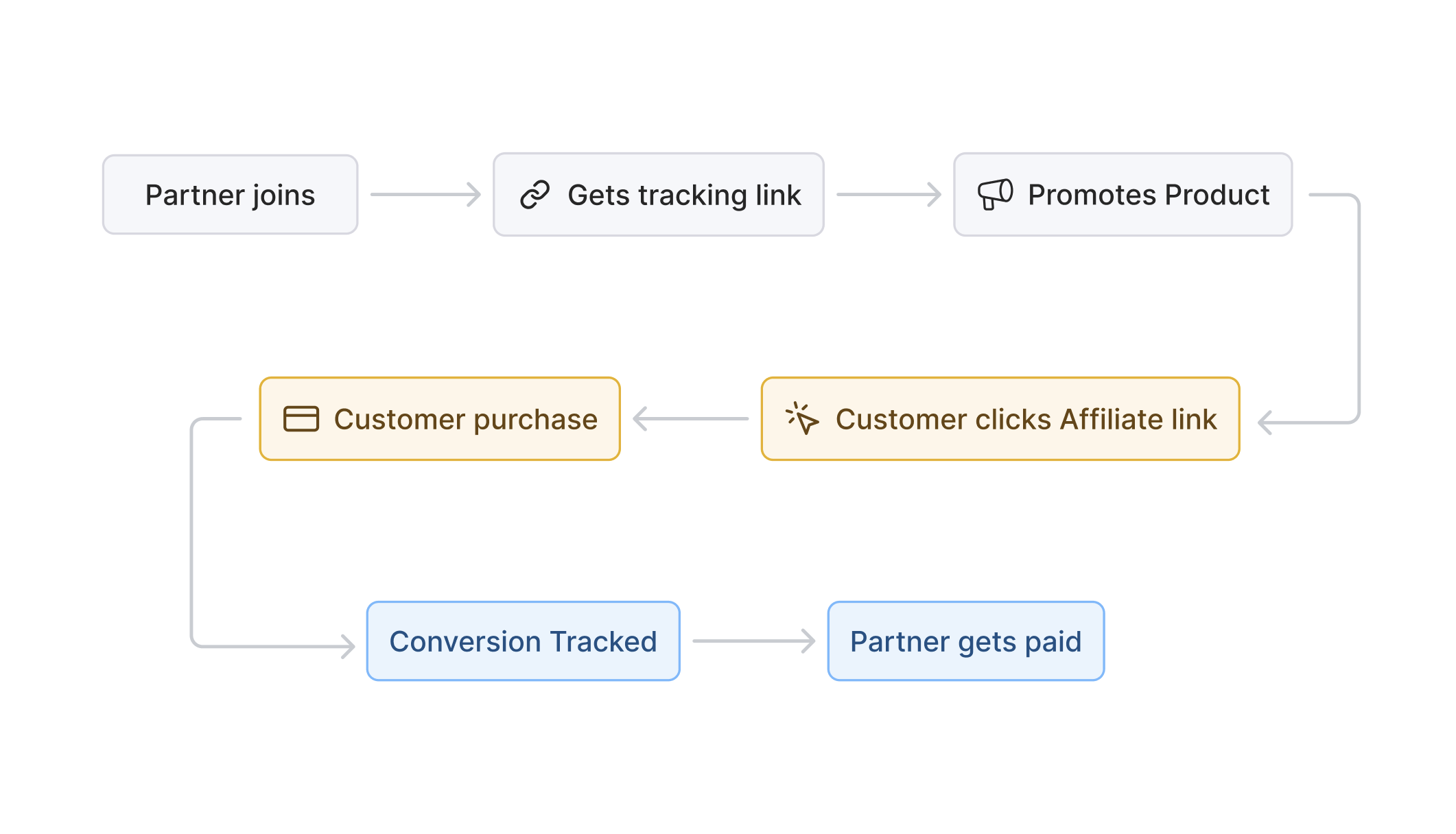
## The affiliate lifecycle
### 1. Advertiser creates a program
You define commission rules, partner approval criteria, and payout/hold settings.
### 2. Partner joins and gets a referral link
Approved partners receive links that identify their traffic.
### 3. Partner promotes your product
Partners share links through content, social, communities, newsletters, or direct outreach.
### 4. Customer clicks and is tracked
Affitor records the visit and stores the click-to-customer relationship needed for attribution.
### 5. Customer signs up and pays
You send signup attribution with your internal customer ID, then record revenue either through:
- Server-side tracking — your backend calls POST /api/v1/track/sale, or
- Stripe integration — Stripe metadata + webhook handling
### 6. Commission is created
Affitor calculates commission from the program's applicable rules and moves it into the commission workflow.
### 7. Payout operations continue in Affitor
Validated commissions move through review, hold, and payout operations for partners.
## Key points
**Flexible integration paths** — Affitor supports browser-side signup tracking, server-side tracking vs Stripe integration, and server-side lead APIs.
**Agent-completable integration** — `npx affitor onboard` (or the `@affitor/mcp` server for AI agents) detects your stack, installs tracking, and fires a synthetic click, lead, and sale through the live pipeline, returning `integration_verified: true` when the chain holds.
**60-day default attribution window** — Affitor documents a 60-day default window for affiliate attribution.
**Invoice billing model** — Advertisers charge customers through their own Stripe or payment setup. Affitor attributes conversions and manages billing and payout operations through its workflow.
## Next steps
Set up commission rules, partner approval criteria, and payout settings.
Learn how Affitor's performance-based pricing model works.
Or start now: [create your program at affitor.com](https://affitor.com) — $0/month, with a 3.5% fee only after your first $10,000 in affiliate-driven revenue.
---
id: "getting-started"
type: "doc"
url: "https://docs.affitor.com/getting-started"
---
# Getting Started
> Start here as an advertiser: what Affitor is, how click-to-payout tracking works, and the performance pricing — $0/month, 3.5% only after your first $10,000 in affiliate revenue.
Get the big picture first, then move into launch and tracking.
## Read these first
## What Affitor helps you do
Create your affiliate program, define commissions, and prepare your approval and payout workflow.
Capture clicks, signups, and payments so the right partner gets credit across the customer journey.
Review performance, validate commissions, and move payouts forward with more confidence.
## Who these docs focus on
These docs currently focus on **advertisers**: the teams configuring programs, integrating tracking, reviewing commissions, and handling payouts.
Evaluating costs nothing: Affitor is $0/month with no setup fee, so you can [create your account at affitor.com](https://affitor.com) and explore the dashboard before you commit to anything. When you reach the integration step, you can do it by hand from the docs or hand it to an AI coding agent — `npx affitor onboard` installs tracking and verifies the click, signup, and sale chain end to end.
---
id: "getting-started/pricing-performance-model"
type: "doc"
url: "https://docs.affitor.com/getting-started/pricing-performance-model"
---
# Pricing
> Affitor pricing: $0/month, $0 setup, 3.5% of partner-generated revenue — and your first $10,000 in affiliate-driven revenue is fee-free.
Affitor charges only when partners generate revenue — no subscription, no setup fee.
## Core pricing model
- **Monthly subscription:** $0
- **Setup fee:** $0
- **Platform fee:** 3.5% of partner-generated revenue
## Example breakdown
A partner drives a $100 sale with a 30% commission:
| Item | Amount |
|------|--------|
| Gross revenue | $100.00 |
| Stripe fee (example) | -$3.20 |
| Partner commission (30%) | -$30.00 |
| Affitor platform fee (3.5%) | -$3.50 |
| **You keep** | **$63.30** |
## How billing works in the current public model
Affitor's public docs currently describe an **invoice billing** model:
1. You keep collecting customer payments in your own Stripe/payment stack.
2. Affitor attributes validated affiliate conversions.
3. Affitor bills through its invoice workflow for partner commission + platform fee obligations.
4. Partner payout operations continue through Affitor.
:::note
Affitor is not the merchant of record in this invoice billing model.
:::
## Cash flow and payout workflow
Commissions move through Affitor's review / hold / payout process. Timing varies by program settings — treat your dashboard as the authoritative operational reference.
[→ See full cash flow details](/brand/quickstart/commission-approval-cash-flow)
## $10K guarantee
Your first $10,000 in affiliate-driven revenue is fee-free.
Confirm your exact commercial terms with the Affitor team before launch.
## What's included
- Partner tracking from click → signup → sale
- Partner program management
- Commission operations
- Payout workflow support
- Analytics and reporting
- Partner messaging and coordination
## Best fit
Affitor works best when your team can cleanly do one of the following:
- send revenue from your backend using `POST /api/v1/track/sale`
- or attach the required metadata to Stripe Checkout via Stripe integration
- or hand the integration to an AI coding agent via `npx affitor onboard` or the MCP server, and let the self-verify loop prove the chain works
## Next steps
Define your commission structure.
See how click, signup and sale tracking works.
Starting costs nothing: [create your program at affitor.com](https://affitor.com) and pay only when partners generate revenue.
---
id: "getting-started/quickstart"
type: "doc"
url: "https://docs.affitor.com/getting-started/quickstart"
---
# How to Use Affitor
> The end-to-end golden path — launch a program, install tracking, and run commissions through to payout.
This is the shortest path from zero to your first attributed commission. Each step links to the detailed guide, so use this page as your map and follow the links when you need depth.
## The lifecycle at a glance
Launch a program
Partners promote
Track referrals
Commission created
Payout
## Phase 1 — Launch your program
Set up the program partners will join and get the API key your backend uses to report sales.
Set up your advertiser account and open the dashboard.
Define program basics, branding, and what partners see.
Choose how partners earn — signups, sales, or subscription payments.
Generate the program API key your server uses to authenticate tracking calls.
## Phase 2 — Install tracking
Affitor attributes revenue from three signals across the customer journey. You install these once and they run continuously.
Click
Signup / lead
Sale
Follow the [3-Step Integration Guide](/advertisers/tracking/quickstart-integration) to wire these up. Sales are always reported **server-side** with your program API key — here is the canonical call:
The `customer_key` you send at signup must equal the one you send at sale. That single identifier is how Affitor links a sale back to the original click and credits the right partner.
## Phase 3 — Commissions and payouts
Once a sale is attributed, Affitor creates the commission and moves it through your review and payout workflow.
Monitor clicks, leads, sales, and per-partner performance once you are live.
Understand how commissions are reviewed, held, and cleared.
Move cleared commissions through to partner payout.
## Your golden-path checklist
---
id: "partners/account-settings"
type: "doc"
url: "https://docs.affitor.com/partners/account-settings"
---
# Account and Payout Settings
> Manage your profile, security, and the payout details that decide how you get paid.
Your account settings hold two things that matter: how advertisers see you, and how your money reaches you. This page walks through both so nothing blocks a payout when you've earned one.
## Profile
Your profile is what an advertiser sees when they review your application. Open **Settings → Account** to edit:
- **Display name and avatar** — the identity shown to advertisers and on your partner pages. A real name and photo help your applications get approved.
- **Bio and links** — where you'll promote (site, social, newsletter). Advertisers running manual review use this to decide, so a specific, honest description converts better than a blank field.
A complete profile is the single cheapest way to raise your approval rate — advertisers approve partners they can size up.
## Security
Under **Settings → Security**:
- **Change your password** — set a strong, unique one.
- **Sign-in email** — the address tied to your account and used for important notifications, including payout confirmations.
Keep the email current: it's where account and payout alerts land.
## Payout details
This is the part that blocks money if it's missing. Before your first withdrawal, set your payment method under the **Payout** tab (see [Getting paid](/partners/payouts) for the full flow):
- Choose your payout method and enter its details accurately — a typo in a payout address is the most common reason a withdrawal fails.
- Some programs require tax information before they release payouts. If you see a prompt for it, complete it early so a payout is never held up when you've earned it.
## Verify it worked
## Next steps
- [Getting paid](/partners/payouts) — turn your balance into a withdrawal
- [Promote your link and earn](/partners/quickstart/promote-your-link) — drive the commissions in the first place
---
id: "partners/dashboard"
type: "doc"
url: "https://docs.affitor.com/partners/dashboard"
---
# Your Partner Dashboard
> Where to find your programs, performance, referred customers, and earnings.
Your dashboard has three tabs — **Home**, **Marketplace**, and **Payout** — plus deeper views for performance and customers. Here's what each one shows.
## Home
Your main view. It lists the programs you've joined with the numbers that matter:
| Column | What it means |
| --- | --- |
| **Clicks** | Visits through your referral links |
| **Signups** | Referred users who created an account |
| **Paid Signups** | Referred users who became paying customers |
| **Revenue** | Sales attributed to you |
| **Total Commission** | What you've earned |
Programs you've applied to but aren't approved for yet appear here too, with a status badge.
## Performance
The **Performance** view breaks results down per program: total revenue, total commissions, total clicks, and your conversion rate.
## Analytics
The **Analytics** view rolls everything up across programs — clicks, leads, conversions, revenue, commissions, conversion rate, and average order value.
## Customers
The **Customers** view lists the people you've referred: their email, location, total spent, commission earned, and referral date.
## Payout
The **Payout** tab is where you set up payment and withdraw earnings. It's covered next.
---
id: "partners/faq"
type: "doc"
url: "https://docs.affitor.com/partners/faq"
---
# Partner FAQ
> Common questions about joining programs, referral links, tracking, and getting paid.
## Getting started
### How do I find programs to promote?
Browse the **[Marketplace](https://affitor.com/marketplace)**. It's public, so you can look before you log in. To apply, you'll need a partner account.
### Why don't I see any programs after signing up?
Make sure you verified your email and chose the **Partner** role. Both are required before the Marketplace and applications unlock. See [Create your account](/partners/quickstart/create-account).
### Do I need to write a pitch to apply?
No. Applying is one click — the *"Why do you want to join?"* message is optional.
## Approval and links
### How long until I'm approved?
It depends on the program. **Auto-accept** programs approve you instantly. **Manual-review** programs are approved by the brand — you'll see an **Applied** badge while you wait, and you're enrolled automatically once they accept.
### What if my application is declined?
You can apply to other programs in the Marketplace anytime — there's no limit on how many you join.
### Where is my referral link?
It's created for you automatically the first time you open your program from your dashboard. Look for the **Copy** button in your links table. See [Get your referral link](/partners/quickstart/get-your-referral-link).
### How is a click credited to me?
Your link carries a unique `?aff=` code. Affitor stores it in a first-party cookie on click and ties later signups and sales back to you.
## Getting paid
### How do I get paid?
Add a payment method under **Profile → Payout**, then withdraw from the **Payout** tab when you have an available balance. See [Getting paid](/partners/payouts).
### What payment methods can I use?
Bank transfer (ACH in the US, BIC/SWIFT internationally) or Wise, depending on your country and currency.
### Is there a minimum payout?
Yes — each program sets its own minimum withdrawal amount.
### How long do payouts take?
After a withdrawal is reviewed and marked sent, allow 1–3 business days for the funds to arrive.
---
id: "partners"
type: "doc"
url: "https://docs.affitor.com/partners"
---
# Become a Partner
> Join a SaaS affiliate program on Affitor, get your referral link, and start earning commission.
Partners promote SaaS products and earn commission on the customers they refer. This guide takes you from a brand-new account to your first shareable referral link.
> **Key terms:**
> - **Partner** — you: the affiliate, creator, agency, or promoter sending traffic
> - **Advertiser** — the SaaS company whose program you join
> - **Referral link** — your unique tracked URL; every click and sale through it is credited to you
## Your path to earning
## How it works
Find a program in the **Marketplace** → **apply**
Get **approved** → you're enrolled
Open the program → **copy your referral link**
Share your link → **earn commission**
## Start here
Sign up and choose the Partner role.
Browse the Marketplace and apply.
Copy your tracked link and share it.
Set up payouts and withdraw your earnings.
---
id: "partners/payouts"
type: "doc"
url: "https://docs.affitor.com/partners/payouts"
---
# Getting Paid
> How commissions turn into a payout — balances, payment methods, withdrawal, and timing.
This page covers the money: how your commission becomes a balance, how to set up a payment method, and how to withdraw.
## Your balance
The **Payout** tab shows three numbers:
- **Ready to withdraw** — the available balance you can cash out now
- **Pending** — earned but not yet cleared for withdrawal
- **Total paid** — your lifetime earnings paid out
## 1. Set up a payment method
Before you can withdraw, add a payment method under **Profile → Payout**. Enter your country, currency, and account details.
Available methods depend on your country and currency:
| Country / currency | Methods |
| --- | --- |
| US / USD | Bank account (ACH) or Wise |
| Vietnam / VND | Bank account (BIC/SWIFT) |
| Vietnam / USD | Bank account (BIC/SWIFT) or Wise |
| Other | Bank account (BIC/SWIFT) or Wise |
## 2. Withdraw
Open **Withdraw** from the Payout tab. It's a three-step wizard:
1. **Amount** — enter how much to withdraw, pick your method, and see any processing fee
2. **Review** — confirm the details
3. **Pay** — submit your withdrawal
:::note
A processing fee may apply depending on the method — the exact amount is shown before you confirm. Each program also sets a **minimum withdrawal amount**, so you may need to reach that threshold before cashing out.
:::
## 3. When you get paid
After you submit a withdrawal, the Affitor team reviews it and marks it as sent. Once it's sent, allow **1–3 business days** for the funds to reach your account. You can follow the status — pending → processing → completed — in your payout history.
## After a refund
If a sale is later refunded, the related commission is reconciled through the same commission and payout workflow.
---
id: "partners/refer-program"
type: "doc"
url: "https://docs.affitor.com/partners/refer-program"
---
# Affitor Refer Program — Terms
> Official terms of the Affitor Refer Program: rewards, attribution rules, holds, clawbacks, and eligibility for referring a brand to Affitor.
These are the official terms of the **Affitor Refer Program** — the program where you refer a SaaS brand to Affitor and earn launch bonuses plus a recurring share of Affitor's revenue from that brand. By enrolling in the program or sharing your referral link, you agree to these terms.
*Effective date: June 10, 2026. This page is the canonical version of the program terms; the in-product landing page is a summary of it.*
## 1. Rewards at a glance
| Reward | Amount | When it's earned |
| --- | --- | --- |
| Launch bonus (M1) | **$50** | Your referred brand completes setup and goes live |
| Growth bonus (M2) | **$350** | The referred brand's program reaches **$10,000 in tracked sales** |
| Revenue share | **15% of Affitor's platform fee** from that brand | Recurring, for **12 months** from the brand's first paid invoice |
Reward amounts and rates reflect the current program configuration. Changes apply prospectively only — they never reduce rewards for brands already attributed to you (see [Section 11](#11-program-changes)).
**Your referred brand benefits too.** Every brand on Affitor pays **$0 in platform fees until it has driven $10,000 in affiliate revenue** — so the brand you introduce gets the full product free while it grows. See [pricing](https://affitor.com/pricing).
## 2. Eligibility
To participate you must:
- Have an Affitor partner account in good standing
- Not be subject to U.S. sanctions or located in a sanctioned jurisdiction
- Provide any tax documentation required before payout (e.g., W-9 for U.S. persons, W-8BEN / W-8BEN-E otherwise)
You are responsible for any taxes on amounts you earn under this program.
## 3. What counts as a qualified referral
A referral qualifies when **all** of the following are true:
1. **The brand is new to Affitor.** The referred company becomes an Affitor advertiser for the first time. An existing advertiser adding another program does not qualify. (An existing Affitor *partner* who becomes an advertiser for the first time **does** qualify.)
2. **Not already in our pipeline.** The brand was not already in an active sales conversation with Affitor at the time of the referral.
3. **Attribution is intact** under the rules in [Section 4](#4-attribution--who-gets-credit).
4. **It is not a self-referral** ([Section 5](#5-self-referrals)).
Affitor may decline to credit any referral that does not meet these conditions, or that it reasonably believes is fraudulent or abusive.
### Reward checkpoints
- **M1 ($50)** is earned when the referred brand's program is **setup-complete**: tracking script installed and verified, lead tracking verified, payment provider (Stripe) connected, and program details completed. Signup alone does not trigger M1.
- **M2 ($350)** is earned when that brand's program crosses **$10,000 in tracked sales** (measured per program).
- **Revenue share (15%)** accrues on each platform-fee invoice the brand actually pays, for 12 months from the brand's first paid invoice.
## 4. Attribution — who gets credit
Only **one partner** earns rewards for a given brand. Credit is resolved in this order:
1. **Last click wins.** The partner whose referral link the brand clicked **most recently before signing up** receives the attribution. Each click starts a **30-day attribution window**; a newer click by another partner replaces an older one.
2. **One brand, one partner — permanently.** Once a brand is attributed, the link is exclusive and enforced at the database level. It does not change retroactively.
3. **Affitor's tracking system is the authoritative record** of clicks, signups, and attribution.
4. **Backstop.** If a situation cannot be resolved by the rules above (for example, a broken cookie chain across devices), Affitor will determine attribution at its sole discretion, and that determination is final.
There is no partial or split credit: when two partners claim the same brand, one receives the full reward and the other receives nothing for that brand.
## 5. Self-referrals
Self-referrals are void and earn nothing. This includes referring:
- Yourself, or your own company
- Any entity you own an interest in, work for, or contract with
- Any account you control directly or indirectly
If a referrer cannot be verified as a distinct person from the referred brand, the referral is not credited.
## 6. Holds and payouts
- Every reward (M1, M2, and revenue share) is subject to a **30-day hold** from the moment it's earned. Holds exist to cover refunds, payment disputes, and fraud review.
- After the hold clears, the reward is released to your partner balance and follows the standard [withdrawal process](/partners/payouts).
- Affitor has **no obligation to pay any reward until the underlying revenue has been received and cleared** from the referred brand. Revenue share accrues only on invoices that are actually paid.
## 7. Clawbacks and payment disputes
We believe in stating this precisely, because it protects both sides:
- **If a referred brand disputes a payment** (chargeback), the portion of your rewards funded by that payment is **reversed pro-rata when the dispute opens**.
- **If Affitor wins the dispute**, the reversed amount is **re-credited to you in full**.
- **Partial refunds** reverse rewards pro-rata to the refunded amount.
- Reversals are netted against your balance and future rewards. If your balance is insufficient and the reversed amount was already withdrawn, Affitor may request reimbursement directly.
## 8. Promotion rules
You may share your referral link anywhere you genuinely reach SaaS founders and teams — your site, newsletter, social, communities, direct intros. The following are prohibited:
- Bidding on "Affitor" or confusingly similar terms in paid search, or running ads that compete with Affitor's own advertising
- Registering domains or handles containing "Affitor" or variations of it
- Cookie stuffing, forced clicks, pop-unders, iframe tricks, or any artificial inflation of clicks
- Offering the referred brand cash, rebates, or other incentives to sign up through your link, unless Affitor authorizes it in writing
- Spam, and any misrepresentation of Affitor's pricing, features, or this program's rewards
Violations may result in removal from the program and **forfeiture of all unpaid rewards, whether or not they relate to the violation**.
## 9. Term and termination
- **You can leave anytime**, and Affitor may end your participation with notice. On a good-standing exit, rewards already earned are paid out after their holds clear, and **revenue share on brands you already referred continues through each brand's 12-month window**.
- **Termination for cause** — fraud, self-referral schemes, or violation of these terms — forfeits all unpaid rewards immediately.
- **Finality.** Attribution records and payments are considered final **12 months** after the related event; claims raised later than that won't be reopened.
## 10. Reward limits
Affitor reserves the right to set a maximum total reward per partner or per referred brand, and to review unusually high-volume accounts before payout.
## 11. Program changes
Affitor may update these terms and the program configuration (amounts, rates, thresholds, hold period). Changes take effect when published on this page and apply **prospectively**: rewards for brands already attributed to you keep the configuration in effect at the time of attribution. Continued participation after a change constitutes acceptance.
## 12. General
- Affitor is not liable for tracking errors caused by how a link was shared or used (modified URLs, blocked cookies, etc.), even where this reduces a reward.
- Affitor may reject any referral for any reason, including conflicts with existing relationships.
- These terms supplement the Affitor Terms of Service, which govern your account.
:::note
Questions about a specific referral or attribution decision? Contact [team@affitor.com](mailto:team@affitor.com) — include the brand name and the date you made the introduction.
:::
---
id: "support/contact"
type: "doc"
url: "https://docs.affitor.com/support/contact"
---
# Contact Us
> Get in touch with the Affitor team for support, partnerships, or press inquiries.
We'd love to hear from you. Whether you're exploring affiliate marketing for your AI SaaS, have questions about Affitor, or want to discuss a partnership opportunity—we're here to help.
---
## Email
**General Inquiries & Support**
hello@affitor.com
We respond to all inquiries within 24 hours.
---
## Connect With Us
Find us on [X @affitor_ai](https://x.com/affitor_ai) and [LinkedIn](https://linkedin.com/company/affitor) for product updates, affiliate marketing insights, and company news.
---
## Location
San Francisco, CA
---
## For Brands
Ready to launch or scale your affiliate program? We'll walk you through how Affitor can help you:
- Recruit quality partners in your space
- Launch without upfront fees or subscriptions
- Track performance with modern, reliable attribution
- Grow revenue through execution, not just software
Email us at hello@affitor.com with a brief description of your product and goals. We'll get back to you within 24 hours.
---
## For Partners & Creators
Interested in joining our partner network? We work with:
- Content creators (YouTube, newsletters, podcasts)
- Industry bloggers and reviewers
- Niche influencers and thought leaders
- Agencies promoting AI and SaaS tools
Email hello@affitor.com with:
- Your content platform or channel
- Areas of focus or expertise
- Types of products you typically promote
---
## Press & Media
For press inquiries, interview requests, or media partnerships:
**Email:** hello@affitor.com
**Subject line:** Press Inquiry
---
## Response Commitment
We take every message seriously. Here's what to expect:
| Inquiry Type | Response Time |
|--------------|---------------|
| General questions | Within 24 hours |
| Partnership inquiries | Within 24 hours |
| Technical support | Within 24 hours |
| Press & media | Within 24 hours |
---
*Affitor — AI-native affiliate marketing for AI SaaS companies.*
---
id: "support/glossary"
type: "doc"
url: "https://docs.affitor.com/support/glossary"
---
# Glossary
> Common terms used across Affitor docs — server-side tracking, Stripe integration, invoice billing, and more
## A
### Advertiser
The company running an affiliate program in Affitor.
### Affiliate Link
A partner-specific referral link that includes tracking information, typically through the `?aff=` parameter.
### Attribution
The process of crediting a conversion to the correct partner. Current public docs describe first-party tracking with a 60-day default window and last-click attribution.
### Attribution Window
The time period during which a tracked click can still receive credit for a later conversion. Public docs currently describe a 60-day default window.
## B
### Invoice billing
The current public payment-tracking model where the advertiser keeps collecting end-customer payment in their own checkout/Stripe account, and Affitor attributes conversions then bills through its invoice workflow.
## C
### Click
A tracked affiliate visit created when someone lands via a partner link.
### Commission
The amount earned by a partner after a sale is attributed and processed through the commission workflow.
### Customer Key
Your internal customer/user identifier. It appears as:
- `customerKey` in the browser helper
- `customer_key` in the tracking API payloads
- `affitor_customer_key` in Stripe metadata
## H
### Hold Period
The review/protection period before a commission becomes available for payout operations.
## P
### Partner
Any individual or organization promoting an advertiser's product in exchange for commission.
### Payout
The transfer of cleared partner earnings through Affitor's payout workflow.
### Performance-based Pricing
A pricing model where fees are tied to partner-generated revenue rather than a monthly subscription.
### Platform Fee
Affitor's fee charged on partner-generated revenue in the public pricing model. Public pricing materials currently describe this as 3.5%.
### Program ID
The identifier for your Affitor program. It is used in tracker setup, test flows, and Stripe metadata. You can find your program ID in the Affitor dashboard after creating your program.
## R
### Recurring Commission
A commission structure where a partner can keep earning on subscription renewals for a defined duration or lifetime, depending on the configured program rules.
## S
### Server-side tracking
The server-to-server revenue tracking method — your backend calls `POST /api/v1/track/sale`.
### Signup Helper
The browser-side helper call used after a successful signup: `signup(customerKey, email)`.
### Stripe metadata
The metadata Affitor uses to attribute Stripe Checkout payments, typically:
- `affitor_click_id`
- `affitor_customer_key`
- `program_id`
## T
### Test Mode
A testing path that creates test events without affecting production attribution or commission data.
### Tracking
The system that connects click, signup, and sale data so revenue can be attributed to the correct partner.
## W
### Webhook
An automated event notification. Affitor uses Stripe webhooks to process payment attribution in the Stripe integration.
### Withdrawable Balance
Partner earnings that have cleared the hold/review workflow and are available within the payout process.
## Related resources
- [What is Affitor?](/)
- [How Affitor Works](/getting-started/how-it-works)
- [Pricing](/getting-started/pricing-performance-model)
---
id: "support"
type: "doc"
url: "https://docs.affitor.com/support"
---
# Support
> Get help with Affitor, follow the fastest self-serve path, and know when to contact the team.
Choose the fastest support path before opening a request.
## Start here first
## Common support paths
Read the high-level overview, pricing model, and workflow before jumping into implementation details.
Follow the advertiser setup flow if you are still configuring your account, commissions, or payout workflow.
Review click, signup, payment, and testing docs to isolate where attribution is breaking.
Reach out once you have gathered the right implementation details and evidence.
## What to include when you contact support
- Your program ID
- The exact flow that is affected
- Request/response samples or webhook evidence if relevant
- Screenshots of dashboard state, console errors, or failed requests
- A short summary of what you already tried
---
id: "support/status"
type: "doc"
url: "https://docs.affitor.com/support/status"
---
# System Status
> Check the current public status guidance and what to do if you suspect an issue.
Affitor does not currently publish a full real-time public status dashboard on docs.affitor.com.
## What to do if you suspect an issue
## What to include
- your program ID
- the affected flow or page
- screenshots, request logs, or webhook evidence where possible
- whether the issue is reproducible
## Planned future update
This page should be updated if Affitor later publishes a dedicated public incident, maintenance, or uptime dashboard.
---
id: "api-reference/integrations/fastify"
type: "doc"
url: "https://docs.affitor.com/api-reference/integrations/fastify"
---
# Fastify
> Server-side Affitor integration with @affitor/sdk/server — track signups and sales from your Fastify backend, including a raw-body Stripe webhook.
This guide wires Affitor into a Fastify app. Because Fastify is a pure server runtime, the click is captured by a frontend script tag, then the `affitor_click_id` is forwarded to your server so all tracking calls — lead and sale — happen server-side with `@affitor/sdk/server`. The sale is tracked from your Stripe webhook handler, which needs the **raw request body** for signature verification.
:::note
The `@affitor/sdk` package is **Beta**. The documented happy-path works; report issues on GitHub.
:::
## Prerequisites
- Your **program ID** (dashboard → program settings)
- A **program API key** for server-side calls (dashboard → API keys)
- `@affitor/sdk` and `stripe` installed in your backend
```bash
npm i @affitor/sdk stripe
```
## 1. Capture the click (frontend)
Add the Affitor script tag to every page of your frontend. It reads `?aff=` from the URL and stores the `affitor_click_id` as a first-party cookie automatically — no JS call required.
```html
```
When your signup form submits, read the click id and send it to your server along with the form data:
```js
// frontend — read the click id before submitting
const clickId = window.affitor?.getClickId() ?? null;
await fetch('/api/signup', {
method: 'POST',
headers: { 'Content-Type': 'application/json' },
body: JSON.stringify({ email, password, affitorClickId: clickId }),
});
```
:::note
The `affitor_click_id` lives in a **first-party browser cookie**. Your Fastify handlers run with no access to that cookie, so you must forward the click id from the client explicitly. Without it, the lead has no partner to attribute to.
:::
## 2. Track the signup
Instantiate the SDK once (module-level or via a shared singleton) and call `trackLead` as soon as you create the user record.
```js
// lib/affitor.js
import { Affitor } from '@affitor/sdk/server';
export const affitor = new Affitor({ apiKey: process.env.AFFITOR_API_KEY });
```
```js
// routes/signup.js
import { affitor } from '../lib/affitor.js';
import { createUser } from '../db/users.js';
export default async function signupRoutes(fastify) {
fastify.post('/api/signup', async (request, reply) => {
const { email, password, affitorClickId } = request.body;
// 1. Create the user in your database
const user = await createUser({ email, password });
// 2. Track the lead with Affitor
const result = await affitor.trackLead({
customerExternalId: user.id, // stable internal ID — reuse at sale time
clickId: affitorClickId, // forwarded from the browser (may be null)
email: user.email, // optional but improves attribution
});
if (!result.ok) {
// Non-fatal — log and continue; the user is already created
request.log.error({ status: result.status, error: result.error }, '[affitor] trackLead failed');
}
return { userId: user.id };
});
}
```
`customerExternalId` is your **stable internal user ID**. Use the exact same value when you track a sale — this is what links a partner's click to a commission.
## 3. Attach Affitor metadata to the Checkout Session
When you create a Stripe Checkout Session on your server, attach `affitor_click_id`, `affitor_customer_key`, and `program_id`. For subscriptions, plant the metadata in **two places** so renewals attribute correctly.
```js
// server — creating the Checkout Session
const session = await stripe.checkout.sessions.create({
mode: 'subscription', // or 'payment'
line_items: [{ price: 'price_xxx', quantity: 1 }],
success_url: 'https://yoursite.com/success',
cancel_url: 'https://yoursite.com/cancel',
metadata: { // first payment (checkout.session.completed)
affitor_click_id: affitorClickId, // forwarded from the browser
affitor_customer_key: user.id, // SAME id used at signup
program_id: 'YOUR_PROGRAM_ID',
},
// REQUIRED for subscriptions — covers every renewal (invoice.paid)
subscription_data: {
metadata: {
affitor_click_id: affitorClickId,
affitor_customer_key: user.id,
program_id: 'YOUR_PROGRAM_ID',
},
},
});
```
## 4. Track the sale from the Stripe webhook
Sales must always be tracked server-side — never from the browser. In Fastify, the Stripe webhook route needs the **raw request body** so `stripe.webhooks.constructEvent` can verify the signature. Fastify parses JSON by default, which corrupts the signature, so register a raw-body parser **scoped to the webhook route**.
### Configure the raw body
Add a content-type parser that hands Stripe the untouched `Buffer`. Keep it scoped so your other routes still get parsed JSON.
```js
// server.js
import Fastify from 'fastify';
const fastify = Fastify({ logger: true });
// Capture the raw body as a Buffer for the Stripe webhook only.
// Stripe signature verification fails if the body is parsed/re-serialized.
fastify.addContentTypeParser(
'application/json',
{ parseAs: 'buffer' },
(request, body, done) => {
if (request.routerPath === '/webhooks/stripe') {
// Leave the raw Buffer untouched for signature verification.
done(null, body);
} else {
try {
done(null, JSON.parse(body.toString()));
} catch (err) {
err.statusCode = 400;
done(err, undefined);
}
}
},
);
```
:::note
If you prefer not to override the global JSON parser, the [`fastify-raw-body`](https://github.com/Eomm/fastify-raw-body) plugin exposes `request.rawBody` on a per-route basis instead. Either way, the Stripe handler must receive the **unparsed** body.
:::
### The webhook handler
```js
// routes/stripe-webhook.js
import Stripe from 'stripe';
import { affitor } from '../lib/affitor.js';
const stripe = new Stripe(process.env.STRIPE_SECRET_KEY);
export default async function stripeWebhookRoutes(fastify) {
fastify.post('/webhooks/stripe', async (request, reply) => {
const signature = request.headers['stripe-signature'];
let event;
try {
event = stripe.webhooks.constructEvent(
request.body, // the raw Buffer from the content-type parser above
signature,
process.env.STRIPE_WEBHOOK_SECRET,
);
} catch (err) {
request.log.error({ err }, '[stripe] signature verification failed');
return reply.code(400).send(`Webhook Error: ${err.message}`);
}
switch (event.type) {
case 'checkout.session.completed': {
const session = event.data.object;
// Skip $0 / setup-mode sessions (free trials, $0 invoices) — the SDK rejects
// a non-positive amount, and there's no revenue to attribute yet.
if (session.amount_total && session.amount_total > 0) {
const result = await affitor.trackSale({
// Reads the SAME key the metadata step writes (session.metadata.affitor_customer_key);
// client_reference_id is only a fallback for brands that set it explicitly.
customerExternalId: session.metadata?.affitor_customer_key ?? session.client_reference_id,
amount: session.amount_total, // integer cents
invoiceId: session.id, // idempotency key — duplicate returns 409
});
if (!result.ok && result.status !== 409) {
request.log.error({ status: result.status, error: result.error }, '[affitor] trackSale failed');
}
}
break;
}
}
return reply.code(200).send({ received: true });
});
}
```
The `invoiceId` field acts as an idempotency key. If your webhook fires twice for the same payment, the second call returns `{ ok: false, status: 409 }` — handle it as a no-op, not an error.
:::note
The handler above tracks the **first** subscription payment (`checkout.session.completed`). Subscription **renewals** arrive as a different event (`invoice.paid`) and need their own `case` — see [Subscription Renewals](/api-reference/integrations/stripe#subscription-renewals) in the canonical Stripe guide.
:::
## Verify
## Common mistakes
---
id: "api-reference/integrations/nextjs-clerk"
type: "doc"
url: "https://docs.affitor.com/api-reference/integrations/nextjs-clerk"
---
# Next.js + Clerk
> Add Affitor tracking to a Next.js (App Router) app that uses Clerk for authentication.
This guide covers the auth-specific parts of an Affitor integration when your Next.js app uses Clerk. Steps 1 (capture the click) and 3 (track the sale) are identical to the [base Next.js guide](/api-reference/integrations/nextjs) — this guide focuses on **Step 2: tracking the signup** with Clerk's identity model.
:::note
The `@affitor/sdk` package is **Beta**. The documented happy-path works; report issues on GitHub.
:::
## Prerequisites
- Your **program ID** (dashboard → program settings)
- A **program API key** for server-side calls (sales)
- A Next.js App Router app with **Clerk** configured
## 1. Capture the click
Follow [Step 1 of the base Next.js guide](/api-reference/integrations/nextjs#1-capture-the-click) — install `@affitor/sdk`, create the `` client component, and render it in your root layout. Nothing changes for Clerk.
## 2. Track the signup
The `affitor_click_id` is stored in a **first-party browser cookie**. A server-side Clerk webhook (`user.created`) runs with no access to that cookie, so it cannot supply the click ID on its own.
**Two paths are available — the client-side path is the reliable default.**
### Option A — Client-side (recommended)
After Clerk completes sign-up, call `signup()` from a client component. The browser SDK reads the `affitor_click_id` cookie automatically — you do not need to pass it explicitly.
Use Clerk's `useUser()` hook to access the signed-in user, then fire `signup()` once the user is available:
```tsx
// app/post-signup.tsx — render this on your post-signup or onboarding page
'use client';
import { useEffect } from 'react';
import { useUser } from '@clerk/nextjs';
import { signup } from '@affitor/sdk';
export function AffitorSignup() {
const { user, isLoaded } = useUser();
useEffect(() => {
if (!isLoaded || !user) return;
signup(user.id, user.primaryEmailAddress?.emailAddress);
}, [isLoaded, user]);
return null;
}
```
`user.id` is Clerk's stable `userId` — use this exact value as `customerExternalId` at sale time too.
:::note
Place `` on the page a new user lands on right after registration (e.g. `/onboarding`, `/welcome`, or wherever your post-signup redirect goes). Rendering it on every page is harmless — `signup()` is idempotent — but placing it on the post-signup destination keeps attribution tight.
:::
### Option B — Clerk webhook (`user.created`)
If you need to track signups server-side via Clerk's `user.created` webhook, you **must** forward the click ID yourself. The webhook fires with no browser context, so Affitor cannot attribute the lead without it.
**Step 1.** On the client, read the click ID and store it on the Clerk user before sign-up completes (e.g. in a pre-submit handler or just before redirecting away from your sign-up form):
```tsx
'use client';
import { useSignUp } from '@clerk/nextjs';
import { getClickId } from '@affitor/sdk';
// during your sign-up form submit
const { signUp } = useSignUp();
await signUp.update({
unsafeMetadata: {
affitor_click_id: getClickId() ?? null,
},
});
```
**Step 2.** In your Clerk webhook handler, read the forwarded click ID and call `trackLead`:
```ts
// app/api/webhooks/clerk/route.ts
import { Webhook } from 'svix';
import Affitor from '@affitor/sdk/server';
const affitor = new Affitor({ apiKey: process.env.AFFITOR_API_KEY! });
export async function POST(req: Request) {
const payload = await req.text();
const headers = {
'svix-id': req.headers.get('svix-id')!,
'svix-timestamp': req.headers.get('svix-timestamp')!,
'svix-signature': req.headers.get('svix-signature')!,
};
const wh = new Webhook(process.env.CLERK_WEBHOOK_SECRET!);
const event = wh.verify(payload, headers) as { type: string; data: Record };
if (event.type === 'user.created') {
const user = event.data;
const unsafeMeta = (user.unsafe_metadata as Record | undefined) ?? {};
await affitor.trackLead({
customerExternalId: user.id as string,
clickId: unsafeMeta.affitor_click_id ?? undefined, // forwarded from the browser
email: (user.email_addresses as Array<{ email_address: string }>)[0]?.email_address,
});
}
return new Response('ok');
}
```
:::note
If `affitor_click_id` is `null` (the user arrived directly, not via an affiliate link), `trackLead` still records the lead — it just won't be attributed to a partner. That is the correct behavior.
:::
## 3. Track the sale
Follow [Step 3 of the base Next.js guide](/api-reference/integrations/nextjs#3-track-the-sale). Use `user.id` (the Clerk user ID) as `affitor_customer_key` in Stripe metadata and as `customerExternalId` in `trackSale` — the same value you used at signup.
## Verify
## Common mistakes
---
id: "api-reference/integrations/nextjs-nextauth"
type: "doc"
url: "https://docs.affitor.com/api-reference/integrations/nextjs-nextauth"
---
# Next.js + NextAuth
> Add Affitor lead tracking to a Next.js app using NextAuth (Auth.js) — handle the click-id cookie gap correctly.
This guide covers the signup step when your Next.js app uses **NextAuth (Auth.js)** for authentication. Steps 1 (capture click) and 3 (track sale) are identical to the [base Next.js guide](/api-reference/integrations/nextjs) — this page focuses on what is different: wiring the lead call to NextAuth's auth lifecycle without losing the click attribution.
:::note
The `@affitor/sdk` package is **Beta**. The documented happy-path works; report issues on GitHub.
:::
## Prerequisites
- Your **program ID** (dashboard → program settings)
- A **program API key** for server-side calls
- A Next.js App Router app with NextAuth (Auth.js) configured
## 1. Capture the click
Follow [Step 1 of the Next.js guide](/api-reference/integrations/nextjs#1-capture-the-click). Install `@affitor/sdk`, create an `AffitorInit` client component, and render it in your root layout. No changes needed for NextAuth.
## 2. Track the signup
### The cookie gap
NextAuth's `events.createUser` callback fires **on the server**, once per new user — it looks like the ideal place to call `trackLead`. It is — but with one important caveat:
**The `affitor_click_id` is a first-party browser cookie.** A server-side callback has no access to it. If you call `@affitor/sdk/server trackLead` from `events.createUser` without passing a `clickId`, the lead is recorded but has no partner to attribute to — the click attribution is lost.
### Recommended: track client-side after sign-in
The most reliable path is to fire `signup()` from the **browser**, immediately after NextAuth confirms a new user session. The browser SDK reads the `affitor_click_id` cookie automatically — no forwarding required.
```tsx
// app/auth-tracker.tsx
'use client';
import { useEffect, useRef } from 'react';
import { useSession } from 'next-auth/react';
import { signup } from '@affitor/sdk';
export function AffitorAuthTracker() {
const { data: session, status } = useSession();
const tracked = useRef(false);
useEffect(() => {
if (status !== 'authenticated' || tracked.current) return;
if (!session?.user?.id) return;
// Fire once per new session. Your backend should also guard
// against duplicate leads using customerExternalId.
tracked.current = true;
signup(session.user.id, session.user.email ?? undefined);
}, [status, session]);
return null;
}
```
Render it inside your root layout, alongside `AffitorInit`:
```tsx
// app/layout.tsx
import { AffitorInit } from './affitor-init';
import { AffitorAuthTracker } from './auth-tracker';
import { SessionProvider } from 'next-auth/react';
export default function RootLayout({ children }: { children: React.ReactNode }) {
return (
{children}
);
}
```
:::note
`signup()` calls `POST /api/v1/track/lead`. Affitor deduplicates by `customerExternalId`, so calling it on every sign-in is safe — only the first call for a given ID creates a lead.
:::
### Alternative: server-side via events.createUser with click-id forwarding
If you need the lead recorded the moment the user row is created (before the client redirects), you can use `events.createUser` — but you **must** forward the click ID from the browser yourself.
**Step A — read the click ID on the client before the user submits the sign-up form:**
```tsx
'use client';
import { getClickId } from '@affitor/sdk';
// In your sign-up form handler, read the click ID and include
// it in the request or store it on the user's session/metadata.
const clickId = getClickId(); // returns the affitor_click_id cookie value
```
**Step B — pass it through to your NextAuth config and call `trackLead` in the event:**
```ts
// auth.ts (NextAuth config)
import Affitor from '@affitor/sdk/server';
import type { NextAuthConfig } from 'next-auth';
const affitor = new Affitor({ apiKey: process.env.AFFITOR_API_KEY! });
export const authConfig: NextAuthConfig = {
// ...providers, callbacks, etc.
events: {
async createUser({ user }) {
// user.id is the NextAuth-generated user ID — use it as
// customerExternalId everywhere: signup, sale, Stripe metadata.
await affitor.trackLead({
customerExternalId: user.id,
clickId: user.affitorClickId ?? undefined, // forwarded from the browser
email: user.email ?? undefined,
});
},
},
};
```
:::note
`user.affitorClickId` is illustrative — the forwarding mechanism depends on your auth flow. Common approaches: store the click ID in the sign-up form's hidden field and write it to a custom user attribute before `createUser` fires, or pass it through a custom `session` object. Without it, `clickId` is undefined and the lead will not be attributed to a partner.
:::
If you cannot reliably forward the click ID in your server webhook, **prefer the client-side path above.**
## 3. Track the sale
Follow [Step 3 of the Next.js guide](/api-reference/integrations/nextjs#3-track-the-sale). Use `session.user.id` as `affitor_customer_key` (Stripe path) or `customerExternalId` (server SDK path) — it must match the value you sent at signup.
## Verify
## Common mistakes
---
id: "api-reference/integrations/nextjs-supabase"
type: "doc"
url: "https://docs.affitor.com/api-reference/integrations/nextjs-supabase"
---
# Next.js + Supabase Auth
> Add Affitor tracking to a Next.js app that uses Supabase Auth — clicks, signups, and sales.
This guide covers the Supabase-specific signup step. Steps 1 (capture the click) and 3 (track the sale) are identical to the [base Next.js guide](/api-reference/integrations/nextjs) — refer there for full detail.
:::note
The `@affitor/sdk` package is **Beta**. The documented happy-path works; report issues on GitHub.
:::
## Prerequisites
- Your **program ID** (dashboard → program settings)
- A **program API key** for server-side calls (sales)
- A Next.js app with **Supabase Auth** configured
## 1. Capture the click
Follow [Step 1 of the Next.js guide](/api-reference/integrations/nextjs#1-capture-the-click). Install `@affitor/sdk`, create an `` client component that calls `init({ programId })` on mount, and render it once in your root layout.
## 2. Track the signup
Supabase Auth exposes `onAuthStateChange` — a client-side listener that fires whenever the session changes. This is the **recommended place** to call `signup()` because the browser SDK reads the `affitor_click_id` cookie automatically. No click-id plumbing required.
```tsx
'use client';
import { useEffect } from 'react';
import { createClient } from '@/utils/supabase/client';
import { signup } from '@affitor/sdk';
export function AffitorAuthSync() {
useEffect(() => {
const supabase = createClient();
const { data: { subscription } } = supabase.auth.onAuthStateChange(
(event, session) => {
if (event === 'SIGNED_IN' && session?.user) {
// Only fire on a genuinely new sign-up, not every page load.
// Use a flag stored in sessionStorage to call signup() once.
const key = `affitor_lead_sent_${session.user.id}`;
if (!sessionStorage.getItem(key)) {
signup(session.user.id, session.user.email ?? undefined);
sessionStorage.setItem(key, '1');
}
}
}
);
return () => subscription.unsubscribe();
}, []);
return null;
}
```
Render this component alongside `` in your root layout:
```tsx
// app/layout.tsx
import { AffitorInit } from './affitor-init';
import { AffitorAuthSync } from './affitor-auth-sync';
export default function RootLayout({ children }: { children: React.ReactNode }) {
return (
{children}
);
}
```
`signup(userId, email?)` fires `POST /api/v1/track/lead`. The `userId` here is `session.user.id` — the stable Supabase UUID. Use this exact value as `customerExternalId` everywhere: at sale time and in any Stripe metadata.
:::note
**Why client-side is the reliable default.** The `affitor_click_id` is a first-party browser cookie. A Supabase DB trigger or Edge Function runs with no access to that cookie, so it cannot supply the click ID on its own. The `onAuthStateChange` listener runs in the browser where the cookie exists, so attribution is automatic.
:::
### Server-side option (DB trigger / Edge Function)
If you need to track leads from a Supabase Edge Function or DB trigger, you must forward the click ID yourself.
1. On the client, read the click ID before or during sign-up:
```tsx
import { getClickId } from '@affitor/sdk';
const clickId = getClickId(); // returns the affitor_click_id cookie value
// Store clickId on the user's metadata or pass it through your sign-up flow.
await supabase.auth.signUp({
email,
password,
options: {
data: { affitor_click_id: clickId },
},
});
```
2. In your Edge Function, read the forwarded click ID and call `@affitor/sdk/server`:
```ts
// supabase/functions/on-signup/index.ts
import Affitor from '@affitor/sdk/server';
const affitor = new Affitor({ apiKey: Deno.env.get('AFFITOR_API_KEY')! });
const clickId = user.user_metadata?.affitor_click_id;
await affitor.trackLead({
customerExternalId: user.id, // Supabase user.id
clickId, // undefined if user did not arrive via a partner link
email: user.email,
});
```
Without the forwarded `clickId`, the lead has no partner to attribute to — the event is recorded but conversion credit cannot be assigned.
## 3. Track the sale
Follow [Step 3 of the Next.js guide](/api-reference/integrations/nextjs#3-track-the-sale). Use `session.user.id` (your `customerExternalId`) as `affitor_customer_key` in Stripe metadata, or as `customerExternalId` in `affitor.trackSale()`. Sales must always be tracked server-side.
## Verify
## Common mistakes
---
id: "api-reference/integrations/nextjs"
type: "doc"
url: "https://docs.affitor.com/api-reference/integrations/nextjs"
---
# Next.js
> Add Affitor tracking to a Next.js (App Router) app — clicks, signups, and sales.
This guide wires Affitor into a Next.js App Router app with the three moves every integration needs: **capture the click**, **track the signup**, **track the sale**.
:::note
The `@affitor/sdk` package is **Beta**. The documented happy-path works; report issues on GitHub.
:::
## Prerequisites
- Your **program ID** (dashboard → program settings)
- A **program API key** for server-side calls (sales)
- A Next.js app on the **App Router**
## 1. Capture the click
Install the browser SDK and initialize it once on the client. `init()` reads `?aff=` from the URL and stores a first-party `affitor_click_id` cookie. It is SSR-safe — `init()` is a no-op on the server.
```bash
npm i @affitor/sdk
```
Create a client component that runs `init()` on mount:
```tsx
// app/affitor-init.tsx
'use client';
import { useEffect } from 'react';
import { init } from '@affitor/sdk';
export function AffitorInit() {
useEffect(() => {
init({ programId: YOUR_PROGRAM_ID });
}, []);
return null;
}
```
Render it once in your root layout:
```tsx
// app/layout.tsx
import { AffitorInit } from './affitor-init';
export default function RootLayout({ children }: { children: React.ReactNode }) {
return (
{children}
);
}
```
## 2. Track the signup
When a user finishes signing up, link them to their click. Call the browser helper with **your own stable user ID** — you'll reuse this exact value at sale time.
```tsx
'use client';
import { signup } from '@affitor/sdk';
// after your signup flow completes
await signup(user.id, user.email); // email optional
```
Prefer to do it server-side (e.g. in a route handler or after a DB write)? Use the server SDK with your program API key:
```ts
// server only
import Affitor from '@affitor/sdk/server';
const affitor = new Affitor({ apiKey: process.env.AFFITOR_API_KEY! });
await affitor.trackLead({
customerExternalId: user.id, // same ID you'll send at sale time
clickId, // affitor_click_id, forwarded from the cookie
email: user.email, // optional
});
```
## 3. Track the sale
Pick one of two paths — this is the real choice: **does Stripe tell us, or does your server?**
### Option A — Stripe integration (recommended for Stripe Checkout)
Attach Affitor metadata when you create the Checkout Session in **your own** Stripe account. Affitor reads your Stripe webhooks and attributes the sale automatically — no extra call.
```ts
// server — creating the Checkout Session
const session = await stripe.checkout.sessions.create({
mode: 'subscription', // or 'payment'
line_items: [{ price: 'price_xxx', quantity: 1 }],
success_url: 'https://yoursite.com/success',
cancel_url: 'https://yoursite.com/cancel',
metadata: {
affitor_click_id: clickId, // from the affitor_click_id cookie
affitor_customer_key: user.id, // SAME id you used at signup
program_id: 'YOUR_PROGRAM_ID',
},
// subscriptions: duplicate the SAME metadata so renewals attribute
subscription_data: {
metadata: {
affitor_click_id: clickId,
affitor_customer_key: user.id,
program_id: 'YOUR_PROGRAM_ID',
},
},
});
```
### Option B — Server-side tracking (any provider)
Report the finalized sale from your backend. Works with any payment provider.
```ts
import Affitor from '@affitor/sdk/server';
const affitor = new Affitor({ apiKey: process.env.AFFITOR_API_KEY! });
await affitor.trackSale({
customerExternalId: user.id, // SAME id as signup
amount: 4999, // integer cents
invoiceId: invoice.id, // idempotency key — a duplicate returns 409
});
```
## Verify
## Common mistakes
---
id: "api-reference/integrations/node-express"
type: "doc"
url: "https://docs.affitor.com/api-reference/integrations/node-express"
---
# Node / Express
> Server-side Affitor integration with @affitor/sdk/server — track signups and sales from your Express backend.
This guide wires Affitor into a Node.js / Express app. Because Express is a pure server runtime, the click is captured by a frontend script tag, then the `affitor_click_id` is forwarded to your server so all tracking calls — lead and sale — happen server-side with `@affitor/sdk/server`.
:::note
The `@affitor/sdk` package is **Beta**. The documented happy-path works; report issues on GitHub.
:::
## Prerequisites
- Your **program ID** (dashboard → program settings)
- A **program API key** for server-side calls (dashboard → API keys)
- `@affitor/sdk` installed in your backend
```bash
npm i @affitor/sdk
```
## 1. Capture the click (frontend)
Add the Affitor script tag to every page of your frontend. It reads `?aff=` from the URL and stores the `affitor_click_id` as a first-party cookie automatically — no JS call required.
```html
```
When your signup form submits, read the click id and send it to your server along with the form data:
```js
// frontend — read the click id before submitting
const clickId = window.affitor?.getClickId() ?? null;
await fetch('/api/signup', {
method: 'POST',
headers: { 'Content-Type': 'application/json' },
body: JSON.stringify({ email, password, affitorClickId: clickId }),
});
```
:::note
The `affitor_click_id` lives in a **first-party browser cookie**. Your Express handlers run with no access to that cookie, so you must forward the click id from the client explicitly. Without it, the lead has no partner to attribute to.
:::
## 2. Track the signup
Instantiate the SDK once (module-level or via a shared singleton) and call `trackLead` as soon as you create the user record.
```js
// lib/affitor.js
import Affitor from '@affitor/sdk/server';
export const affitor = new Affitor({ apiKey: process.env.AFFITOR_API_KEY });
```
```js
// routes/signup.js
import express from 'express';
import { affitor } from '../lib/affitor.js';
import { createUser } from '../db/users.js';
const router = express.Router();
router.post('/api/signup', async (req, res) => {
const { email, password, affitorClickId } = req.body;
// 1. Create the user in your database
const user = await createUser({ email, password });
// 2. Track the lead with Affitor
const result = await affitor.trackLead({
customerExternalId: user.id, // stable internal ID — reuse at sale time
clickId: affitorClickId, // forwarded from the browser (may be null)
email: user.email, // optional but improves attribution
});
if (!result.ok) {
// Non-fatal — log and continue; the user is already created
console.error('[affitor] trackLead failed', result.status, result.error);
}
res.json({ userId: user.id });
});
export default router;
```
`customerExternalId` is your **stable internal user ID**. Use the exact same value when you track a sale — this is what links a partner's click to a commission.
:::note
If you use a **server-side auth webhook** (e.g. a third-party identity provider firing a `user.created` event), that webhook runs with no browser context and therefore no `affitor_click_id`. In that case you must read `window.affitor.getClickId()` on the client at signup time, store the click id on the user record or pass it through your own API, and then forward `clickId` to `trackLead` from the webhook. The client-side path above is simpler and more reliable.
:::
## 3. Track the sale
Sales must always be tracked server-side — never from the browser.
### Option A — Stripe integration (recommended for Stripe Checkout)
Attach Affitor metadata when you create the Checkout Session. Affitor reads your `checkout.session.completed` and `invoice.payment_succeeded` webhooks and attributes the sale automatically — no extra `trackSale` call needed.
```js
// server — creating the Checkout Session
const session = await stripe.checkout.sessions.create({
mode: 'subscription', // or 'payment'
line_items: [{ price: 'price_xxx', quantity: 1 }],
success_url: 'https://yoursite.com/success',
cancel_url: 'https://yoursite.com/cancel',
metadata: {
affitor_click_id: affitorClickId, // forwarded from the browser
affitor_customer_key: user.id, // SAME id used at signup
program_id: 'YOUR_PROGRAM_ID',
},
// Duplicate into subscription_data so renewals attribute correctly
subscription_data: {
metadata: {
affitor_click_id: affitorClickId,
affitor_customer_key: user.id,
program_id: 'YOUR_PROGRAM_ID',
},
},
});
```
### Option B — Server-side tracking (any payment provider)
Call `trackSale` directly from your payment webhook or post-charge handler.
```js
// routes/webhook.js (or wherever you confirm payment)
import { affitor } from '../lib/affitor.js';
router.post('/webhooks/payment', async (req, res) => {
const event = verifyAndParse(req); // your provider's webhook verification
if (event.type === 'payment.succeeded') {
const { userId, amountCents, invoiceId } = event.data;
const result = await affitor.trackSale({
customerExternalId: userId, // SAME id as trackLead
amount: amountCents, // integer cents, e.g. 4999 for $49.99
invoiceId: invoiceId, // idempotency key — duplicate returns 409
});
if (!result.ok) {
if (result.status === 409) {
// Already tracked — safe to ignore
} else {
console.error('[affitor] trackSale failed', result.status, result.error);
}
}
}
res.sendStatus(200);
});
```
The `invoiceId` field acts as an idempotency key. If your webhook fires twice for the same payment, the second call returns `{ ok: false, status: 409 }` — handle it as a no-op, not an error.
To track a refund, call `trackRefund` with the same `invoiceId`:
```js
await affitor.trackRefund({
invoiceId: originalInvoiceId,
});
```
### Raw API fallback (cURL / any HTTP client)
If you cannot use the npm package, call the REST endpoint directly. All server-side endpoints require a `Bearer` token.
```bash
curl -X POST https://api.affitor.com/api/v1/track/sale \
-H "Authorization: Bearer YOUR_API_KEY" \
-H "Content-Type: application/json" \
-d '{
"transaction_id": "txn_abc",
"customer_key": "user_123",
"amount_cents": 4999,
"currency": "USD"
}'
```
:::note
`customer_key` in the raw API, `customerExternalId` in `@affitor/sdk/server`, and `affitor_customer_key` in Stripe metadata are all **the same value** — your stable internal user ID. Keep it consistent.
:::
## Verify
## Common mistakes
---
id: "api-reference/integrations/polar"
type: "doc"
url: "https://docs.affitor.com/api-reference/integrations/polar"
---
# Polar
> Canonical recipe for attributing Polar payments to Affitor partners — one-time, subscriptions, renewals, and refunds. No Stripe account needed.
This guide is the **canonical reference for the Polar sale path**. Polar is a merchant of record, so there is no Stripe account to connect — instead, your app hosts a small webhook route that reports every paid order to Affitor. The CLI generates all of it with one command.
:::note
The `@affitor/sdk` package is **Beta**. The documented happy-path works; report issues on GitHub.
:::
## Prerequisites
- Your **program ID** and a **program API key** (run `npx affitor init`, or dashboard → program settings)
- A Polar organization with checkout working in your app
- A Polar **Organization Access Token** with the `webhooks:write` scope (Polar dashboard → Settings → Developers → New Token). Sandbox is a separate environment with its own tokens (`sandbox-api.polar.sh`).
## Quick path: one command
```bash
npx affitor setup polar # add --sandbox while testing
```
This creates the webhook endpoint on your Polar org (`order.paid` + `order.refunded`, delivered to `https:///api/polar/webhook`), saves the signing secret to `.affitor/.env` and your app's `.env` as `POLAR_WEBHOOK_SECRET`, and — for Next.js App Router — generates the glue route below. It is idempotent and never overwrites an existing route; see the [CLI reference](/brand/cli/commands#affitor-setup-polar) for flags and the `--json` agent mode.
The rest of this page documents what that command wires, plus the click/signup steps it does not cover.
## 1. Capture clicks and track signups
Identical to the framework integration — follow [Step 1](/api-reference/integrations/nextjs#1-capture-the-click) and [Step 2](/api-reference/integrations/nextjs#2-track-the-signup) in the Next.js guide, or your framework's equivalent.
Keep the `userId` you send at signup (`signup(userId)` / `trackLead({ customerExternalId: userId })`) — you will plant it on every Polar checkout as `user_id`.
## 2. Carry attribution into the checkout
Polar copies checkout metadata onto the resulting Order **and** Subscription, so the webhook can resolve the partner days later. Two carriers work; use whichever fits your checkout:
### Server-created Checkout Sessions
```ts
// When creating the Polar checkout server-side, attach metadata:
metadata: {
affitor_click_id: affitorClickId, // from the `affitor_click_id` cookie
user_id: user.id, // SAME stable id you used at signup
}
```
### Checkout Links (zero server code)
Append the click id to the link — Polar automatically copies a `?reference_id=` query param into the checkout's metadata, and it propagates to every resulting order, **renewals included**:
```text
https://buy.polar.sh/polar_cl_xxx?reference_id=
```
If you use the `@polar-sh/nextjs` `Checkout` route handler instead, pass `customerExternalId` (your user id) and a URL-encoded `metadata` JSON query param — the adapter forwards both.
## 3. The webhook glue route
`affitor setup polar` generates `app/api/polar/webhook/route.ts` (Next.js App Router). The `Webhooks()` helper validates the Standard-Webhooks signature with `POLAR_WEBHOOK_SECRET` before any callback runs:
```ts
import { Webhooks } from '@polar-sh/nextjs';
import { Affitor } from '@affitor/sdk/server';
const affitor = new Affitor({ apiKey: process.env.AFFITOR_API_KEY ?? '' });
export const POST = Webhooks({
webhookSecret: process.env.POLAR_WEBHOOK_SECRET!,
onOrderPaid: async (payload) => {
const order = payload.data;
// Skip $0 orders (free tiers, 100%-off) — no revenue to attribute.
if (!order.totalAmount || order.totalAmount <= 0) return;
const res = await affitor.trackSale({
customerExternalId: (order.metadata?.user_id as string | undefined)
?? order.customer?.externalId ?? order.customerId,
clickId: (order.metadata?.affitor_click_id ?? order.metadata?.reference_id) as string | undefined,
amount: order.totalAmount, // integer cents
currency: order.currency,
invoiceId: order.id, // idempotency key — 409 = already recorded
saleType: order.subscriptionId ? 'subscription' : 'payment',
isRecurring: order.billingReason === 'subscription_cycle',
subscriptionId: order.subscriptionId ?? undefined,
});
if (!res.ok && res.status !== 409) {
console.error('[affitor] trackSale failed', res.status, res.error);
}
},
onOrderRefunded: async (payload) => {
const order = payload.data;
const res = await affitor.trackRefund({ invoiceId: order.id });
if (!res.ok) {
console.error('[affitor] trackRefund failed', res.status, res.error);
}
},
});
```
:::note
**Field names are the SDK's camelCase.** The `Webhooks()` helper (and `validateEvent` from `@polar-sh/sdk/webhooks`) parse the raw webhook JSON into typed objects: `order.totalAmount`, `order.subscriptionId`, `order.billingReason`. The wire format's snake_case names (`total_amount`, …) are `undefined` on the parsed payload — reading them silently loses the sale amount and attribution.
:::
**Attribution resolution.** Affitor resolves the partner from, in order: `clickId` (the planted `affitor_click_id`, or the checkout link's `reference_id`), then `customerExternalId` matched against the lead you tracked at signup. Supplying both is the recommended default.
## Subscription renewals
Nothing extra to wire: Polar fires `order.paid` on **every** billing cycle, and the metadata planted at checkout (or carried by `reference_id`) propagates to renewal orders. The handler above marks renewals precisely via `billingReason === 'subscription_cycle'` (first subscription payments arrive as `subscription_create`).
## Refunds
`order.refunded` delivers the updated order; `trackRefund({ invoiceId: order.id })` reverses the commission in full (idempotent by `invoiceId`). For **partial** refunds, pass the refunded amount instead: `trackRefund({ invoiceId, refundAmountCents: order.refundedAmount })`.
## Verify
## Common mistakes
---
id: "api-reference/integrations/stripe"
type: "doc"
url: "https://docs.affitor.com/api-reference/integrations/stripe"
---
# Stripe
> Canonical recipe for attributing Stripe payments to Affitor partners — one-time and recurring.
This guide is the **canonical reference for the Stripe sale path**. Other framework guides (Next.js, Express, etc.) link here for Step 3. If you need click capture or signup tracking first, start with the [Next.js guide](/api-reference/integrations/nextjs) or the framework guide for your stack.
:::note
The `@affitor/sdk` package is **Beta**. The documented happy-path works; report issues on GitHub.
:::
## Prerequisites
- Your **program ID** (dashboard → program settings)
- A **program API key** (dashboard → program settings → API keys)
- Stripe Checkout or Stripe Billing already working in your app
- Affitor receiving your Stripe webhooks (dashboard → program settings → Stripe connect)
## 1. Capture clicks and track signups
These two steps are identical to the framework integration. Follow [Step 1](/api-reference/integrations/nextjs#1-capture-the-click) and [Step 2](/api-reference/integrations/nextjs#2-track-the-signup) in the Next.js guide, or your framework's equivalent.
The key thing to take away: when you call `signup(userId)` or `trackLead({ customerExternalId: userId })`, keep that `userId` — you will attach it to every Checkout Session as `affitor_customer_key`.
## 2. Attach Affitor metadata to the Checkout Session
When you create a Stripe Checkout Session on your server, attach three metadata fields: `affitor_click_id`, `affitor_customer_key`, and `program_id`.
**How to read `affitor_click_id` server-side:** the browser SDK stores the click id in a first-party cookie called `affitor_click_id`. Read it from the incoming HTTP request and forward it to your server. For example, in a Next.js Route Handler you can read `cookies().get('affitor_click_id')?.value`. In a plain Express handler you can read `req.cookies.affitor_click_id`.
:::note
`affitor_customer_key` must be the **same stable user ID** you sent at signup — `signup(userId)` on the client, `customerExternalId: userId` on the server, and `affitor_customer_key: userId` in Stripe metadata are all the same field. Mismatching them breaks attribution.
:::
### One-time payment (`mode: 'payment'`)
```ts
const session = await stripe.checkout.sessions.create({
mode: 'payment',
line_items: [{ price: 'price_xxx', quantity: 1 }],
success_url: 'https://yoursite.com/success',
cancel_url: 'https://yoursite.com/cancel',
metadata: {
affitor_click_id: clickId, // from the affitor_click_id cookie
affitor_customer_key: user.id, // SAME id you used at signup
program_id: 'YOUR_PROGRAM_ID',
},
});
```
Affitor listens to the `checkout.session.completed` webhook event and attributes the payment automatically. No extra call needed.
### Subscription (`mode: 'subscription'`)
For subscriptions you must attach the metadata in **two places**: `metadata` (covers the first payment via `checkout.session.completed`) **and** `subscription_data.metadata` (covers every renewal via `invoice.payment_succeeded`).
```ts
const session = await stripe.checkout.sessions.create({
mode: 'subscription',
line_items: [{ price: 'price_xxx', quantity: 1 }],
success_url: 'https://yoursite.com/success',
cancel_url: 'https://yoursite.com/cancel',
metadata: {
affitor_click_id: clickId,
affitor_customer_key: user.id,
program_id: 'YOUR_PROGRAM_ID',
},
// Required for renewals — omitting this loses partner attribution after the first payment
subscription_data: {
metadata: {
affitor_click_id: clickId,
affitor_customer_key: user.id,
program_id: 'YOUR_PROGRAM_ID',
},
},
});
```
:::note
**Do not skip `subscription_data.metadata`.** Stripe copies `metadata` onto the Checkout Session object, not onto the Subscription. Renewals fire as `invoice.payment_succeeded` events against the Subscription — if the Subscription's metadata is empty, Affitor cannot attribute the renewal to any partner.
:::
## 3. How Affitor attributes payments
Affitor processes two Stripe webhook events:
| Event | When it fires | What Affitor does |
|---|---|---|
| `checkout.session.completed` | First payment (one-time or first subscription payment) | Records the sale; looks up the lead by `affitor_customer_key` |
| `invoice.payment_succeeded` | Every subscription renewal | Records the recurring sale using the Subscription's metadata |
**Attribution fallback chain.** Affitor resolves the partner in this order:
1. `affitor_click_id` — direct click attribution (most reliable)
2. Email — matched against the lead record if `affitor_click_id` is missing
3. Stripe customer ID — matched if the same customer appeared in a previous attributed session
4. `affitor_customer_key` alone — matched against the lead record as a last resort
Supplying all three fields (`affitor_click_id`, `affitor_customer_key`, `program_id`) on every checkout is the recommended default — it ensures Affitor can attribute the sale even if the click cookie expired or was blocked.
## Subscription Renewals
If you self-host the Stripe webhook and call `trackSale` yourself (rather than relying on Affitor's Connect webhook), renewals need their **own handler**. The first payment fires as `checkout.session.completed` — every subsequent renewal arrives as a separate `invoice.paid` event with `billing_reason: 'subscription_cycle'`. Without a dedicated `case`, every renewal commission is silently missed.
Attribution rides on the `affitor_customer_key` you planted in `subscription_data.metadata` at checkout creation — Stripe copies that onto the Subscription, and Stripe stamps it onto every renewal invoice.
Two nuances matter:
- **Skip $0 renewals.** 100%-off coupons and fully credit-covered cycles produce `invoice.paid` events with `amount_paid` of `0`. The SDK rejects a non-positive amount, so guard against it.
- **Stripe Basil metadata path.** Stripe API version Basil (`2025-03-31`+) moved `subscription_details` under `invoice.parent`. Pre-Basil accounts still expose it at the legacy top level (`invoice.subscription_details`). Read the Basil path first and fall back to the legacy one so the handler works on both.
Add this as a separate `case` in the **same** Stripe webhook handler that processes `checkout.session.completed`:
```ts
case 'invoice.paid': {
const invoice = event.data.object;
// Only renewals — the first invoice is already counted at checkout.session.completed.
if (invoice.billing_reason !== 'subscription_cycle') break;
// Skip $0 renewals (100%-off coupons, fully credit-covered) — the SDK rejects a non-positive amount.
if (!invoice.amount_paid || invoice.amount_paid <= 0) break;
await affitor.trackSale({
// Stripe Basil (2025-03-31+) moved subscription_details under invoice.parent;
// read the Basil path first, fall back to the legacy top-level for pre-Basil accounts.
customerExternalId: invoice.parent?.subscription_details?.metadata?.affitor_customer_key
?? invoice.subscription_details?.metadata?.affitor_customer_key,
amount: invoice.amount_paid, // integer cents
invoiceId: invoice.id, // idempotency key — 409 = already recorded
isRecurring: true,
saleType: 'subscription',
// Basil relocated the subscription id under invoice.parent.subscription_details;
// fall back to the legacy top-level invoice.subscription for pre-Basil accounts.
subscriptionId: invoice.parent?.subscription_details?.subscription
?? (typeof invoice.subscription === 'string' ? invoice.subscription : invoice.subscription?.id),
});
break;
}
```
:::note
This handler is only needed when you **self-host** sale tracking via `trackSale`. If you use Stripe Connect (Affitor's own webhook records the sale), renewals are autocaptured server-side — do **not** also call `trackSale`, or you will double-count.
:::
## 4. Alternative: server-side tracking (non-Stripe)
If you are not using Stripe Checkout, or you need to report a sale from a different payment provider, call the server SDK directly after the payment is confirmed:
```ts
import Affitor from '@affitor/sdk/server';
const affitor = new Affitor({ apiKey: process.env.AFFITOR_API_KEY! });
await affitor.trackSale({
customerExternalId: user.id, // SAME id as signup
amount: 4999, // integer cents
invoiceId: invoice.id, // idempotency key — duplicate returns 409
currency: 'usd', // optional, defaults to usd
isRecurring: false, // true for renewals
});
```
This path requires a Bearer API key and is called from your server only — never from the browser.
## Verify
## Common mistakes
---
id: "brand/billing/overdue-policy"
type: "doc"
url: "https://docs.affitor.com/brand/billing/overdue-policy"
---
# Overdue Invoices & Program Pause Policy
> How Affitor handles unpaid commission invoices, when programs pause, and how to resume.
When a commission invoice is not paid by its due date, Affitor pauses the program until the balance clears. Tracking links keep working, partner data is preserved, and the program returns to active automatically as soon as the payment lands.
## The billing timeline
Sales attributed Mon–Sun
Invoice issued Mon 09:00 UTC
Pay within 7 days → **paid:** Status: paid · **past due:** Status: overdue
Program paused
Mark invoice paid
Program auto-resumed
| Stage | When | What happens |
|-------|------|--------------|
| **Invoice issued** | Every Monday at 09:00 UTC | Invoice covers the prior Monday–Sunday commission period |
| **Net terms** | 7 days from issue date | The default. Talk to your account contact if you need different terms |
| **Overdue check** | Daily at 10:00 UTC | Invoices past their due date are marked overdue |
| **Program paused** | Same overdue run | The program enters a paused state; an email is sent to the workspace owner |
| **Auto-resume** | The moment the invoice is marked paid | The program returns to active immediately, without any manual action |
---
## When a program is paused
Pause is triggered automatically the first time a commission invoice passes its due date.
### What changes while paused
- **Program status** flips to **Paused** in your dashboard and in partner-facing views.
- **Marketplace visibility** — paused programs are hidden from public partner discovery. Existing partners keep their dashboard access.
- **Audit log** records the transition with a reference to the originating invoice.
### What does not change while paused
- **Existing tracking links** continue to resolve. Affitor never breaks partner URLs while you resolve billing.
- **Click and lead events** continue to be recorded for attribution accounting. Whether those events accrue commission depends on your commission rules at the time the sale settles.
- **Partner data** — referrals, audience, and historic commissions are preserved in full.
- **Stripe Connect and customer-facing checkout** continue to work. Pause is a billing state, not a checkout state.
> Pause is a billing signal, not a tracking kill switch. Your customers are unaffected. Partners see the program as paused inside their dashboard and stop receiving new applications.
---
## How to resume
A paused program returns to active automatically the moment the overdue invoice is marked paid. No manual reactivation is required.
```mermaid
sequenceDiagram
Advertiser->>Affitor: Wire transfer arrives
Affitor->>Invoice: status = paid
Invoice->>Program: status = active
Affitor->>Audit: program_unpaused entry
```
Wire to the Wise account shown on the invoice page. Always include the invoice number in the transfer reference so we can match the payment.
Your invoice is marked paid, typically within 24 hours of the funds landing.
The audit log records the unpause with the invoice number. No manual action required.
If you've paid but the program is still paused after 24 hours, contact billing — the most common cause is a missing invoice number in the transfer reference.
---
## How to pay an invoice
Affitor bills through Wise wire transfers. Each invoice page shows the destination account, beneficiary, and the exact amount due.
| Field | Where to find it |
|-------|------------------|
| Destination account | Invoice page in the advertiser dashboard |
| Reference | Invoice number, e.g. `INV-2026-06-0042` |
| Amount | Total commission for the period |
| Due date | 7 days after invoice issued |
> Stripe Checkout is also available as a payment option for overdue invoices. Use it from the invoice page as an alternative to wire transfer.
---
## Avoiding pause
Treat the invoice email as the trigger. Don't wait for the overdue email.
Add the address to your AP allowlist so invoice and overdue emails reach the right inbox.
If your AP cycle is longer than 7 days, talk to your account contact to align timing or extend net terms.
---
## Questions?
- **Billing**: [billing@affitor.com](mailto:billing@affitor.com)
- **General support**: [support@affitor.com](mailto:support@affitor.com)
---
id: "brand/cli/commands"
type: "doc"
url: "https://docs.affitor.com/brand/cli/commands"
---
# CLI Command Reference
> Complete reference for all npx affitor commands, flags, and options.
Every `npx affitor` command, flag, and option in one place.
## Global Flags
Available on every command:
| Flag | Description |
|---|---|
| `--json` | Output as JSON (for AI agents and scripts) |
| `--no-interactive` | Skip all prompts, fail on missing values |
| `--auto-confirm` | Auto-yes to confirmation prompts |
| `--quiet` | Suppress non-essential output |
| `--api-key ` | Override API key from config |
| `--api-url ` | Override API URL |
| `--verbose` | Show debug output |
| `-V, --version` | Show version number |
| `-h, --help` | Show help |
---
## `affitor init`
Create a new affiliate program and generate config files.
```bash
npx affitor init
```
| Flag | Description | Default |
|---|---|---|
| `--name ` | Program name | (prompted) |
| `--domain ` | Root domain | (prompted) |
| `--commission-type ` | `percent`, `fixed`, `recurring_percent`, `recurring_fixed` | (prompted) |
| `--commission-rate ` | Commission rate (% or $) | 40 |
| `--cookie-duration ` | Cookie window in days | 90 |
| `--duration-months ` | Recurring commission duration (0 = lifetime) | 12 |
| `--no-wizard` | Skip the auto-install wizard and print manual setup steps | — |
**Example (non-interactive):**
```bash
npx affitor init \
--name "My SaaS" \
--domain example.com \
--commission-type recurring_percent \
--commission-rate 30 \
--duration-months 12 \
--no-interactive
```
**Files created:**
| File | Purpose |
|---|---|
| `.affitor/config.json` | Program ID, API key, settings |
| `.affitor/.env.example` | Environment variables template |
| `AGENTS.md` | Tracking code snippets and AI agent instructions |
| `skills.md` | Backward-compatible alias for `AGENTS.md` |
---
## `affitor onboard`
The recommended one-shot integration. Wires Affitor into this app end-to-end: detect the stack → install browser tracking → inject the sale call (Stripe or Polar) → verify. Run it from your project root after `affitor init`.
```bash
npx affitor onboard
```
This is the flagship path for AI coding agents: a single command that finds your framework and payment provider, applies the integration, and proves attribution works — instead of pasting snippets by hand.
| Flag | Description | Default |
|---|---|---|
| `--api-key ` | Program API key — overrides the env var / `.affitor/.env` | (from config) |
| `--yes` | Auto-confirm all diffs (apply every change without prompting) | `false` |
| `--json` | Machine-readable output for agents; never auto-edits files | `false` |
| `--no-interactive` | Skip prompts and apply changes without confirmation | `false` |
An API key is required. `onboard` resolves it from `--api-key`, the `AFFITOR_API_KEY` env var, or `.affitor/.env` (written by `affitor init`). If none is found it exits non-zero with `no_api_key`.
### What it does
`onboard` runs four phases in order:
1. **Detect** — inspects the project to identify the framework (Next.js app/pages router, Fastify, Express, plain Node) and the payment provider (Stripe, Polar, Lemon Squeezy, Paddle).
2. **Browser tracking** — installs `@affitor/sdk` and wires the `` component via a diff-preview, scaffolding `lib/affitor.ts` (the same install wizard `affitor init` uses).
3. **Server sale** — locates your payment webhook handler and injects the `affitor.trackSale` call after the event is verified: for Stripe, after `stripe.webhooks.constructEvent` in the `checkout.session.completed` case; for Polar, inside the `@polar-sh/nextjs` `Webhooks({ onOrderPaid })` callback (no webhook route yet? it points you at `affitor setup polar`). It also persists `AFFITOR_API_KEY` into `.env` / `.env.local` (never overwriting an existing value).
4. **Verify** — fires the synthetic click → lead → sale chain through the real attribution pipeline, then polls program readiness until `integration_verified` is reached.
### Safety and idempotency
`onboard` is **idempotent** — re-running it skips any step already applied (an existing `AFFITOR_API_KEY`, a webhook that already reports the sale). It **never force-edits payment code it can't place confidently**: when the webhook shape isn't cleanly recognized, or no webhook is found, or the provider has no auto-edit path (Lemon Squeezy, Paddle), it degrades to **printing the exact snippets** for you to paste rather than guessing an edit site. Auto-edits to the payment handler always show a diff and ask for confirmation first (unless `--yes` / `--no-interactive`).
In `--json` mode `onboard` performs **no file edits** — it reports each step as `manual` so an agent drives the edits explicitly, then still fires the verification chain and polls readiness.
### Example (agent / non-interactive)
```bash
npx affitor onboard --api-key affitor_xxx --yes --json
```
The JSON summary reports the per-step status and the final verdict:
```json
{
"program_id": "430",
"steps": [
{ "step": "detect", "status": "ok", "detail": "framework=next-app, provider=stripe" },
{ "step": "browser_tracking", "status": "skipped", "detail": "json mode" },
{ "step": "server_sale", "status": "manual", "detail": "json mode (no auto-edit)" },
{ "step": "env_key", "status": "manual", "detail": ".env: json mode (no auto-edit)" }
],
"integration_verified": true
}
```
If verification doesn't pass, the summary includes a `blocker` (the first failing readiness gate) and a `next_action` describing how to fix it. Re-run `affitor onboard` after resolving the blocker.
---
## `affitor setup stripe`
Connect your Stripe account so payments are tracked automatically.
```bash
npx affitor setup stripe
```
**What happens:**
1. Opens Stripe Connect OAuth in your browser
2. You authorize Affitor to read your payment data
3. Webhook endpoints are auto-created on your Stripe account
4. Connection is saved to your program config
| Flag | Description |
|---|---|
| `--stripe-client-id ` | Override Stripe Connect client ID |
| `--stripe-secret-key ` | Override Stripe secret key |
**Environment variables (alternative to flags):**
- `STRIPE_CONNECT_CLIENT_ID` or `AFFITOR_STRIPE_CLIENT_ID`
- `STRIPE_SECRET_KEY` or `AFFITOR_STRIPE_SECRET_KEY`
**Webhook events configured:**
| Event | Purpose |
|---|---|
| `customer.created` | Lead tracking |
| `checkout.session.completed` | Sale tracking |
| `invoice.paid` | Recurring commission |
| `invoice.payment_failed` | Failed payment alerts |
| `charge.refunded` | Automatic commission clawback |
| `customer.subscription.deleted` | Churn tracking |
The endpoint is created on your Stripe account pointing at Affitor's global webhook ingest route (`https://api.affitor.com/api/webhook-distributor/stripe`).
---
## `affitor setup polar`
Connect Polar (merchant of record — no Stripe account needed): creates the webhook endpoint on your Polar organization and generates the self-hosted glue route that reports every sale and refund to Affitor.
```bash
npx affitor setup polar
```
**What happens:**
1. A webhook endpoint is created on your Polar org (events `order.paid` + `order.refunded`, format `raw`) pointing at your app — default `https:///api/polar/webhook`
2. The signing secret is saved to `.affitor/.env` (gitignored) and written as `POLAR_WEBHOOK_SECRET` into your app's `.env` / `.env.local`
3. For Next.js (App Router), the glue route `app/api/polar/webhook/route.ts` is generated — it validates the Standard-Webhooks signature via `@polar-sh/nextjs` and calls `trackSale` / `trackRefund` from `@affitor/sdk/server`
| Flag | Description |
|---|---|
| `--token ` | Polar Organization Access Token (or `POLAR_ACCESS_TOKEN` env; prompted otherwise) |
| `--sandbox` | Use the Polar sandbox environment (`sandbox-api.polar.sh` — sandbox tokens are separate) |
| `--url ` | Webhook delivery URL override |
The token needs the `webhooks:write` scope (Polar dashboard → Settings → Developers → New Token).
**Idempotent:** re-running reuses an endpoint that already delivers to the same URL (the signing secret is recovered from the Polar API), adds any missing events, and never overwrites an existing route file — run `affitor onboard` to inject the sale call into a route you wrote yourself.
**Agent mode:** with `--json` no app files are edited; the output includes the full route (`route.path`, `route.source`, `route.deps`, `route.env`) plus `next_actions` so an agent applies it explicitly:
```bash
npx affitor setup polar --token $POLAR_ACCESS_TOKEN --sandbox --json
```
Renewals need nothing extra — Polar fires `order.paid` on every billing cycle and checkout metadata (including a checkout link's `?reference_id=`) propagates to those orders. See the [Polar integration guide](/api-reference/integrations/polar) for the full recipe.
---
## `affitor status`
Check program health — tracking status, Stripe connection, and recent events.
```bash
npx affitor status
```
**Example output:**
```
╭──────────────────╮
│ My SaaS │
│ example.com │
│ │
│ Program ID: 42 │
╰──────────────────╯
✓ Stripe: connected
⚠ DNS: not configured
Events (last 24h):
Clicks: 142
Leads: 23
Sales: 8
Active partners: 5
Pending commissions: 3
```
---
## `affitor test [event-type]`
Fire a test tracking event to confirm your integration is working end to end.
```bash
npx affitor test click # Test click event
npx affitor test lead # Test lead event
npx affitor test sale # Test sale event
```
| Type | What it tests |
|---|---|
| `click` | Click tracking pipeline |
| `lead` | Signup/lead tracking |
| `sale` | Payment/sale tracking |
Test events are flagged `is_test: true` and shown in your dashboard with a test badge.
---
## Config File
Configuration is stored in `.affitor/config.json`:
```json
{
"version": 2,
"program_id": "430",
"domain": "example.com",
"commission": {
"type": "recurring_percent",
"rate": 40,
"duration_months": 12
},
"cookie": {
"name": "affitor_click_id",
"duration_days": 90
},
"stripe_connected": false,
"api_url": "https://api.affitor.com"
}
```
Secrets (the program API key, and provider webhook secrets) are **not** stored in `config.json` — they live in `.affitor/.env` (`AFFITOR_API_KEY`, `AFFITOR_PROGRAM_ID`), which the CLI adds to `.gitignore`. Legacy v1 configs that carried an inline `api_key` are migrated automatically on the next CLI run.
---
## Error Messages
| Error | Message |
|---|---|
| No config | `No Affitor config found. Run npx affitor init to set up your program.` |
| Invalid API key | `API key expired or invalid. Run npx affitor init to get a new one.` |
| Already configured | `Affitor already configured in this directory. Use npx affitor status to check.` |
| Stripe OAuth cancelled | `Stripe authorization cancelled. Run npx affitor setup stripe to try again.` |
| Network error | `Network error: . Check your internet connection and try again.` |
---
id: "brand/cli/quickstart"
type: "doc"
url: "https://docs.affitor.com/brand/cli/quickstart"
---
# CLI Quickstart
> Set up your affiliate program in 3 commands with npx affitor.
Get your affiliate program running in under 5 minutes -- program creation, Stripe webhooks, and live tracking all from your terminal.
:::tip
Prefer a UI? Use the [dashboard quickstart](/brand/quickstart/create-account) instead.
:::
## Why CLI?
| | Dashboard | CLI |
|---|---|---|
| Setup time | ~15 minutes | ~5 minutes |
| Stripe webhooks | Manual (11 steps) | Automatic (1 command) |
| AI agent compatible | No | Yes (`--json` mode) |
| Config files generated | No | Yes (`.affitor/`) |
---
## Step 1 -- Create Your Program
Run `npx affitor init` and follow the prompts:
```bash
npx affitor init
```
You'll be asked for:
- **Program name** -- your product or company name
- **Domain** -- your root domain (e.g., `example.com`)
- **Commission type** -- percentage, fixed, or recurring
- **Commission rate** -- default is 40% for recurring
- **Duration** -- how long recurring commissions last (default: 12 months)
- **Cookie window** -- attribution window in days (default: 90)
After confirming, the CLI creates your program and generates:
```
.affitor/
AGENTS.md -- AI agent instructions (primary, universal standard)
config.json -- program ID, settings
.env -- API key and secrets (gitignored)
.env.example -- env template for teammates and CI
skills.md -- tracking code snippets (backward-compat)
```
:::tip[Works with any AI coding tool]
`AGENTS.md` follows the open standard supported by Claude Code, Cursor, GitHub Copilot, Windsurf, Aider, and 16+ AI tools. Your AI assistant reads it and integrates Affitor tracking into your codebase automatically.
:::
---
## Step 2 -- Add Click Tracking
Paste the script tag from the CLI output into your site's ``:
```html
```
Replace `YOUR_PROGRAM_ID` with the program ID from step 1.
The script auto-detects `?aff=PARTNER_CODE` in URLs and stores a first-party cookie for attribution (90-day window by default, set in your program).
---
## Step 3 -- Track Signups
Call `signup()` when a user registers:
```javascript tab="Client-side (browser)"
window.affitor.signup("user_123", "user@example.com");
```
```bash tab="Server-side (API)"
curl -X POST https://api.affitor.com/api/v1/track/lead \
-H "Authorization: Bearer YOUR_API_KEY" \
-H "Content-Type: application/json" \
-d '{"customer_key": "user_123", "email": "user@example.com"}'
```
---
## Step 4 -- Track Payments
Choose your payment tracking method: **Server-side tracking vs Stripe integration**.
### Option A: Stripe integration (automatic)
Auto-configure Stripe webhooks for payment tracking:
```bash
npx affitor setup stripe
```
This opens Stripe Connect OAuth in your browser, then automatically creates webhook endpoints for:
- `checkout.session.completed` -- sale tracking
- `invoice.payment_succeeded` -- recurring commission
- `charge.refunded` -- automatic commission clawback
- `customer.created` -- lead tracking
- `customer.subscription.deleted` -- churn tracking
### Option B: Server-side tracking — your backend calls POST /api/v1/track/sale (any payment provider)
```bash
curl -X POST https://api.affitor.com/api/v1/track/sale \
-H "Authorization: Bearer YOUR_API_KEY" \
-H "Content-Type: application/json" \
-d '{"customer_key": "user_123", "amount_cents": 4900, "currency": "USD"}'
```
---
## Step 5 -- Test Your Integration
Send test events to verify your integration:
```bash
npx affitor test click
npx affitor test lead
npx affitor test sale
```
Then check your program health:
```bash
npx affitor status
```
---
## Non-Interactive Mode
For CI/CD and AI agents, pass `--no-interactive --json` to skip prompts and get machine-readable output:
```bash
npx affitor init \
--name "My SaaS" \
--domain example.com \
--commission-type recurring_percent \
--commission-rate 30 \
--duration-months 12 \
--cookie-duration 90 \
--no-interactive \
--json
```
Output is valid JSON, ready for AI agents to parse:
```json
{
"program_id": 430,
"api_key": "affitor_...",
"domain": "example.com",
"status": "created",
"tracking": {
"script_tag": "",
"signup_call": "window.affitor.signup(\"customer_id\", \"email\")",
"sale_api": "POST https://api.affitor.com/api/v1/track/sale",
"lead_api": "POST https://api.affitor.com/api/v1/track/lead"
}
}
```
:::warning[Common mistakes]
- Running `npx affitor init` in a directory that already has `.affitor/config.json` -- delete it first or use a different directory.
- Skipping the tracking script -- the CLI creates the program but does not modify your code.
- Using an expired API key -- re-run `npx affitor init` to get a new one.
:::
---
id: "brand/quickstart/commission-approval-cash-flow"
type: "doc"
url: "https://docs.affitor.com/brand/quickstart/commission-approval-cash-flow"
---
# Commission Approval & Cash Flow
> Understand how attributed sales move into commissions, billing, and payout workflow.
This page traces the journey from an attributed sale through commission review, billing, and partner payout.
## Payment integration method
| Method | Checkout ownership | How it works |
|--------|--------------------|--------------|
| **Invoice billing** | Your checkout | You collect customer payment, Affitor attributes conversions and bills through its invoice workflow |
---
## Invoice billing
**Step by step:**
1. Customer purchases through your existing checkout.
2. You receive payment in your own payment stack.
3. Affitor attributes and validates the conversion.
4. Commission is created according to your program rules.
5. Advertiser billing is handled through Affitor's invoice workflow.
6. Commission moves through review / hold / payout operations.
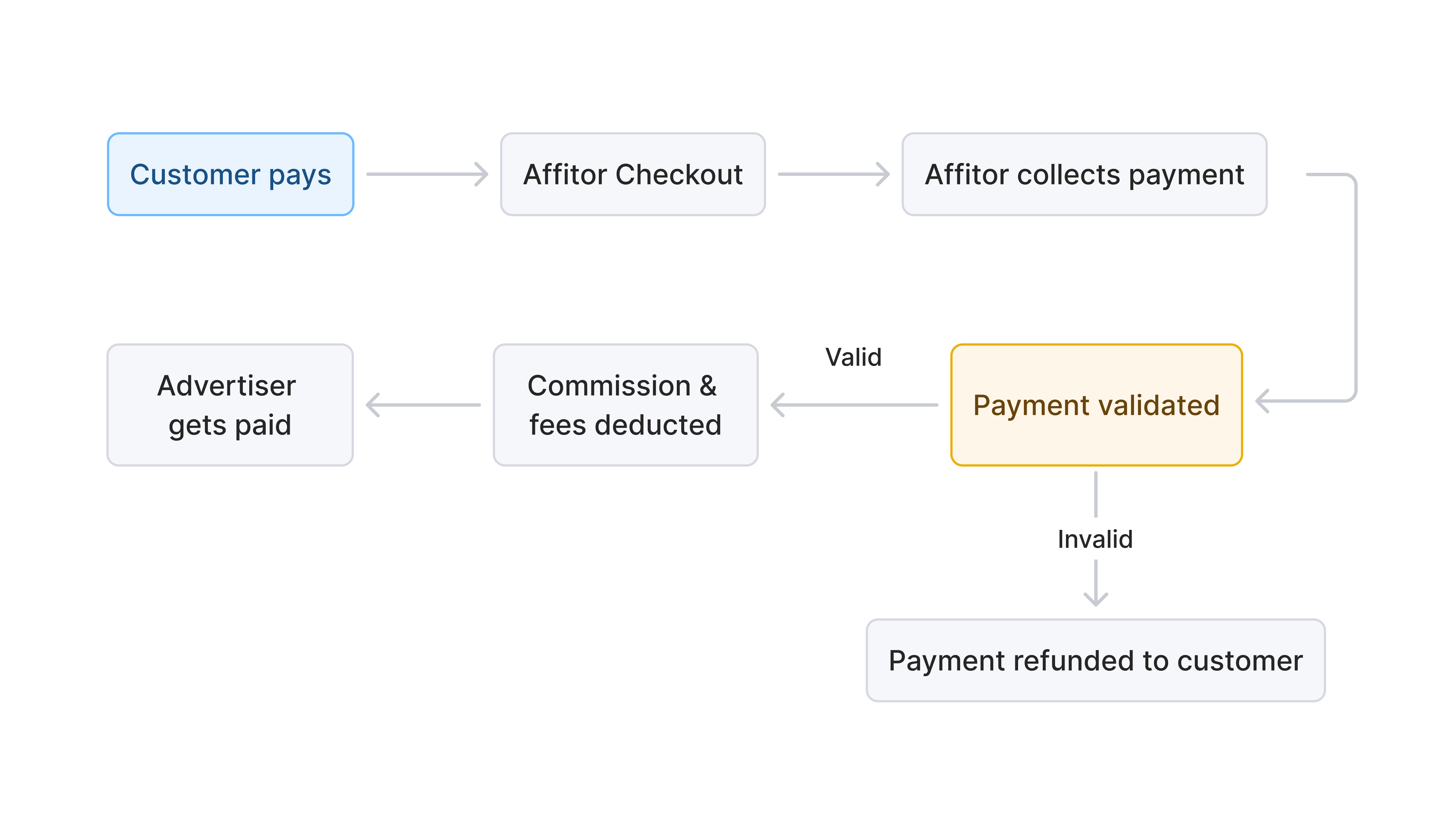
---
## Validation Before Commission
Affitor validates each attributed sale before the commission workflow proceeds.
Checks include:
- Valid attribution
- No duplicate sale event
- In-window attribution
- Matching program/customer relationship
---
## Approval and Hold Workflow

Every commission moves through the same lifecycle:
B[Pending]
B -->|hold period ends| C[Approved]
B -->|refund or failed validation| X[Invalid]
C --> D[Invoiced to you]
D -->|you pay| E[Paid to partner]
`} />
Use review and hold settings to control when commissions become payable.
### Common uses
- Reduce refund risk
- Review suspicious activity
- Delay payout until a commission is cleared
---
## Public-safe cash flow summary
---
## Refund Handling
Refunds are reconciled based on the commission's current lifecycle stage.
---
---
id: "brand/quickstart/create-account"
type: "doc"
url: "https://docs.affitor.com/brand/quickstart/create-account"
---
# Create your advertiser account
> Register as an advertiser on Affitor, verify your email, and land in your dashboard ready to set up a program.
Create your Affitor advertiser account in about five minutes: choose the Advertiser role, verify your email, and complete a one-time setup wizard. When you finish, you land in the advertiser dashboard, ready to [set up your program](/brand/quickstart/setup-program).
:::tip
Creating an account is free, and you don't need Stripe or payment details yet. The platform fee is $0 until your program earns its first $10,000 through affiliates, then 3.5% on affiliate-driven sales only.
:::
## The flow at a glance
**Open the portal and choose the Advertiser role** — registration starts at affitor.com/welcome with a role choice.
**Verify your email** — sign up with a company email (or Google) and confirm it.
**Complete the setup wizard** — name your program, add your website and logo, and land in the dashboard.
## Step 1: Open the portal and choose the Advertiser role
Affitor has two account types — advertisers who run programs and partners who promote them — so registration starts with a role choice.
1. Go to [affitor.com/welcome](https://affitor.com/welcome).
2. Click **Get started**.
3. On the role selection page, click **I'm a Company**.
**I'm a Company** is the advertiser path. **I'm a Partner** is for affiliate marketers who want to promote other companies' products.
## Step 2: Verify your email
Your email is your sign-in and where Affitor sends account notifications, so it must be confirmed before the account activates.
1. Sign up with your company email address and a password, or continue with Google.
2. Open the verification email and confirm your address.
:::tip
A shared address like `partnerships@yourcompany.com` keeps team access manageable as your program grows.
:::
## Step 3: Complete the setup wizard
New accounts are redirected to a one-time setup wizard that creates the shell of your affiliate program. It asks for three things:
- **Program name** — what partners will see, for example "Acme Partners Program".
- **Website URL** — the site where your product lives.
- **Logo** — your company or program logo, used for branding.
Everything you enter here is editable later in **Settings**, so don't stall on wording — finish the wizard and refine afterwards.
## Verify it worked
When the wizard completes, your browser lands on the advertiser dashboard.

## Next steps
---
id: "brand/quickstart/define-commission"
type: "doc"
url: "https://docs.affitor.com/brand/quickstart/define-commission"
---
# Define Commission
> Set up commission rates and structures for your affiliate program
Commission determines what partners earn when they drive results. Configure the right type and duration to attract quality partners and align incentives with your business model.
---
## Commission Basics

Commission is set per **partner group**: every partner belongs to a group (Default, unless you assign another), and the group's policy decides what they earn. That's how you run VIP tiers next to a standard rate without per-partner bookkeeping.
Every commission has two components:
| Component | Description |
|-----------|-------------|
| **Rate** | How much partners earn (percentage or fixed amount) |
| **Duration** | How long partners earn from a referred customer |
---
## Commission Types
### Revenue Share
Partners earn a percentage of each sale from customers they refer.
**Example:** 30% commission means partner earns $30 on a $100 sale.
Revenue Share is the default and recommended type for SaaS products.
### CPC (Cost per Click)
Partners earn a fixed amount for each click they drive.
**Example:** $0.01 per click.
### CPL (Cost per Lead)
Partners earn a fixed amount for each qualified lead (signup) they refer.
**Example:** $10 per lead.
### CPS (Cost per Sale)
Partners earn a fixed amount for each sale they generate.
**Example:** $20 per sale.
### Coming Soon
| Type | Description | Example |
|------|-------------|---------|
| **Tiered** | Bonuses at milestones | $100 bonus after $100K revenue |
| **Hybrid** | Combine multiple types | CPC + CPS + milestone bonuses |
These will be available through Group Rewards.
---
## Commission Duration
How long partners continue earning from a referred customer:
| Duration | Description | Best for |
|----------|-------------|----------|
| **One-time** | First payment only | Simple products, one-time purchases |
| **3 months** | First 3 months of payments | Short trial periods |
| **6 months** | First 6 months of payments | Medium commitment products |
| **12 months** | First 12 months of payments | Annual subscription products |
| **Lifetime** | All future payments | Maximum partner incentive |
| **Custom** | Configure your own duration | Specific business needs |
**Recommendation:** For SaaS, use 12 months or lifetime to motivate partners to refer customers who stay, not just customers who sign up.
---
## Setting Your Commission
### During Setup
In the setup wizard, you'll configure:
1. **Commission Rate (%)** – e.g., 30%
2. **Commission Duration** – e.g., 12 months
This becomes your default commission for all partners.
### Example Configurations
| Business Type | Rate | Duration | Why |
|---------------|------|----------|-----|
| B2B SaaS ($50-200/mo) | 30% | 12 months | High LTV justifies generous commission |
| B2B SaaS ($500+/mo) | 20-25% | Lifetime | Lower % but longer duration |
| Consumer SaaS ($10-30/mo) | 30-40% | 6 months | Higher % to attract volume partners |
| One-time purchase | 20-30% | One-time | Simple, predictable |
---
## Commission Calculation
**Formula:** `Commission = Sale Amount × Commission Rate`
**Example with 30% commission:**
| Customer Payment | Partner Earns |
|------------------|---------------|
| $100 one-time | $30 |
| $100/month × 12 months | $30/month × 12 = $360 total |
| $1,000/year lifetime | $300/year ongoing |
**With Affitor's 3.5% platform fee:**
| Sale | Partner Commission (30%) | Platform Fee (3.5%) | You Keep |
|------|--------------------------|---------------------|----------|
| $100 | $30 | $3.50 | $66.50* |
*Before Stripe fees (~2.9% + $0.30)
---
## Changing Commission Rates
You can update your default commission anytime in Program Settings.
**Important:** Changes apply to new referrals only — existing attributions keep their original rate.
---
## Group Rewards (Coming Soon)
Group Rewards will let you assign different commission structures to different partner segments:
- **Performance tiers** – Higher commission for top performers
- **Partner types** – Different rates for influencers vs. agencies
- **Special promotions** – Temporary commission boosts
- **Milestone bonuses** – Extra rewards at revenue thresholds
---
## Best Practices
1. **Be competitive** – Research what similar products offer. For AI SaaS, 30%+ is common.
2. **Think lifetime value** – A 30% commission on a customer with 24-month LTV is very profitable for you.
3. **Longer duration = better partners** – Lifetime commissions attract partners who promote quality, not just volume.
4. **Start generous, optimize later** – Reducing rates for new partners is easier than raising them after expectations are set.
---
## Verify it worked
## What's Next
- **[Commission Approval & Cash Flow](/brand/quickstart/commission-approval-cash-flow)** – How commissions are validated and paid
- **[Payouts](/brand/quickstart/payouts)** – Partner payout schedules and methods
---
id: "brand/quickstart"
type: "doc"
url: "https://docs.affitor.com/brand/quickstart"
---
# Launch Your Program
> Set up your Affitor affiliate program in 20–30 minutes: account, program details, commissions, partner approval, and payouts — $0/month, free until your first $10,000 in affiliate revenue.
Get your affiliate program ready for launch with one clear setup flow. No account yet? [Create one free at affitor.com](https://affitor.com) — $0/month, no setup fee, and a 3.5% fee only after your first $10,000 in affiliate-driven revenue.
## Recommended setup flow
Set up your advertiser account and get access to the Affitor dashboard.
Define program basics, branding, and the information partners will see.
Choose how partners earn from signups, sales, or subscription payments.
Decide who can join and how applications are reviewed.
Understand the payout flow and what needs to happen before partner funds are released.
Know where to monitor clicks, leads, sales, and program performance once you are live.
---
id: "brand/quickstart/inviting-partners"
type: "doc"
url: "https://docs.affitor.com/brand/quickstart/inviting-partners"
---
# Inviting Partners
> Recruit affiliates by email or from your other programs, with an invitation written from your program's real terms
The fastest way to grow a young program is to invite people yourself — creators you already know, customers who love the product, or partners performing well in your other programs. Affitor turns that into a two-step flow: pick recipients, send an email that's already written for you.
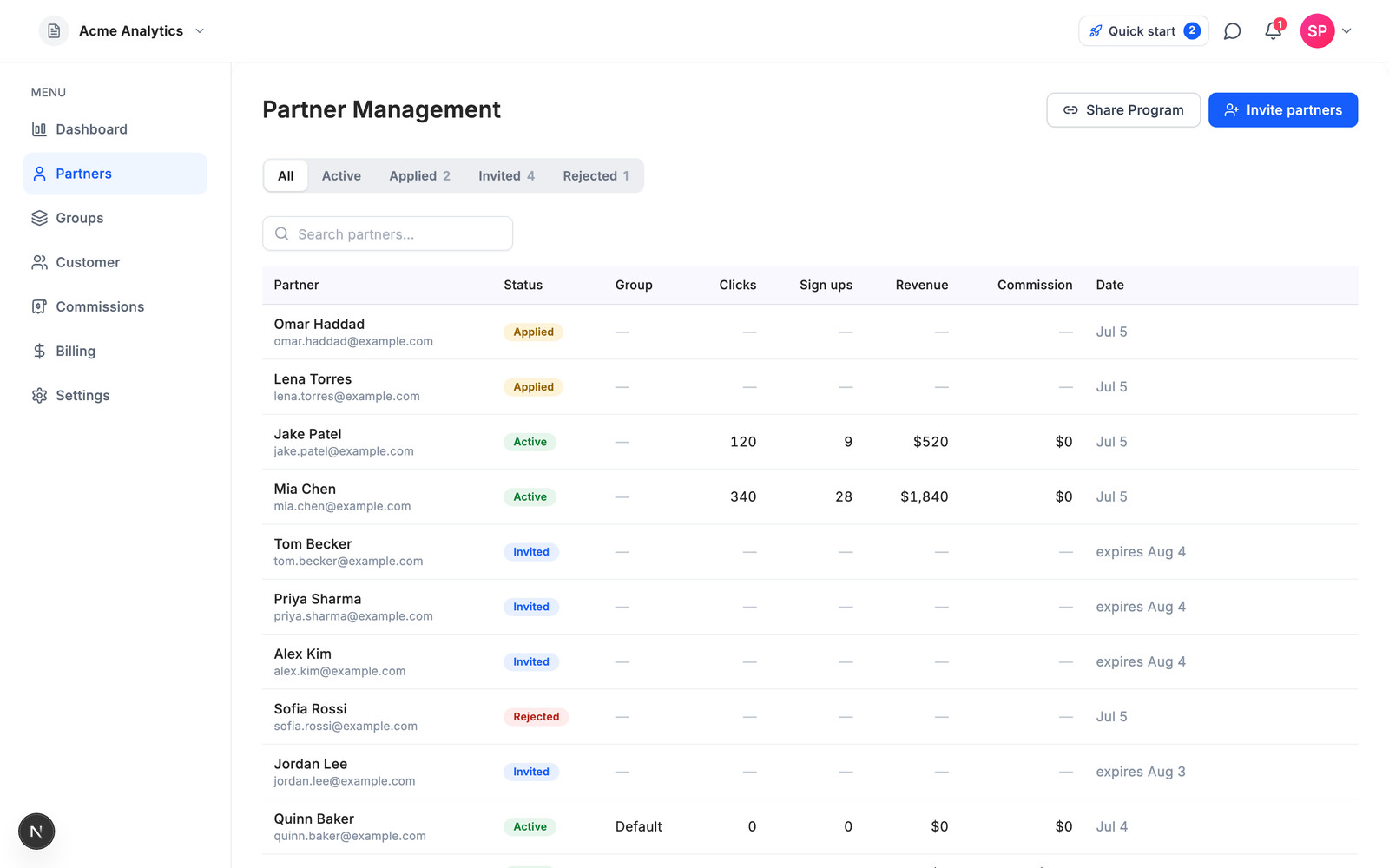
Your **Partners** page shows everyone in one table — active partners with their stats, applications waiting for review, invites still pending, and rejections — each with a status badge. The tabs across the top are filters on the same list.
---
## Step 1 — Pick recipients
Click **Invite partners** (top right). There are two ways to add people:
### By email
Type or paste email addresses — one at a time, comma-separated, or straight from a spreadsheet. You can also **import a CSV**; if it has a name column next to the emails, Affitor picks the names up automatically.
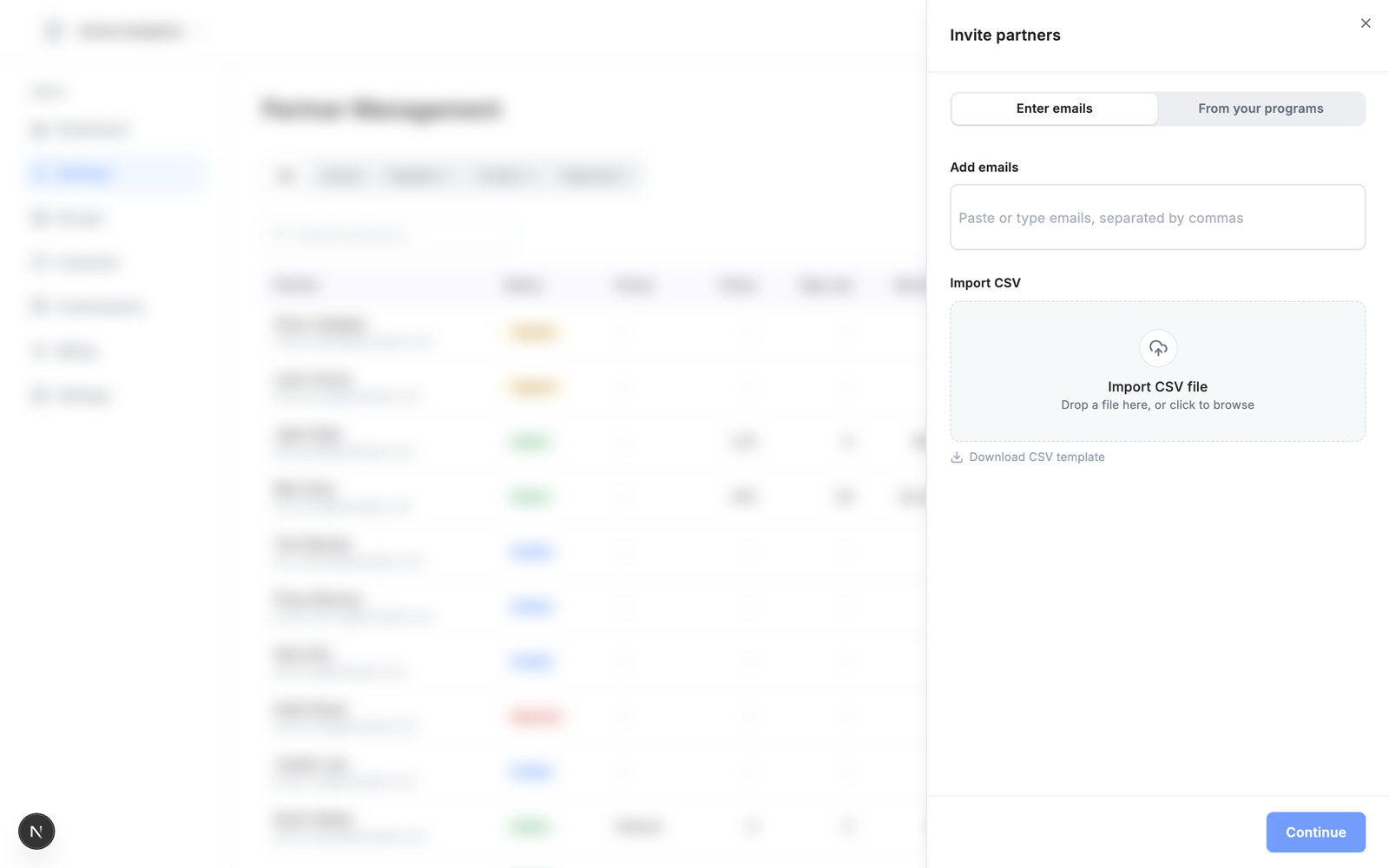
### From your other programs
If you run more than one program on Affitor, the **From your programs** tab lists partners already working with you elsewhere — with a per-program filter and search. Tick the ones you want; they're often your best recruits because they already know how you work.
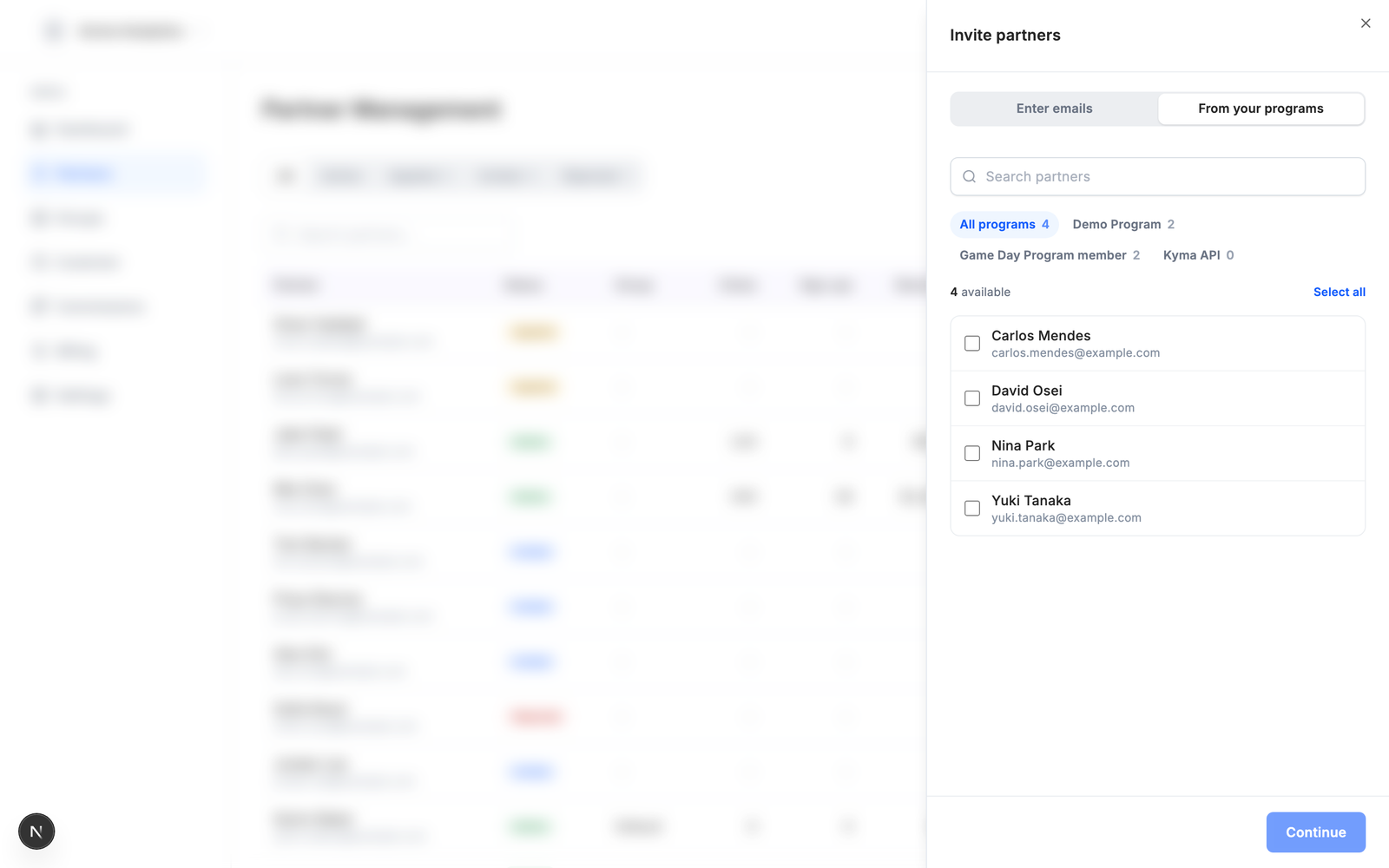
Up to 50 recipients per batch. Anyone who is already in the program, or already has a pending invite, is skipped automatically — you can't double-invite someone.
---
## Step 2 — The invitation email (already written)
Hit **Continue** and the email is waiting for you, **pre-written from your program's real terms** — commission model and rate, attribution window, payout threshold. Terms you haven't configured are simply left out.
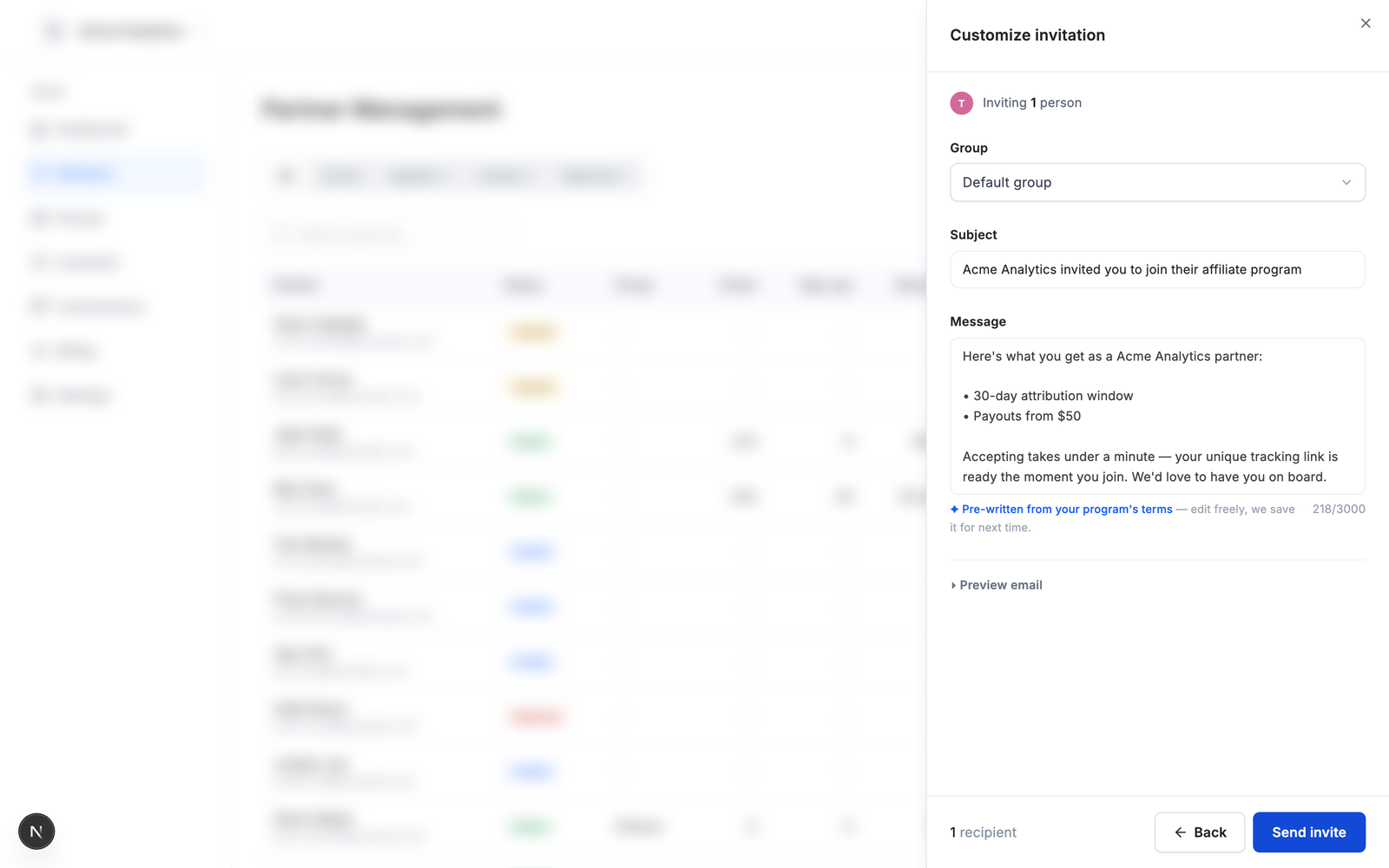
- **Edit anything** — subject and message are plain fields. Your edited version is saved per program and used next time.
- **↺ Reset** brings back the generated template.
- **Preview email** expands to show exactly what recipients will see — the header, your message, the Accept button, and the 30-day expiry note.
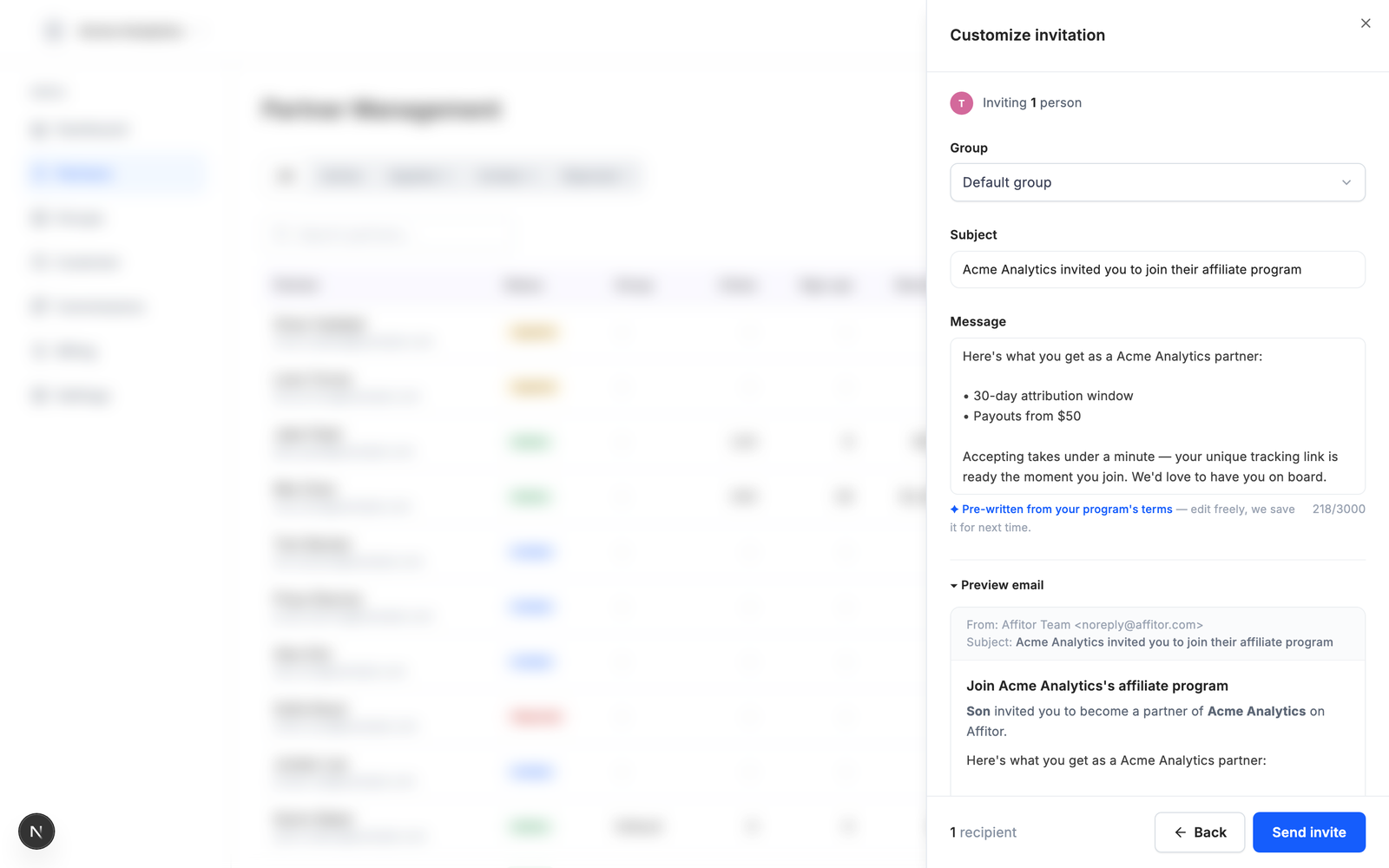
Optionally choose a **Group** so accepted partners land with the right commission policy from day one.
Click **Send invite** — done.
---
## After sending
- Invites appear in the Partners table with an **Invited** badge and their expiry date (30 days).
- Hover an invited row for **Resend invite** or **Cancel invite**.
- When someone accepts, they flip to **Active** automatically and get their tracking link immediately — no application review needed, since you invited them.
- If an invite email fails to deliver, the row shows a warning with the reason.
---
## Verify it worked
Send one invite to your own email before the real batch:
## Tips
- **Groups first.** If you plan different commission tiers (e.g. VIPs vs. newsletter partners), create the groups before inviting, so each batch lands in the right one.
- **Keep the terms honest.** The generated email quotes your live program settings — if the commission or cookie window changes later, new invites pick the new terms up automatically.
- **Invite in passes.** Start with the 5–10 people most likely to accept; their early links and sales make the program look alive for everyone who applies after.
---
id: "brand/quickstart/partner-approval-quality-control"
type: "doc"
url: "https://docs.affitor.com/brand/quickstart/partner-approval-quality-control"
---
# Partner Approval & Quality Control
> Review applications and maintain program quality
Control who promotes your program by reviewing applications and monitoring active partners for quality.
---
## Approval Modes
You set your approval mode during setup. You can change it anytime in Program Settings.
| Mode | How it works |
|------|--------------|
| **Manual review** | Every application lands in your queue for review |
| **Auto-approve** | Partners are approved instantly upon application |
**Recommendation:** Start with Manual review. You can switch to Auto-approve once you understand what good partners look like for your program.
---
## Reviewing Applications

You can review from two places: the **Applied** tab (full view with the applicant's message, shown above) or directly from the **All** partners table, where applications float to the top with quick ✓ Approve / ✕ Decline actions on hover.
When a partner applies, you'll see:
- **Name & contact info** – Who they are
- **Website/social profiles** – Where they'll promote you
- **Audience description** – Who they reach
- **Promotion method** – How they plan to promote (content, ads, email, etc.)
- **Message** – A short note explaining their interest or fit
### What to Look For
**Green flags:**
- Relevant audience (your target customers)
- Established platform (active blog, YouTube channel, newsletter)
- Clear promotion plan
- Professional communication
**Red flags:**
- No website or social presence
- Audience mismatch (e.g., gaming audience for B2B software)
- Vague or generic responses
- History of spam or policy violations
---
## Approving or Rejecting
From the Applications tab:
1. Click on a pending application
2. Review their details
3. Choose **Approve** or **Reject**
**When you approve:** The partner gains access to their dashboard, tracking links, and marketing materials.
**When you reject:** The partner is notified their application was declined.
> **Tip:** If you're unsure, approve them. You can always remove partners later if they don't perform or violate your terms.
---
## Managing Active Partners
### Partner Metrics
Track partner quality from your dashboard:
| Metric | What it tells you |
|--------|-------------------|
| Clicks | Traffic volume from partner's links |
| Signups | Leads generated |
| Paid customers | Conversions |
| Revenue | Total sales attributed to partner |
| Conversion rate | Quality of traffic (signups → paid) |
### Removing a Partner
If a partner violates your terms or underperforms:
1. Go to Partners → Active
2. Select the partner
3. Click **Remove from program**
**What happens to pending commissions:**
| Situation | Pending commissions |
|-----------|---------------------|
| Removed for other reasons (performance, mutual decision) | Paid out as normal |
| Policy violation suspected | Held for review |
| Confirmed policy violation | Forfeited |
Removed partners lose access to their tracking links and stop earning on new sales.
### Warning Signs
Watch for these red flags in active partners:
- **High clicks, zero conversions** – May indicate low-quality traffic or fraud
- **Refund rate above normal** – Could be misleading promotion
- **Brand misuse** – Unauthorized use of your logo or false claims
---
## Best Practices
1. **Respond quickly** – Partners expect approval within 24-48 hours
2. **Set clear terms** – Define what's allowed in your Terms of Service
3. **Communicate expectations** – Let partners know what success looks like
4. **Review periodically** – Check partner quality monthly, not just at signup
---
## Coming Soon
- **Blocklist** – Automatically reject applications from specific domains
---
id: "brand/quickstart/payouts"
type: "doc"
url: "https://docs.affitor.com/brand/quickstart/payouts"
---
# Payouts
> How partner commissions move through Affitor's payout workflow.
Cleared commissions move through Affitor's payout workflow automatically. This page explains the lifecycle, payout methods, and your role as advertiser.
## How payouts work
B[Affitor attributes the sale]
B --> C[Commission approved after hold]
C --> D[Affitor invoices you]
D --> E[You pay the invoice]
E --> F[Affitor pays your partners]
`} />

The platform fee follows the same principle: **$0 until your program earns its first $10,000 through affiliates, then 3.5% of affiliate-driven revenue.** You can see the fee accruing live on the Billing page.
Sale attributed
Commission created
Review / hold workflow
Commission clears
Payout workflow continues
At a high level:
1. A sale is attributed.
2. A commission is created.
3. The commission moves through the review / hold workflow.
4. Cleared earnings become withdrawable within the payout process.
5. The partner payout is processed through Affitor.
You do not need to manage individual partner transfers yourself.
---
## Payout Methods
Available payout methods depend on partner setup and region:
| Method | Notes |
|--------|-------|
| Bank transfer | Common partner payout path |
| Wise | Used where supported |
| Stripe | Used where supported |
Partners manage their payout details inside the payout workflow; advertisers do not need to collect bank details directly.
---
## Payout Status States
| State | Meaning |
|-------|---------|
| **Pending** | Withdrawal requested, awaiting approval |
| **Approved** | Approved and ready to process |
| **Completed** | Payout sent |
---
## Your Role as Advertiser
| Do | Don’t |
|----|-------|
| Review transactions and commissions where needed | Manage individual partner bank transfers |
| Configure commission and hold settings | Build a separate payout ops layer for each partner |
| Monitor affiliate cost and performance | Manually reconcile partner payments outside the workflow |
---
## Verify it worked
## Refunds
When a refund occurs, Affitor reconciles the commission through the payout workflow based on its current lifecycle state.
---
---
id: "brand/quickstart/setup-program"
type: "doc"
url: "https://docs.affitor.com/brand/quickstart/setup-program"
---
# Set Up Your Program
> Configure your affiliate program and choose the right integration path.
Complete these steps before you invite partners or install tracking.
## What you are setting up
1. **Program details** — business info, approval settings, commission rules
2. **Tracking & integrations** — click, signup, and sale tracking
3. **Share program** — your partner-facing program link

## 1. Program details
### Business details
| Field | Required | Notes |
|-------|----------|-------|
| Company name | Yes | pre-filled from your account |
| Website URL | Yes | main product/site URL |
| Tagline | No | shown to partners |
| Logo | Yes | PNG, JPG, or SVG |
| Terms of Service URL | No | affiliate terms / program terms |
| Resources URL | No | partner-facing marketing resources |
### Approval mode
| Mode | Description | Best for |
|------|-------------|----------|
| **Manual review** | review each partner application | quality control, B2B motions |
| **Auto-approve** | approve applicants automatically | higher-volume programs |
### Commission details
| Field | Description |
|-------|-------------|
| Commission rate (%) | default partner commission |
| Commission duration | how long a referred customer keeps earning for the partner |
Common options: one-time, fixed-month recurring, or lifetime.
---
## 2. Tracking & Integrations
Set up tracking in three steps: clicks, signups, then payments.
### Step 1 — Pageview / click tracking
Install the tracker on pages where affiliate traffic lands.
**SDK:**
```bash
npm install @affitor/sdk
```
```tsx
// app/providers.tsx — client component
'use client';
import { useEffect } from 'react';
import { init } from '@affitor/sdk';
export function AffitorInit() {
useEffect(() => { init({ programId: YOUR_PROGRAM_ID }); }, []);
return null;
}
// render once in app/layout.tsx
```
**Script tag:**
```html
```
→ [Full guide](/brand/tracking/click-tracking)
### Step 2 — Signup / lead tracking
After signup succeeds, send your internal customer ID to Affitor.
**Browser helper:**
```js
await window.affitor.signup('user_123', 'user@example.com');
```
**Server API:**
```json
{
"click_id": "cust_42_1234567890",
"customer_key": "user_123",
"email": "user@example.com"
}
```
→ [Full guide](/brand/tracking/lead-tracking-signup/)
### Step 3 — Sale / payment tracking
Choose the path that matches your checkout.
| Method | How it works | Best for |
|--------|--------------|----------|
| **Server-side tracking** | your backend sends `POST /api/v1/track/sale` after payment succeeds | any payment provider or custom backend |
| **Stripe integration** | you keep taking payment in your own Stripe checkout; Affitor attributes via metadata + webhooks | existing Stripe Checkout integrations |
For Stripe integration, use these public fields in metadata:
- `affitor_click_id`
- `affitor_customer_key`
- `program_id`
For subscriptions, put the same values in both:
- `metadata`
- `subscription_data.metadata`
→ [Full guide](/brand/tracking/payment-tracking-stripe/)
---
## 3. Share Your Program
Once setup is complete, share your partner recruitment link so affiliates can apply.
---
## Recommended setup order
---
## Verify it worked
Reload **Settings** and confirm each choice survived the save — every tab (business details, approval mode, commission) saves separately:
---
---
id: "brand/quickstart/view-performance"
type: "doc"
url: "https://docs.affitor.com/brand/quickstart/view-performance"
---
# View Performance
> Monitor your affiliate program metrics and partner results
Monitor program-wide metrics, identify top-performing partners, and spot issues before they impact revenue.
---
## Performance Overview

Your dashboard shows program-wide metrics at a glance:
| Metric | Description |
|--------|-------------|
| **Partners** | Total active partners in your program |
| **Clicks** | Total visits from affiliate links |
| **Signups** | Leads captured (registrations, form submissions) |
| **Paid Customers** | Conversions that generated revenue |
| **Revenue** | Total sales from affiliate traffic |
| **Commission Payout** | Total commissions paid to partners |
Each metric shows percentage change compared to the previous period.
Use the date picker to filter by: Last 7 days, Last 30 days, or custom range.
---
## Performance Charts
Click any metric to see its trend over time. The chart shows daily values across your selected date range.
Hover over data points to see exact values for specific dates.
Use charts to:
- Spot growth or decline patterns
- Identify your best-performing days
- Correlate spikes with campaigns or launches
---
## Action Center
The Action Center shows items that need your attention:
- **Pending partner applications** – Review and approve or decline
- Quick actions: Approve or Decline directly from the dashboard
Click "View all" to see your full application queue.
---
## Partner Performance
The Partners section breaks down results by individual partner:
| Column | What it shows |
|--------|---------------|
| Partner | Name and contact info |
| Clicks | Traffic sent to your site |
| Signups | Leads generated |
| Paid Customers | Conversions |
| Revenue | Sales attributed to this partner |
| Conversion Rate | Lead-to-customer percentage |
### Sorting & Filtering
- **Sort by** any column to find top performers
- **Filter by** date range to see recent activity
- **Search** by partner name
### What the Numbers Tell You
| Pattern | What it means | Action |
|---------|---------------|--------|
| High clicks, low signups | Traffic quality issue or landing page mismatch | Review partner's promotion method |
| High signups, low paid | Leads aren't qualified or pricing friction | Check if partner targets right audience |
| High conversion rate | Partner sends qualified traffic | Consider higher commission tier |
| Zero activity | Partner hasn't started promoting | Send activation reminder |
---
## Tracking Performance Over Time
Use date comparisons to spot trends:
- **Week over week** – Short-term momentum
- **Month over month** – Growth patterns
- **Custom range** – Campaign-specific analysis
Look for:
- Which partners are growing vs. declining
- Seasonal patterns in your conversions
- Impact of promotions or product launches
---
## About Data Access
Affitor operates as an affiliate network, not just a tracking layer. Your dashboard provides full performance and attribution reporting; exporting raw partner identity data is not supported.
Affitor owns partner sourcing, recruiting, and management. The dashboard gives you the insights needed to monitor performance and make program decisions.
---
## Best Practices
1. **Check weekly** – Catch issues early before they impact revenue
2. **Identify top performers** – Your top 20% of partners likely drive 80% of results
3. **Spot inactive partners** – Re-engage or remove partners with no activity for 30+ days
4. **Compare conversion rates** – Partners with similar traffic but different conversion rates reveal quality differences
---
## What's Next
- **[Partner Approval & Quality Control](/brand/quickstart/partner-approval-quality-control)** – Manage your partner base
- **[Payouts](/brand/quickstart/payouts)** – See pending and completed partner payments
---
id: "brand/tracking/click-tracking"
type: "doc"
url: "https://docs.affitor.com/brand/tracking/click-tracking"
---
# Click Tracking
> Track affiliate visits with the Affitor tracker SDK or script tag
Click tracking is the first step in every Affitor integration. It detects affiliate visits, creates the click/customer relationship, and stores the browser identifier used by later signup and sale attribution.
---
## What It Does
When someone lands on your site through an affiliate link such as:
```text
https://yoursite.com?aff=PARTNER123
```
the tracker:
1. detects the `?aff=` parameter
2. sends click data to Affitor
3. creates or updates the tracked customer relationship
4. stores `affitor_click_id` in a first-party cookie
5. makes later signup and sale attribution possible
That cookie value is later reused as:
- `click_id` in API payloads
- `affitor_click_id` in Stripe metadata
---
## Choose Your Installation Method
| Method | Best for | Benefits |
|--------|----------|----------|
| **npm SDK** | React, Next.js, JS/TS apps | Promise-based loading, TypeScript support |
| **Script tag** | Static HTML, CMS sites, no-build installs | Copy-paste setup, no build step required |
---
## npm SDK
Install the tracker package:
```bash
npm install @affitor/sdk
```
### React / Next.js
:::warning
**Next.js 13+ App Router:** `layout.tsx` is a Server Component by default. `@affitor/sdk` uses browser APIs and cannot run in a Server Component. Create a client component that calls `init` and render it once in your layout.
:::
```tsx
// app/providers.tsx — client component
'use client';
import { useEffect } from 'react';
import { init } from '@affitor/sdk';
export function AffitorInit() {
useEffect(() => { init({ programId: YOUR_PROGRAM_ID }); }, []);
return null;
}
// render once in app/layout.tsx
```
### Any JS / TS app
```ts
import { init } from '@affitor/sdk';
init({ programId: 'YOUR_PROGRAM_ID' });
```
### Astro
Astro isn't React, so the React `` shown above doesn't apply. Add the tracker from a client `
```
Prefer a no-build install? Drop the [Script Tag](#script-tag) into the same `` with Astro's `is:inline` directive, so Astro leaves the external script untouched:
```astro
```
Track referred signups the same way — call `signup()` from a client `
```
### Required attributes
| Attribute | Required | Description |
|-----------|----------|-------------|
| `src` | Yes | tracker script URL |
| `data-affitor-program-id` | Yes | your Affitor program ID |
| `data-affitor-debug` | No | set to `true` while testing |
---
## How Affiliate Links Work
Affitor looks for the `aff` query parameter on landing URLs, for example:
```text
https://yoursite.com?aff=PARTNER123
https://yoursite.com/pricing?aff=PARTNER123
```
When that parameter is present, the tracker records the click and creates the customer relationship used by signup and sale attribution.
---
## Verifying Installation
### Enable debug mode
**SDK:**
```ts
import { init } from '@affitor/sdk';
init({ programId: 'YOUR_PROGRAM_ID', debug: true });
```
**Script tag:**
```html
```
### What to verify
Open your browser console and network tab, then confirm:
- The tracker loads without errors
- Cookies can be written and read
- Affitor debug messages appear in the console
- Click or test-click activity appears in the dashboard or test-event tooling
:::caution
Debug mode helps with test verification, but a real affiliate landing flow using a real `?aff=` value still creates real attribution data. Do not mix synthetic tests and production affiliate links.
:::
---
## Common Issues
### No click data appears
Check:
- The tracker script loaded successfully
- The page was visited with a valid `?aff=` parameter
- Your program ID is correct
- CSP rules or browser extensions are not blocking the script
### Cookies are missing
Check:
- The site is served over HTTPS in production
- Browser privacy tools are not blocking cookies
- The affiliate landing page executed the tracker before the visitor continued
### Later signup/sale tracking fails
This usually means one of the following:
- Click tracking did not run before the signup or sale event
- The browser session lost `affitor_click_id` between landing and conversion
- Signup/payment identifiers do not consistently match your internal customer ID
---
## Next Steps
Once click tracking is working, continue with:
- [Lead Tracking](/brand/tracking/lead-tracking-signup/)
- [Payment Tracking](/brand/tracking/payment-tracking-stripe/)
- [Testing Integration](/brand/tracking/testing-integration/)
---
id: "brand/tracking/lead-tracking-signup"
type: "doc"
url: "https://docs.affitor.com/brand/tracking/lead-tracking-signup"
---
# Lead Tracking (Signup)
> Track referred signups with the browser helper or the server-side lead API
Lead tracking connects a signup to the affiliate click that drove it — turning anonymous referral traffic into an identified customer record.
---
## What Lead Tracking Does
When signup tracking succeeds, Affitor:
1. links the signup to the tracked click/customer relationship
2. stores your internal customer identifier for later payment attribution
3. advances the customer journey from click → lead
Use the same customer identifier across all three contexts:
| Context | Field |
|--------|-------|
| Browser helper | `customerKey` |
| Lead API | `customer_key` |
| Stripe metadata later | `affitor_customer_key` |
---
## Prerequisites
Before tracking a signup:
- [x] the visitor arrived through an affiliate-tracked flow
- [x] the tracker created a click/customer relationship first
- [x] your signup flow has a stable internal user/customer ID to pass to Affitor
A tracked click means the browser already has `affitor_click_id` from the pageview/click step.
---
## Option A — Browser-side `signup()`
Use this when signup completes in the browser and the tracker script is loaded on the page.
### Basic example
```javascript
if (window.affitor) {
await window.affitor.signup('user_123', 'user@example.com');
} else {
window.affitorQueue = window.affitorQueue || [];
window.affitorQueue.push(['signup', 'user_123', 'user@example.com']);
}
```
### What the arguments mean
| Argument | Required | Meaning |
|----------|----------|---------|
| `customerKey` | **Yes (recommended for all real integrations)** | your internal user/customer ID |
| `email` | Recommended | customer email; used for hashed/masked attribution support |
:::caution[Use a real internal identifier]
The `customerKey` you pass here should be the same identifier you later use as:
- `customer_key` in the tracking API
- `affitor_customer_key` in Stripe metadata
:::
### Example inside a signup flow
```javascript
document.getElementById('signup-form').addEventListener('submit', async function(e) {
e.preventDefault();
const email = document.getElementById('email').value;
// Your own signup logic first
const result = await createAccount(email);
if (result.success) {
if (window.affitor) {
await window.affitor.signup(result.userId, email);
} else {
window.affitorQueue = window.affitorQueue || [];
window.affitorQueue.push(['signup', result.userId, email]);
}
}
});
```
### When to use browser-side signup
- your frontend knows when signup succeeds
- the tracker is installed on the page
- you want the simplest supported implementation
---
## Option B — Server-side Lead API
Use this when account creation happens on your backend, or when you want your server to send the lead event.
### Endpoint
```bash
POST https://api.affitor.com/api/v1/track/lead
Authorization: Bearer YOUR_PROGRAM_API_KEY
Content-Type: application/json
```
### Request body
```json
{
"click_id": "cust_42_1234567890",
"customer_key": "usr_abc123",
"email": "user@example.com"
}
```
### Rules
Outside test mode, provide at least one of `click_id` or `customer_key`. Send **both** whenever possible for reliable downstream payment attribution.
### Response
```json
{
"success": true,
"message": "Lead tracked successfully"
}
```
### Node.js example
```ts
app.post('/signup', async (req, res) => {
const { email, password } = req.body;
const newUser = await createUser({ email, password });
const clickId = req.cookies.affitor_click_id;
await fetch('https://api.affitor.com/api/v1/track/lead', {
method: 'POST',
headers: {
Authorization: `Bearer ${process.env.AFFITOR_API_TOKEN}`,
'Content-Type': 'application/json',
},
body: JSON.stringify({
click_id: clickId,
customer_key: newUser.id,
email: newUser.email,
}),
});
res.json({ success: true });
});
```
### Python example
```python
requests.post(
'https://api.affitor.com/api/v1/track/lead',
headers={
'Authorization': f'Bearer {AFFITOR_API_TOKEN}',
'Content-Type': 'application/json',
},
json={
'click_id': request.cookies.get('affitor_click_id'),
'customer_key': str(new_user.id),
'email': new_user.email,
},
)
```
---
## Browser Mode vs Server Mode
| Mode | Best for | Auth |
|------|----------|------|
| `signup(customerKey, email)` | frontend/browser signup flows | no Bearer token in your integration |
| `POST /api/v1/track/lead` | backend-driven signup flows | Bearer program API key recommended |
Both modes must identify the same customer with the same internal ID.
---
## Test Mode
Create a test lead event to verify your integration without affecting production attribution.
```bash
curl -X POST https://api.affitor.com/api/v1/track/lead \
-H "Content-Type: application/json" \
-d '{
"click_id": "test_lead_001",
"customer_key": "test_customer",
"additional_data": {
"test_mode": true,
"program_id": "YOUR_PROGRAM_ID"
}
}'
```
### Test mode behavior
- creates a test lead event marked `is_test: true`
- does not create a real production lead/customer transition
- verifiable through dashboard/test-event tooling
### Test mode response
```json
{
"success": true,
"message": "Test lead event tracked successfully",
"data": {
"eventId": 456,
"programId": 1,
"test_mode": true
}
}
```
---
## Common Failure Modes
### Lead not attributed
Check that:
- the visitor came through a tracked affiliate click
- `customerKey` / `customer_key` matches your real internal user ID
- `affitor_click_id` was available when expected
- you are not testing only in debug mode
### Wrong identifier used later in payments
Mismatched identifiers are the most common cause of broken attribution. The same internal ID must be used across:
- `signup(customerKey, email)`
- `customer_key` in server-side tracking calls
- `affitor_customer_key` in Stripe metadata
### Duplicate signup tracking
To prevent duplicates:
- call signup tracking only after account creation succeeds
- guard against duplicate frontend submissions
- deduplicate your signup flow before retrying tracking calls
---
## What to Do Next
Once lead tracking is working, set up sale tracking:
- [Payment Tracking](/brand/tracking/payment-tracking-stripe/)
- [3-Step Integration Guide](/brand/tracking/quickstart-integration/)
- [Testing Integration](/brand/tracking/testing-integration/)
---
id: "brand/tracking/payment-flow"
type: "doc"
url: "https://docs.affitor.com/brand/tracking/payment-flow"
---
# Payment Flow
> End-to-end flow from affiliate click to attributed revenue and payout operations, covering server-side tracking and Stripe integration paths
Understand how attribution moves from click → signup → sale in the current public Affitor model.
---
## End-to-End Flow
>C: Shares referral link (?aff=CODE)
C->>Y: Visits — the SDK stores the click
C->>Y: Signs up — lead event with the aff code
C->>Y: Pays (Stripe checkout)
Y->>A: Stripe webhook / S2S sale event
A->>A: Attributes the sale, creates the commission
A->>P: Commission appears (pending, then approved)
`} />
### 1. Partner shares a referral link
A partner promotes your product with a referral URL such as:
```text
https://yoursite.com?aff=PARTNER123
```
### 2. Customer lands on your site
The tracker detects `?aff=` and creates the click/customer relationship.
**What happens:**
- Click is recorded
- `affitor_click_id` is stored in a first-party cookie
- Visit is linked to the correct partner/program
### 3. Customer signs up
After account creation succeeds, you send your internal customer ID to Affitor.
**Browser helper example:**
```javascript
if (window.affitor) {
await window.affitor.signup('user_123', 'customer@example.com');
}
```
**What matters here:**
- Your internal identifier is stored for future matching
- Reuse that same identifier as:
- `customer_key` in Server-side tracking — your backend calls POST /api/v1/track/sale
- `affitor_customer_key` in Stripe metadata
### 4. Customer pays
You then choose one supported sale-tracking path: server-side tracking vs Stripe integration.
#### Path A — Server-side tracking
Your backend calls POST /api/v1/track/sale when payment succeeds.
```json
{
"transaction_id": "txn_123",
"customer_key": "user_123",
"amount_cents": 10000,
"currency": "USD"
}
```
#### Path B — Stripe integration
You keep charging in your own Stripe account and attach Affitor metadata.
```javascript
metadata: {
program_id: 'YOUR_PROGRAM_ID',
affitor_click_id: clickId,
affitor_customer_key: currentUser.id,
}
```
For subscriptions, also include the same fields in `subscription_data.metadata`.
### 5. Affitor attributes the sale
Affitor resolves the customer/partner relationship using any combination of:
- click ID
- customer email matching
- Stripe customer ID
- customer key
### 6. Commission and platform records are created
When attribution succeeds, Affitor records the sale and creates the commission flow. Commissions then move through review / hold / payout operations according to your program configuration.
---
## Invoice billing in Plain Language
In the current public invoice billing model:
1. **You** collect payment from the customer in your own Stripe account
2. **Affitor** attributes the conversion using Stripe metadata + webhook events
3. **Affitor** bills through its invoice workflow for validated partner commission + platform fee obligations
4. **Affitor** continues partner payouts through its payout operations
:::note
Affitor is not the merchant of record in this invoice billing model.
:::
---
## One-Time vs Subscription Revenue
### One-time payments
For one-time Stripe Checkout payments, attribution starts from checkout session metadata and the associated webhook flow.
### Subscriptions
For subscriptions, the initial and recurring commission flow depends on invoice processing.
Recurring setups must therefore include:
- `metadata`
- `subscription_data.metadata`
If only the initial checkout metadata is present, renewals may not attribute correctly.
---
## Common Validation Points
| Check | Why it matters |
|------|----------------|
| `customerKey` used at signup | links later payments back to the same internal user |
| `transaction_id` unique (server-side tracking) | prevents duplicate sale records |
| `program_id` in Stripe metadata | routes the event to the correct program |
| `subscription_data.metadata` set | keeps renewals attributable |
| click tracked first | gives Affitor the strongest attribution signal |
---
## Example Timeline
| Day | Event |
|-----|-------|
| 0 | customer clicks affiliate link |
| 0 | tracker stores `affitor_click_id` |
| 2 | customer signs up and you send `customerKey` |
| 7 | customer pays |
| 7 | sale is attributed via server-side tracking or Stripe integration |
| 7+ | commission enters review / hold / payout operations |
---
## Next Steps
- [Payment Tracking](/brand/tracking/payment-tracking-stripe/)
- [3-Step Integration Guide](/brand/tracking/quickstart-integration/)
- [Testing Integration](/brand/tracking/testing-integration/)
---
id: "brand/tracking/payment-tracking-stripe"
type: "doc"
url: "https://docs.affitor.com/brand/tracking/payment-tracking-stripe"
---
# Payment Tracking
> Track completed sales with server-side tracking or Stripe integration
Payment tracking records revenue after a customer pays. Affitor supports two sale-tracking paths:
1. **Server-side tracking** — your backend calls POST /api/v1/track/sale when revenue is finalized
2. **Stripe integration** — you keep charging in your own Stripe account and Affitor attributes sales from metadata plus webhook events
---
## Choose the Right Path
| Path | Best for |
|------|----------|
| **Server-side tracking** | custom backend, any payment provider, Paddle/LemonSqueezy/manual revenue events |
| **Stripe integration** | existing Stripe Checkout integration |
Use server-side tracking when you control the exact moment revenue is finalized on your server. Use Stripe integration when you already use Stripe Checkout and want Affitor to attribute revenue from webhook events.
---
## Option A — Server-side tracking
### Endpoint
```bash
POST https://api.affitor.com/api/v1/track/sale
Authorization: Bearer YOUR_PROGRAM_API_KEY
Content-Type: application/json
```
### Minimum real-sale payload
```json
{
"transaction_id": "txn_abc123",
"customer_key": "user_123",
"amount_cents": 9999,
"currency": "USD"
}
```
### Full example
```js
await fetch('https://api.affitor.com/api/v1/track/sale', {
method: 'POST',
headers: {
'Authorization': `Bearer ${process.env.AFFITOR_API_KEY}`,
'Content-Type': 'application/json',
},
body: JSON.stringify({
transaction_id: order.id,
customer_key: currentUser.id,
click_id: req.cookies.affitor_click_id,
amount_cents: order.totalCents,
currency: 'USD',
sale_type: 'payment',
line_items: [
{ name: 'Pro Plan', amount_cents: order.totalCents, quantity: 1 },
],
}),
});
```
### Runtime rules
- `Authorization: Bearer ` is required
- `transaction_id` is required and must be unique
- `amount_cents` is required and must be a positive number
- Affitor must be able to resolve the customer via:
- `customer_key`
- or `click_id`
- If the same `transaction_id` is sent twice, Affitor returns `409 Conflict`
### Response
```json
{
"success": true,
"sale_id": 42,
"commission_id": 18,
"message": "Sale tracked successfully"
}
```
:::tip
Use server-side tracking if you want one server-controlled source of truth for revenue events across all payment providers.
:::
---
## Option B — Stripe integration
With the Stripe integration, you keep charging customers through your own Stripe account — Affitor does **not** become merchant of record. Affitor attributes the conversion through Stripe metadata and webhook processing, then invoices you through its invoice billing workflow.
### Recommended metadata fields
| Field | Required | Description |
|-------|----------|-------------|
| `affitor_click_id` | Recommended | tracked click ID from the browser cookie |
| `affitor_customer_key` | Recommended | your internal customer/user ID |
| `program_id` | **Yes** | your Affitor program ID |
### One-time payment example
```js
function getCookie(name) {
const value = `; ${document.cookie}`;
const parts = value.split(`; ${name}=`);
if (parts.length === 2) return parts.pop().split(';').shift();
return null;
}
const clickId = getCookie('affitor_click_id');
const session = await stripe.checkout.sessions.create({
line_items: [{ price: 'price_xxx', quantity: 1 }],
mode: 'payment',
success_url: 'https://yoursite.com/success',
cancel_url: 'https://yoursite.com/cancel',
metadata: {
affitor_click_id: clickId,
affitor_customer_key: currentUser.id,
program_id: 'YOUR_PROGRAM_ID',
},
});
```
### Subscription example
For subscriptions, set the same values in both `metadata` and `subscription_data.metadata`.
```js
const session = await stripe.checkout.sessions.create({
line_items: [{ price: 'price_xxx', quantity: 1 }],
mode: 'subscription',
success_url: 'https://yoursite.com/success',
cancel_url: 'https://yoursite.com/cancel',
metadata: {
affitor_click_id: clickId,
affitor_customer_key: currentUser.id,
program_id: 'YOUR_PROGRAM_ID',
},
subscription_data: {
metadata: {
affitor_click_id: clickId,
affitor_customer_key: currentUser.id,
program_id: 'YOUR_PROGRAM_ID',
},
},
});
```
### Why subscriptions need both locations
- One-time payments are handled from Stripe checkout session completion
- Subscription commissions are created from `invoice.payment_succeeded`
- Renewals rely on subscription metadata still being present later
- If `subscription_data.metadata` is missing, renewal attribution can fail
---
## Pay-as-you-go / Repeated One-Time Purchases
Some products charge per usage event rather than via a subscription — independent checkout sessions for things like API credit top-ups, usage-based batches, or metered add-ons.
### How it works
Every `checkout.session.completed` event with `mode: 'payment'` is processed independently by Affitor. Each one goes through the full attribution and commission calculation flow.
:::note
**`invoice.payment_succeeded` is not involved here.**
Affitor only uses `invoice.payment_succeeded` for recurring subscription renewals. Pay-as-you-go purchases use `checkout.session.completed` — one event per purchase, each attributed and commissioned separately.
:::
### Attribution across multiple purchases
The first purchase is straightforward — if the customer clicked an affiliate link recently, `affitor_click_id` is still in the browser cookie.
Later purchases may arrive weeks or months after that click, and the cookie may be gone. Attribution still works if you pass a stable `affitor_customer_key` in every checkout's metadata. Affitor looks up the customer record created at signup and links all subsequent purchases to the same partner.
**Required metadata on every checkout — including repeat purchases:**
```js
const session = await stripe.checkout.sessions.create({
line_items: [{ price: 'price_xxx', quantity: 1 }],
mode: 'payment',
success_url: 'https://yoursite.com/success',
cancel_url: 'https://yoursite.com/cancel',
metadata: {
affitor_click_id: getCookie('affitor_click_id') || '', // may be empty — that is expected
affitor_customer_key: currentUser.id, // required and must be stable
program_id: 'YOUR_PROGRAM_ID',
},
});
```
:::tip
`affitor_click_id` may be absent for repeat purchases — that is expected and not an error. Affitor will fall back to `affitor_customer_key` for attribution. Still send it when it is available.
:::
### Pre-requisite: signup tracking
Cross-purchase attribution requires an affiliate-customer record. That record is created when the signup tracker fires at user registration:
```js
affitor.signup({ customer_key: currentUser.id });
```
If signup tracking was not set up or did not fire for a user, no customer record exists and later purchases cannot be attributed.
### Attribution does not expire
Once an affiliate-customer record is linked to a partner, that link persists indefinitely — there is no time-based cut-off on the customer-to-partner relationship.
Your tier configuration may include a `duration_months` cap (for example, "pay commission for 12 months after signup"). That is a **commission duration limit** — it controls how long a partner earns on a customer, not whether purchases are recognized.
### Troubleshooting pay-as-you-go
| Symptom | Likely cause |
|---------|--------------|
| First purchase attributed, later purchases are not | `affitor_customer_key` is missing or inconsistent across checkouts |
| No purchases attributed at all | Signup tracker never fired — no customer record exists |
| Commissions created but stop after N months | Tier has a `duration_months` cap — this is expected behavior, not a bug |
---
## How Affitor Resolves Attribution from Stripe
When a Stripe event arrives, Affitor resolves attribution through a fallback chain.
### Simplified lookup order
1. click metadata (`affitor_click_id`)
2. customer email matching
3. Stripe customer ID
4. customer key (`affitor_customer_key`)
This is why the best production setup is:
- install the tracker first
- send a stable internal customer ID at signup
- pass the same internal ID into Stripe metadata later
---
## Compatibility Notes
The runtime accepts legacy metadata aliases for backward compatibility, such as older click/customer-key field names. Do **not** use them in new integrations.
For new implementations, use only:
- `affitor_click_id`
- `affitor_customer_key`
- `program_id`
---
## Test Mode for Server-side tracking
Send a test sale event without creating a real commission or platform fee.
```bash
curl -X POST https://api.affitor.com/api/v1/track/sale \
-H "Authorization: Bearer YOUR_PROGRAM_API_KEY" \
-H "Content-Type: application/json" \
-d '{
"additional_data": { "test_mode": true },
"amount_cents": 9999,
"currency": "USD",
"sale_type": "payment"
}'
```
### Test mode behavior
- still requires the Bearer token
- creates a test sale event with `is_test: true`
- does **not** create commissions, platform fees, or production metrics
- does not require an existing customer record
---
## Troubleshooting
### Server-side tracking returns `401`
Check:
- the `Authorization` header is present
- the value is `Bearer YOUR_PROGRAM_API_KEY`
- the API key belongs to the same program you intend to track
### Server-side tracking returns `409`
Check:
- `transaction_id` is unique
- retries are not resending the same completed sale without idempotency control on your side
### Stripe one-time sale not attributed
Check:
- `program_id` is present in metadata
- `affitor_click_id` and `affitor_customer_key` are passed when available
- signup tracking used the same internal customer ID earlier
- the Stripe webhook was delivered successfully
### Stripe pay-as-you-go second/third purchase not attributed
Check:
- `affitor_customer_key` is present in the metadata of every checkout session (not just the first)
- the value is exactly the same stable ID used at signup — any mismatch means the customer record cannot be found
- the signup tracker fired for this user — without it, no customer record exists and attribution fails silently
### Stripe renewals not attributed
Check:
- `subscription_data.metadata` contains all three fields
- `invoice.payment_succeeded` is enabled and delivered
- the same customer key was used at signup and in Stripe metadata
---
## Related Guides
- [3-Step Integration Guide](/brand/tracking/quickstart-integration/)
- [Payment Flow](/brand/tracking/payment-flow/)
- [Testing Integration](/brand/tracking/testing-integration/)
---
id: "brand/tracking/quickstart-integration"
type: "doc"
url: "https://docs.affitor.com/brand/tracking/quickstart-integration"
---
# 3-Step Integration Guide
> Get Affitor tracking live with the supported click, signup, and server-side tracking flows
Three steps get Affitor tracking live: clicks → signups → sales. Steps 1 and 2 establish attribution; step 3 records revenue.
## Before You Start
Make sure you have:
- Your **program ID**
- Your **program API key** for server-to-server calls
- A decision on how you will track sales (server-side tracking vs Stripe integration):
- **Server-side tracking** — your backend calls `POST /api/v1/track/sale` — for any backend or payment provider
- **Stripe integration** — attach Affitor metadata to Stripe Checkout sessions
:::note
Use one naming scheme consistently:
- `customerKey` — browser helper argument (`signup(customerKey, email)`)
- `customer_key` — tracking API field
- `affitor_customer_key` — Stripe metadata field
:::
---
## Step 1 — Install the Tracker
Add the tracker to every page where affiliate traffic can land.
:::tip[Verifying is one click]
Once the tracker is live on your public site, Affitor detects it automatically — no debug mode needed. To verify the full pipeline, use the **Run verification** button on the Share Program step (it runs a synthetic `click → signup → sale`). See [Testing Integration](/brand/tracking/testing-integration).
:::
```html
```
Replace `YOUR_PROGRAM_ID` with the program ID from your dashboard.
### What this does
- Detects affiliate visits via the `?aff=` parameter
- Creates a tracked customer / click relationship
- Stores `affitor_click_id` in a first-party cookie
- Sends click/pageview tracking data to Affitor
### Verify
Visit your site through a real affiliate link or enable debug mode while testing. Then review:
- browser console / network requests
- Affitor dashboard → tracking/integration pages
---
## Step 2 — Track Signups
After signup succeeds, tell Affitor which internal user was created.
### Option A — Browser-side helper
Use this when your signup flow runs in the browser and the tracker is already loaded.
```html
```
Or inside your signup flow:
```html
```
**Use this when:**
- you already installed the tracker on the page
- signup happens in the browser
- you want the simplest supported flow
### Option B — Server-side lead API
Use this when signup logic lives on your backend or you want the server to own the tracking call.
```bash
POST https://api.affitor.com/api/v1/track/lead
Authorization: Bearer YOUR_PROGRAM_API_KEY
Content-Type: application/json
{
"click_id": "cust_42_1234567890",
"customer_key": "user_123",
"email": "user@example.com"
}
```
```js
await fetch('https://api.affitor.com/api/v1/track/lead', {
method: 'POST',
headers: {
'Authorization': `Bearer ${process.env.AFFITOR_API_KEY}`,
'Content-Type': 'application/json',
},
body: JSON.stringify({
click_id: req.cookies.affitor_click_id,
customer_key: newUser.id,
email: newUser.email,
}),
});
```
### Lead tracking rules
- Outside test mode, provide at least one of:
- `click_id`
- `customer_key`
- For reliable payment attribution later, always send a stable internal customer ID:
- `customerKey` in `signup()`
- `customer_key` in the API
- Browser-side `signup()` is the easiest path for most teams
- Server-side API is best when signup completes on your backend
**Response:**
```json
{
"success": true,
"message": "Lead tracked successfully"
}
```
---
## Step 3 — Track Sales
When a customer pays, choose **one** revenue-tracking path.
### Option A — Server-side tracking (works with any payment provider)
Send a server-to-server request once payment succeeds.
**Endpoint:** `POST https://api.affitor.com/api/v1/track/sale`
```json
{
"transaction_id": "txn_abc123",
"customer_key": "user_123",
"click_id": "cust_42_123456",
"amount_cents": 9999,
"currency": "USD",
"sale_type": "payment",
"is_recurring": false,
"subscription_id": "sub_xyz",
"subscription_interval": "monthly",
"product_id": "prod_456",
"line_items": [
{ "name": "Pro Plan", "amount_cents": 9999, "quantity": 1 }
]
}
```
| Parameter | Required | Type | Description |
|-----------|----------|------|-------------|
| `transaction_id` | **Yes** | string | Unique transaction identifier used for deduplication |
| `amount_cents` | **Yes** | number | Positive integer amount in cents |
| `customer_key` | Conditional | string | Your internal customer ID |
| `click_id` | Conditional | string | Tracked click identifier |
| `currency` | No | string | `USD`, `EUR`, or `VND`. Default: `USD` |
| `sale_type` | No | string | `payment` or `subscription`. Default: `payment` |
| `is_recurring` | No | boolean | Use `true` for recurring charges |
| `subscription_id` | No | string | External subscription ID |
| `subscription_interval` | No | string | e.g. `monthly`, `quarterly`, `annual` |
| `product_id` | No | string | External product identifier |
| `line_items` | No | array | Optional item breakdown |
```js
await fetch('https://api.affitor.com/api/v1/track/sale', {
method: 'POST',
headers: {
'Authorization': `Bearer ${process.env.AFFITOR_API_KEY}`,
'Content-Type': 'application/json',
},
body: JSON.stringify({
transaction_id: order.id,
customer_key: currentUser.id,
click_id: req.cookies.affitor_click_id,
amount_cents: order.totalCents,
currency: 'USD',
sale_type: 'payment',
}),
});
```
**Response:**
```json
{
"success": true,
"sale_id": 42,
"commission_id": 18,
"message": "Sale tracked successfully"
}
```
:::note
`transaction_id` must be unique. Reusing the same value returns `409 Conflict`.
:::
### Option B — Stripe integration
If you already use Stripe Checkout, keep taking payment in your own Stripe account — just attach Affitor metadata to the checkout session.
```js
const session = await stripe.checkout.sessions.create({
line_items: [{ price: 'price_xxx', quantity: 1 }],
mode: 'payment',
success_url: 'https://yoursite.com/success',
cancel_url: 'https://yoursite.com/cancel',
metadata: {
affitor_click_id: clickId,
affitor_customer_key: currentUser.id,
program_id: 'YOUR_PROGRAM_ID',
},
});
```
#### For subscriptions
Include the same fields in **both** places:
- `metadata`
- `subscription_data.metadata`
```js
const session = await stripe.checkout.sessions.create({
line_items: [{ price: 'price_xxx', quantity: 1 }],
mode: 'subscription',
success_url: 'https://yoursite.com/success',
cancel_url: 'https://yoursite.com/cancel',
metadata: {
affitor_click_id: clickId,
affitor_customer_key: currentUser.id,
program_id: 'YOUR_PROGRAM_ID',
},
subscription_data: {
metadata: {
affitor_click_id: clickId,
affitor_customer_key: currentUser.id,
program_id: 'YOUR_PROGRAM_ID',
},
},
});
```
### Stripe integration rules
- **One-time payments** are attributed from Stripe checkout metadata and webhook processing
- **Subscriptions and renewals** rely on `invoice.payment_succeeded`
- If `subscription_data.metadata` is missing, renewal attribution can fail
- Required metadata fields:
- `affitor_click_id`
- `affitor_customer_key`
- `program_id`
---
## Which Sales Path Should You Use?
| Path | Best for |
|------|----------|
| **Server-side tracking** — `POST /api/v1/track/sale` | Any backend, any payment provider, custom checkout, Paddle/LemonSqueezy/manual server events |
| **Stripe integration** | Existing Stripe Checkout integration |
Use server-side tracking when your backend controls the revenue event. Use Stripe integration when you want Affitor to attribute sales directly from your Stripe webhook flow.
---
## Verify it worked
## You're Done
All three steps working means your integration is live:
| Step | Event | Outcome |
|------|-------|---------|
| Tracker installed | Click/pageview tracking | affiliate visit captured |
| Signup tracked | Lead event | customer linked to partner |
| Sale tracked | Sale + commission flow | revenue attributed |
Next:
- [Testing Integration](/brand/tracking/testing-integration/)
- [Payment Tracking](/brand/tracking/payment-tracking-stripe/)
- [Payment Flow](/brand/tracking/payment-flow/)
---
id: "brand/tracking/testing-integration"
type: "doc"
url: "https://docs.affitor.com/brand/tracking/testing-integration"
---
# Testing Integration
> Verify click, signup, and server-side tracking before going live
Before going live, verify each layer in order to confirm that your identifiers, metadata, and revenue path line up correctly:
1. click tracking
2. signup/lead tracking
3. sale tracking
---
## The easy way — Run verification
You don't need to manually test each layer. Once your tracking code is live on your **public site**, Affitor **detects it automatically** (no debug mode required), and on the **Share Program** step the dashboard shows a **Run verification** button.
**Run verification** fires a synthetic `click → signup → sale` through Affitor's real attribution + commission pipeline — no real customer, no real money — and shows you a per-step verdict. When the synthetic **sale** is attributed, your integration is verified and **Go Live** unlocks.
This is the same check the agent runs with `affitor test` (and the MCP `affitor_run_verification` tool), so humans and agents verify the exact same way.
:::tip
Run verification needs an **active commission policy** (so the synthetic sale can produce a commission). Set your commission first, then run it. Limited to 10 runs/hour.
:::
The manual, per-layer checks below are **optional** — useful when you want to confirm a specific layer is firing in the browser.
---
## 1. Test Click Tracking (optional, manual)
### Tracker debug mode
Enable debug mode in your tracker install.
**Script tag:**
```html
```
### What to verify
- the tracker script loads successfully
- the page can set/read Affitor cookies
- click/pageview-related requests are visible in the browser
- your dashboard shows test/debug activity for the pageview step
:::caution
When testing with real affiliate links, remember that a real `?aff=` flow can still create real attribution data. Use test/debug guidance carefully and avoid mixing production referral links into synthetic tests unless that is your intent.
:::
---
## 2. Test Lead Tracking
### Browser-side signup test
After a successful signup in a tracked browser session, call:
```javascript
await window.affitor.signup('user_123', 'user@example.com');
```
Verify that:
- the same internal ID you passed as `customerKey` is the one you plan to reuse later
- the tracker emits the expected network/debug activity
- the dashboard/test-event view reflects lead test activity where applicable
### Server-side lead API test
```bash
curl -X POST https://api.affitor.com/api/v1/track/lead \
-H "Content-Type: application/json" \
-d '{
"click_id": "test_lead_001",
"customer_key": "test_customer",
"additional_data": {
"test_mode": true,
"program_id": "YOUR_PROGRAM_ID"
}
}'
```
**Expected response:**
```json
{
"success": true,
"message": "Test lead event tracked successfully",
"data": {
"eventId": 456,
"programId": 1,
"test_mode": true
}
}
```
### What test mode means for leads
- creates a test lead event only
- does not create a production lead/customer progression
- helps verify that your program ID and endpoint wiring are correct
---
## 3. Test Sale Tracking
You can test sale tracking in two different ways depending on your implementation: server-side tracking vs Stripe integration.
### Option A — Test Server-side tracking
```bash
curl -X POST https://api.affitor.com/api/v1/track/sale \
-H "Authorization: Bearer YOUR_PROGRAM_API_KEY" \
-H "Content-Type: application/json" \
-d '{
"additional_data": { "test_mode": true },
"amount_cents": 9999,
"currency": "USD",
"sale_type": "payment"
}'
```
**Expected response:**
```json
{
"success": true,
"message": "Test sale event tracked successfully",
"data": {
"eventId": 789,
"programId": 1,
"test_mode": true
}
}
```
### What test mode means for sales
- still requires the Bearer token
- creates a test sale event only
- does not create commissions
- does not create platform fees
- does not update production metrics
### Option B — Test Stripe integration
If you use Stripe Checkout:
1. switch Stripe to test mode
2. complete a test checkout
3. verify webhook delivery in Stripe
4. inspect the metadata on the checkout/payment objects
Check that metadata includes:
- `program_id`
- `affitor_click_id`
- `affitor_customer_key`
For subscriptions, also confirm the same values exist in `subscription_data.metadata`.
---
## 4. Verify Test Events Were Received
After sending test events, query the test-event checker to confirm they were received.
```bash
curl -X POST https://api.affitor.com/api/tracking/check-test-events \
-H "Content-Type: application/json" \
-d '{
"program_id": "YOUR_PROGRAM_ID"
}'
```
You can also filter by step:
- `pageview`
- `referrals`
- `payments`
---
## 5. Recommended Real-World Test Scenarios
### Scenario A — Full tracked funnel
1. open a fresh browser session
2. land through an affiliate link
3. sign up
4. complete payment
5. verify click → lead → sale linkage
### Scenario B — Server-side tracking path
1. complete a backend-controlled purchase
2. send `POST /api/v1/track/sale`
3. verify the response contains `sale_id` and `commission_id`
4. confirm no duplicate retries reuse the same `transaction_id`
### Scenario C — Stripe subscription path
1. create a Stripe Checkout subscription in test mode
2. ensure both `metadata` and `subscription_data.metadata` are present
3. verify the initial invoice/webhook delivery
4. confirm your renewal setup will preserve those identifiers
---
## Common Failure Modes
### Lead works but sales do not attribute
Usually caused by one of these:
- `customerKey` at signup does not match the later payment identifier
- Stripe metadata uses the wrong customer key
- `transaction_id` is duplicated or missing in the server-side tracking path
- no tracked click/customer relationship exists for the customer
### One-time Stripe works but renewals do not
Usually caused by:
- missing `subscription_data.metadata`
- relying only on initial checkout metadata
- mismatched customer key between signup and Stripe metadata
### Dashboard status is confusing
The dashboard combines:
- test event presence for click/lead verification
- Stripe connection/configuration state for payment setup
- real sale events for broader integration completeness
Treat dashboard status, test-event checks, and Stripe webhook delivery logs as complementary signals — no single source is the full picture.
---
## Before You Go Live
Confirm all of the following:
- tracker installed on all landing pages
- signup tracking sends a stable internal customer ID
- Server-side tracking or Stripe integration path is fully implemented
- Stripe subscription metadata is duplicated correctly when relevant
- one end-to-end test has succeeded with the exact path you will use in production
Related guides:
- [3-Step Integration Guide](/brand/tracking/quickstart-integration/)
- [Lead Tracking](/brand/tracking/lead-tracking-signup/)
- [Payment Tracking](/brand/tracking/payment-tracking-stripe/)
---
id: "brand/tracking/tracking-overview"
type: "doc"
url: "https://docs.affitor.com/brand/tracking/tracking-overview"
---
# Tracking Overview
> How Affitor links clicks, signups, and sales together
Affitor tracking links three events into one attribution chain:
- **click** — a visitor arrives through an affiliate link
- **signup/lead** — you identify the customer after registration
- **sale** — revenue is recorded through Server-side tracking or Stripe integration
---
## The Core Model
Every successful integration follows the same three-step shape:
1. A tracked affiliate visit creates a click/customer relationship.
2. Signup tracking attaches your internal user ID to that relationship.
3. Sale tracking records revenue against the same customer/partner relationship.
Identifier consistency matters more than any single code snippet.
---
## The Tracking Flow
S[Your site]
S -->|SDK or script tag| CK[Click event]
S -->|signup| LD[Lead event]
ST[Stripe webhook or S2S API] --> SL[Sale event]
CK --> AT[Affitor attribution]
LD --> AT
SL --> AT
AT --> CM[Commission for the partner]
`} />
Partner shares link
Customer clicks
Tracker stores `affitor_click_id`
Customer signs up
Your internal customer ID sent to Affitor
Customer pays
Server-side tracking or Stripe metadata path
**Revenue attributed**
---
## What You Need to Implement
### 1. Click tracking
Install the tracker so affiliate visits are detected automatically:
- Detects `?aff=`
- Stores `affitor_click_id`
- Creates the initial relationship Affitor needs for attribution
Guide: [Click Tracking](/brand/tracking/click-tracking/)
### 2. Signup tracking
Send your internal customer/user identifier after signup succeeds.
- browser helper: `signup(customerKey, email)`
- server API: `POST /api/v1/track/lead` with `customer_key`
Guide: [Lead Tracking](/brand/tracking/lead-tracking-signup/)
### 3. Sale tracking
Choose one supported revenue path:
| Path | Use when |
|------|----------|
| **Server-side tracking** | your backend controls revenue events |
| **Stripe metadata + webhook** | you already use Stripe Checkout / Stripe integration |
Guide: [Payment Tracking](/brand/tracking/payment-tracking-stripe/)
---
## Recommended Identifier Mapping
| Context | Field |
|--------|-------|
| Signup helper | `customerKey` |
| Lead API | `customer_key` |
| Server-side tracking | `customer_key` |
| Stripe metadata | `affitor_customer_key` |
| Browser click cookie | `affitor_click_id` |
| Server-side tracking click field | `click_id` |
Use one stable internal customer ID everywhere.
---
## Attribution Basics
### Default model
Affitor public docs currently describe:
- first-party cookie tracking
- last-click attribution
- **cookie window**: 90 days per program by default (how long a click stays attributable after the initial visit)
- **attribution window**: 60 days by default (commission lookback — how far back a sale can be matched to a click)
### Why the signup step matters
The click cookie is reliable, but the internal customer ID is what keeps attribution working across later payment events — especially when payment happens after signup or on a backend-controlled path.
---
## One-Time vs Subscription Payments
### One-time payment
Choose either:
- Send a server-side tracking event (POST /api/v1/track/sale) after payment succeeds.
- Attach Stripe metadata for Stripe integration.
### Subscription payment
If you use Stripe subscriptions:
- Include metadata on the checkout session.
- Include the same metadata on `subscription_data.metadata`.
Without subscription metadata, renewals may not be attributable.
---
## What Most Teams Choose
### Fastest path for Stripe Checkout teams (manual)
1. install tracker
2. call `signup(customerKey, email)`
3. attach Stripe metadata for payment + subscription flows
### Fastest path for custom backend teams (manual)
1. install tracker
2. call `signup(customerKey, email)` or server-side lead API
3. send `POST /api/v1/track/sale` from your backend
---
## Related Guides
1. [Click Tracking](/brand/tracking/click-tracking/)
2. [Lead Tracking](/brand/tracking/lead-tracking-signup/)
3. [Payment Tracking](/brand/tracking/payment-tracking-stripe/)
4. [Testing Integration](/brand/tracking/testing-integration/)
---
id: "partners/quickstart/create-account"
type: "doc"
url: "https://docs.affitor.com/partners/quickstart/create-account"
---
# Create Your Partner Account
> Sign up as a partner, verify your email, and select the Partner role to unlock programs.
Your partner account is free and takes a minute to create. Two steps are easy to miss — **verifying your email** and **choosing the Partner role**. Skip either and no programs will show up yet.
## 1. Sign up
Go to **[affitor.com/welcome](https://affitor.com/welcome)** and create an account with your email.
## 2. Verify your email
Open your inbox and click the verification link. You're signed in automatically and taken to the welcome page.
:::note
You must verify your email before continuing. If the message isn't in your inbox, check spam.
:::
## 3. Choose the Partner role
On the welcome screen, select **Get started**, then choose **I'm a Partner**.
:::warning
Pick **Partner**, not **Company**. The Partner role unlocks the Marketplace and lets you apply to programs. Choosing Company puts you on the advertiser side instead.
:::
## What happens next
You land on your partner dashboard. It starts empty — that's expected. Your next move is to **browse the Marketplace and join a program**; your links and earnings build from there.
---
id: "partners/quickstart/find-and-join-programs"
type: "doc"
url: "https://docs.affitor.com/partners/quickstart/find-and-join-programs"
---
# Find and Join Programs
> Browse the Affitor Marketplace, apply to a program in one click, and get approved.
Your first move after signing up: open the **Marketplace** and join a program. This is the step that turns a new account into an active partner.
## 1. Browse the Marketplace
Open the **Marketplace** from your dashboard, or go to **[affitor.com/marketplace](https://affitor.com/marketplace)**. It's public — you can browse programs before you even log in.
Each program card shows its commission rate, commission duration, and a short description, so you can compare before applying.
## 2. Open a program
Click any program to see its full details — commission terms, how long commissions last, and what the product does.
## 3. Apply
Click **Apply to Program**. The only field is an optional *"Why do you want to join?"* message.
:::tip
You can apply with **one click** — the message is optional. Don't let a blank field stop you.
:::
## 4. Get approved
What happens next depends on the program:
- **Instant approval** — the program auto-accepts partners. You'll see a **"You're in"** confirmation with your referral link right away.
- **Manual review** — the brand reviews applications. You'll see **"Application sent"** and an **Applied** badge on the program card while you wait. Once the brand approves you, you're enrolled automatically.
:::note
Affitor doesn't email you at every step yet — check your dashboard for application status updates.
:::
## What happens next
Once you're approved, you're enrolled in the program. Open it from your dashboard to **grab your referral link** — it's generated for you automatically.
---
id: "partners/quickstart/get-your-referral-link"
type: "doc"
url: "https://docs.affitor.com/partners/quickstart/get-your-referral-link"
---
# Get Your Referral Link
> Find, copy, and share your tracked referral link — generated automatically when you join.
Your referral link is the URL you share. Every click and sale through it is credited to you. Best of all, you don't have to create it — Affitor generates it for you.
## Where to find it
After you're approved, open the program from your dashboard (**Home → your program**). Your referral link is created automatically the first time you open it — no button to press, no setup.
You'll see it in your links table with a **Copy** button.
## What your link looks like
Your link points at the advertiser's site with your tracking code attached:
```text
https://advertiser.com?aff=YOURCODE
```
The `?aff=` code is unique to you. When someone visits through it, Affitor records the click in a first-party cookie and ties any later signup or sale back to you.
## Share it
Drop your link anywhere you reach an audience — content, social posts, communities, newsletters, or direct outreach. There's nothing else to install.
:::tip
Share the same link everywhere. Affitor tracks every click and conversion on it, so you can watch performance build in your dashboard.
:::
## What happens next
As people click and convert, your **clicks, signups, sales, and commission** populate your dashboard. Track them to learn what's working.
---
id: "partners/quickstart/promote-your-link"
type: "doc"
url: "https://docs.affitor.com/partners/quickstart/promote-your-link"
---
# Promote Your Link and Earn
> Turn your referral link into commissions — where to share it, what converts, and how to read the results in your dashboard.
Getting your link is step one; earning from it is the real work. This page covers where a referral link actually converts, how to promote it without burning your audience, and how to use your dashboard to double down on what works.
## The one rule that matters
Recommend things you would recommend anyway. The partners who earn the most are not the ones who post the most links — they are the ones whose audience already trusts their taste. A referral link works when it sits inside genuinely useful content: a tutorial that happens to use the product, an honest review, a comparison, a workflow you actually run. It fails when it is bolted onto content that exists only to place the link.
## Where links convert
Ranked roughly by how well they tend to convert, not by reach:
1. **Content that solves a problem the product solves.** A how-to, a setup guide, a "here's my stack" post. The reader is already in a buying mindset — the link is the natural next step, not an interruption.
2. **Honest reviews and comparisons.** "I tried X for six months — here's the good and the bad." Comparisons especially: people searching "X vs Y" are close to a decision.
3. **Your newsletter.** A warm audience that opted in to hear from you converts far above cold social traffic. One well-placed recommendation to an engaged list beats a hundred cold impressions.
4. **Communities where you are a known regular.** Answering a real question with a real recommendation converts. Drive-by link drops in communities you don't participate in do not — and often get you banned.
5. **Direct outreach.** For high-ticket products, a personal message to someone who has the exact problem outperforms any broadcast.
## What to avoid
- **Spraying the link into unrelated threads.** It converts near zero and damages the trust that makes everything else work.
- **Hiding that it's a referral.** A short "this is my referral link" line costs you nothing and keeps your audience's trust. Many regions require the disclosure anyway.
- **Promising outcomes the product doesn't deliver.** A refund is a clawed-back commission and a lost reader.
## Use one link everywhere
Share the same referral link across every channel. Affitor records every click on it in a first-party cookie and ties any later signup or sale back to you, so you don't need a different link per channel to get credit — you need your dashboard to tell you which channel is working.
## Read your dashboard and double down
Your **Performance** and **Analytics** views show clicks, signups, and sales over time. Use them as a feedback loop, not a scoreboard:
- **Clicks but no signups?** Your audience is curious but the offer or landing page isn't closing them — try a warmer context (a review instead of a mention) or a different audience segment.
- **Signups but no sales?** People start but don't convert to paid — this is usually the product's funnel, not your promotion. Worth a note to the advertiser through [Messages](/partners/dashboard).
- **One channel outperforming?** Put more there. Most partners find that one or two channels drive the majority of earnings — the data tells you which before your intuition does.
## Verify it worked
## Next steps
- [Getting paid](/partners/payouts) — how commissions become a balance and how to withdraw
- [Your dashboard](/partners/dashboard) — Performance, Analytics, and referred customers
- [Refer other partners](/partners/refer-program) — earn from partners you bring in
---
id: "blog/affiliate-software-pricing-comparison"
type: "blog"
url: "https://affitor.com/blog/affiliate-software-pricing-comparison"
updated: "2026-07-05"
---
# Affiliate Software Pricing Comparison 2026 (8 Tools, Verified July 2026)
> Real 2026 pricing for eight affiliate platforms — Affitor, Rewardful, FirstPromoter, Tolt, Post Affiliate Pro, Dub Partners, impact.com, and PartnerStack — every number checked against the vendor's live pricing page on July 5, 2026, with 12-month cost math at three revenue levels.
The gap between the cheapest and the most expensive way to run a SaaS affiliate program in 2026 is more than $12,000 a year, and most of that gap is pricing model, not features. Eight platforms dominate the category and they bill four different ways: flat subscriptions with revenue caps, a percentage of results, a subscription plus a percentage, and usage metering. Which model is cheapest depends almost entirely on how much affiliate revenue you have today.
This page does one job: real numbers. Every price below was checked against the vendor's live pricing page on July 5, 2026, and every dollar figure carries that date. That matters more than it should. Two of these eight vendors materially changed their pricing in the three weeks before this was written — Dub raised its Business plan from $75 to $90 and its Advanced payout fee from 3% to 5%, and PartnerStack published pricing after years of sales-gated quotes. An undated affiliate-software pricing comparison is wrong within a quarter.
One disclosure before the tables: we build Affitor, one of the eight tools below. Percentage pricing — our model — is the cheapest option at some revenue levels and the most expensive at others, and this post shows both without flinching.
## Quick answer: how much does affiliate software cost in 2026?
Affiliate software costs anywhere from $0 to more than $1,000 per month in 2026: Affitor charges $0/month plus 3.5% on affiliate-driven sales after your first $10,000; flat-subscription tools run $49–$199/month with revenue caps (Rewardful, FirstPromoter, Tolt) or request metering (Post Affiliate Pro, $89/month list); Dub Partners charges $90/month plus a 5% payout fee; and the enterprise platforms start at $500/month (impact.com, plus a 2.5% transaction fee) and $1,000/month paid annually (PartnerStack). The cheapest choice flips with scale: below roughly $1,400/month in affiliate-driven revenue the percentage model wins, above it flat subscriptions do.
| Tool | Pricing model | From price (as of Jul 5, 2026) | Fees on top | Bill grows with |
|---|---|---|---|---|
| [Affitor](https://affitor.com) | Percentage of results | $0/mo | 3.5% on affiliate-driven sales after first $10K | Attributed revenue only |
| [Rewardful](https://www.rewardful.com/pricing) | Flat subscription, capped tiers | $49/mo | 0% | Affiliate revenue caps |
| [FirstPromoter](https://firstpromoter.com/pricing) | Flat subscription, capped tiers | $49/mo | None stated | Affiliate revenue caps |
| [Tolt](https://tolt.com/pricing) | Flat subscription, capped tiers | $69/mo | 2% on automated payouts | Affiliate revenue caps |
| [Post Affiliate Pro](https://www.postaffiliatepro.com/pricing/) | Flat subscription, usage-metered | $89/mo list | None stated | Tracking requests |
| [Dub Partners](https://dub.co/pricing) | Subscription + payout fee | $90/mo | 5% payout fee (3% Enterprise) | Links, events, payout caps |
| [impact.com](https://impact.com/plans-b2b/) | Subscription + transaction fee | $500/mo (first SaaS-usable tier) | 2.5% on partner-driven transactions | Tier features |
| [PartnerStack](https://www.partnerstack.com/pricing) | Annual contract | From $1,000/mo, paid annually | None published | Contract tier |
Every price on this page was checked against each vendor's live pricing page on July 5, 2026. Treat the live pages as the source of truth — in this category they drift monthly.
## The four pricing models, and who each one punishes
**Flat subscription with revenue caps** (Rewardful, FirstPromoter, Tolt). You pay the same whether affiliates send you $0 or the tier cap, which makes it predictable and — once the program works — the cheapest model per dollar of affiliate revenue. It punishes two groups: programs that earn nothing yet, for whom the $49–$99/month is pure overhead, and programs that grow, because crossing a cap forces an upgrade. On Rewardful, crossing $7,500/month in affiliate revenue doubles the bill from $49 to $99 (as of July 5, 2026) — you pay more because your affiliates performed.
**Percentage of results** (Affitor). No subscription; the platform earns only when you do. Affitor is $0/month with a 3.5% fee on affiliate-driven sales that starts after your first $10,000. A common critique says revenue-share pricing punishes growth, and at scale that critique is simply correct: 3.5% of $30,000/month is $1,050/month, several times any flat subscription. The model's value is entirely at the other end — a program that earns nothing costs nothing.
**Subscription plus percentage — the double toll** (Dub Partners, impact.com, and Tolt's automated payouts as a mild case). You carry the fixed cost while small and the percentage while big, the worst half of both models. Dub Partners charges $90/month and 5% of every partner payout; impact.com charges from $500/month and 2.5% of partner-driven transactions; Tolt adds 2% to automated payouts on top of its subscription (all as of July 5, 2026). A double toll is only worth paying when the platform does something the single-toll tools do not — Dub's link infrastructure, impact.com's ~90,000-partner marketplace.
**Usage metering** (Post Affiliate Pro). The bill tracks traffic, not results: tiers are metered by tracking requests per month (10,000 on the $89-list Starter). Cheap for a low-traffic, high-conversion program; expensive for the opposite, because you pay for every click including the ones that never convert.
## What a full year actually costs
The table below shows 12-month totals at three affiliate-revenue run rates, using each vendor's cheapest tier that fits the volume, at prices verified July 5, 2026. One modeling assumption: the payout-fee math (Dub Partners, Tolt) assumes you pay partners a 20% commission — adjust proportionally for your rate. Affitor figures are steady-state years; your first year is lower because the first $10,000 in affiliate revenue is fee-free ($490 instead of $840 at the $2,000/month run rate).
| Platform | $2,000/mo affiliate revenue | $10,000/mo | $30,000/mo |
|---|---|---|---|
| **Affitor** | $840 | $4,200 | $12,600 |
| **Rewardful** | $588 (Starter) | $1,188 (Growth) | From $1,788 (Enterprise) |
| **FirstPromoter** | $588 (Starter, no API) | $1,188 (Business) | From $1,788 (Enterprise) |
| **Tolt** | $828 (Basic, manual payouts) | $1,668 (Growth + 2% payout fee) | $3,828 (Pro + 2% payout fee) |
| **Post Affiliate Pro** | From $1,068 list* | From $1,068 list* | From $1,068 list* |
| **Dub Partners** | $1,320 (Business + 5% payout fee) | $2,280 (Business + 5% payout fee) | $7,200 (Advanced + 5% payout fee) |
| **impact.com** | From $6,600 (Essentials + 2.5%) | From $9,000 | From $15,000 |
| **PartnerStack** | From $12,000 (Launch, annual) | From $12,000 | From $12,000 |
\*Post Affiliate Pro is metered by tracking requests, not revenue — its cost at any run rate depends on your traffic volume, and a 33% promo ($720/year effective on Starter) runs until January 1, 2027.
**At $2,000/month**, the crossover is already behind you or just ahead. Rewardful and FirstPromoter Starter, at $588/year, are the cheapest flat plans; Affitor costs $840 in a steady-state year but $490 in year one and $0 until your program's first $10,000. The break-even against a $49 subscription sits at exactly $1,400/month in affiliate-driven revenue (3.5% of $1,400 is $49) — below that line the percentage model is cheaper, above it the subscription is.
**At $10,000/month**, flat pricing wins outright: $1,188/year for Rewardful Growth or FirstPromoter Business against $4,200 for Affitor. That is the honest number. If your program consistently does five figures a month in affiliate revenue, percentage pricing is the expensive option, and the double-toll models sit in between — Dub Business at about $2,280 including payout fees.
**At $30,000/month**, enterprise flat tiers crush every percentage model: Rewardful and FirstPromoter Enterprise start at $1,788/year while Affitor costs $12,600 — priced like a PartnerStack contract — and impact.com reaches $15,000 once its 2.5% transaction fee is counted.
**What the table hides** is risk and caps. Every flat number assumes your program actually earns the run rate and stays inside the tier cap; most new programs spend their first months at $0 affiliate revenue, and a year of any $49 subscription at zero results still costs $588. The percentage column is the only one where a program that fails costs nothing. Caps cut the other way: growth that crosses $7,500/month (Rewardful), $5,000/month (FirstPromoter), or a $2,500/month payout ceiling (Dub Business) triggers a forced upgrade the flat sticker price never mentions.
## 1. Affitor — $0/month plus 3.5% after the first $10,000
Affitor is our product, so here is the model stated plainly: you pay nothing until your affiliate program actually pays you.
### Pricing
$0/month, $0 setup, no tiers, and no revenue caps. There is one fee: a 3.5% platform fee on affiliate-driven sales, and it does not start until your affiliates have generated their first $10,000 in revenue. The free threshold is enforced in the billing code, not a limited-time promo. If your affiliates generate nothing, you pay nothing.
### Fees on top
None. The 3.5% is the entire price — no payout-processing fee, no per-seat pricing, no setup charge.
### What a year costs
$840 at $2,000/month steady state ($490 in year one, $0 until the first $10,000 total), $4,200 at $10,000/month, $12,600 at $30,000/month. The honest read: above roughly $1,400–$2,800/month in consistent affiliate-driven revenue, a flat Rewardful or FirstPromoter tier is cheaper on paper. What the percentage buys below and around that line is zero downside risk before results, no cap-triggered upgrades ever, and a bill that is always a fixed fraction of money affiliates actually brought in. The full setup path is walked in [How to create a Stripe affiliate program](/blog/stripe-affiliate-program).
## 2. Rewardful — flat tiers from $49/month with a true 0% fee
Rewardful is the price anchor for the whole category: the plan everyone else gets compared against.
### Pricing
Per [rewardful.com/pricing](https://www.rewardful.com/pricing) (as of July 5, 2026): Starter is $49/month for up to $7,500/month in affiliate revenue, with 1 campaign and up to 2 team members. Growth is $99/month for up to $15,000/month, with unlimited campaigns and a branded affiliate portal. Enterprise starts at $149/month above that. 14-day free trial, 2 months free on annual billing, no free tier. The REST API is included on every tier, even the $49 plan.
### Fees on top
None — the 0% transaction fee is genuine on all tiers. The subscription is all you pay.
### What a year costs
$588, $1,188, then from $1,788 at our three run rates — the cheapest per dollar of affiliate revenue in this comparison once your program is earning. The cost event to model is the cap step: crossing $7,500/month in affiliate revenue doubles the bill, and crossing $15,000/month steps it again. If the caps (or cookie-based attribution) are why you are shopping, the [Rewardful alternatives guide](/blog/rewardful-alternatives) covers the replacements in depth.
## 3. FirstPromoter — the same $49 floor with the earliest upgrade wall
FirstPromoter matches Rewardful's sticker prices and hides its differences in the caps and the API gate.
### Pricing
Per [firstpromoter.com/pricing](https://firstpromoter.com/pricing) (as of July 5, 2026): Starter is $49/month for up to $5,000/month in affiliate revenue, 3 campaigns, 1,000 affiliates, and no API. Business is $99/month for up to $15,000/month with unlimited campaigns and affiliates, API and webhooks, and tax forms. Enterprise starts at $149/month. 14-day trial, no card required, no free tier. No transaction fee is stated on the pricing page.
### Fees on top
None stated on the pricing page.
### What a year costs
The same $588 / $1,188 / from $1,788 as Rewardful at our three run rates — but the $5,000/month Starter cap is the lowest in this peer group, so the forced upgrade to $99 arrives earliest. The other hidden price is the API paywall: the $49 plan is dashboard-only, which rules out programmatic setups until you pay $99/month. The full head-to-head is in [Rewardful vs FirstPromoter](/blog/rewardful-vs-firstpromoter).
## 4. Tolt — $69/month with a 2% payout-fee footnote
Tolt sells the highest revenue headroom per dollar of the flat-fee trio, with one nuance in the fine print.
### Pricing
Per [tolt.com/pricing](https://tolt.com/pricing) (as of July 5, 2026): Basic is $69/month for up to $10,000/month in affiliate revenue, with 2 programs and manual payouts only. Growth is $99/month for up to $20,000/month with 5 programs and automated payouts. Pro is $199/month for up to $50,000/month with unlimited programs; Enterprise is custom above that. Unlimited affiliates and referrals on every tier. 14-day trial, no card required, 30-day refund. Note that software directories still show a stale $49 Basic price — the live page says $69.
### Fees on top
A 2% processing fee on automated payouts. The Basic tier avoids it only because its payouts are manual.
### What a year costs
$828, $1,668, and $3,828 at our three run rates (payout fees modeled at a 20% commission). The $99 Growth tier is the value play — a $20,000/month cap against Rewardful's $15,000 at the same price. The thing to price in is the payout fee's shape: it scales with your commission rate, so a generous 30% program pays proportionally more than the table shows.
## 5. Post Affiliate Pro — $89/month list, metered by requests, not revenue
Post Affiliate Pro, in market since 2004, is the only tool here whose meter ignores your revenue entirely.
### Pricing
Per [postaffiliatepro.com/pricing](https://www.postaffiliatepro.com/pricing/) (as of July 5, 2026), list prices: Starter $89/month (10,000 tracking requests/month, unlimited affiliates, up to 2 hours of setup service included), Pro $139/month (1M requests, 220+ integrations), Ultimate $269/month (6M requests, performance rewards), Network $649/month (20M requests, multi-merchant). A 33% promo ($60/$93/$180/$435) runs until January 1, 2027. 30-day free trial, 24/7/365 support on all plans.
### Fees on top
None stated — the meter is tracking requests per month, not a percentage of anything.
### What a year costs
From $1,068 at list ($720 under the promo) at any revenue level, which makes it the strangest row in the TCO table: a $30,000/month program with modest traffic pays the same as a $2,000/month one. That is a bargain for high-revenue, low-traffic programs and a trap for the reverse — the meter counts every click, including the ones that never convert, and heavy traffic pushes you up tiers regardless of results.
## 6. Dub Partners — $90/month plus 5% of every payout
Dub Partners is the double toll with the best developer experience, and the fastest-moving price list in this comparison.
### Pricing
Per [dub.co/pricing](https://dub.co/pricing) (as of July 5, 2026): Partners requires a paid Dub plan — there is no free affiliate tier. Business is $90/month with 10,000 new links/month, 250,000 tracked events, partner payouts up to $2,500/month at a 5% payout fee, and 10 users. Advanced is $300/month with 50,000 links, 1M events, and payouts up to $15,000/month, also at 5%. Enterprise is custom, annual, with a 3% payout fee and SSO/SAML. 14-day trial on paid plans. These numbers are fresh: between June and July 2026, Business went from $75 to $90, Advanced from $250 to $300, and the Advanced payout fee from 3% to 5%.
### Fees on top
The 5% payout fee (3% on Enterprise) on every dollar paid to partners — this is the clearest double toll on the page.
### What a year costs
$1,320, $2,280, and $7,200 at our three run rates (20% commission assumed). The caps deserve as much attention as the fee: a Business-plan program cannot pay partners more than $2,500 in a month, so a program whose payouts outgrow that is forced to the $300/month Advanced tier. What the toll buys is real — link infrastructure, analytics, SDKs in five languages, and payouts in one platform.
## 7. impact.com — from $500/month for SaaS, plus 2.5% per transaction
impact.com's $30 headline price is not the price a SaaS will pay.
### Pricing
Per [impact.com/plans-b2b](https://impact.com/plans-b2b/) (as of July 5, 2026): Starter is "priced from $30/month," but it is ecommerce-only — it requires a Shopify, BigCommerce, WooCommerce, Adobe Commerce, or Squarespace integration, so it is not an option for a SaaS. The first SaaS-usable tier is Essentials, "priced from $500/month," demo-gated, with access to a marketplace of roughly 90,000 partners. Pro is "priced from $2,500/month" (cross-device tracking, API-based tracking, Data Lab, SAML), and Enterprise is contact-sales. "Priced from" means floors, not quotes.
### Fees on top
A 2.5% transaction fee on partner-driven transactions, on top of the subscription.
### What a year costs
From $6,600, $9,000, and $15,000 at our three run rates — subscription floor plus the 2.5% fee. It is the second double toll on this page, and the marketplace is the justification: ~90,000 partners discoverable in-network is distribution no point tool offers. If you are pricing it as an affiliate tracker rather than a partnerships network, every other row in the table is cheaper.
## 8. PartnerStack — from $1,000/month, paid annually
PartnerStack finally has public pricing, and it confirms the category it plays in.
### Pricing
PartnerStack published pricing in mid-2026 after years of sales-gated quotes. Per [partnerstack.com/pricing](https://www.partnerstack.com/pricing) (as of July 5, 2026): Launch starts at $1,000/month paid annually, covering affiliate link tracking or lead/deal registration, marketplace access, and partner payments. Growth starts at $1,520/month paid annually, adding advanced integrations, a partner LMS, challenges, and MDF management. Enterprise is custom. Onboarding is demo-led with no free trial stated.
### Fees on top
None published.
### What a year costs
From $12,000 at every revenue level in our table — it is a contract floor, not a usage curve. That money buys a full partner-relationship-management suite (B2B marketplace, deal registration, training) rather than a tracker, so the comparison is only fair if you need those motions. If affiliate tracking is all you need, this is the wrong aisle — the [PartnerStack alternatives guide](/blog/partnerstack-alternatives) covers what to use instead.
## Which pricing model should you pick?
The honest segmentation is by stage, because the models flip in value as affiliate revenue grows.
**$0–500K ARR: pay for results or pay nothing.** Your affiliate program probably earns $0 today, so any subscription is pure downside risk — a year of the cheapest flat plan at zero results still costs $588. Affitor is free until affiliates have generated $10,000, which makes the software decision budget-free. If you would rather pay a predictable $49/month for the category's most familiar tool, Rewardful is the default flat pick.
**$500K–5M ARR: run the crossover math.** If affiliate-driven revenue consistently exceeds roughly $1,400/month (the break-even against a $49 plan) to $2,800/month (against a $99 plan), a flat subscription is cheaper than 3.5%: Rewardful Growth and FirstPromoter Business at $99/month cover up to $15,000/month, and Tolt's $99 tier stretches to $20,000/month. Avoid the double tolls at this stage unless the extras earn their keep — at $10,000/month, Dub's subscription-plus-5% costs nearly twice Rewardful Growth.
**$5M+ ARR: flat enterprise tiers are the bargain, suites are the decision.** From $1,788/year, Rewardful or FirstPromoter Enterprise undercuts every percentage and double-toll model at scale. Pay PartnerStack's $12,000+/year only when you are running affiliates plus resellers plus referral partners as one managed program, and impact.com's $500–$2,500/month floors only when its ~90,000-partner marketplace is the distribution you want.
## Every price at a glance
:::note
All prices verified against each vendor's live pricing page on July 5, 2026. Two vendors materially changed their pricing in the three weeks before publication — check the live page before you commit.
:::
| Platform | Tiers (as of Jul 5, 2026) | Fees on top | What meters the bill | Trial |
|---|---|---|---|---|
| **Affitor** | $0/mo, no tiers | 3.5% on affiliate-driven sales after first $10K | Attributed revenue only, no caps | Free until first $10K |
| **Rewardful** | $49 / $99 / $149+ | 0% | Affiliate revenue caps: $7.5K / $15K per mo | 14-day |
| **FirstPromoter** | $49 / $99 / $149+ | None stated | Affiliate revenue caps: $5K / $15K per mo; API at $99+ | 14-day, no card |
| **Tolt** | $69 / $99 / $199 / custom | 2% on automated payouts | Affiliate revenue caps: $10K / $20K / $50K per mo | 14-day, no card |
| **Post Affiliate Pro** | $89 / $139 / $269 / $649 list (33% promo to Jan 1, 2027) | None stated | Tracking requests: 10K / 1M / 6M / 20M per mo | 30-day |
| **Dub Partners** | $90 / $300 / custom (annual) | 5% payout fee (3% Enterprise) | Links, events, payout caps: $2.5K / $15K per mo | 14-day |
| **impact.com** | From $30* / $500 / $2,500 / custom | 2.5% on partner-driven transactions | Tier features; demo-gated above Starter | Not stated |
| **PartnerStack** | From $1,000 / $1,520 (paid annually) | None published | Contract tier | None stated |
\*impact.com's $30 Starter is ecommerce-plugin-only (Shopify, BigCommerce, WooCommerce, Adobe Commerce, Squarespace) — not available for SaaS.
## FAQ
### How much does affiliate tracking software cost in 2026?
Entry-tier pricing as of July 5, 2026: Rewardful and FirstPromoter $49/month, Tolt $69/month, Post Affiliate Pro $89/month list price, Dub Partners $90/month plus a 5% payout fee, impact.com from $500/month for its first SaaS-usable tier, PartnerStack from $1,000/month paid annually, and Affitor $0/month plus 3.5% on affiliate-driven sales after the first $10,000.
### Which affiliate software has no monthly fee?
Affitor is the only tool in this comparison with no monthly fee: $0/month and $0 setup, with a 3.5% platform fee on affiliate-driven sales that starts only after your first $10,000 in affiliate revenue. Every other platform on this page has a subscription floor, from $49/month (Rewardful, FirstPromoter) to $1,000/month paid annually (PartnerStack), all as of July 5, 2026.
### What is the cheapest affiliate software for SaaS?
Below roughly $1,400/month in affiliate-driven revenue, Affitor is the cheapest option because it costs $0/month and is entirely free until your first $10,000. Above that, flat subscriptions win: Rewardful and FirstPromoter at $49–$99/month (as of July 5, 2026) are the cheapest tools per dollar of affiliate revenue, as long as you stay within their tier caps.
### Do affiliate platforms charge transaction fees on top of the subscription?
Three of the eight do, per their pricing pages as of July 5, 2026: Dub Partners adds a 5% fee on partner payouts (3% on Enterprise), impact.com adds a 2.5% fee on partner-driven transactions, and Tolt adds a 2% processing fee on automated payouts. Rewardful advertises a genuine 0% transaction fee, and FirstPromoter, Post Affiliate Pro, and PartnerStack list subscription-only pricing.
### Is Dub Partners cheaper than Rewardful?
No, not at the same revenue level. Dub Partners starts at $90/month plus a 5% fee on every partner payout, while Rewardful starts at $49/month with a 0% transaction fee (both as of July 5, 2026). At $10,000/month in affiliate revenue with a 20% commission, a year of Dub Business costs about $2,280 versus $1,188 for Rewardful Growth.
### How much does PartnerStack cost?
PartnerStack published pricing in mid-2026 after years of sales-gated quotes: Launch starts at $1,000/month and Growth at $1,520/month, both paid annually (as of July 5, 2026). That is a minimum commitment of roughly $12,000 per year, with demo-led onboarding and no free trial stated.
## What's next
The short version: pick a flat subscription (Rewardful, FirstPromoter, Tolt) once affiliate revenue consistently clears $1,400–$2,800/month and stays inside the caps. Pick a double-toll platform (Dub Partners, impact.com) only when its extras — link infrastructure, a partner marketplace — earn the second fee. Pick PartnerStack when you are buying a partner-management suite, not a tracker. Pick Post Affiliate Pro when your traffic is light and your revenue is not. Pick Affitor when you want the only bill in the category that stays at $0 until your affiliates have generated $10,000, then tracks results instead of tiers.
If the performance model fits your stage, [create your program](https://affitor.com/welcome) — it costs nothing to run until your affiliates have generated $10,000, so the cheapest way to evaluate Affitor is to launch with it. If you want to see what the 3.5% fee actually covers before you decide, [read the tracking docs](/brand/tracking/tracking-overview): the click, signup, and sale chain is documented end to end.
## More comparisons
- [The best Rewardful alternatives for SaaS](/blog/rewardful-alternatives)
- [PartnerStack alternatives](/blog/partnerstack-alternatives)
- [Rewardful vs FirstPromoter](/blog/rewardful-vs-firstpromoter)
- [FirstPromoter alternatives](/blog/firstpromoter-alternatives)
- [Tolt alternatives](/blog/tolt-alternatives)
- [Tolt vs Rewardful](/blog/tolt-vs-rewardful)
- [PartnerStack vs Rewardful](/blog/partnerstack-vs-rewardful)
- [Best affiliate software for SaaS](/blog/best-affiliate-software-saas)
---
id: "blog/agent-commerce-attribution-layer"
type: "blog"
url: "https://affitor.com/blog/agent-commerce-attribution-layer"
updated: "2026-07-05"
---
# The agent commerce stack is missing its attribution layer
> Agentic commerce standards decide how an agent pays. Affitor decides who earned the commission, and lets the agent prove it.
{/*
Publish-time checklist (CONTENT-MAP guardrails):
- Re-verify external stats before shipping: eMarketer $20.57B / 1.5% (Dec 2025
forecast), McKinsey $3-5T by 2030, protocol dates (ACP Sep 29 2025, AP2 Sep 16
2025 + FIDO Apr 28 2026, UCP Jan 11 2026). Last verified 2026-07-05 against
the sources cited inline.
- Gated on Open Question 3a (agent-native publishing GATE) per CONTENT-MAP.
*/}
In the space of a year, agentic commerce got its payments stack: three standards that decide how an AI agent pays, who authorized the purchase, and how merchants expose themselves to agents. Not one of them decides who gets paid for causing the sale.
That is the missing layer, and it is the one Affitor builds. Agentic commerce standards decide how an agent pays. Affitor decides who earned the commission, and lets the agent prove it.
Because that claim is easy to inflate, every section of this post carries a label: **SHIPPED**, **BETA**, or **VISION** for Affitor claims, **CONTEXT** where the facts are the industry's. Agents check receipts. You should too.
## A payments stack materialized in twelve months
**CONTEXT.** Three standards, three launches:
- **ACP** (Agentic Commerce Protocol), from OpenAI and Stripe, launched September 29, 2025: payment execution inside AI surfaces.
- **AP2** (Agent Payments Protocol), from Google, launched September 16, 2025 and donated to the FIDO Alliance on April 28, 2026: cryptographically signed mandates that prove who authorized a purchase.
- **UCP** (Universal Commerce Protocol), announced January 11, 2026 at NRF and backed by Google, Shopify, Etsy, Wayfair, Target, and Walmart: discovery through post-purchase, including a `.well-known/ucp` merchant endpoint.
"The standards are designed to stack, not to replace one another," as [DigitalApplied's merchant guide](https://www.digitalapplied.com/blog/agentic-commerce-standards-ucp-acp-ap2-2026-merchant-guide) puts it. Stacked, they solve checkout end to end: who pays, with what, under whose authority. That is real, useful infrastructure, and it shipped remarkably fast.
What none of it solves is referral economics. When an agent recommends a product and the user buys, this stack can execute the payment and prove the mandate. It cannot tell the merchant which partner, publisher, or agent caused the sale, or what commission that work earned.
## The funnel collapsed to a single interaction
**CONTEXT.** In agent-mediated commerce, discovery and consideration happen inside the chat. Agents bypass browser-based tracking, and as [DigitalApplied's attribution guide](https://www.digitalapplied.com/blog/ai-agent-commerce-revenue-attribution-guide-2026) describes it, "the entire purchase funnel collapses to a single interaction." [MetaRouter](https://www.metarouter.io/post/agentic-commerce-trends-statistics) notes that AI agents "do not trigger client-side JavaScript." The pixel never fires. Often there is no click at all.
The money at stake is not hypothetical. A December 2025 [EMARKETER forecast](https://www.emarketer.com/content/faq-on-agentic-commerce-how-brands-should-act-now-compete-ai-driven-landscape) puts AI platforms at 1.5% of US retail ecommerce in 2026, $20.57 billion, "nearly quadruple 2025 figures." McKinsey projects $3 to $5 trillion in global agentic commerce by 2030, "with up to $1 trillion in US B2C retail alone."
Coverage calls server-side tracking "the only reliable solution" and puts full attribution maturity 18 to 24 months out. Affiliate marketing feels this first, because affiliate attribution was built on exactly the primitives agents skip: the click and the cookie.
## The affiliate loop has five verbs
**SHIPPED, PARTIAL, and VISION, verb by verb.** Every affiliate program, human-run or agent-run, is the same loop: discover a program, join it, promote it, attribute the sale, settle the commission. The claim here is not "agents will do commerce someday." It is that each verb is becoming an API call, and Affitor has already shipped the hard middle of the loop.
B[Join]
B --> C[Promote]
C --> D[Attribute]
D --> E[Settle]
E --> A
`} />
*The affiliate loop runs on five verbs, and the unglamorous one in the middle, attribution, is the verb agent commerce is missing.*
1. **Discover: SHIPPED** for programs. The [openaffiliate.dev](https://openaffiliate.dev) API returns commission type, rate, duration, cookie window, and payout terms as structured JSON. An agent can query it today with zero install.
2. **Join: PARTIAL.** Merchants create programs with `affitor init` today. Affiliate-side programmatic join and apply is not an agent API yet; that half is VISION.
3. **Promote: SHIPPED as tooling.** 52 open-source skills across research, content, landing pages, distribution, and analytics (`npx skills add Affitor/affiliate-skills`). VISION as autonomy: a standing agent running that flywheel unattended.
4. **Attribute: SHIPPED**, and it is the differentiated verb: signup-anchored, server-side tracking plus a synthetic verification chain the agent runs itself. The next section shows it.
5. **Settle: SHIPPED as rails.** Commission hold, then Stripe Connect payout. VISION as verifiable settlement: signed claims and a deterministic winner, covered below.
## What an agent can do today
**SHIPPED** (with one Beta caveat, flagged where it applies). Start from discovery: `GET https://openaffiliate.dev/api/programs?q=...` returns live program terms. A real response today includes Framer at 50% recurring commission for 12 months with a 90-day cookie window, as fields, not prose.
For integration, `npx affitor onboard` is a one-shot detect, install, inject, verify flow. The same contract is exposed to agents as an MCP server: `npx -y @affitor/mcp` registers seven tools, covering readiness, click, lead, sale, and refund tracking, the per-stack integration plan, and verification. `affitor_get_integration_plan` is a pure tool that reads the same recipe registry the CLI and the public guides read, so the integration contract cannot drift between surfaces.
Then comes the part no other affiliate platform ships: proof. `affitor_run_verification` fires a synthetic click, lead, and sale chain through the real attribution pipeline, using isolated test rows that never create real commissions. The agent polls `affitor_readiness` until it reads `integration_verified: true`. If a gate fails, the response names the `blocker` and a `next_action`, so the agent self-corrects and reruns. The endpoint is rate-limited to 10 runs per program per hour, with `retry_after_seconds` telling the agent exactly how long to back off.
```json title="npx affitor onboard --json (final summary)"
{
"program_id": "430",
"steps": [
{ "step": "detect", "status": "ok", "detail": "framework=next-app, provider=stripe" },
{ "step": "browser_tracking", "status": "skipped", "detail": "json mode" },
{ "step": "server_sale", "status": "manual", "detail": "app/api/webhooks/stripe/route.ts: json mode (no auto-edit)" },
{ "step": "env_key", "status": "manual", "detail": ".env: json mode (no auto-edit)" }
],
"integration_verified": true
}
```
That last line is the whole pitch: the only affiliate platform an agent can integrate and verify end to end. Not "installed and hopefully working." Verified against the same pipeline that pays real commissions.
:::note
`@affitor/mcp` and `@affitor/sdk` are labeled **Beta** in our docs, meaning the documented happy path works. The CLI, the tracking API, the readiness gates, [skill.md](https://docs.affitor.com/skill.md), and the skills registry are shipped and live.
:::
## What proof of attribution looks like
**VISION.** Everything in this section is a draft specification, not a product. VSAL, the Verifiable Signup Attribution Log, is Draft v0.2 with an in-browser verifier demo. Nothing here is shipped, and we will keep saying so until it is.
The design: attribution anchored at signup, the moment the referred user registers, rather than at a click that may never happen inside an agent conversation. Every touchpoint becomes a signed claim in an append-only log. The winner is picked by a public deterministic function, not by whoever runs the log. Operators work Certificate-Transparency style, so the operator is not a trusted party. The non-goals are explicit: no blockchain settlement, no payment rails. In the spec's words, "VSAL decides who is owed, once, provably."
Why bother? Picture two networks claiming the same customer. Today the brand arbitrates blindly and somebody eats the clawback. Under VSAL, both networks submit signed claims, a public function picks the winner, and anyone can audit the outcome without seeing PII. Commissions settle from proof, not trust.
That is the settlement layer this stack still needs. AP2 can prove who authorized a payment. Nothing in agentic commerce yet proves who earned the commission.
## Trust is one-shot with agents
**Why the labels matter.** An agent that fails its first integration never defaults to you again. A human developer forgives a broken quickstart and files an issue. An agent records the failure and routes around you, permanently, at scale.
That is why the honest SHIPPED, BETA, and VISION split above is not modesty, it is the strategy. Everything labeled SHIPPED, an agent can verify right now by firing the synthetic chain and reading `integration_verified` itself. Everything labeled VISION is labeled VISION because a platform whose entire pitch is verifiability cannot afford unverifiable marketing.
If you run a SaaS and want the shipped part working today, point your agent at [skill.md](https://docs.affitor.com/skill.md) and let it integrate and verify on its own. If you want the seven tools and the readiness loop in detail, read the [MCP docs](/docs/api-reference/mcp). The pricing matches the labels: $0/month and $0 setup, with a 3.5% fee only on affiliate-driven sales after your first $10,000, which is fee-free — so testing the SHIPPED column costs nothing. [Create your program at affitor.com](https://affitor.com).
---
id: "blog/best-affiliate-software-saas"
type: "blog"
url: "https://affitor.com/blog/best-affiliate-software-saas"
updated: "2026-07-05"
---
# Best Affiliate Software for SaaS in 2026 (7 Tools Compared)
> Seven affiliate software tools for SaaS compared honestly — Affitor, Rewardful, FirstPromoter, Tolt, Dub Partners, PartnerStack, and impact.com: pricing verified July 2026, attribution trade-offs, and a straight pick for every ARR stage.
The best affiliate software for a SaaS in 2026 comes down to one question: do you want to pay a flat subscription whether or not your program performs, or a percentage only when affiliates actually generate revenue? Every tool on this page is a different answer to that question, and the right pick changes with your ARR stage.
Two clarifications before the list. First, this guide is about software to run **your own** affiliate program for your SaaS — not a list of affiliate programs to join. Second, a disclosure: we build Affitor. It is one of the seven tools below, ranked where we honestly believe it belongs, and this post tells you plainly where the other six beat it.
## Quick answer: what is the best affiliate software for SaaS?
Affitor is the best affiliate software for SaaS that wants to pay $0/month until affiliates generate their first $10,000 in revenue. Pick Rewardful if you want the simplest flat-fee setup for a Stripe SaaS, FirstPromoter if you bill outside Stripe and Paddle, Tolt if you want unlimited affiliates on a flat subscription, Dub Partners if developer experience decides your tooling, PartnerStack if you run a multi-type partner program with an enterprise budget, and impact.com if you need the largest partner marketplace and enterprise-grade tracking.
| Tool | Best for | From price (as of Jul 2026) | Transaction fee | Attribution |
|---|---|---|---|---|
| [Affitor](https://affitor.com) | Paying only on results | $0/mo | 3.5% on affiliate-driven sales after first $10K | Signup-anchored via Stripe metadata |
| [Rewardful](https://www.rewardful.com/pricing) | Simplest Stripe setup on a flat fee | $49/mo | 0% | Cookie, 60-day default |
| [FirstPromoter](https://firstpromoter.com/pricing) | Billing beyond Stripe and Paddle | $49/mo | None stated | Cookie, 60-day default |
| [Tolt](https://tolt.com/pricing) | Unlimited affiliates on a flat fee | $69/mo | 2% on automated payouts | Cookie, configurable window |
| [Dub Partners](https://dub.co/pricing) | Developer-first teams | $90/mo | 5% payout fee (3% Enterprise) | Signup/lead-anchored |
| [PartnerStack](https://www.partnerstack.com/pricing) | Enterprise multi-type programs | From $1,000/mo (paid annually) | None published | Not publicly documented |
| [impact.com](https://impact.com/plans-b2b/) | Enterprise partner marketplace | From $500/mo for SaaS | 2.5% on partner-driven transactions | Built for ecommerce order feeds |
Every price on this page was checked against each vendor's live pricing page on July 5, 2026. Affiliate software pricing moves fast — two of these vendors materially changed their pricing pages in the three weeks before this was written — so treat the live pages as the source of truth.
## How we compared the seven
Three questions separate these tools faster than any feature checklist.
**How does it charge?** Flat subscription, percentage of results, or both. Watch for double tolls: as of July 2026, Dub Partners charges a subscription plus a 5% payout fee, impact.com a subscription plus a 2.5% transaction fee, and Tolt a subscription plus 2% on automated payouts. Rewardful, FirstPromoter, and PartnerStack are subscription-only per their official pricing pages. Affitor is the inverse: no subscription, one performance fee.
**What happens when the cookie dies?** Cookie-window tracking is the category default and its weakest point. When the cookie is cleared, blocked, expired, or the buyer switches devices, the referral disappears and the affiliate who earned the sale does not get paid. Tools that anchor attribution to a durable identity — a signup record, a Stripe customer — survive that; pure cookie models do not. Rewardful, FirstPromoter, and Tolt are verified cookie-window models. Dub and Affitor anchor to the signup.
**Can your coding agent do the integration?** In 2026 a lot of Stripe SaaS integration work is done by AI agents. An audit of the major tools in this category in June 2026 found none of the six competitors shipping an official MCP server or an agent-completable integration runbook with a self-verify loop. APIs exist — Rewardful on all tiers, Dub's being the strongest, FirstPromoter's from $99/month — but they are human-developer surfaces. If agent-readiness matters to you, it narrows the list quickly.
## 1. Affitor — best for paying only on results
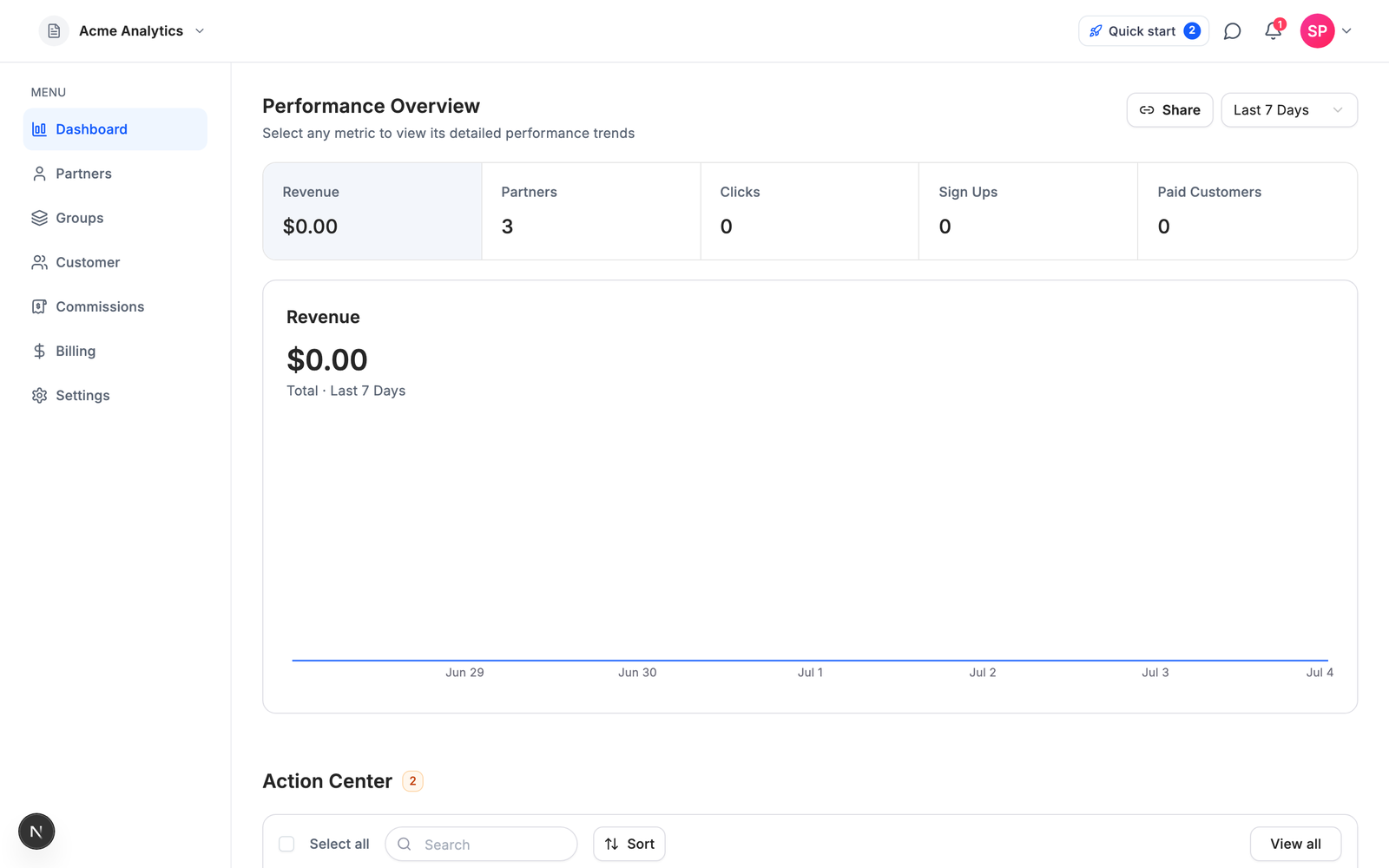
Affitor is our product, so here is the model stated plainly: you pay nothing until your affiliate program actually pays you.
### Key features
Attribution is the architectural difference, not just the pricing. Instead of a tracking cookie, Affitor anchors attribution to the signup: the click ID is joined to a hashed email at signup and then to the Stripe customer ID, riding Stripe Checkout metadata (`affitor_click_id`, `affitor_customer_key`) through to the sale. A cleared cookie after signup does not lose the referral, because the identity chain no longer depends on the cookie.
The agent surface is live today, not a roadmap item: a `skill.md` runbook an agent can complete end to end, the `affitor` CLI, browser and server SDKs plus an MCP server (`@affitor/sdk` and `@affitor/mcp`, both labeled beta), and a self-verify loop that fires a synthetic click, lead, and sale through your live integration and returns `integration_verified: true` when the chain holds. You — or your agent — get proof the integration works before a single real affiliate joins. The full setup path is walked in [How to create a Stripe affiliate program](/blog/stripe-affiliate-program).
### Pricing
$0/mo, $0 setup, and a 3.5% platform fee on affiliate-driven sales only. The fee is $0 until your program earns its first $10,000 through affiliates, then 3.5%. If your affiliates generate nothing, you pay nothing. There are no subscription tiers and no revenue caps.
### Pros & cons
**Pros:** no subscription and no caps, so cost scales with results; attribution survives cookie loss and device switches; the only tool in this comparison an agent can integrate and verify end to end.
**Cons:** a percentage fee means Affitor gets more expensive than a flat subscription as your program scales. At $15,000/mo in affiliate revenue, 3.5% is $525/mo while Rewardful's Growth plan is $99/mo. The crossover sits between roughly $1,400/mo and $2,800/mo in affiliate-driven revenue, depending on which flat tier your volume would require — below that (and before your first $10,000 total, when Affitor is free), the performance model wins; above it, a flat subscription is cheaper on paper, if you stay within its caps. Affitor is also Stripe-native — if you bill elsewhere, FirstPromoter covers more rails — and it does not have the brand history Rewardful has built with indie hackers.
**The flat-fee field:** $49–$1,000+/mo from day one, whatever your affiliates deliver.
**Affitor:** $0/mo, 3.5% on affiliate-driven sales after the first $10,000.
## 2. Rewardful — best for the simplest Stripe setup on a flat fee
Rewardful is the default pick in this category for a reason, and if a known flat cost is what you want, it earns the spot.
### Key features
The simplest setup in the category for a SaaS on Stripe or Paddle, the strongest brand recognition among indie hackers, and a REST API included on every tier — even the $49 plan, which is rare in this peer group. The 0% transaction fee is genuine: the subscription is all you pay.
### Pricing
Per [rewardful.com/pricing](https://www.rewardful.com/pricing) (as of July 5, 2026): Starter is $49/mo for up to $7,500/mo in affiliate-generated revenue, with 1 campaign and up to 2 team members. Growth is $99/mo for up to $15,000/mo with unlimited campaigns and a branded affiliate portal. Enterprise starts at $149/mo above that. 14-day free trial, 2 months free on annual billing, no free tier.
### Pros & cons
**Pros:** fastest path to a working program on Stripe; true 0% transaction fee; API access at every price point.
**Cons:** the revenue caps are the first thing that bites — cross $7,500/mo in affiliate revenue and the price doubles, not because you used more software but because your affiliates performed. Attribution is cookie-based (first- or last-touch, 60-day default window), so cleared cookies and device switches silently drop referrals. No agent runbook and no official MCP found as of June 2026. If the caps or the cookie model already hurt, the [Rewardful alternatives guide](/blog/rewardful-alternatives) goes deeper.
**Rewardful:** $49 to $149+/mo from day one, 0% transaction fee, cookie attribution.
**Affitor:** $0/mo, 3.5% after the first $10,000, signup-anchored attribution.
## 3. FirstPromoter — best for billing providers beyond Stripe
FirstPromoter is the most feature-complete of the sub-$100 tools, and the practical answer when your billing stack rules the Stripe-only tools out.
### Key features
MRR-based commissions, tax form handling, fraud detection, and billing-provider coverage beyond Stripe and Paddle — Chargebee and others. Personalized affiliate dashboards and a custom domain arrive on the Business tier. If you bill through a provider Rewardful does not support, FirstPromoter is often the shortest path.
### Pricing
Per [firstpromoter.com/pricing](https://firstpromoter.com/pricing) (as of July 5, 2026): Starter is $49/mo for up to $5,000/mo in affiliate revenue, 3 campaigns, 1,000 affiliates, and no API. Business is $99/mo for up to $15,000/mo with unlimited campaigns and affiliates, API and webhooks, and tax forms. Enterprise starts at $149/mo. 14-day trial, no card required. No transaction fee is stated on the pricing page.
### Pros & cons
**Pros:** the deepest back office at this price — MRR-shaped commissions, tax forms, fraud detection; broad billing-provider coverage; three campaigns on the entry tier where Rewardful allows one.
**Cons:** the $5,000/mo cap on Starter is the lowest in this peer group, so upgrade pressure arrives earliest here. The API and webhooks are paywalled to the $99 tier — the entry plan is dashboard-only, which rules out programmatic and agent-driven setups at $49. Tracking is a cookie-window model on the front end (`_fprom_*` cookies, 60-day default); conversions are recorded at signup, but identity does not ride Stripe metadata natively. For the head-to-head with Rewardful, see [Rewardful vs FirstPromoter](/blog/rewardful-vs-firstpromoter).
**FirstPromoter:** API and webhooks from the $99 Business tier up.
**Affitor:** API, CLI, and MCP access at $0/mo on every program.
## 4. Tolt — best for unlimited affiliates on a flat fee
Tolt is the cleanest modern product in the flat-fee mold, and it removes affiliate-count anxiety entirely.
### Key features
Unlimited affiliates and referrals on every tier. Payout rails are the broadest here: PayPal, Wise, local bank transfer, crypto, and wire, with automatic payouts from the Growth tier up. At $99/mo, Tolt gives you more revenue headroom than Rewardful's or FirstPromoter's $99 tiers — a $20,000/mo cap versus $15,000 — which is a genuine edge at that price point.
### Pricing
Per [tolt.com/pricing](https://tolt.com/pricing) (as of July 5, 2026): Basic is $69/mo for up to $10,000/mo in affiliate revenue with 2 programs and manual payouts only. Growth is $99/mo for up to $20,000/mo with 5 programs and automated payouts. Pro is $199/mo for up to $50,000/mo with unlimited programs. 14-day trial, no card required, 30-day refund. Note that software directories still show a stale $49 Basic price; the live page says $69.
### Pros & cons
**Pros:** unlimited affiliates everywhere, the widest payout rails, and the best revenue-headroom-per-dollar of the flat-fee trio at $99.
**Cons:** the nuance sits in the payout fees. Tolt markets 0% transaction fees, and that claim has a footnote: automated payouts carry a 2% processing fee, and the Basic tier avoids the fee only because its payouts are manual. Attribution is cookie-based click tracking with a configurable window — the same fragility as Rewardful's. No API is surfaced on the pricing page, and no official MCP was found as of June 2026.
**Tolt:** $69 to $199/mo, plus 2% on automated payouts.
**Affitor:** $0/mo, one 3.5% fee on affiliate-driven sales after the first $10,000.
## 5. Dub Partners — best for developer-first teams
Dub has the best developer experience in this list, and it is not close.
### Key features
SDKs in five languages, real-time webhooks, and docs built for programmatic use. Credit where due on architecture too: Dub's attribution is anchored to the signup lead rather than to a cookie window, which makes it the closest system to Affitor's model here. If you already run Dub for link infrastructure, adding Partners keeps links, analytics, and payouts in one platform.
### Pricing
Per [dub.co/pricing](https://dub.co/pricing) (as of July 5, 2026): Partners requires a paid plan. Business is $90/mo with partner payouts up to $2,500/mo at a 5% payout fee. Advanced is $300/mo with payouts up to $15,000/mo, also at 5%. Enterprise is custom, annual, with a 3% fee. These numbers are fresh: between June and July 2026, Business went from $75 to $90, Advanced from $250 to $300, and the Advanced payout fee from 3% to 5%.
### Pros & cons
**Pros:** best-in-class SDKs and webhooks, signup/lead-anchored attribution, and one platform for links, analytics, and payouts.
**Cons:** the toll structure. You pay the subscription and a 5% fee on every partner payout, and the payout caps meter your program's growth by tier — a Business-plan program cannot pay partners more than $2,500 in a month. Attribution records live inside Dub's network with no third-party-verifiable record, and the only MCP found in June 2026 was community-built and static-key, with no self-verify loop.
**Dub Partners:** $90/mo plus a 5% fee on partner payouts, capped by tier.
**Affitor:** $0/mo plus 3.5% on affiliate-driven sales after the first $10,000, no payout caps.
## 6. PartnerStack — best for enterprise multi-type partner programs
PartnerStack is not really an affiliate tracker; it is a partner-relationship-management suite, priced like one.
### Key features
A full PRM stack: a B2B partner marketplace where partners already on the network can discover and join your program, lead and deal registration, MDF management, and partner training (LMS). If you run affiliates, resellers, and referral partners as one program at scale, it is one of two serious options on this page.
### Pricing
PartnerStack published pricing in mid-2026 after years of sales-gated quotes. Per [partnerstack.com/pricing](https://www.partnerstack.com/pricing) (as of July 5, 2026): Launch starts at $1,000/mo paid annually, Growth at $1,520/mo paid annually, Enterprise is custom. That is a minimum commitment of roughly $12,000 per year, demo-led, with no self-serve signup.
### Pros & cons
**Pros:** marketplace distribution, multi-type partner motions, and enterprise partner operations that point tools do not attempt.
**Cons:** the price and the process. A ~$12,000/year minimum is unviable for pre-revenue or early SaaS, and the demo-to-contract onboarding means nothing an agent can complete autonomously. Attribution mechanics are not publicly documented, so we make no claims about them either way. If PartnerStack's price is the reason you are reading this, the [PartnerStack alternatives guide](/blog/partnerstack-alternatives) goes deeper.
**PartnerStack:** from $1,000/mo billed annually, demo first, full PRM suite.
**Affitor:** self-serve signup, $0/mo, affiliate programs only.
## 7. impact.com — best for an enterprise partner marketplace
impact.com is the incumbent enterprise partnership network, and for large brands its marketplace is the moat.
### Key features
Roughly 90,000 partners discoverable in-network, cross-device tracking, fraud scoring, offline and call conversions, and custom reporting via Data Lab on the upper tiers. It automates the full partnership lifecycle — contracts, workflows, discovery — at a depth point tools do not attempt.
### Pricing
Per [impact.com/plans-b2b](https://impact.com/plans-b2b/) (as of July 5, 2026): Starter is "priced from" $30/mo but is ecommerce-only — it requires a Shopify, BigCommerce, WooCommerce, Adobe Commerce, or Squarespace integration, so it is not an option for a SaaS. The first SaaS-usable tier is Essentials, priced from $500/mo and demo-gated. Pro is priced from $2,500/mo, and Enterprise is contact-sales. On top of every plan sits a 2.5% fee on partner-driven transactions. "Priced from" means floors, not quotes.
### Pros & cons
**Pros:** the largest partner marketplace in this comparison, enterprise-grade tracking depth, and full lifecycle automation.
**Cons:** the hybrid toll — a subscription floor and a 2.5% transaction fee — plus sales-led, weeks-long onboarding. The platform is built around ecommerce order feeds rather than Stripe-subscription SaaS: there is no Stripe-metadata-native tracking path, and no MCP or agent surface was found as of June 2026. For most SaaS teams below enterprise scale, this is the wrong aisle.
**impact.com:** from $500/mo for SaaS, plus 2.5% on partner-driven transactions, demo first.
**Affitor:** $0/mo plus 3.5% after the first $10,000, self-serve in an afternoon.
## Also evaluated: Post Affiliate Pro
Post Affiliate Pro has been in market since 2004 and carries the deepest feature checklist anywhere in the category — 220+ integrations, multi-tier and lifetime commissions, unlimited affiliates on every plan, and 24/7 support. It did not make the seven because it is built for every merchant type rather than for SaaS: usage is metered by tracking requests (10,000/mo on the $89/mo list-price Starter — a 33% promo runs until January 1, 2027), tracking is generic pixel/postback with no Stripe-native path, and setup is configuration-heavy with no agent runbook. For a Stripe-subscription SaaS, every tool above is a shorter path.
## Which one should you pick?
The honest segmentation is by ARR stage, because the pricing models flip in value as affiliate revenue grows.
**$0–500K ARR: pick Affitor, or Rewardful if you want a known flat cost.** At this stage your affiliate program earns little or nothing yet, and a $49–$90 subscription is pure downside risk. Affitor is free until affiliates have generated $10,000, so the software decision needs no budget. If you would rather pay a predictable $49/mo for the category's most familiar tool, Rewardful is the default. Either way, decide your commission structure before your tooling — the [how to start a SaaS affiliate program guide](/blog/how-to-start-saas-affiliate-program) covers that order of operations.
**$500K–5M ARR: run the crossover math.** If affiliate-driven revenue is consistently above roughly $1,400–$2,800/mo, a flat plan gets cheaper than a percentage: Rewardful Growth at $99/mo covers up to $15,000/mo, and Tolt's $99 tier covers $20,000/mo with unlimited affiliates. If you bill through Chargebee or another provider beyond Stripe and Paddle, FirstPromoter's Business tier at $99/mo is a shortlist of one. If your team ships through SDKs and webhooks, price Dub Partners — subscription plus 5% — against what you would actually pay out. If affiliate revenue is still lumpy, Affitor's pay-on-results model keeps quiet months free.
**$5M+ ARR: think in programs, not trackers.** If you run affiliates plus resellers plus referral partners with a dedicated partner manager, PartnerStack's PRM suite and impact.com's roughly 90,000-partner marketplace are the real options — pick PartnerStack for B2B SaaS partner motions, impact.com when marketplace reach and enterprise tracking depth matter most. If it is still a pure affiliate motion, the Enterprise tiers of Rewardful ($149+/mo) or FirstPromoter (from $149/mo) — or Dub's custom Enterprise at a 3% payout fee — cover the volume.
## Every tool at a glance
:::note
All prices verified against each vendor's live pricing page on July 5, 2026. Two vendors materially changed their pricing pages in the three weeks before publication. Check the live page before you commit.
:::
| Platform | Monthly price | Fees on top | Caps | Attribution | API and agent surface |
|---|---|---|---|---|---|
| **Affitor** | $0 | 3.5% on affiliate-driven sales after first $10K | None | Signup-anchored, rides Stripe metadata | API, CLI, MCP, agent self-verify loop |
| **Rewardful** | $49 / $99 / $149+ | 0% | $7.5K / $15K per mo affiliate revenue | Cookie, 60-day default | REST API on all tiers |
| **FirstPromoter** | $49 / $99 / $149+ | None stated | $5K / $15K per mo affiliate revenue | Cookie window, 60-day default | API and webhooks at $99+ |
| **Tolt** | $69 / $99 / $199 | 2% on automated payouts | $10K / $20K / $50K per mo affiliate revenue | Cookie, configurable window | No API listed on pricing page |
| **Dub Partners** | $90 / $300 / custom | 5% payout fee (3% Enterprise) | Payouts $2.5K / $15K per mo | Signup/lead-anchored | Strong API and SDKs |
| **PartnerStack** | From $1,000 (annual) | None listed | Not published | Not publicly documented | Sales-led onboarding |
| **impact.com** | From $500 for SaaS (Essentials) | 2.5% on partner-driven transactions | Not published | Ecommerce order-feed model | API-based tracking at Pro ($2,500+) |
No official MCP server was found for any of the six competitors as of the June 2026 audit.
## FAQ
### What is the best affiliate software for SaaS?
Affitor is the best affiliate software for SaaS that wants to pay $0/month until affiliates generate their first $10,000 in revenue. Rewardful is the best flat-fee pick for a simple Stripe setup, FirstPromoter when you bill outside Stripe and Paddle, and PartnerStack or impact.com when you run enterprise partner programs.
### How much does affiliate software cost in 2026?
Entry-tier pricing as of July 5, 2026: Rewardful and FirstPromoter $49/month, Tolt $69/month, Dub Partners $90/month plus a 5% payout fee, impact.com from $500/month for its first SaaS-usable tier plus a 2.5% transaction fee, PartnerStack from $1,000/month paid annually, and Affitor $0/month plus 3.5% on affiliate-driven sales after the first $10,000. Prices drift fast — two vendors changed their pricing pages in the three weeks before this was written.
### Which affiliate software has no monthly fee?
Affitor is the only tool in this comparison with no monthly fee: $0/month, with a 3.5% platform fee on affiliate-driven sales that starts only after your first $10,000 in affiliate revenue. Every other tool has a subscription floor — Rewardful $49, FirstPromoter $49, Tolt $69, Dub Partners $90, impact.com $500 for SaaS, PartnerStack from $1,000/month paid annually (all as of July 5, 2026).
### Does affiliate software charge transaction fees?
Some tools charge twice — a subscription plus a fee on top. As of July 5, 2026: Dub Partners adds a 5% payout fee (3% on Enterprise), impact.com adds a 2.5% fee on partner-driven transactions, and Tolt adds 2% on automated payouts. Rewardful states a genuine 0% transaction fee, FirstPromoter and PartnerStack list none on their pricing pages, and Affitor charges only its 3.5% performance fee with no subscription.
### Can I run an affiliate program directly in Stripe?
No — Stripe has no built-in affiliate program feature, so you need affiliate software on top of it. Tools like Affitor and Rewardful integrate directly with Stripe: Affitor rides attribution on Stripe Checkout metadata, while Rewardful matches conversions through a tracking cookie. The [Stripe affiliate program guide](/blog/stripe-affiliate-program) walks the full setup.
### What is the difference between affiliate software and a partner network?
Affiliate software (Affitor, Rewardful, FirstPromoter, Tolt) tracks and pays affiliates you recruit yourself, typically self-serve from $0–$99/month. A partner network or PRM (PartnerStack, impact.com) adds a marketplace of existing partners, lead and deal registration, and partner training — at enterprise pricing from $500–$1,000+/month with sales-led onboarding.
## What's next
The short version: pick Rewardful for the most familiar flat-fee Stripe setup, FirstPromoter for billing providers beyond Stripe and Paddle, Tolt for unlimited affiliates at a flat price, Dub Partners if you already live in Dub's link infrastructure and accept the payout fee, PartnerStack or impact.com when you are running enterprise partner programs, and Affitor if you want to pay only when your affiliates actually generate revenue, keep attribution alive after the cookie dies, or hand the whole integration to an agent and get back proof it works.
If the performance model fits your stage, [create your program](https://affitor.com/welcome). It costs nothing to run until your affiliates have generated $10,000, so the way to evaluate Affitor is to launch with it.
If you want to see how signup-anchored tracking works before you decide, [read the tracking docs](/brand/tracking/tracking-overview). The click, signup, and sale chain is documented end to end, including the verification call that proves your integration is live.
## More comparisons
- [The best Rewardful alternatives for SaaS](/blog/rewardful-alternatives)
- [PartnerStack alternatives](/blog/partnerstack-alternatives)
- [Rewardful vs FirstPromoter](/blog/rewardful-vs-firstpromoter)
- [FirstPromoter alternatives](/blog/firstpromoter-alternatives)
- [Tolt alternatives](/blog/tolt-alternatives)
- [Tolt vs Rewardful](/blog/tolt-vs-rewardful)
- [PartnerStack vs Rewardful](/blog/partnerstack-vs-rewardful)
- [Affiliate software pricing comparison](/blog/affiliate-software-pricing-comparison)
---
id: "blog/firstpromoter-alternatives"
type: "blog"
url: "https://affitor.com/blog/firstpromoter-alternatives"
updated: "2026-07-05"
---
# Best FirstPromoter Alternatives for SaaS in 2026 (5 Tools Compared)
> Five honest FirstPromoter alternatives for SaaS — Affitor, Rewardful, Tolt, Dub Partners, and PartnerStack: pricing verified July 2026, attribution trade-offs, and a straight answer on who should pick what.
SaaS teams leave FirstPromoter for three reasons: the lowest entry-tier revenue cap in its peer group ($5,000/month in affiliate revenue before the $49 plan forces an upgrade), an API that is paywalled to the $99 tier, and cookie-based attribution that loses referrals when the cookie dies before signup. If none of those hurt yet, keep FirstPromoter. It is the most feature-complete tool under $100 in this comparison — MRR-based commissions, tax form handling, fraud detection, and billing-provider coverage beyond Stripe and Paddle (Chargebee included) that neither Affitor nor Rewardful matches. Plenty of programs never need to move.
This guide compares five alternatives worth shortlisting in 2026: Affitor, Rewardful, Tolt, Dub Partners, and PartnerStack. One disclosure before we start: we build Affitor. It is one of the five tools below, and this post tells you plainly where the others beat it.
## Quick answer: what is the best FirstPromoter alternative for SaaS?
Affitor is the best FirstPromoter alternative for SaaS that wants to pay $0/month until affiliates generate their first $10,000 in revenue. Pick Rewardful if you want the simplest Stripe setup with a REST API on every tier — including the $49 plan FirstPromoter keeps dashboard-only. Pick Tolt if you want unlimited affiliates on a flat subscription, Dub Partners if developer experience decides your tooling, and PartnerStack if you run a multi-type partner program with an enterprise budget. Stay on FirstPromoter if you bill through a provider like Chargebee — it is the only tool in this comparison with verified billing coverage beyond Stripe and Paddle.
| Tool | Best for | From price (as of Jul 2026) | Transaction fee | Attribution |
|---|---|---|---|---|
| [Affitor](https://affitor.com) | Paying only on results | $0/mo | 3.5% on affiliate-driven sales after first $10K | Signup-anchored via Stripe metadata |
| [Rewardful](https://www.rewardful.com/pricing) | Simplest Stripe setup, API on every tier | $49/mo | 0% | Cookie, 60-day default |
| [Tolt](https://tolt.com/pricing) | Unlimited affiliates on a flat fee | $69/mo | 2% on automated payouts | Cookie, configurable window |
| [Dub Partners](https://dub.co/pricing) | Developer-first teams | $90/mo | 5% payout fee (3% Enterprise) | Signup/lead-anchored |
| [PartnerStack](https://www.partnerstack.com/pricing) | Enterprise multi-type programs | From $1,000/mo (paid annually) | None published | Not publicly documented |
Every price on this page was checked against each vendor's live pricing page on July 5, 2026. Affiliate software pricing moves fast — two of these vendors materially changed their pricing pages in the three weeks before this was written — so treat the live pages as the source of truth.
## Why teams outgrow FirstPromoter
FirstPromoter's model is a flat subscription with revenue-capped tiers. Per [firstpromoter.com/pricing](https://firstpromoter.com/pricing) (as of July 5, 2026): Starter is $49/mo for up to $5,000/mo in affiliate revenue, with 3 campaigns, 1,000 affiliates, and no API. Business is $99/mo for up to $15,000/mo, with unlimited campaigns and affiliates, API and webhooks, and tax forms. Enterprise starts at $149/mo above that. There is a 14-day trial with no card required, and no free tier. No transaction fee is stated on the pricing page.
The cap is the first thing that bites, and it bites earlier here than anywhere else in the peer group. Rewardful's $49 tier covers $7,500/mo in affiliate revenue; Tolt's $69 tier covers $10,000/mo. FirstPromoter's $49 tier stops at $5,000/mo — a program doing modestly well crosses it within months, and the tool's price doubles not because you used more software but because your affiliates performed.
The second issue is the API paywall. On the $49 Starter plan there is no API and no webhooks: the entry tier is dashboard-only. Anything programmatic — custom reporting, automated partner onboarding, an AI agent wiring up the integration — requires the $99 Business tier. Personalized affiliate dashboards and a custom domain are also Business-tier features.
The third is attribution. FirstPromoter tracks with a cookie-window model on the front end (`_fprom_*` cookies, 60-day default). Conversions are recorded at signup, which is better than pure click-window tracking, but the identity chain does not ride Stripe metadata natively — when the cookie is gone before signup (cleared, blocked, expired, or the buyer switches devices), the referral is gone with it.
## What to evaluate in a replacement
Three questions separate the five tools below faster than any feature checklist.
**How does it charge?** Flat subscription, percentage of results, or both. Watch for double tolls: some tools charge a subscription and then add a fee on payouts or transactions on top.
**What happens when the cookie dies?** Cookie-window tracking is the category default and its weakest point. Tools that anchor attribution to a durable identity (a signup, a Stripe customer record) survive cleared cookies and device switches; pure cookie models do not.
**Can your coding agent do the integration?** In 2026 a lot of Stripe SaaS integration work is done by AI agents. An audit of the major tools in this category in June 2026 found none shipping an official MCP server or an agent-completable integration runbook with a self-verify loop. If that matters to you, it narrows the list quickly — and it is exactly the surface FirstPromoter's entry tier locks out by shipping without an API.
## 1. Affitor — best for paying only on results
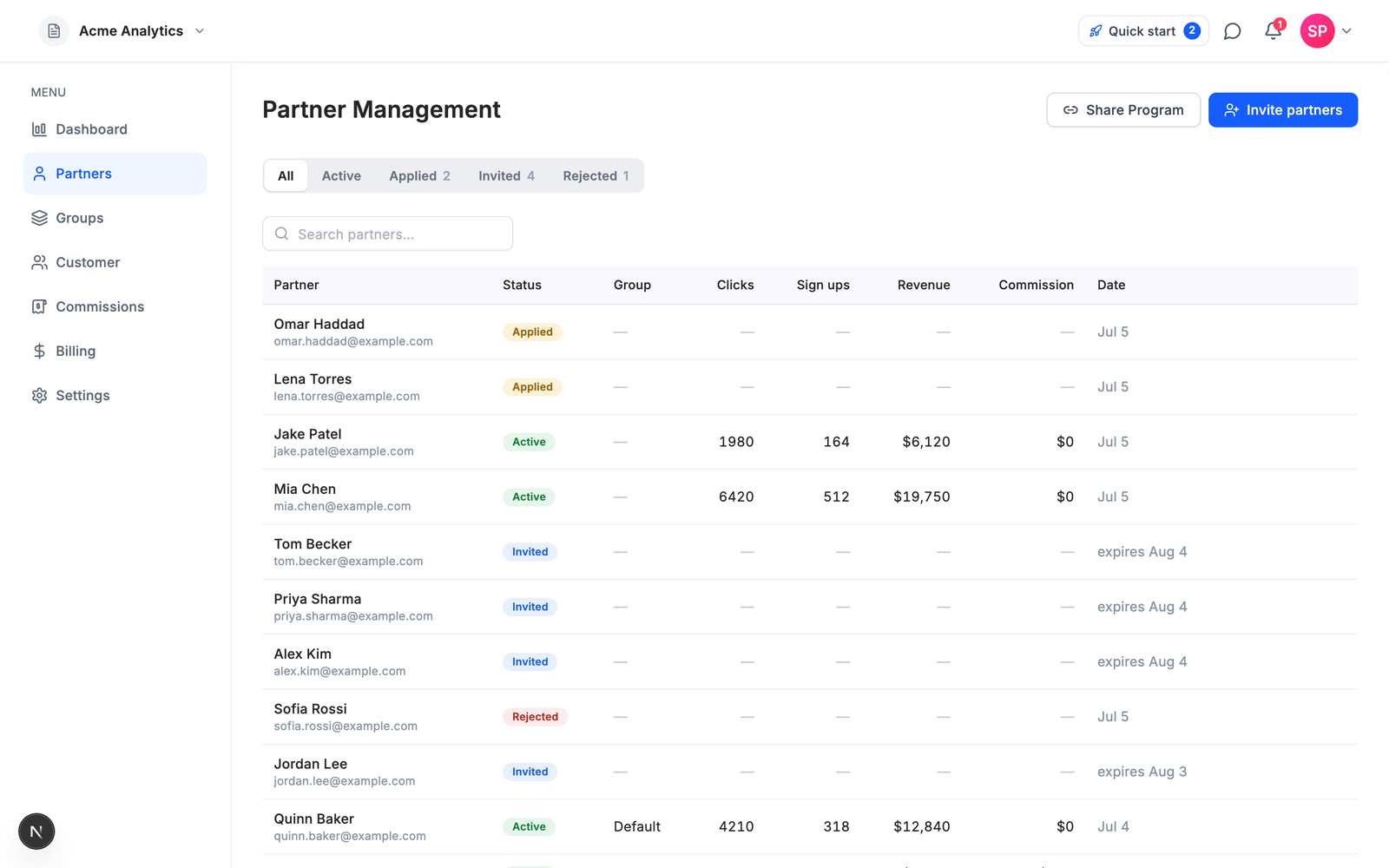
Affitor is our product, so here is the model stated plainly: you pay nothing until your affiliate program actually pays you.
### Key features
Attribution is the architectural difference, not the pricing. Instead of a tracking cookie, Affitor anchors attribution to the signup: the click ID is joined to a hashed email at signup and then to the Stripe customer ID, riding Stripe Checkout metadata (`affitor_click_id`, `affitor_customer_key`) through to the sale. A cleared cookie after signup does not lose the referral, because the identity chain no longer depends on the cookie.
The agent surface is live today, not a roadmap item: a `skill.md` runbook an agent can complete end to end, the `affitor` CLI, browser and server SDKs plus an MCP server (`@affitor/sdk` and `@affitor/mcp`, both labeled beta), and a self-verify loop that fires a synthetic click, lead, and sale through your live integration and returns `integration_verified: true` when the chain holds. You (or your agent) get proof the integration works before a single real affiliate joins. Where FirstPromoter gates its API behind the $99 tier, all of this is included at $0/mo. The full setup path is walked in [How to create a Stripe affiliate program](/blog/stripe-affiliate-program).

Day-to-day operations stay deliberately small: one flat partner table holds active partners, applications, and pending invites, and partner invites are pre-written from your program's real terms (commission rate, attribution window, payout threshold) — paste emails or import a CSV and send.
### Pricing
$0/mo, $0 setup, and a 3.5% platform fee on affiliate-driven sales only. The fee is $0 until your program earns its first $10,000 through affiliates, then 3.5%. If your affiliates generate nothing, you pay nothing. There are no tiers and no revenue caps.
### Pros & cons
**Pros:** no subscription and no caps, so cost scales with results; attribution survives cookie loss and device switches; the only tool in this comparison an agent can integrate and verify end to end, with the full API surface available at $0/mo.
**Cons:** a percentage fee means Affitor gets more expensive than a flat subscription as your program scales. At $15,000/mo in affiliate revenue, 3.5% is $525/mo while FirstPromoter's Business plan is $99/mo. The crossover sits between roughly $1,400/mo and $2,800/mo in affiliate-driven revenue, depending on which FirstPromoter tier your volume would require. Below that (and before your first $10,000 total, when Affitor is free), the performance model wins; above it, a flat subscription is cheaper on paper, if you stay within its caps. Run your own numbers before choosing. Affitor is also Stripe-native — if you bill through Chargebee or another provider FirstPromoter supports, FirstPromoter covers more rails — and it does not yet match FirstPromoter's tax form handling or fraud detection back office.
**FirstPromoter:** $49 to $149+/mo from day one, API from the $99 tier, cookie-window attribution.
**Affitor:** $0/mo, 3.5% on affiliate-driven sales after the first $10,000, signup-anchored attribution.
## 2. Rewardful — best for the simplest Stripe setup
Rewardful is the category's default pick for Stripe SaaS, and against FirstPromoter specifically it wins on two concrete points: a higher entry-tier cap and an API that is not paywalled.
### Key features
The simplest setup in the category for a Stripe SaaS, with the strongest brand recognition among indie hackers. A genuine 0% transaction fee on every tier — the flat subscription is all you pay. And the point FirstPromoter switchers care about most: the REST API is included on every tier, even the $49 plan. Where FirstPromoter's Starter is dashboard-only, Rewardful's is programmable from day one.
### Pricing
Per [rewardful.com/pricing](https://www.rewardful.com/pricing) (as of July 5, 2026): Starter is $49/mo for up to $7,500/mo in affiliate revenue, with 1 campaign and up to 2 team members. Growth is $99/mo for up to $15,000/mo, with unlimited campaigns and a branded affiliate portal. Enterprise starts at $149/mo. 14-day free trial, 2 months free on annual, no free tier.
### Pros & cons
**Pros:** $7,500/mo of headroom at $49 where FirstPromoter stops at $5,000; REST API on all tiers; 0% transaction fee with no payout-fee footnotes.
**Cons:** the feature set is narrower than FirstPromoter's — no multi-tier commissions, limited email functionality, basic fraud protection, limited reporting, and no postbacks — and the Starter tier allows 1 campaign where FirstPromoter allows 3. Billing coverage is Stripe and Paddle only: if you bill through Chargebee, Rewardful is not an option. Attribution is cookie-based (first-touch or last-touch, 60-day default), the same fragility FirstPromoter has. For the full head-to-head, see [Rewardful vs FirstPromoter](/blog/rewardful-vs-firstpromoter); if you end up shortlisting against Rewardful instead, the [Rewardful alternatives guide](/blog/rewardful-alternatives) covers that direction.
**Rewardful:** $49 to $149+/mo, 0% transaction fee, API on every tier, Stripe and Paddle only.
**Affitor:** $0/mo, 3.5% on affiliate-driven sales after the first $10,000, Stripe-native.
## 3. Tolt — best for unlimited affiliates on a flat fee
Tolt is the cleanest modern product in this peer group, and it removes two FirstPromoter limits at once: the affiliate count and the entry-tier cap.
### Key features
Unlimited affiliates and referrals on every tier — FirstPromoter's Starter caps you at 1,000 affiliates; Tolt never counts them. Payout rails are the broadest here: PayPal, Wise, local bank transfer, crypto, and wire, with automatic payouts from the Growth tier up. At $99/mo Tolt gives you $20,000/mo of revenue headroom against FirstPromoter Business's $15,000 — the best headroom-per-dollar of the flat-fee tools at that price.
### Pricing
Per [tolt.com/pricing](https://tolt.com/pricing) (as of July 5, 2026): Basic is $69/mo for up to $10,000/mo in affiliate revenue with 2 programs and manual payouts only. Growth is $99/mo for up to $20,000/mo with 5 programs and automated payouts. Pro is $199/mo for up to $50,000/mo with unlimited programs. 14-day trial, no card required, 30-day refund. Note that software directories still show a stale $49 Basic price; the live page says $69.
### Pros & cons
**Pros:** unlimited affiliates everywhere, wide payout rails, and double FirstPromoter's entry-tier revenue cap ($10,000 vs $5,000) for $20 more per month.
**Cons:** the nuance sits in the payout fees. Tolt markets 0% transaction fees, and that claim has a footnote: automated payouts carry a 2% processing fee, and the Basic tier avoids the fee only because its payouts are manual. Attribution is cookie-based click tracking with a configurable window — the same fragility as FirstPromoter's, without the signup-recorded conversion. No API is surfaced on the pricing page, and no official MCP was found as of June 2026, so programmatic teams lose even the Business-tier surface FirstPromoter offers.
**Tolt:** $69 to $199/mo, plus 2% on automated payouts.
**Affitor:** $0/mo, one 3.5% fee on affiliate-driven sales after the first $10,000.
## 4. Dub Partners — best for developer-first teams
Dub has the best developer experience in this list, and it is not close — the natural landing spot if FirstPromoter's dashboard-only entry tier is what pushed you out.
### Key features
SDKs in five languages, real-time webhooks, and docs built for programmatic use. Credit where due on architecture too: Dub's attribution is anchored to the signup lead rather than to a cookie window, which makes it the closest system to Affitor's model here — and a genuine attribution upgrade over FirstPromoter's cookie-window front end. If you already run Dub for link infrastructure, adding Partners keeps links, analytics, and payouts in one platform.
### Pricing
Per [dub.co/pricing](https://dub.co/pricing) (as of July 5, 2026): Partners requires a paid plan. Business is $90/mo with partner payouts up to $2,500/mo at a 5% payout fee. Advanced is $300/mo with payouts up to $15,000/mo, also at 5%. Enterprise is custom, annual, with a 3% fee. These numbers are fresh: between June and July 2026, Business went from $75 to $90, Advanced from $250 to $300, and the Advanced payout fee from 3% to 5%.
### Pros & cons
**Pros:** best-in-class SDKs and webhooks, signup/lead-anchored attribution, and one platform for links, analytics, and payouts.
**Cons:** the toll structure. You pay the subscription and a 5% fee on every partner payout, and the payout caps meter your program's growth by tier: a Business-plan program cannot pay partners more than $2,500 in a month, and lifting that ceiling to $15,000 means the $300/mo Advanced plan. Attribution records live inside Dub's network, with no third-party-verifiable record; the only MCP found in June 2026 was community-built and static-key, with no self-verify loop.
**Dub Partners:** $90/mo plus a 5% fee on partner payouts, capped by tier.
**Affitor:** $0/mo plus 3.5% on affiliate-driven sales after the first $10,000, no payout caps.
## 5. PartnerStack — best for enterprise partner programs
PartnerStack is not really a FirstPromoter substitute; it is a different category, priced like one.
### Key features
A full partner-relationship-management suite: a B2B partner marketplace, lead and deal registration, MDF management, and partner training (LMS). If you run affiliates, resellers, and referral partners as one program at scale, it is the serious option on this page.
### Pricing
PartnerStack published pricing in mid-2026 after years of sales-gated quotes. Per [partnerstack.com/pricing](https://www.partnerstack.com/pricing) (as of July 5, 2026): Launch starts at $1,000/mo paid annually, Growth at $1,520/mo paid annually, Enterprise is custom. That is a minimum commitment of roughly $12,000 per year, demo-led, with no self-serve signup.
### Pros & cons
**Pros:** marketplace distribution, multi-type partner motions, and enterprise operations no point tool on this page attempts.
**Cons:** the price and the process. Attribution mechanics are not publicly documented, so we make no claims about them either way. For an early or mid-stage SaaS replacing a $49 tool, this is the wrong aisle; for a partnerships team that has outgrown affiliate-only motion, it is the right one. If PartnerStack's price is the reason you are here, the dedicated [PartnerStack alternatives guide](/blog/partnerstack-alternatives) goes deeper.
**PartnerStack:** from $1,000/mo billed annually, demo first, full PRM suite.
**Affitor:** self-serve signup, $0/mo, affiliate programs only.
## Which one should you pick?
The honest segmentation is by stage, because the pricing models flip in value as affiliate revenue grows.
**$0–500K ARR: pick Affitor, or Rewardful if you want a known flat cost.** At this stage your affiliate program earns little or nothing yet, and a $49–$90 subscription is pure downside risk — doubly so on FirstPromoter, whose $5,000/mo cap is the first one you will hit. Affitor is free until affiliates have generated $10,000, so the software decision needs no budget. If you would rather pay a predictable $49/mo, Rewardful gives you more headroom and an API at the same price.
**$500K–5M ARR: run the crossover math.** If affiliate-driven revenue is consistently above roughly $1,400–$2,800/mo, a flat plan gets cheaper than a percentage: FirstPromoter Business at $99/mo covers up to $15,000/mo with the deepest back office in this band (tax forms, fraud detection, MRR-shaped commissions), and Tolt's $99 tier covers $20,000/mo with unlimited affiliates. If you bill through Chargebee or another non-Stripe provider, staying on FirstPromoter Business is often the honest answer. If affiliate revenue is still lumpy, Affitor's pay-on-results model keeps quiet months free.
**$5M+ ARR: think in programs, not trackers.** If you run affiliates plus resellers plus referral partners with a partner manager, PartnerStack's PRM suite is the real option. If it is still a pure affiliate motion, the Enterprise tiers of FirstPromoter (from $149/mo) or Rewardful ($149+/mo) — or Dub's custom Enterprise with its 3% payout fee — cover the volume.
## Every alternative at a glance
:::note
All prices verified against each vendor's live pricing page on July 5, 2026. Two vendors materially changed their pricing pages in the three weeks before publication. Check the live page before you commit.
:::
| Platform | Monthly price | Fees on top | Caps | Attribution | API and agent surface |
|---|---|---|---|---|---|
| **Affitor** | $0 | 3.5% on affiliate-driven sales after first $10K | None | Signup-anchored, rides Stripe metadata | API, CLI, MCP, agent self-verify loop |
| **FirstPromoter** | $49 / $99 / $149+ | None stated | $5K / $15K per mo affiliate revenue | Cookie window, 60-day default | API and webhooks at $99+ |
| **Rewardful** | $49 / $99 / $149+ | 0% | $7.5K / $15K per mo affiliate revenue | Cookie, 60-day default | REST API on all tiers |
| **Tolt** | $69 / $99 / $199 | 2% on automated payouts | $10K / $20K / $50K per mo affiliate revenue | Cookie, configurable window | No API listed on pricing page |
| **Dub Partners** | $90 / $300 / custom | 5% payout fee (3% Enterprise) | Payouts $2.5K / $15K per mo | Signup/lead-anchored | Strong API and SDKs |
| **PartnerStack** | From $1,000 (annual) | None listed | Not published | Not publicly documented | Sales-led onboarding |
No official MCP server was found for any of the five competitors as of the June 2026 audit.
## FAQ
### What is the best FirstPromoter alternative for SaaS?
Affitor is the best FirstPromoter alternative for SaaS that wants to pay $0/month until affiliates generate their first $10,000 in revenue. Rewardful is the strongest pick when you want an API on the entry tier, and Tolt when you want unlimited affiliates on a flat subscription.
### Is Affitor cheaper than FirstPromoter?
Affitor is cheaper than FirstPromoter until your program does roughly $1,400–$2,800/month in affiliate-driven revenue, and it is free until your first $10,000 total. Above the crossover, FirstPromoter's flat $49–$149+/month tiers (as of July 2026) are cheaper on paper, if you stay within their revenue caps.
### Does FirstPromoter charge transaction fees?
FirstPromoter states no transaction fee on its pricing page — the flat subscription ($49, $99, or $149+/month as of July 2026) is all you pay. The trade-offs are revenue-capped tiers ($5,000/month in affiliate revenue on Starter, the lowest cap in its peer group) and an API that only arrives on the $99 Business tier.
### Which affiliate software has no monthly fee?
Affitor is the only tool in this comparison with no monthly fee: $0/month, with a 3.5% platform fee on affiliate-driven sales that starts only after your first $10,000 in affiliate revenue. Every competitor has a subscription floor — FirstPromoter $49, Rewardful $49, Tolt $69, Dub Partners $90, PartnerStack from $1,000/month paid annually (all as of July 5, 2026).
### How much does affiliate tracking software cost in 2026?
Entry-tier pricing as of July 5, 2026: FirstPromoter and Rewardful $49/month, Tolt $69/month, Dub Partners $90/month plus a 5% payout fee, PartnerStack from $1,000/month paid annually, and Affitor $0/month plus 3.5% on affiliate-driven sales after the first $10,000. Prices in this category drift fast — two vendors changed their pricing pages in the three weeks before this was written.
### Why do SaaS teams leave FirstPromoter?
Three reasons: the $5,000/month affiliate-revenue cap on the $49 Starter tier — the lowest in its peer group, so upgrade pressure arrives earliest — an API and webhooks paywalled to the $99 Business tier, and cookie-based attribution (60-day default) that silently drops the referral when the cookie is cleared or the device switches before signup.
## What's next
The short version: stay on FirstPromoter if its back office (tax forms, fraud detection, MRR commissions) or its billing-provider coverage is what you actually use — nothing under $100 replaces that combination. Pick Rewardful for the simplest Stripe setup with an API on every tier. Pick Tolt for unlimited affiliates and broad payout rails at a flat price. Pick Dub Partners if you already live in Dub's link infrastructure and accept the payout fee. Pick PartnerStack when you are running a multi-type partner program with an enterprise budget. Pick Affitor if you want to pay only when your affiliates actually generate revenue, keep attribution alive after the cookie dies, or hand the whole integration to an agent and get back proof it works.
If the performance model fits your stage, [create your program](https://affitor.com/welcome). It costs nothing to run until your affiliates have generated $10,000, so the way to evaluate Affitor is to launch with it.
If you want to see how signup-anchored tracking works before you decide, [read the tracking docs](/brand/tracking/tracking-overview). The click, signup, and sale chain is documented end to end, including the verification call that proves your integration is live.
## More comparisons
- [The best Rewardful alternatives for SaaS](/blog/rewardful-alternatives)
- [PartnerStack alternatives](/blog/partnerstack-alternatives)
- [Rewardful vs FirstPromoter](/blog/rewardful-vs-firstpromoter)
- [Tolt alternatives](/blog/tolt-alternatives)
- [Tolt vs Rewardful](/blog/tolt-vs-rewardful)
- [PartnerStack vs Rewardful](/blog/partnerstack-vs-rewardful)
- [Affiliate software pricing comparison](/blog/affiliate-software-pricing-comparison)
- [Best affiliate software for SaaS](/blog/best-affiliate-software-saas)
---
id: "blog/how-to-start-saas-affiliate-program"
type: "blog"
url: "https://affitor.com/blog/how-to-start-saas-affiliate-program"
updated: "2026-07-05"
---
# How to Start an Affiliate Program for Your SaaS (Step-by-Step Guide 2026)
> Six steps take you from no program to your first partner payout: commission, software, tracking, recruiting, payout terms, and what to measure — with 2026 benchmarks and pricing verified July 2026.
Starting an affiliate program for your SaaS comes down to six decisions: what you pay, which software runs it, how sales get attributed, who you recruit, when money moves, and what you watch in the first ninety days. This guide takes them in order as six steps, with 2026 benchmark numbers where verified data exists, and links to honest comparisons where the right answer depends on your stage.
One principle sits under all six. An affiliate program is performance spend: you pay after revenue arrives, not before. That is what makes it attractive next to ads. Every decision below either protects that property or quietly gives it away, so when two options look equal, pick the one that keeps your costs proportional to results.
## Quick answer: how do you start a SaaS affiliate program?
Start a SaaS affiliate program in six steps: set a commission in the 20–25% band that stays within 30–40% of your gross margin, pick software priced for your stage (floors run $0 to $1,000+/month as of July 2026), install tracking that survives cookie loss, hand-recruit your first five to twenty aligned partners, set payout holds that match your refund window, and spend the first ninety days measuring click-to-signup rate per partner rather than revenue. The cheapest way to run the software decision: Affitor charges $0/month until your affiliates generate their first $10,000, so the program costs nothing until it works.
| Tool | Best for | From price (as of Jul 2026) | Transaction fee | Attribution |
|---|---|---|---|---|
| [Affitor](https://affitor.com) | Starting from zero, paying on results | $0/mo | 3.5% on affiliate-driven sales after first $10K | Signup-anchored via Stripe metadata |
| [Rewardful](https://www.rewardful.com/pricing) | The known flat-fee default for Stripe | $49/mo | 0% | Cookie, 60-day default |
| [FirstPromoter](https://firstpromoter.com/pricing) | Billing beyond Stripe and Paddle | $49/mo | None stated | Cookie, 60-day default |
| [Tolt](https://tolt.com/pricing) | Unlimited affiliates on a flat fee | $69/mo | 2% on automated payouts | Cookie, configurable window |
| [Dub Partners](https://dub.co/pricing) | Developer-first teams | $90/mo | 5% payout fee (3% Enterprise) | Signup/lead-anchored |
| [PartnerStack](https://www.partnerstack.com/pricing) | Enterprise multi-type programs | From $1,000/mo (paid annually) | None published | Not publicly documented |
Every price on this page was checked against each vendor's live pricing page on July 5, 2026.
## Step 1: Decide what you'll pay
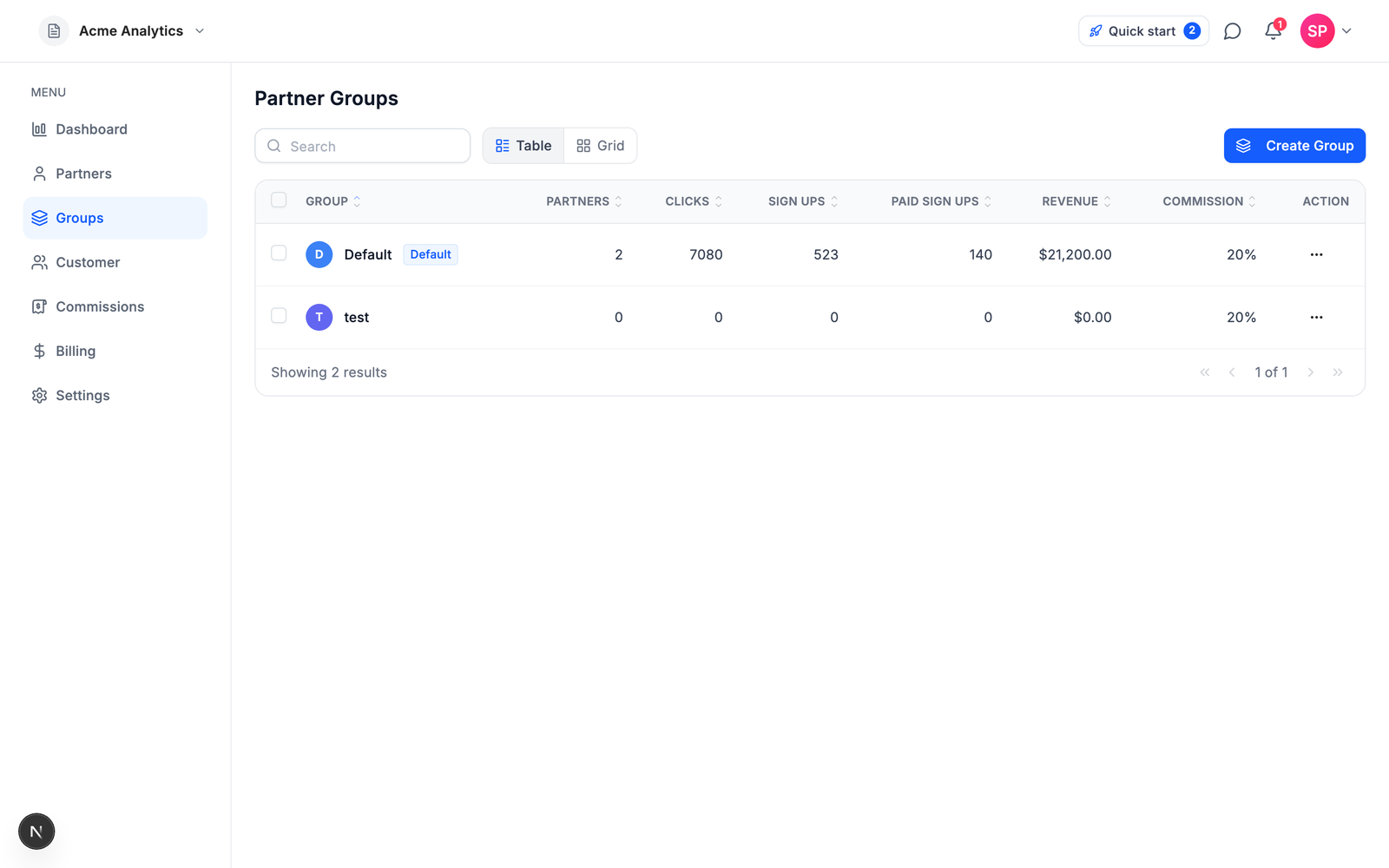
Start from the benchmark, then adjust for your margin. The typical SaaS affiliate commission is 20% of the revenue a partner generates. An analysis of 96 real percentage-based campaigns puts the average at 23.3%, with 20-25% the most common band. Mature programs tend to settle at 15-25%, inside an overall industry range of 5-30%.
The commission model matters as much as the rate:
| Commission model | How it pays | Best for |
|---|---|---|
| Recurring percentage | A share of every referred payment, typically for 12+ months | Subscription SaaS — in renewal-paying programs, 70% of commission events are renewals |
| One-time bounty | A fixed amount per converted customer | Simple budgeting, high-touch sales-assisted deals |
| Hybrid | A recurring share plus a signup bonus | Competing for established affiliates who compare programs on both |
Two rules keep the number safe:
**Stay within 30-40% of your gross margin.** Commission is a cut of margin, not of revenue. If your gross margin is 80%, a 20% commission consumes a quarter of it, comfortably inside the guidance. At 60% margin, the same 20% commission eats a third of it, which is already inside the 30-40% ceiling. Run this arithmetic before you publish a rate, because raising is easy and cutting is a partner-relations problem.
**Prefer recurring commissions over one-time bounties.** In programs that pay on renewals, 70% of all commission events are renewal payments. Most of what a good partner earns arrives after the first sale, and that ongoing stake is exactly what keeps them promoting you next quarter instead of the next tool. If your margin allows it, pay on renewals for at least the first year of each referred subscription.
For the full treatment, including a worked example and how to run different rates for different partner tiers, see [What commission rate should your SaaS affiliate program pay?](/blog/saas-affiliate-commission-rates)
## Step 2: Choose your software
Four criteria separate the tools. Weigh them before you look at a single feature list.
**Pricing model.** Every major tool except one charges a monthly subscription before your program has produced anything. As of July 2026 the floors are: Rewardful $49/mo, FirstPromoter $49/mo, Tolt $69/mo, Dub Partners $90/mo, and PartnerStack from $1,000/mo paid annually. Some also charge twice: Dub adds a 5% payout fee on its Business and Advanced plans, Tolt takes a 2% processing fee on automated payouts, and impact.com layers a 2.5% transaction fee on top of its subscription. Watch revenue caps too. Entry tiers commonly cap the monthly affiliate revenue you can process (FirstPromoter at $5,000/mo, Rewardful at $7,500/mo), which means a program that works forces an upgrade. Prices drift fast, so re-check each vendor's live pricing page before you commit.
**Attribution durability.** Ask where attribution actually lives: in a browser cookie that expires, or anchored to something durable like the customer's signup identity. Step 3 explains why this decides whether partners trust your numbers.
**Billing fit.** Stripe has no native affiliate feature, so whatever you pick must plug into your billing stack. On Stripe you have the widest menu. Off Stripe, the shortlist narrows quickly: Rewardful covers Stripe and Paddle, Tolt covers Stripe, Paddle, and Chargebee, and FirstPromoter integrates with five billing providers (Stripe, Paddle, Recurly, Chargebee, Braintree).
**Agent surface.** In 2026 there is a real chance the "developer" wiring your integration is an AI coding agent. As of a June 2026 audit, none of the seven major competitors ships an official MCP server or an agent-completable integration runbook with a self-verification loop. APIs exist (Rewardful includes its REST API on every tier; FirstPromoter gates it behind its $99 plan), but they are built for human developers reading docs.
Where Affitor fits, with the obvious disclosure that I build it: Affitor is the performance-priced option. You pay $0 until your program earns its first $10,000 through affiliates, then 3.5% on affiliate-driven sales only. No monthly fee, no setup fee; the 3.5% is the whole cost. It is also the tool built agent-first: an AI coding agent can complete the entire integration from one paste line and prove it worked, which no other tool in the set offered as of that June 2026 audit. And the honest counterpoints: if you want the most recognized brand and a simple flat subscription for a Stripe SaaS, Rewardful is the category default and its 0% transaction fee is genuine. If you run affiliates, resellers, and referral partners at enterprise scale, PartnerStack is a full partner-management suite that Affitor does not try to be.
The detailed trade-offs live in dedicated comparisons: [the best affiliate software for SaaS by stage](/blog/best-affiliate-software-for-saas), [Rewardful alternatives](/blog/rewardful-alternatives), [PartnerStack alternatives](/blog/partnerstack-alternatives), [FirstPromoter alternatives](/blog/firstpromoter-alternatives), [Rewardful vs FirstPromoter](/blog/rewardful-vs-firstpromoter), and [Rewardful vs Tolt](/blog/rewardful-vs-tolt).
## Step 3: Set up tracking that survives real customers
The whole program rests on one chain: click, signup, sale. A partner sends a visitor, the visitor becomes a signup, the signup becomes a paying customer, and every later invoice traces back to the partner who started it.
```mermaid
flowchart LR
A[Click] --> B[Signup]
B --> C[Sale]
C --> D[Commission
on hold]
D --> E[Approved]
E --> F[Payout]
```
*Every affiliate program runs this loop: a partner's click becomes a signup, the signup becomes attributed sales, and each sale creates a commission that clears a hold period before it is paid out.*
Where tools differ is what carries attribution across that chain. Rewardful, FirstPromoter, and Tolt attribute through cookie windows (Rewardful and FirstPromoter default to 60 days; Tolt's window is configurable). Cookies work when the buyer stays in one browser and converts inside the window. They fail when the cookie is cleared, blocked, or the buyer switches from their phone to their work laptop before paying, and the partner silently loses credit. To be fair to the category, Dub Partners anchors attribution to the signup rather than the cookie, the same architectural bet Affitor makes.
Affitor's chain works like this: a lightweight browser snippet stores the click in an `affitor_click_id` cookie, your signup handler sends a server-side lead event that binds the click to the customer's identity, and sale events ride Stripe metadata on the Checkout Session. Once the signup is recorded, attribution no longer depends on the cookie at all: the chain runs click to signup identity to Stripe customer, and it survives cookie loss and device switches.
You can also prove the whole thing works before a single real customer arrives:
```bash title="terminal"
npx affitor onboard
```
The CLI detects your stack, installs click tracking, injects the sale call into your Stripe webhook handler, and then fires a synthetic click, lead, and sale through the live pipeline. When the readiness check returns `integration_verified: true`, tracking is proven end to end. The same capability is exposed to AI agents through an MCP server with 7 tools and a public `skill.md` runbook, so "set up tracking" can be a ten-minute delegation to your coding agent instead of a sprint task.
Setup details live in the docs: [how the tracking pieces fit together](/brand/tracking/tracking-overview), [payment tracking with Stripe](/brand/tracking/payment-tracking-stripe), and [testing your integration end to end](/brand/tracking/testing-integration). If you are on Stripe, the companion guide [How to create a Stripe affiliate program](/blog/stripe-affiliate-program) walks the whole integration step by step.
## Step 4: Recruit your first partners
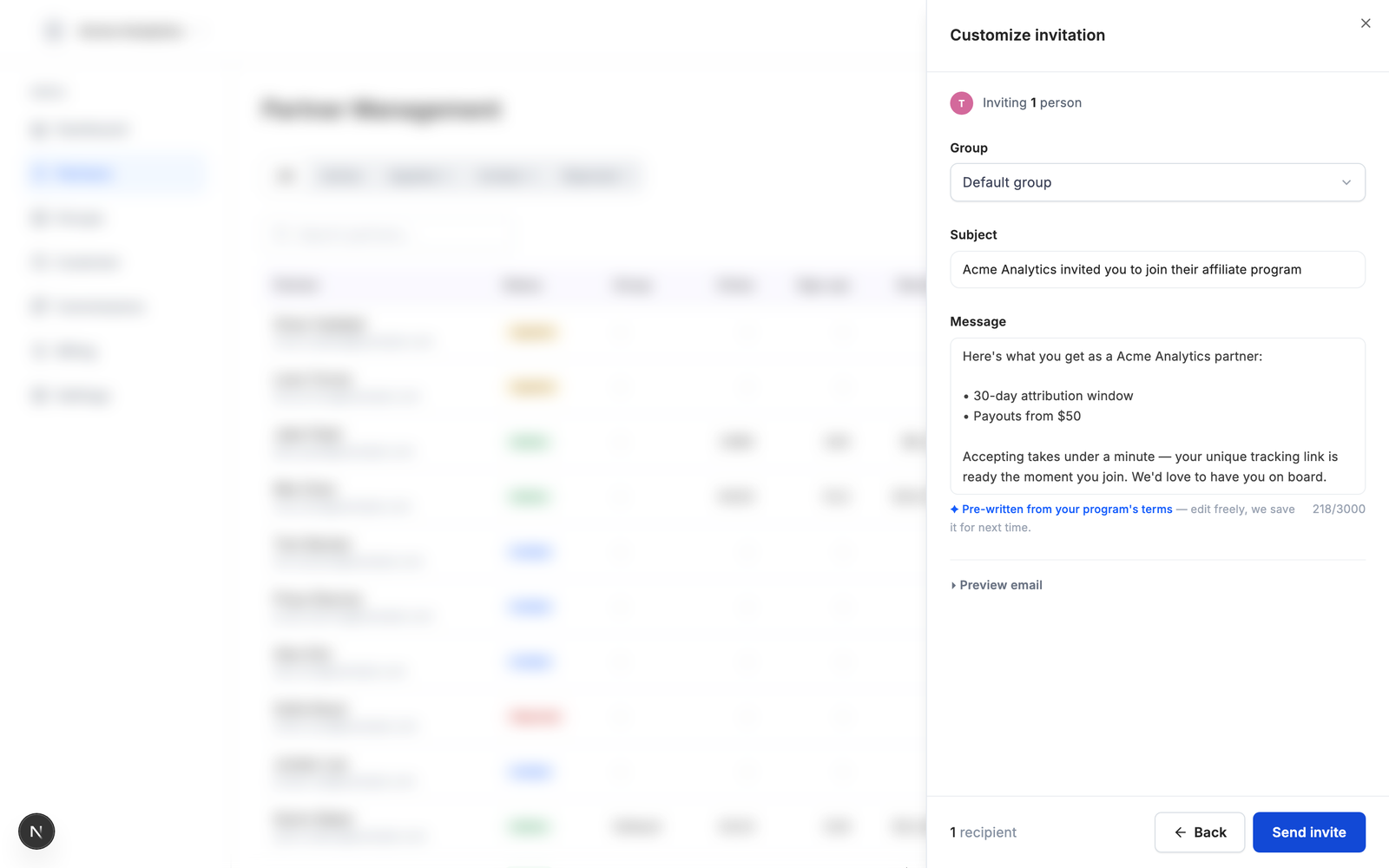
Software launches nothing. Your first ten partners will be hand-recruited, and that is normal. Five to twenty aligned partners beat a hundred random affiliates, so work the channels in order of warmth:
1. **Your own customers.** They already use the product, believe its pitch, and often have exactly the audience you want. An email to your most engaged accounts announcing the program is the highest-conversion outreach you will ever send.
2. **Creators already covering your category.** Find the people writing comparisons, filming tutorials, and ranking for the searches your buyers make. Personalize the pitch: name the piece of theirs you read and state your commission terms plainly.
3. **Communities where your buyers gather.** Founders' Slacks, subreddits, Discords, newsletters. Contribute first; recruit second.
4. **Partners of adjacent products.** People who already promote tools your customers use know how to sell software like yours. They are the fastest to activate because the workflow is not new to them.
5. **A marketplace listing.** List your program where affiliates already browse. In Affitor, opt your program into the [marketplace](https://affitor.com/marketplace), and partners discover and apply on their own; you approve manually or set auto-accept. See [reviewing partner applications](/brand/quickstart/partner-approval-quality-control).
6. **Direct invites.** For the names you already have, skip the application queue entirely. Affitor's [partner invites](/brand/quickstart/inviting-partners) take typed emails or a CSV, auto-write the invitation email from your program's real terms, and activate the partner the moment they accept. Unaccepted invites expire automatically.
Recruit for fit, not follower count. One partner whose audience actually buys SaaS beats ten whose audiences scroll past, and you will see the difference in your click-to-signup numbers within weeks.
## Step 5: Set payout terms that match your refund policy
Money mechanics decide whether the program feels safe to run. Three settings do most of the work:
**Hold periods.** Never pay commission on revenue that can still be refunded. Set the hold at least as long as your refund window, plus a buffer for disputes. In Affitor, every commission is created on hold and approves after the hold expires, either manually or automatically if you enable auto-approve.
:::tip
Match the hold period to your refund window before launch. It is the one payout setting that is awkward to tighten later, because shortening feels fine to partners and lengthening feels like a rug-pull.
:::
**Refund clawbacks.** When a payment is refunded or disputed, the commission should reverse automatically. Affitor does this out of the box, with every state change kept in an audit trail. Whatever tool you choose, confirm this behavior before you buy, because manual clawbacks are the kind of chore that stops happening after month two.
**Payout thresholds.** A minimum balance before withdrawal keeps you from processing five-dollar payouts. Once a partner crosses your threshold, Affitor pays out by bank transfer, PayPal, Stripe, or Wise.
The mechanics are documented in [commission approval and cash flow](/brand/quickstart/commission-approval-cash-flow) and [payouts](/brand/quickstart/payouts); rate and hold configuration lives in [define commission](/brand/quickstart/define-commission).
## Step 6: Launch and measure the first ninety days
Expect the start to be quiet, and plan around it. A partner recruited today publishes content in a few weeks, that content converts a visitor weeks later, and the resulting commission clears its hold after that. The loop in the diagram above is measured in months the first time through. What matters early is not revenue; it is proof that each stage of the loop works.
**Month 1: prove the plumbing and land the first partners.** Verify tracking end to end before announcing anything (a synthetic test chain, or a real test purchase). Get your listing live, send your first invites, and confirm every accepted partner has their link. The number to watch: how many recruited partners generated at least one click.
**Month 2: watch the first commissions move.** Real clicks should be turning into signups, and the first sales into on-hold commissions. Check attribution quality (sales landing on the right partner), confirm refunds reverse commissions, and make sure the hold and approval flow behaves the way you configured it. The number to watch: click-to-signup rate per partner, which tells you whose audience actually matches your product.
**Month 3: judge channels, not partners.** Look at which recruiting channel produced the partners who drive revenue, then double down there and stop spending time on the rest. If the data says your rate is wrong, adjust it going forward rather than retroactively; in Affitor, commission policies are versioned and apply from an effective date, so a rate change never rewrites history. Program-level metrics live in [performance tracking](/brand/quickstart/view-performance).
## Key takeaways
- A 20–25% recurring commission is the SaaS standard; keep it within 30–40% of your gross margin.
- In renewal-paying programs, 70% of commission events are renewals — recurring beats one-time for subscription businesses.
- A 60-day cookie window is the category default, and signup-anchored attribution is what survives when the cookie dies.
- Software floors run $49–$1,000+/month as of July 2026; Affitor is the $0/month exception, charging 3.5% only after your first $10,000 in affiliate revenue.
- Five to twenty aligned partners beat a hundred random affiliates.
- Set the commission hold at least as long as your refund window, and make clawbacks automatic.
- Measure the first ninety days by stage — clicks, then click-to-signup rate, then revenue by channel — not by revenue totals.
## FAQ
### How much should a SaaS affiliate program pay?
The typical SaaS affiliate commission is 20% of the revenue a partner generates, with 20–25% the most common band; an analysis of 96 real percentage-based campaigns puts the average at 23.3%, inside an overall industry range of 5–30%. Keep the rate within 30–40% of your gross margin and prefer recurring commissions on renewals over one-time bounties.
### How much does affiliate program software cost in 2026?
Monthly floors as of July 5, 2026: Rewardful $49, FirstPromoter $49, Tolt $69, Dub Partners $90 (plus a 5% payout fee), and PartnerStack from $1,000 paid annually. Affitor is the exception at $0/month, charging 3.5% on affiliate-driven sales only after your first $10,000 in affiliate revenue.
### How long should the affiliate cookie window be?
60 days is the category default — Rewardful and FirstPromoter both ship 60-day cookie windows out of the box. The deeper question is what happens when the cookie dies: signup-anchored attribution (Affitor, and architecturally Dub) survives cleared cookies and device switches, while pure cookie models silently drop the referral.
### How many affiliates do you need to start a SaaS affiliate program?
Five to twenty aligned partners beat a hundred random affiliates. Your first ten will be hand-recruited — from your own customers, creators already covering your category, and communities where your buyers gather — and one partner whose audience actually buys SaaS outperforms ten whose audiences scroll past.
### How long until an affiliate program produces revenue?
Plan in months, not weeks. A partner recruited today publishes content in a few weeks, that content converts visitors weeks later, and the resulting commission clears its hold period after that. In the first ninety days, measure proof that each stage works — clicks per partner in month one, click-to-signup rate in month two, revenue by recruiting channel in month three — not revenue totals.
### Should commissions be recurring or one-time?
Recurring, if your margin allows it. In programs that pay on renewals, 70% of all commission events are renewal payments — most of what a good partner earns arrives after the first sale, and that ongoing stake is exactly what keeps them promoting you next quarter.
## What's next
You have the six steps: a rate grounded in the 20-25% benchmark and your margin, software priced the way you want to pay, tracking that survives real customers, a recruiting plan that starts warm, payout terms that match your refund policy, and a ninety-day measurement plan. Two ways to move:
- **Start the program.** [Create your Affitor program](https://affitor.com/welcome). It costs $0 until your program earns its first $10,000 through affiliates, so the software decision does not need a budget meeting.
- **Go deeper on the mechanics.** The [advertiser quickstart](/brand/quickstart) walks from account creation to a configured program, and the [tracking overview](/brand/tracking/tracking-overview) explains the attribution chain in full.
---
id: "blog/partnerstack-alternatives"
type: "blog"
url: "https://affitor.com/blog/partnerstack-alternatives"
updated: "2026-07-05"
---
# Best PartnerStack Alternatives in 2026 (5 Tools Compared)
> PartnerStack now publishes its pricing: from $1,000 per month, paid annually. Here is what that buys, who should genuinely pay it, and five self-serve alternatives with pricing verified in July 2026.
PartnerStack starts at $1,000 per month, paid annually. That is roughly $12,000 committed for year one, agreed in a sales call, before your first partner sends a single click. If you run a multi-type partner program at scale, that price can be fair. If you are an early-stage SaaS founder who wants an affiliate program running this quarter, it is probably the wrong tool, and this page exists to help you pick the right one.
One disclosure before anything else: we build [Affitor](https://affitor.com), one of the alternatives below. To keep this useful anyway, every price on this page comes from the vendor's own live pricing page, fetched on July 5, 2026, with a link so you can check it yourself. And we start by telling you when PartnerStack is the better choice.
## Quick answer: what is the best PartnerStack alternative?
Affitor is the best PartnerStack alternative for an early-stage SaaS: it is self-serve and costs $0/month until affiliates generate your first $10,000 in revenue, versus PartnerStack's roughly $12,000/year minimum commitment. Rewardful is the best flat-fee pick for Stripe SaaS, FirstPromoter covers the most billing providers, Tolt gives you unlimited affiliates on every tier, and Dub Partners suits developer-led teams. Keep PartnerStack on the table only if you run affiliates, resellers, and referral partners as one program with a partner manager.
| Tool | Best for | From price (as of Jul 2026) | Transaction fee | Attribution |
|---|---|---|---|---|
| [Affitor](https://affitor.com) | Starting from zero on Stripe | $0/mo | 3.5% on affiliate-driven sales after first $10K | Signup-anchored via Stripe metadata |
| [Rewardful](https://www.rewardful.com/pricing) | The known flat-fee default | $49/mo | 0% | Cookie, 60-day default |
| [FirstPromoter](https://firstpromoter.com/pricing) | Billing beyond Stripe and Paddle | $49/mo | None stated | Cookie, 60-day default |
| [Tolt](https://tolt.com/pricing) | Unlimited affiliates on a flat fee | $69/mo | 2% on automated payouts | Cookie, configurable window |
| [Dub Partners](https://dub.co/pricing) | Developer-led teams | $90/mo | 5% payout fee (3% Enterprise) | Signup/lead-anchored |
| [PartnerStack](https://www.partnerstack.com/pricing) | Enterprise multi-type programs | From $1,000/mo (paid annually) | None published | Not publicly documented |
Every price on this page was checked against each vendor's live pricing page on July 5, 2026.
## What PartnerStack actually is
Most "PartnerStack alternatives" pages skip this part, and it produces bad decisions. PartnerStack is not an affiliate link tracker with a high price. It is a full partner relationship management (PRM) platform, and the extra money buys a genuinely different category of product:
- **A partner marketplace.** PartnerStack's homepage advertises a network of 115,000+ partners who can discover and join your program. No tool in the self-serve list below has distribution like that.
- **Multi-type partner programs.** Affiliate link tracking, plus lead and deal registration for referral and reseller motions. The Growth tier adds a training LMS, partner challenges, and MDF (market development funds) management.
- **Enterprise operations.** Partner payments at scale, compliance handling, CRM integrations, and on the Enterprise tier a designated customer success manager and custom workflows.
If you compare that to a $49 affiliate tracker on price alone, you are comparing categories, not products. The real question is whether you need a PRM at all.
## The cost math
**PartnerStack:** per [its pricing page](https://www.partnerstack.com/pricing) as of July 5, 2026, the Launch tier starts at $1,000 per month, paid annually. The Growth tier starts at $1,520 per month, also paid annually. Enterprise is custom. That makes the minimum realistic commitment about $12,000 for year one, and about $18,240 if you need Growth-tier features. There is no self-serve signup and no free trial stated on the page; you book a demo, negotiate, and sign.
**The self-serve field:** every alternative below runs month to month, between $0 and $90 at the entry tier, and you can cancel any time.
Two honest notes on PartnerStack's numbers. First, publishing prices at all is new: until mid-2026 the pricing was fully sales-gated, so most older comparison articles are guessing. Second, you will find third-party reports claiming PartnerStack takes an additional percentage cut of partner payouts. We could not verify those claims against any official source, and the published pricing page lists subscription tiers only, so we are not repeating them. Judge it on the published numbers.
## When PartnerStack is the right call
Recommending against a product for everyone is a sales pitch, not a comparison. PartnerStack is genuinely the right choice when:
- You run **more than one partner motion**: affiliates plus referral partners plus resellers, with deal registration feeding a sales team.
- You want **marketplace distribution**, recruiting from B2B partners already active on the network instead of building your recruiting pipeline from zero.
- You need **program operations at scale**: partner training, MDF budgets, compliance, and payments across a large partner base.
- You have (or are hiring) a **partner manager** whose job this platform is.
If that describes you, book the demo and negotiate. Nothing below replaces a full PRM, and pretending a $49 tracker covers deal registration would be a strawman.
## What early-stage SaaS needs instead
If you were priced out rather than sold short, the checklist flips. Judge alternatives on four things:
1. **Self-serve signup.** You should be live this week, not after a contract cycle. Everything below has self-serve signup; PartnerStack does not.
2. **Pricing shaped like performance.** Early programs earn $0 in month one. Your cost should scale with affiliate revenue, not start as a five-figure annual commitment.
3. **Tracking that fits your billing stack.** If you charge customers through Stripe, attribution should live where the money is, not in a cookie that dies before the trial converts.
4. **A surface you can verify.** An API at minimum. Ideally a way for you, or an AI agent working for you, to prove the integration works end to end before a real dollar moves.
**PartnerStack:** demo, contract, annual invoice, then onboarding. **The five below:** sign up, install, first tracked link the same day.
## 1. Affitor — best for starting from zero on Stripe

The performance-priced option: your cost is $0 until the program produces, then a single percentage of what it produces.
### Key features
- **Stripe-native attribution.** Tracking rides Stripe metadata on the Checkout Session, anchored to an identity chain created at signup (click, hashed email, Stripe customer). It survives cleared cookies because the durable record is the signup, not the cookie.
- **Built for agents as well as humans, shipped today.** `npx affitor onboard` detects your stack, installs tracking, and verifies it. The verification is a synthetic click, lead, and sale chain that ends in `integration_verified: true`, so you know attribution works before launch. As of the June 2026 audit, no other platform on this page shipped an official MCP server or an agent-completable integration runbook with that kind of self-verify loop.
- **Partner operations without a partner manager.** One flat partner table shows active partners, applications, and pending invites in a single view, and partner invites are pre-written from your program's real terms (commission rate, attribution window, payout threshold) — type emails or import a CSV and send.
### Pricing
$0 per month, $0 setup. The platform fee is $0 until your program earns its first $10,000 through affiliates, then 3.5% on affiliate-driven sales only. Details are on the [pricing model page](/getting-started/pricing-performance-model). Against PartnerStack the contrast is simple: **PartnerStack** wants about $12,000 committed before your first affiliate sale; **Affitor** charges nothing until affiliates have brought you $10,000.
### Pros & cons
**Pros:** zero fixed cost, no revenue caps, attribution that survives cookie loss, and an integration an agent can complete and prove.
**Cons:** Affitor is an affiliate layer, not a PRM. There is no deal registration, no LMS, no MDF management; if you need those, you are back in PartnerStack territory. It is built around Stripe, so if your billing runs elsewhere, FirstPromoter's broader billing coverage fits better. And the percentage model has a crossover point, so run the math for your scale: after the free $10,000, a program doing $3,000 per month in affiliate revenue pays about $105 to Affitor, already in flat-plan territory, and at $15,000 per month it pays $525 while Rewardful's $99 Growth tier still covers that revenue. The model is built to favor programs starting from zero; once affiliate revenue is consistently strong, a capped flat plan can be cheaper.
**Fits:** Stripe-based SaaS starting an affiliate program from zero, and teams that want an integration an agent can complete and prove.
## 2. Rewardful — best flat-fee default for Stripe SaaS
The category's most recognized name, and the simplest setup for a Stripe SaaS.
### Key features
The simplest setup in the category for Stripe SaaS, the strongest brand recognition among indie hackers, a genuine 0% transaction fee, and a REST API included even on the $49 plan.
### Pricing
Per [rewardful.com/pricing](https://www.rewardful.com/pricing) as of July 5, 2026: Starter at $49/mo (up to $7,500/mo in affiliate revenue, 1 campaign, up to 2 team members), Growth at $99/mo (up to $15,000/mo, unlimited campaigns and team, branded portal), Enterprise at $149+/mo (over $15,000/mo, 1-click PayPal payouts). 0% transaction fee on every tier, a 14-day free trial, and 2 months free on annual billing. **PartnerStack:** $12,000 for year one. **Rewardful:** $588 for a year of Starter, cancelable monthly.
### Pros & cons
**Pros:** known quantity, fast setup, API from the first dollar, and a stated 0% transaction fee.
**Cons:** it connects to Stripe and Paddle only. Attribution is cookie-based (first-touch or last-touch selectable, 60-day default window), which is fragile when cookies are cleared or the buyer switches devices. The revenue-capped tiers mean success forces upgrades, and you pay $49 from day one whether or not affiliates deliver. If you are weighing it against its closest rival, read [Rewardful vs FirstPromoter](/blog/rewardful-vs-firstpromoter); if you are weighing it against everything, read [the best Rewardful alternatives](/blog/rewardful-alternatives).
**Fits:** Stripe or Paddle SaaS that wants the known, simple option and is comfortable with cookie-window attribution.
## 3. FirstPromoter — best for billing beyond Stripe and Paddle
The broadest billing coverage in the set, with the deepest back office under $100.
### Key features
Native integrations with five billing providers (Stripe, Paddle, Recurly, Chargebee, Braintree), MRR-based commissions, tax form handling, and fraud detection. If your billing is not Stripe, this is the strongest flat-fee option here.
### Pricing
Per [firstpromoter.com/pricing](https://firstpromoter.com/pricing) as of July 5, 2026: Starter at $49/mo (up to $5,000/mo in affiliate revenue, 3 campaigns, 1,000 affiliates, no API), Business at $99/mo (up to $15,000/mo, unlimited campaigns and affiliates, API and webhooks, tax forms), Enterprise starting at $149/mo. 14-day trial, no card required. **PartnerStack:** five billing figures deep before you see a dashboard. **FirstPromoter:** $588 a year at the floor.
### Pros & cons
**Pros:** five billing rails, MRR-shaped commissions, tax paperwork handled inside the product.
**Cons:** the $49 tier is dashboard-only; the API and webhooks are paywalled to $99 and up. Its $5,000/mo revenue cap is the lowest in this set, so upgrade pressure hits earliest. The front end is cookie-window tracking (`_fprom_*` cookies, 60-day default), and no official MCP was found as of June 2026.
**Fits:** SaaS on Paddle, Chargebee, Recurly, or Braintree, and teams that want MRR-shaped commissions with tax paperwork handled.
## 4. Tolt — best for unlimited affiliates
The modern flat-fee pick that removes affiliate-count limits entirely.
### Key features
Unlimited affiliates and referrals on every tier, more revenue headroom per dollar at $99 than Rewardful or FirstPromoter ($20K cap vs $15K), and wide payout rails: PayPal, Wise, local bank transfer, crypto, and wire, with automatic payouts from Growth up.
### Pricing
Per [tolt.com/pricing](https://tolt.com/pricing) as of July 5, 2026: Basic at $69/mo (up to $10,000/mo in affiliate revenue, 2 programs, manual payouts only), Growth at $99/mo (up to $20,000/mo, 5 programs, auto payouts with a 2% processing fee), Pro at $199/mo (up to $50,000/mo), Enterprise custom above that. 14-day trial, no card required, 30-day refund. Note: aggregator sites still show a stale $49 Basic price; the live page says $69. **PartnerStack:** annual contract. **Tolt:** $828 a year at the floor, monthly terms.
### Pros & cons
**Pros:** no affiliate limits anywhere, global payout options, best headroom-per-dollar at the $99 tier.
**Cons:** the $69 floor is the highest of the flat-fee trio, and the "0% transaction fees" marketing carries a nuance: automatic payouts have a 2% processing fee, and the Basic tier avoids it only by making all payouts manual. Attribution is cookie-based click tracking. No API is surfaced on the pricing page, and no official MCP was found as of June 2026.
**Fits:** SaaS on Stripe, Paddle, or Chargebee that expects a large affiliate base early and wants global payout options.
## 5. Dub Partners — best for developer-led teams
Affiliate infrastructure priced and shaped like developer tooling.
### Key features
The developer experience: SDKs in five languages, real-time webhooks, and agent-friendly documentation. Credit where due on tracking, too: Dub's attribution is lead/signup-anchored (the click is captured server-side and the durable record is the signup), which is architecturally the closest to Affitor's approach in this list. And you get link infrastructure, analytics, and partner payouts in one platform.
### Pricing
Per [dub.co/pricing](https://dub.co/pricing) as of July 5, 2026: Business at $90/mo (10K new links/mo, 250K tracked events, up to $2,500/mo in partner payouts at a 5% payout fee, 10 users), Advanced at $300/mo (50K links, 1M events, $15,000/mo in payouts at 5%), Enterprise custom on annual terms (payouts at 3%, SSO/SAML). Partners requires a paid plan. These numbers moved recently: between mid-June and early July 2026, Business went from $75 to $90, Advanced from $250 to $300, and the Advanced payout fee from 3% to 5%. Re-check the live page. **PartnerStack:** one big toll. **Dub:** two smaller ones, subscription plus a payout fee.
### Pros & cons
**Pros:** best-in-class SDKs and webhooks, signup/lead-anchored attribution, links + analytics + payouts in one product.
**Cons:** you pay twice: a $90/mo floor plus 5% of every partner payout (3% only on custom Enterprise). Payout caps meter your growth: $2,500/mo on Business means a successful program hits the ceiling fast. And attribution lives inside Dub's closed network; the only MCP found as of June 2026 was community-built and static-key, with no agent self-verify loop.
**Fits:** developer-led teams already using Dub for links, with budget for the subscription plus the payout fee.
## Which one should you pick?
**$0–500K ARR: Affitor, or Rewardful for a known flat cost.** A five-figure annual PRM contract at this stage is a category error. Affitor costs $0 until affiliates have generated $10,000; Rewardful is the familiar $49/mo default if you prefer a fixed bill.
**$500K–5M ARR: pick by billing stack and volume.** On Stripe with steady affiliate revenue above roughly $1,400–$2,800/mo, a capped flat plan gets cheaper: Rewardful Growth or Tolt Growth at $99/mo. Off Stripe, FirstPromoter's five billing rails decide it. Developer-led teams already on Dub can justify the double toll for the tooling.
**$5M+ ARR with multiple partner motions: PartnerStack.** This is the stage its pricing assumes: a partner manager on payroll, resellers and referral partners alongside affiliates, and marketplace distribution worth paying for. Book the demo with the checklist from this page in hand.
## Every option at a glance
All figures from each vendor's live pricing page, July 5, 2026.
| Platform | Monthly floor | Fees on top | Caps to watch | Self-serve? |
|---|---|---|---|---|
| PartnerStack | From $1,000 (paid annually) | None published | Not published | No, demo-led |
| Affitor | $0 | 3.5% on affiliate-driven sales, after your first $10,000 fee-free | None | Yes |
| Rewardful | $49 | 0% transaction fee | $7,500/mo affiliate revenue on Starter | Yes |
| FirstPromoter | $49 | None stated | $5,000/mo on Starter; API from $99 | Yes |
| Tolt | $69 | 2% on auto payouts (Growth and up) | $10,000/mo on Basic; manual payouts only on Basic | Yes |
| Dub Partners | $90 | 5% payout fee (3% on Enterprise) | $2,500/mo payouts on Business | Yes |
:::note
Affiliate software pricing drifts fast. Two of the vendors above materially changed their pricing pages in the three weeks before this post was written, so treat every dollar figure as "as of July 5, 2026" and confirm against the linked pricing pages before you commit.
:::
## FAQ
### How much does PartnerStack cost?
PartnerStack's Launch tier starts at $1,000 per month, paid annually, and its Growth tier at $1,520 per month, also paid annually (per its own pricing page as of July 5, 2026). That makes the minimum realistic commitment about $12,000 for year one, negotiated in a sales call — there is no self-serve signup.
### What is the best PartnerStack alternative for SaaS?
Affitor is the best PartnerStack alternative for an early-stage SaaS: self-serve signup and $0/month until affiliates generate your first $10,000 in revenue, versus PartnerStack's roughly $12,000/year minimum commitment. If you genuinely run a multi-type partner program with a partner manager, PartnerStack itself may still be the right call.
### Is there a free alternative to PartnerStack?
Affitor is the only tool in this comparison with no subscription: $0/month and $0 setup, with a 3.5% platform fee on affiliate-driven sales that begins only after your first $10,000 in affiliate revenue. Rewardful, FirstPromoter, Tolt, and Dub Partners all charge monthly floors of $49–$90 as of July 2026.
### Does PartnerStack take a cut of partner payouts?
Its published pricing page lists subscription tiers only, and we could not verify third-party reports of an additional percentage cut against any official source. Judge PartnerStack on its published numbers: from $1,000/month paid annually as of July 5, 2026.
### Which PartnerStack alternatives are self-serve?
All five alternatives on this page — Affitor, Rewardful, FirstPromoter, Tolt, and Dub Partners — have self-serve signup and month-to-month terms. PartnerStack is the only demo-led, annual-contract product in the set.
## What's next
If PartnerStack's category is what you need, book their demo with the checklist from this page in hand. If you need an affiliate program without the commitment, [create your program on Affitor](https://affitor.com/welcome): it costs $0 until your program earns its first $10,000 through affiliates, then 3.5%. Then read [how Affitor tracking fits together](/brand/tracking/tracking-overview) to see the signup-anchored attribution model in detail before you install anything — and if you are starting a program from scratch, [the six-step launch guide](/blog/how-to-start-saas-affiliate-program) covers everything beyond the software choice.
## More comparisons
- [The best Rewardful alternatives for SaaS](/blog/rewardful-alternatives)
- [Rewardful vs FirstPromoter](/blog/rewardful-vs-firstpromoter)
- [FirstPromoter alternatives](/blog/firstpromoter-alternatives)
- [Tolt alternatives](/blog/tolt-alternatives)
- [Tolt vs Rewardful](/blog/tolt-vs-rewardful)
- [PartnerStack vs Rewardful](/blog/partnerstack-vs-rewardful)
- [Affiliate software pricing comparison](/blog/affiliate-software-pricing-comparison)
- [Best affiliate software for SaaS](/blog/best-affiliate-software-saas)
---
id: "blog/partnerstack-vs-rewardful"
type: "blog"
url: "https://affitor.com/blog/partnerstack-vs-rewardful"
updated: "2026-07-06"
---
# PartnerStack vs Rewardful: Which Should Your SaaS Pick in 2026?
> One costs $1,000/month, the other $49 — they aren't really the same tool. A straight comparison of the enterprise PRM versus the indie affiliate app, with every price verified against both live pages on July 5, 2026, plus Affitor, the $0/month option that starts where they both charge from day one.
PartnerStack and Rewardful both show up when you search for affiliate software, but putting them side by side is a little like comparing a Salesforce to a Stripe payment link: one is a $1,000-a-month partner-relationship suite sold through a sales team, the other is a $49-a-month app you set up yourself in an afternoon. This page lays out what each one actually is, what it costs with the numbers verified today, and which one fits your stage — plus the option that charges nothing until your program works.
:::tip
Disclosure: we make [Affitor](https://affitor.com), which competes with both products. Affitor gets one clearly marked section near the end and one column in the summary table. Everything else comes from [PartnerStack's](https://www.partnerstack.com/pricing) and [Rewardful's](https://www.rewardful.com/pricing) own pricing pages, fetched July 5, 2026. Prices drift — PartnerStack only started publishing its at all recently — so check the live pages before you buy.
:::
## Quick answer: PartnerStack or Rewardful?
Choose by scope, not by feature list. If you need affiliate and referral tracking for a Stripe or Paddle SaaS, Rewardful is the correct size — $49/month, live in an afternoon, REST API on every tier. If you run a multi-type partner program (affiliates plus resellers plus referral partners) at mid-market or enterprise scale, PartnerStack's PRM suite and partner marketplace are built for exactly that, and its ~$12,000/year floor comes with the CSM and compliance an enterprise program needs. The trap is buying PartnerStack's scope before you have the partner motion to fill it. And if you are early enough that even $49/month of fixed cost feels premature, Affitor charges $0/month until your affiliates generate their first $10,000.
| Tool | Best for | From price (as of Jul 2026) | Billing model | Setup |
|---|---|---|---|---|
| [PartnerStack](https://www.partnerstack.com/pricing) | Mid-market/enterprise B2B running many partner types | from $1,000/mo, paid annually | Subscription, demo-led contract | Sales-led onboarding |
| [Rewardful](https://www.rewardful.com/pricing) | Stripe/Paddle SaaS that just needs affiliates | $49/mo | Subscription, self-serve | Self-serve, ~an afternoon |
| [Affitor](https://affitor.com) | SaaS that wants to pay only when it works | $0/mo, then 3.5% after $10K | Performance fee, no subscription | Self-serve or agent-installed |
## The real difference: PRM suite vs affiliate app
The price gap is not a discount or a markup — it reflects two different products.
**PartnerStack is a partner-relationship management platform.** Affiliate tracking is one feature inside it. The rest is the reason it costs what it does: a partner marketplace where B2B partners already on the network can discover and join your program, lead and deal registration for reseller motions, market-development-fund (MDF) management, partner training and an LMS on the Growth tier, and enterprise-grade partner payments and compliance. You buy PartnerStack when "affiliates" is one of several partner types you manage, and when partner sourcing itself is a channel you invest in.
**Rewardful is a focused affiliate app.** It tracks affiliate and referral conversions for Stripe and Paddle, pays commissions, and gives each affiliate a dashboard — and it stops there, deliberately. That focus is why it sets up in an afternoon and costs $49 to start. You buy Rewardful when you want an affiliate program running this week without a sales call.
Neither is "better." They answer different questions. The mistake is letting a comparison article flatten them onto one axis.
## Pricing, verified
**Rewardful** (as of July 5, 2026) is straightforward and self-serve:
- **Starter — $49/mo:** up to $7,500/mo in affiliate revenue, 1 campaign, up to 2 team members
- **Growth — $99/mo:** up to $15,000/mo, unlimited campaigns and team, branded portal
- **Enterprise — $149+/mo:** over $15,000/mo, phone support, 1-click PayPal payouts
- 0% transaction fee on every tier, a 14-day free trial, two months free on annual billing, and its REST API included even on the $49 plan.
**PartnerStack** (as of July 5, 2026) publishes pricing now — a recent change, it was fully sales-gated before — but stays enterprise-shaped:
- **Launch — from $1,000/mo, paid annually:** affiliate link tracking or lead/deal registration, marketplace access, partner payments
- **Growth — from $1,520/mo, paid annually:** adds advanced integrations, LMS, partner challenges, MDF management
- **Enterprise — custom:** all tracking options, a designated CSM, custom workflows
There is no stated free trial; onboarding runs through a demo and a contract. The practical floor is about **$12,000 a year**. (Third-party reports of a per-commission cut circulate, but PartnerStack does not state one on its page, so we do not assert it.)
The honest read: at the entry level these are 20× apart in annual cost because they are not competing for the same buyer.
## Attribution
**Rewardful** uses cookie-based attribution with a 60-day default window and lets you choose first-touch or last-touch credit. It is simple and well understood, and it shares the cookie cohort's blind spot: when a buyer clears cookies, blocks them, or switches devices, the affiliate can silently lose credit.
**PartnerStack's** attribution mechanics are not publicly documented in a way we can verify, so we will not describe them — for an enterprise PRM the attribution model is usually part of the implementation conversation with their team rather than a published spec.
If attribution durability is a deciding factor, that is worth a direct question to each vendor — and it is the specific gap Affitor is built around, below.
## Where Affitor fits
We build [Affitor](https://affitor.com), so read this section knowing that. It is not trying to be PartnerStack's PRM suite, and it undercuts Rewardful's model rather than matching its feature list.
- **No subscription.** $0/month, and a 3.5% fee on affiliate-driven sales that starts only after your first $10,000 in attributed revenue. Below PartnerStack's floor by ~$12,000/year and below Rewardful's by $49/month, you pay nothing until the program has already paid for itself.
- **Signup-anchored attribution.** Affitor ties the referral to the signup and the Stripe customer record instead of a 60-day cookie, so credit survives cookie loss and device switches.
- **One flat partner surface.** Active partners, applications, and invites live in a single table with status badges; invitations arrive pre-written from your program's real terms (commission rate, attribution window, payout threshold), which you can edit or send as-is.
- **Agent-installable and self-verifying.** Affitor ships a CLI and an MCP server: an AI coding agent can install click, lead, and sale tracking and then fire a synthetic click → lead → sale that returns `integration_verified: true` before a single real partner joins. None of the tools on this page offers that today.
Affitor is the wrong tool if you need a partner marketplace and reseller/MDF management — that is PartnerStack's territory. It is the right tool if you want an affiliate program that costs nothing until it works and that an agent can stand up for you. See the [guide to starting a program](/blog/how-to-start-affiliate-program-saas) or [sign up](https://affitor.com).
## Who should pick which
- **Pre-revenue or early SaaS, just need affiliates:** Rewardful at $49/month, or Affitor at $0/month if you would rather not pay a fixed cost before the program earns.
- **Growing SaaS on Stripe, affiliates are the whole motion:** Rewardful or Affitor — decide on subscription-vs-performance pricing and cookie-vs-signup attribution.
- **Mid-market/enterprise B2B with resellers, referral partners, and affiliates together:** PartnerStack — the PRM scope is the point, and the price buys the marketplace and CSM.
- **You want an agent to install and verify tracking for you:** Affitor is the only option here that ships that path.
## Verify the numbers yourself
Every price on this page was checked against each vendor's live pricing page on July 5, 2026: [PartnerStack](https://www.partnerstack.com/pricing) (from $1,000/mo annual) and [Rewardful](https://www.rewardful.com/pricing) ($49/$99/$149+, 0% fee). PartnerStack in particular only recently published pricing at all, so re-check it before you commit.
## FAQ
**Is PartnerStack more expensive than Rewardful?**
By a wide margin — from $1,000/month billed annually versus Rewardful's $49/month (as of July 5, 2026). They sit in different categories: PartnerStack is a PRM suite, Rewardful is a focused affiliate app.
**What is the difference between PartnerStack and Rewardful?**
PartnerStack manages many partner types (affiliates, resellers, referral partners) with a marketplace, deal registration, MDF, and training. Rewardful tracks affiliate and referral conversions for Stripe and Paddle and nothing more. Scope is the whole difference.
**Does PartnerStack have a free trial?**
No trial is stated on its page (as of July 5, 2026); it is demo-led and contracted. Rewardful has a 14-day trial. Affitor has no subscription to trial — 3.5% applies only after $10,000 in affiliate revenue.
**Which is best for an early-stage SaaS?**
Rewardful at $49/month or Affitor at $0/month; PartnerStack's ~$12,000/year floor is hard to justify before you have a multi-partner motion.
**Is there a cheaper alternative to both?**
Affitor: $0/month, 3.5% only after $10,000 in attributed revenue, signup-anchored attribution, and an agent-installable, self-verifying integration.
## More comparisons
- [The best Rewardful alternatives for SaaS](/blog/rewardful-alternatives)
- [PartnerStack alternatives](/blog/partnerstack-alternatives)
- [Rewardful vs FirstPromoter](/blog/rewardful-vs-firstpromoter)
- [FirstPromoter alternatives](/blog/firstpromoter-alternatives)
- [Tolt alternatives](/blog/tolt-alternatives)
- [Tolt vs Rewardful](/blog/tolt-vs-rewardful)
- [Affiliate software pricing comparison](/blog/affiliate-software-pricing-comparison)
- [Best affiliate software for SaaS](/blog/best-affiliate-software-saas)
---
id: "blog/rewardful-alternatives"
type: "blog"
url: "https://affitor.com/blog/rewardful-alternatives"
updated: "2026-07-05"
---
# Best Rewardful Alternatives for SaaS in 2026 (5 Tools Compared)
> Five honest Rewardful alternatives for SaaS on Stripe — Affitor, FirstPromoter, Tolt, Dub Partners, and PartnerStack: pricing verified July 2026, attribution trade-offs, and a straight answer on who should pick what.
SaaS teams leave Rewardful for three reasons: revenue caps that force plan upgrades as you grow, cookie-based attribution that drops conversions, and a feature ceiling around commissions, reporting, and fraud. If none of those hurt yet, keep Rewardful. It has the simplest setup in the category for a Stripe SaaS, a true 0% transaction fee, and a REST API on every tier, including the $49 plan. Plenty of programs never need more.
This guide compares five alternatives worth shortlisting in 2026: Affitor, FirstPromoter, Tolt, Dub Partners, and PartnerStack. One disclosure before we start: we build Affitor. It is one of the five tools below, and this post tells you plainly where the others beat it.
## Quick answer: what is the best Rewardful alternative for SaaS?
Affitor is the best Rewardful alternative for SaaS that wants to pay $0/month until affiliates generate their first $10,000 in revenue. Pick FirstPromoter if you bill outside Stripe and Paddle, Tolt if you want unlimited affiliates on a flat subscription, Dub Partners if developer experience decides your tooling, and PartnerStack if you run a multi-type partner program with an enterprise budget. Stay on Rewardful if its revenue caps and cookie attribution do not hurt you yet.
| Tool | Best for | From price (as of Jul 2026) | Transaction fee | Attribution |
|---|---|---|---|---|
| [Affitor](https://affitor.com) | Paying only on results | $0/mo | 3.5% on affiliate-driven sales after first $10K | Signup-anchored via Stripe metadata |
| [FirstPromoter](https://firstpromoter.com/pricing) | Billing beyond Stripe and Paddle | $49/mo | None stated | Cookie, 60-day default |
| [Tolt](https://tolt.com/pricing) | Unlimited affiliates on a flat fee | $69/mo | 2% on automated payouts | Cookie, configurable window |
| [Dub Partners](https://dub.co/pricing) | Developer-first teams | $90/mo | 5% payout fee (3% Enterprise) | Signup/lead-anchored |
| [PartnerStack](https://www.partnerstack.com/pricing) | Enterprise multi-type programs | From $1,000/mo (paid annually) | None published | Not publicly documented |
Every price on this page was checked against each vendor's live pricing page on July 5, 2026. Affiliate software pricing moves fast — two of these vendors materially changed their pricing pages in the three weeks before this was written — so treat the live pages as the source of truth.
## Why teams outgrow Rewardful
Rewardful's model is a flat subscription with revenue-capped tiers. Per [rewardful.com/pricing](https://www.rewardful.com/pricing) (as of July 5, 2026): Starter is $49/mo for up to $7,500/mo in affiliate-generated revenue, with 1 campaign and up to 2 team members. Growth is $99/mo for up to $15,000/mo, with unlimited campaigns and a branded affiliate portal. Enterprise starts at $149/mo above that. There is no free tier. The 0% transaction fee is genuine: the subscription is all you pay.
The caps are the first thing that bites. A program doing well crosses $7,500/mo in affiliate revenue and the tool's price doubles, not because you used more software but because your affiliates performed. Cross $15,000/mo and it steps again.
The second issue is attribution. Rewardful tracks with cookies (first-touch or last-touch, selectable, with a 60-day default window). When the cookie is gone (cleared, blocked, expired, or the buyer switches devices), the referral is gone with it, and the affiliate who earned the sale does not get paid.
The third is the feature ceiling, and it is real but narrower than competitors claim: no multi-tier or multi-level commissions, limited email functionality, basic fraud protection, limited reporting, and no postbacks.
## What to evaluate in a replacement
Three questions separate the five tools below faster than any feature checklist.
**How does it charge?** Flat subscription, percentage of results, or both. Watch for double tolls: some tools charge a subscription and then add a fee on payouts or transactions on top.
**What happens when the cookie dies?** Cookie-window tracking is the category default and its weakest point. Tools that anchor attribution to a durable identity (a signup, a Stripe customer record) survive cleared cookies and device switches; pure cookie models do not.
**Can your coding agent do the integration?** In 2026 a lot of Stripe SaaS integration work is done by AI agents. An audit of the major tools in this category in June 2026 found none shipping an official MCP server or an agent-completable integration runbook with a self-verify loop. If that matters to you, it narrows the list quickly.
## 1. Affitor — best for paying only on results

Affitor is our product, so here is the model stated plainly: you pay nothing until your affiliate program actually pays you.
### Key features
Attribution is the architectural difference, not the pricing. Instead of a tracking cookie, Affitor anchors attribution to the signup: the click ID is joined to a hashed email at signup and then to the Stripe customer ID, riding Stripe Checkout metadata (`affitor_click_id`, `affitor_customer_key`) through to the sale. A cleared cookie after signup does not lose the referral, because the identity chain no longer depends on the cookie.
The agent surface is live today, not a roadmap item: a `skill.md` runbook an agent can complete end to end, the `affitor` CLI, browser and server SDKs plus an MCP server (`@affitor/sdk` and `@affitor/mcp`, both labeled beta), and a self-verify loop that fires a synthetic click, lead, and sale through your live integration and returns `integration_verified: true` when the chain holds. You (or your agent) get proof the integration works before a single real affiliate joins. The full setup path is walked in [How to create a Stripe affiliate program](/blog/stripe-affiliate-program).

Day-to-day operations stay deliberately small: one flat partner table holds active partners, applications, and pending invites, and partner invites are pre-written from your program's real terms (commission rate, attribution window, payout threshold) — paste emails or import a CSV and send.
### Pricing
$0/mo, $0 setup, and a 3.5% platform fee on affiliate-driven sales only. The fee is $0 until your program earns its first $10,000 through affiliates, then 3.5%. If your affiliates generate nothing, you pay nothing. There are no tiers and no revenue caps.
### Pros & cons
**Pros:** no subscription and no caps, so cost scales with results; attribution survives cookie loss and device switches; the only tool in this comparison an agent can integrate and verify end to end.
**Cons:** a percentage fee means Affitor gets more expensive than a flat subscription as your program scales. At $15,000/mo in affiliate revenue, 3.5% is $525/mo while Rewardful's Growth plan is $99/mo. The crossover sits between roughly $1,400/mo and $2,800/mo in affiliate-driven revenue, depending on which Rewardful tier your volume would require. Below that (and before your first $10,000 total, when Affitor is free), the performance model wins; above it, a flat subscription is cheaper on paper, if you stay within its caps. Run your own numbers before choosing. Affitor is also Stripe-native — if you bill elsewhere, FirstPromoter covers more rails — and Rewardful has the strongest brand recognition among indie hackers, a history Affitor does not have yet.
**Rewardful:** $49 to $149+/mo from day one, 0% transaction fee, cookie attribution.
**Affitor:** $0/mo, 3.5% on affiliate-driven sales after the first $10,000, signup-anchored attribution.
## 2. FirstPromoter — best for billing providers beyond Stripe
FirstPromoter is the most feature-complete of the sub-$100 tools, and the practical answer when your billing stack rules Rewardful out.
### Key features
MRR-based commissions, tax form handling, fraud detection, and billing-provider coverage beyond Stripe and Paddle (Chargebee and others). Personalized affiliate dashboards and a custom domain arrive on the Business tier. If you bill through a provider Rewardful does not support, FirstPromoter is often the shortest path.
### Pricing
Per [firstpromoter.com/pricing](https://firstpromoter.com/pricing) (as of July 5, 2026): Starter is $49/mo for up to $5,000/mo in affiliate revenue, 3 campaigns, 1,000 affiliates, and no API. Business is $99/mo for up to $15,000/mo with unlimited campaigns and affiliates, API and webhooks, and tax forms. Enterprise starts at $149/mo. 14-day trial, no card required. No transaction fee is stated on the pricing page.
### Pros & cons
**Pros:** the deepest back office at this price — MRR-shaped commissions, tax forms, fraud detection; five billing providers; three campaigns on the entry tier where Rewardful allows one.
**Cons:** the $5,000/mo cap on Starter is the lowest in this peer group, so upgrade pressure arrives earliest here. The API and webhooks are paywalled to the $99 tier: the entry plan is dashboard-only, which rules out programmatic and agent-driven setups at $49. Tracking is a cookie-window model on the front end (`_fprom_*` cookies, 60-day default); conversions are recorded at signup, but identity does not ride Stripe metadata natively. For the full head-to-head with Rewardful, see [Rewardful vs FirstPromoter](/blog/rewardful-vs-firstpromoter).
**FirstPromoter:** API and webhooks from the $99 Business tier up.
**Affitor:** API, CLI, and MCP access at $0/mo on every program.
## 3. Tolt — best for unlimited affiliates on a flat fee
Tolt is the cleanest modern product in the Rewardful mold, and it removes the affiliate-count anxiety entirely.
### Key features
Unlimited affiliates and referrals on every tier. Payout rails are the broadest here: PayPal, Wise, local bank transfer, crypto, and wire, with automatic payouts from the Growth tier up. At $99/mo Tolt gives you more revenue headroom than Rewardful's $99 tier ($20,000 vs $15,000 cap), a genuine edge at that price point.
### Pricing
Per [tolt.com/pricing](https://tolt.com/pricing) (as of July 5, 2026): Basic is $69/mo for up to $10,000/mo in affiliate revenue with 2 programs and manual payouts only. Growth is $99/mo for up to $20,000/mo with 5 programs and automated payouts. Pro is $199/mo for up to $50,000/mo with unlimited programs. 14-day trial, no card required, 30-day refund. Note that software directories still show a stale $49 Basic price; the live page says $69.
### Pros & cons
**Pros:** unlimited affiliates everywhere, wide payout rails, and the best revenue-headroom-per-dollar of the flat-fee trio at $99.
**Cons:** the nuance sits in the payout fees. Tolt markets 0% transaction fees, and that claim has a footnote: automated payouts carry a 2% processing fee, and the Basic tier avoids the fee only because its payouts are manual. Attribution is cookie-based click tracking with a configurable window, the same fragility as Rewardful's. No API is surfaced on the pricing page, and no official MCP was found as of June 2026.
**Tolt:** $69 to $199/mo, plus 2% on automated payouts.
**Affitor:** $0/mo, one 3.5% fee on affiliate-driven sales after the first $10,000.
## 4. Dub Partners — best for developer-first teams
Dub has the best developer experience in this list, and it is not close.
### Key features
SDKs in five languages, real-time webhooks, and docs built for programmatic use. Credit where due on architecture too: Dub's attribution is anchored to the signup lead rather than to a cookie window, which makes it the closest system to Affitor's model here. If you already run Dub for link infrastructure, adding Partners keeps links, analytics, and payouts in one platform.
### Pricing
Per [dub.co/pricing](https://dub.co/pricing) (as of July 5, 2026): Partners requires a paid plan. Business is $90/mo with partner payouts up to $2,500/mo at a 5% payout fee. Advanced is $300/mo with payouts up to $15,000/mo, also at 5%. Enterprise is custom, annual, with a 3% fee. These numbers are fresh: between June and July 2026, Business went from $75 to $90, Advanced from $250 to $300, and the Advanced payout fee from 3% to 5%.
### Pros & cons
**Pros:** best-in-class SDKs and webhooks, signup/lead-anchored attribution, and one platform for links, analytics, and payouts.
**Cons:** the toll structure. You pay the subscription and a 5% fee on every partner payout, and the payout caps meter your program's growth by tier: a Business-plan program cannot pay partners more than $2,500 in a month. Attribution records live inside Dub's network, with no third-party-verifiable record; the only MCP found in June 2026 was community-built and static-key, with no self-verify loop.
**Dub Partners:** $90/mo plus a 5% fee on partner payouts, capped by tier.
**Affitor:** $0/mo plus 3.5% on affiliate-driven sales after the first $10,000, no payout caps.
## 5. PartnerStack — best for enterprise partner programs
PartnerStack is not really a Rewardful substitute; it is a different category, priced like one.
### Key features
A full partner-relationship-management suite: a B2B partner marketplace, lead and deal registration, MDF management, and partner training (LMS). If you run affiliates, resellers, and referral partners as one program at scale, it is the serious option on this page.
### Pricing
PartnerStack published pricing in mid-2026 after years of sales-gated quotes. Per [partnerstack.com/pricing](https://www.partnerstack.com/pricing) (as of July 5, 2026): Launch starts at $1,000/mo paid annually, Growth at $1,520/mo paid annually, Enterprise is custom. That is a minimum commitment of roughly $12,000 per year, demo-led, with no self-serve signup.
### Pros & cons
**Pros:** marketplace distribution, multi-type partner motions, and enterprise operations no point tool on this page attempts.
**Cons:** the price and the process. Attribution mechanics are not publicly documented, so we make no claims about them either way. For an early or mid-stage SaaS replacing a $49 tool, this is the wrong aisle; for a partnerships team that has outgrown affiliate-only motion, it is the right one. If PartnerStack's price is the reason you are here, the dedicated [PartnerStack alternatives guide](/blog/partnerstack-alternatives) goes deeper.
**PartnerStack:** from $1,000/mo billed annually, demo first, full PRM suite.
**Affitor:** self-serve signup, $0/mo, affiliate programs only.
## Which one should you pick?
The honest segmentation is by stage, because the pricing models flip in value as affiliate revenue grows.
**$0–500K ARR: pick Affitor, or Rewardful if you want a known flat cost.** At this stage your affiliate program earns little or nothing yet, and a $49–$90 subscription is pure downside risk. Affitor is free until affiliates have generated $10,000, so the software decision needs no budget. If you would rather pay a predictable $49/mo for the category's most familiar tool, Rewardful is the default.
**$500K–5M ARR: run the crossover math.** If affiliate-driven revenue is consistently above roughly $1,400–$2,800/mo, a flat plan gets cheaper than a percentage: Rewardful Growth at $99/mo covers up to $15,000/mo, and Tolt's $99 tier covers $20,000/mo with unlimited affiliates. If you bill through Chargebee, Recurly, or Braintree, FirstPromoter's Business tier at $99/mo is the shortlist of one. If affiliate revenue is still lumpy, Affitor's pay-on-results model keeps quiet months free.
**$5M+ ARR: think in programs, not trackers.** If you run affiliates plus resellers plus referral partners with a partner manager, PartnerStack's PRM suite is the real option. If it is still a pure affiliate motion, the Enterprise tiers of Rewardful ($149+/mo) or FirstPromoter (from $149/mo) — or Dub's custom Enterprise with its 3% payout fee — cover the volume.
## Every alternative at a glance
:::note
All prices verified against each vendor's live pricing page on July 5, 2026. Two vendors materially changed their pricing pages in the three weeks before publication. Check the live page before you commit.
:::
| Platform | Monthly price | Fees on top | Caps | Attribution | API and agent surface |
|---|---|---|---|---|---|
| **Affitor** | $0 | 3.5% on affiliate-driven sales after first $10K | None | Signup-anchored, rides Stripe metadata | API, CLI, MCP, agent self-verify loop |
| **Rewardful** | $49 / $99 / $149+ | 0% | $7.5K / $15K per mo affiliate revenue | Cookie, 60-day default | REST API on all tiers |
| **FirstPromoter** | $49 / $99 / $149+ | None stated | $5K / $15K per mo affiliate revenue | Cookie window, 60-day default | API and webhooks at $99+ |
| **Tolt** | $69 / $99 / $199 | 2% on automated payouts | $10K / $20K / $50K per mo affiliate revenue | Cookie, configurable window | No API listed on pricing page |
| **Dub Partners** | $90 / $300 / custom | 5% payout fee (3% Enterprise) | Payouts $2.5K / $15K per mo | Signup/lead-anchored | Strong API and SDKs |
| **PartnerStack** | From $1,000 (annual) | None listed | Not published | Not publicly documented | Sales-led onboarding |
No official MCP server was found for any of the five competitors as of the June 2026 audit.
## FAQ
### What is the best Rewardful alternative for SaaS?
Affitor is the best Rewardful alternative for SaaS that wants to pay $0/month until affiliates generate their first $10,000 in revenue. FirstPromoter is the strongest pick when you bill outside Stripe and Paddle, and Tolt when you want unlimited affiliates on a flat subscription.
### Is Affitor cheaper than Rewardful?
Affitor is cheaper than Rewardful until your program does roughly $1,400–$2,800/month in affiliate-driven revenue, and it is free until your first $10,000 total. Above the crossover, Rewardful's flat $49–$149+/month tiers (as of July 2026) are cheaper on paper, if you stay within their revenue caps.
### Does Rewardful charge transaction fees?
No. Rewardful states a 0% transaction fee on every tier — the flat subscription ($49, $99, or $149+/month as of July 2026) is all you pay. The trade-off is revenue-capped tiers: $7,500/month in affiliate revenue on Starter and $15,000/month on Growth.
### Which affiliate software has no monthly fee?
Affitor is the only tool in this comparison with no monthly fee: $0/month, with a 3.5% platform fee on affiliate-driven sales that starts only after your first $10,000 in affiliate revenue. Every competitor has a subscription floor — Rewardful $49, FirstPromoter $49, Tolt $69, Dub Partners $90, PartnerStack from $1,000/month paid annually (all as of July 5, 2026).
### How much does affiliate tracking software cost in 2026?
Entry-tier pricing as of July 5, 2026: Rewardful and FirstPromoter $49/month, Tolt $69/month, Dub Partners $90/month plus a 5% payout fee, PartnerStack from $1,000/month paid annually, and Affitor $0/month plus 3.5% on affiliate-driven sales after the first $10,000. Prices in this category drift fast — two vendors changed their pricing pages in the three weeks before this was written.
### Why do SaaS teams leave Rewardful?
Three reasons: revenue-capped tiers that force plan upgrades as affiliate sales grow, cookie-based attribution (60-day default) that silently drops conversions when cookies are cleared or devices switch, and a feature ceiling around multi-tier commissions, reporting, and fraud protection.
## What's next
The short version: stay on Rewardful if its caps and cookie model do not hurt you yet. Pick FirstPromoter for billing providers beyond Stripe and Paddle or for tax forms. Pick Tolt for unlimited affiliates and broad payout rails at a flat price. Pick Dub Partners if you already live in Dub's link infrastructure and accept the payout fee. Pick PartnerStack when you are running a multi-type partner program with an enterprise budget. Pick Affitor if you want to pay only when your affiliates actually generate revenue, keep attribution alive after the cookie dies, or hand the whole integration to an agent and get back proof it works.
If the performance model fits your stage, [create your program](https://affitor.com/welcome). It costs nothing to run until your affiliates have generated $10,000, so the way to evaluate Affitor is to launch with it.
If you want to see how signup-anchored tracking works before you decide, [read the tracking docs](/brand/tracking/tracking-overview). The click, signup, and sale chain is documented end to end, including the verification call that proves your integration is live.
## More comparisons
- [PartnerStack alternatives](/blog/partnerstack-alternatives)
- [Rewardful vs FirstPromoter](/blog/rewardful-vs-firstpromoter)
- [FirstPromoter alternatives](/blog/firstpromoter-alternatives)
- [Tolt alternatives](/blog/tolt-alternatives)
- [Tolt vs Rewardful](/blog/tolt-vs-rewardful)
- [PartnerStack vs Rewardful](/blog/partnerstack-vs-rewardful)
- [Affiliate software pricing comparison](/blog/affiliate-software-pricing-comparison)
- [Best affiliate software for SaaS](/blog/best-affiliate-software-saas)
---
id: "blog/rewardful-vs-firstpromoter"
type: "blog"
url: "https://affitor.com/blog/rewardful-vs-firstpromoter"
updated: "2026-07-05"
---
# Rewardful vs FirstPromoter: Which Is Best for SaaS in 2026?
> Same $49 floor, different ceilings: revenue caps, API gating, and billing coverage decide this one. Every number verified against both live pricing pages on July 5, 2026 — plus Affitor, the $0/month option neither compare page mentions.
Rewardful and FirstPromoter both charge $49 a month to start, both track affiliates with 60-day cookies by default, and both publish their own comparison pages for this exact search, each with an obvious favorite. This page is the version you would send a friend: the verified numbers, the trade-offs each vendor's page leaves out, a score per criterion, and the one option neither of them mentions.
:::tip
Disclosure: we make [Affitor](https://affitor.com), which competes with both products. Affitor gets one clearly marked section near the end of this page and one column in the summary table. Everything else comes from [Rewardful's](https://www.rewardful.com/pricing) and [FirstPromoter's](https://firstpromoter.com/pricing) own pricing pages, fetched July 5, 2026. Prices drift, so check the live pages before you buy.
:::
## Quick answer: Rewardful or FirstPromoter?
Rewardful is the better pick for most Stripe and Paddle SaaS in 2026: it includes its REST API on the $49 tier, states a 0% transaction fee plainly, and gives 50% more affiliate-revenue headroom at the entry price. Pick FirstPromoter if you bill through Chargebee, Recurly, or Braintree, or if you need MRR-based commissions and tax forms handled in-product. On the four criteria below, the rubric finishes Rewardful 2, FirstPromoter 1, with attribution a tie — and if you want to skip the subscription entirely, Affitor charges $0/month until your affiliates generate their first $10,000.
| Tool | Best for | From price (as of Jul 2026) | Transaction fee | Attribution |
|---|---|---|---|---|
| [Rewardful](https://www.rewardful.com/pricing) | Stripe/Paddle SaaS wanting API access at $49 | $49/mo | 0%, stated on all tiers | Cookie, 60-day default, first- or last-touch |
| [FirstPromoter](https://firstpromoter.com/pricing) | Billing beyond Stripe and Paddle; tax forms | $49/mo | None stated | Cookie (`_fprom_*`), 60-day default |
| [Affitor](https://affitor.com) | Paying only on results | $0/mo | 3.5% after first $10K affiliate revenue | Signup-anchored via Stripe metadata |
Every number on this page was checked against each vendor's live pricing page on July 5, 2026.
## Pricing: Rewardful vs FirstPromoter — same floor, different ceilings
Both ladders look identical from a distance: $49, then $99, then $149 and up. The differences live in what each rung caps and what it unlocks. Both vendors meter you by monthly *affiliate revenue*, meaning the revenue your affiliates generate, not your total revenue.
**Rewardful** prices like this:
- Starter, $49/mo: up to $7,500/mo in affiliate revenue, 1 campaign, up to 2 team members
- Growth, $99/mo: up to $15,000/mo, unlimited campaigns and team members, branded affiliate portal
- Enterprise, $149+/mo: over $15,000/mo, phone support, 1-click PayPal payouts
Rewardful states a 0% transaction fee on every tier, plainly, on the pricing page. There is a 14-day free trial, and annual billing gets you two months free, so Growth runs $990 a year paid annually instead of $1,188 paid month to month. No free tier.
**FirstPromoter** uses the same three rungs with different limits:
- Starter, $49/mo: up to $5,000/mo in affiliate revenue, 3 campaigns, 1,000 affiliates, and no API
- Business, $99/mo: up to $15,000/mo, unlimited campaigns and affiliates, API and webhooks, tax form handling
- Enterprise, from $149/mo: above $15,000/mo
The trial is 14 days with no credit card required. No free tier. FirstPromoter's pricing page does not state a transaction fee either way; Rewardful's does. (Rewardful's page, for its part, never says whether its trial needs a card, which is why we only make that claim for FirstPromoter.)
Look past the headline price and the entry tiers ration different things. Rewardful's Starter allows 1 campaign and up to 2 team members but gives you more revenue headroom. FirstPromoter's Starter allows 3 campaigns and up to 1,000 affiliates but takes the API away and caps revenue lower. Which constraint bites first depends on whether your bottleneck is people, programs, or sales volume.
Two honest observations. First, FirstPromoter's $5,000/mo entry cap is the lowest in its peer group, so upgrade pressure arrives earliest: if your affiliates drive $6,000 in sales next month, you are over FirstPromoter's Starter cap and shopping for the $99 tier, while on Rewardful you are still $1,500 under the limit. Second, both ladders meter success. The better your program performs, the sooner you pay more, whether or not your margins moved.
**Verdict: Rewardful takes pricing** — 50% more affiliate-revenue headroom at the same $49, and the only transaction-fee policy stated in writing. **Score: Rewardful 1, FirstPromoter 0.**
## Attribution: Rewardful vs FirstPromoter — two cookie models, one blind spot
This criterion is closer to a tie than either vendor's marketing suggests.
**Rewardful** attribution is cookie-based with a default 60-day window, and you can choose first-touch or last-touch credit. That choice matters more than it sounds: first-touch pays the affiliate whose link the buyer clicked first, which protects reviewers and content sites; last-touch pays the most recent click, which tends to favor whoever the buyer touched on the way to checkout.
**FirstPromoter** sets `_fprom_*` cookies, also with a 60-day default. The conversion is recorded at signup. Identity does not ride Stripe metadata natively.
A 60-day window is generous: a click on July 5 still credits the affiliate if the signup lands by early September. For the common case, one browser, one device, a signup inside the window, both systems work.
The shared weakness is that cookie-based attribution breaks on cookie loss, and the failure is silent. The buyer switches devices, clears cookies, or converts after the window closes; the affiliate loses credit, and no dashboard shows you the miss. Neither vendor is worse than the other here. It is the same model with the same blind spot, so do not let either compare page convince you tracking is the reason to switch between these two.
**Verdict: a tie** — the same 60-day cookie model with the same silent failure mode; tracking is not the reason to pick either. **Score: Rewardful 1, FirstPromoter 0, one tie.**
## API and integrations: Rewardful vs FirstPromoter — day-one API vs broader billing
**Rewardful** includes its REST API on every tier, including the $49 Starter. It is built for Stripe and Paddle billing, and its setup is the simplest in the category for a Stripe SaaS.
**FirstPromoter** covers five billing providers (Stripe, Paddle, Recurly, Chargebee, Braintree), but gates the API and webhooks to the $99 Business tier. The $49 plan is dashboard-only.
That gives you two clean decision rules. If your integration is code-first and your budget is $49, Rewardful is the only one of the two that gives you an API at that price. If you bill through a provider Rewardful does not support, Rewardful is off the table and FirstPromoter is not — billing fit overrides every other criterion on this page, because a tracker that cannot see your invoices tracks nothing.
Worth knowing if you automate with AI agents: neither product ships an agent-completable integration path. As of the June 2026 audit, no official MCP server was found for either, and neither publishes a runbook an agent could execute and then verify on its own. Both APIs are human-developer surfaces.
**Verdict: Rewardful takes the API criterion** — programmatic access from the first dollar, where FirstPromoter charges $99 to open the same door; but if your billing is not Stripe or Paddle, FirstPromoter wins this section by default. **Score: Rewardful 2, FirstPromoter 0, one tie.**
## Payouts and tax: Rewardful vs FirstPromoter — the back office decides
**FirstPromoter** has the deeper back office. Commissions can be MRR-based, which fits subscription pricing well. Tax form handling is included from the $99 Business tier, fraud detection is part of the product, and automatic payouts arrive on Enterprise.
**Rewardful** keeps this surface smaller. On its pricing page, payout automation appears as 1-click PayPal payouts on the $149+ Enterprise tier, and no payout automation is listed below that.
For a program with more than a handful of affiliates, the tax-form question is not cosmetic: someone has to collect the paperwork before payouts go out, and doing it in a spreadsheet is exactly the kind of chore that stops happening by month three.
One caution while you research: FirstPromoter's own compare pages knock Rewardful for basic fraud protection and limited email functionality. Those claims come from a competitor's marketing page, so weigh them accordingly, and apply the same skepticism to the Affitor section below.
**Verdict: FirstPromoter takes payouts and tax** — MRR-based commissions, in-product tax forms from $99, and fraud detection make it the stronger back office. **Final score: Rewardful 2, FirstPromoter 1, one tie.**
## Who should pick which
**Pick Rewardful if** you bill through Stripe or Paddle, want API access from the first dollar, and value a transaction fee that is stated as 0% rather than left unsaid. It is the default "cheap and simple" pick for Stripe SaaS and carries the strongest brand recognition among indie hackers. Its Starter cap gives you 50% more affiliate-revenue headroom than FirstPromoter's at the same price.
**Pick FirstPromoter if** you bill through Chargebee or another provider beyond Rewardful's Stripe/Paddle pair, want MRR-based commissions, or want tax forms handled inside the product instead of in a spreadsheet. It is also the only one of the two that gives you more than one campaign at $49, with three on Starter against Rewardful's one. Budget $99/mo from the start if you need the API, and expect to outgrow the $5,000/mo Starter cap first if you do not.
Neither choice is a mistake at this price. Both are mature products aimed squarely at subscription SaaS, and for many teams the deciding factor is simply which billing provider they already use. If you are also weighing the rest of the field, [the best Rewardful alternatives for SaaS](/blog/rewardful-alternatives) compares five tools side by side.
## The option neither compare page mentions

Rewardful's comparison article and FirstPromoter's compare pages measure the two against each other and a few look-alikes. Neither mentions Affitor, so here is that section, written with the same rules as everything above.
**Affitor** drops the subscription entirely. It costs $0/mo with $0 setup, and you pay nothing until your program earns its first $10,000 through affiliates, then 3.5% on affiliate-driven sales only. There is no tier ladder to outgrow because there are no tiers, and no revenue cap that turns your affiliates' good month into your upgrade email.
Attribution works differently too. Instead of a cookie window, [attribution rides Stripe metadata](https://docs.affitor.com/brand/tracking/tracking-overview): the click ID and customer key travel on the Stripe Checkout Session itself, anchored to a signup-based identity chain (click, then hashed email, then Stripe customer) that survives cookie loss.
And the integration is agent-verifiable, shipped and live today, not roadmap: a `skill.md` runbook an AI agent can complete end to end, an `affitor` CLI, and a self-verify loop that fires a synthetic click, lead, and sale, then returns `integration_verified: true` from the readiness endpoint. As of the June 2026 audit, no other platform in this comparison ships an equivalent. The full Stripe wiring is walked step by step in [How to create a Stripe affiliate program](/blog/stripe-affiliate-program).
Program operations follow the same keep-it-small idea: one flat partner table holds active partners, applications, and pending invites, and partner invites come pre-written from your program's real terms (commission rate, attribution window, payout threshold) — paste emails or import a CSV and send.
Now the trade-offs, because this page promised them:
- **Affitor is Stripe-native.** If you bill through Chargebee or another provider, FirstPromoter covers more rails than Affitor does.
- **Percentage fees flip at scale.** At $15,000/mo of affiliate-driven revenue, Affitor's 3.5% works out to $525/mo, while Rewardful Growth is a flat $99 with a 0% fee. A flat subscription is cheaper for a large, predictable program. Paying $0 until the program works is cheaper for a new one that might earn nothing. Do the math for your own volume before choosing.
## Every number at a glance
| | Rewardful | FirstPromoter | Affitor |
|---|---|---|---|
| Monthly price | $49 / $99 / $149+ | $49 / $99 / from $149 | $0 |
| Platform fee | 0% transaction fee, stated on all tiers | Not stated on the pricing page | 3.5% on affiliate-driven sales after the first $10,000, which is fee-free |
| Cap on the $49 tier | $7,500/mo affiliate revenue | $5,000/mo affiliate revenue | No tiers |
| API access | All tiers, including $49 | $99 tier and up | Included, with CLI and agent runbook |
| Billing providers | Stripe, Paddle | Five, including Stripe, Paddle, Chargebee | Stripe |
| Attribution | Cookies, 60-day default, first- or last-touch | Cookies (`_fprom_*`), 60-day default, conversion recorded at signup | Signup-anchored via Stripe metadata, survives cookie loss |
| Payouts and tax | 1-click PayPal payouts on Enterprise | Tax forms from $99; auto payouts on Enterprise | Partner payouts via bank transfer, PayPal, Stripe, or Wise |
| Trial | 14-day free trial | 14 days, no card required | Free until the first $10,000 in affiliate revenue |
| Agent integration | No official MCP found (June 2026) | No official MCP found (June 2026) | `skill.md` runbook + self-verify loop returning `integration_verified: true` |
| Rubric score | 2 of 4 criteria (pricing, API) | 1 of 4 (payouts and tax) | Not scored — different model |
All Rewardful and FirstPromoter figures were verified against their live pricing pages on July 5, 2026. Pricing in this category moves fast, so treat any comparison page older than a few months, including this one, as a starting point rather than a quote.
## FAQ
### Is Rewardful cheaper than FirstPromoter?
They cost the same on paper — both start at $49/month and step to $99 and $149+ (as of July 5, 2026) — but Rewardful gives you more for it at the entry tier: a $7,500/month affiliate-revenue cap versus FirstPromoter's $5,000/month, and API access that FirstPromoter reserves for its $99 plan. FirstPromoter gives you 3 campaigns at $49 where Rewardful allows 1.
### Does FirstPromoter charge transaction fees?
FirstPromoter's pricing page does not state a transaction fee either way (as of July 5, 2026). Rewardful, by contrast, states a 0% transaction fee on every tier explicitly. Neither page shows any per-transaction charge on top of the subscription.
### Which is better for a Stripe SaaS, Rewardful or FirstPromoter?
Rewardful is the better pick for most Stripe or Paddle SaaS: it has the simplest setup in the category, includes its REST API on the $49 tier, and gives 50% more affiliate-revenue headroom at the entry price. FirstPromoter wins when you bill through Chargebee, Recurly, or Braintree, or need MRR-based commissions and tax forms.
### Does FirstPromoter have an API on the $49 plan?
No. FirstPromoter's $49 Starter tier is dashboard-only; the API and webhooks are gated to the $99 Business tier and up (as of July 5, 2026). Rewardful includes its REST API on every tier, including the $49 Starter.
### Is there an alternative to both Rewardful and FirstPromoter?
Affitor drops the subscription both of them charge: $0/month with a 3.5% fee on affiliate-driven sales that starts only after your first $10,000 in affiliate revenue. It anchors attribution to the signup and Stripe customer record instead of a 60-day cookie, so referrals survive cookie loss.
### How do Rewardful and FirstPromoter track referrals?
Both use cookie-based attribution with a 60-day default window: Rewardful lets you choose first-touch or last-touch credit, and FirstPromoter sets `_fprom_*` cookies with the conversion recorded at signup. Both share the same blind spot — when the cookie is cleared, blocked, or the buyer switches devices, the affiliate silently loses credit.
## What's next
If you are choosing between the two names in the title, take both 14-day trials, wire up one real affiliate link in each, and see which dashboard your team actually opens in week two. The caps, the API gate, and your billing provider will make the decision for you faster than any comparison page.
If the $0-until-it-works model fits where your program is today, [create your program on Affitor](https://affitor.com) or [read how the performance pricing model works](https://docs.affitor.com/getting-started/pricing-performance-model).
## More comparisons
- [The best Rewardful alternatives for SaaS](/blog/rewardful-alternatives)
- [PartnerStack alternatives](/blog/partnerstack-alternatives)
- [FirstPromoter alternatives](/blog/firstpromoter-alternatives)
- [Tolt alternatives](/blog/tolt-alternatives)
- [Tolt vs Rewardful](/blog/tolt-vs-rewardful)
- [PartnerStack vs Rewardful](/blog/partnerstack-vs-rewardful)
- [Affiliate software pricing comparison](/blog/affiliate-software-pricing-comparison)
- [Best affiliate software for SaaS](/blog/best-affiliate-software-saas)
---
id: "blog/stripe-affiliate-program"
type: "blog"
url: "https://affitor.com/blog/stripe-affiliate-program"
updated: "2026-07-05"
---
# How to Create a Stripe Affiliate Program (Step-by-Step Guide 2026)
> Stripe has no native affiliate feature. Here are the six steps from nothing to a verified Stripe affiliate program — what Stripe provides, which tools fill the gap as of July 2026, and how Affitor ($0/month until your first $10,000 in affiliate revenue) proves the integration works with one command.
Stripe has no native affiliate feature. There is no referral link to hand a partner, no commission ledger, no payout schedule for the people who send you customers. If you want an affiliate program for your Stripe SaaS, you add a tracking and commission layer on top of Stripe, and every tool in this category is a version of that layer.
The layer is smaller than you might expect, because Stripe already carries most of the load. It tells your backend the moment revenue happens, it lets you attach your own data to every payment, and it can even move money to third parties. What it never answers is the one question an affiliate program lives on: who caused this sale?
This guide walks the whole path in six steps: what Stripe provides and what it leaves out, which tool to pick as of July 2026, what to pay, how attribution should work on a subscription business, and how to go from nothing to a verified integration in one command.
## Quick answer: how do you create a Stripe affiliate program?
You create a Stripe affiliate program by adding an affiliate layer on top of Stripe, because Stripe itself ships no referral links, tracking, or commission logic. The six steps: map what Stripe gives you, choose the software, set commission terms (15–30% of referred revenue is the SaaS norm), attach attribution metadata to your Checkout Sessions, run the integration, and verify the click-to-sale chain before launch. With Affitor, the software is $0/month until your affiliates generate their first $10,000 and the install-plus-verify steps are one command: `npx affitor onboard`.
| Tool | Best for | From price (as of Jul 2026) | Transaction fee | Attribution |
|---|---|---|---|---|
| [Affitor](https://affitor.com) | Paying only on results | $0/mo | 3.5% on affiliate-driven sales after first $10K | Signup-anchored via Stripe metadata |
| [Rewardful](https://www.rewardful.com/pricing) | Simplest known setup for Stripe | $49/mo | 0% | Cookie, 60-day default |
| [FirstPromoter](https://firstpromoter.com/pricing) | Billing beyond Stripe and Paddle | $49/mo | None stated | Cookie, 60-day default |
| [Tolt](https://tolt.com/pricing) | Unlimited affiliates on a flat fee | $69/mo | 2% on automated payouts | Cookie, configurable window |
| [Dub Partners](https://dub.co/pricing) | Developer-first teams | $90/mo | 5% payout fee (3% Enterprise) | Signup/lead-anchored |
Every price on this page was checked against each vendor's live pricing page on July 5, 2026.
## Step 1: Understand what Stripe gives you (and the piece it leaves out)
Three Stripe primitives matter for affiliate tracking:
- **Metadata.** You can attach arbitrary key-value pairs to a Checkout Session and to the subscription it creates. Stripe carries them, unchanged, into every webhook event those objects generate. This is where attribution data can ride.
- **Webhooks.** Events like `checkout.session.completed` and invoice payments tell your backend the exact moment revenue is finalized, and refund events tell you when it is clawed back. Commission math needs both.
- **Connect.** Rails for paying money out to third parties, which is what a partner payout is.
What Stripe does not have: referral links, click or signup tracking, partner accounts, commission calculation, or an affiliate dashboard. Every "Stripe affiliate software" product is an answer to that gap. They differ on two axes that matter: what you pay, and how durable their answer to "who caused this sale" is.
## Step 2: Choose your affiliate layer (5 tools compared)
Disclosure first: we build Affitor, one of the tools below. Every price here comes from the vendor's own public pricing page, checked on July 5, 2026, so you can weigh our bias against their numbers.
**Rewardful** is the default pick for a reason: the simplest setup in the category for Stripe SaaS, the strongest brand among indie hackers, a true 0% transaction fee, and a REST API on every tier including the $49 one. The trade-offs: tiers are capped by monthly affiliate revenue ($7,500 on the $49 Starter, $15,000 on the $99 Growth), so success forces upgrades, and attribution is cookie-based with a 60-day default window. The full field is compared in [the best Rewardful alternatives for SaaS](/blog/rewardful-alternatives).
**FirstPromoter** covers the most billing providers in this set (Stripe, Paddle, Recurly, Chargebee, Braintree) and adds MRR-based commissions and tax form handling. The trade-offs: the $49 tier has the lowest revenue cap in the peer group ($5,000 per month) and no API at all; API and webhooks start at $99. The head-to-head with Rewardful is in [Rewardful vs FirstPromoter](/blog/rewardful-vs-firstpromoter).
**Tolt** ships unlimited affiliates on every tier and the widest payout rails (PayPal, Wise, local bank, crypto, wire). The trade-offs: a $69 floor where the Basic tier is manual payouts only, and automated payouts from the Growth tier up carry a 2% processing fee.
**Dub Partners** has the best developer experience in this list, with SDKs in five languages and real-time webhooks, and its attribution is signup and lead anchored, architecturally the closest to Affitor's approach here. The trade-offs: a double toll of $90 per month plus a 5% payout fee (3% on custom Enterprise), and payout caps by tier ($2,500 per month on Business, $15,000 on Advanced at $300 per month).
**Affitor** charges no subscription: $0 until your program earns its first $10,000 through affiliates, then 3.5% on affiliate-driven sales only. Attribution is signup-anchored on Stripe metadata, as Step 4 explains, and it is the only tool in this list an agent can integrate and verify end to end, which Steps 5 and 6 show. The honest concession: if you need a partner marketplace, lead and deal registration, or enterprise PRM workflows, Affitor is not that. Look at PartnerStack (from $1,000 per month, paid annually) or impact.com (SaaS-usable tiers from $500 per month, plus a 2.5% transaction fee (as of July 2026)), both demo-gated — [the PartnerStack alternatives guide](/blog/partnerstack-alternatives) maps that end of the market.
| Tool | Monthly floor | Extra fees | Attribution | API access |
|---|---|---|---|---|
| Affitor | $0 | 3.5%, only after your first $10,000 in affiliate revenue | Signup-anchored via Stripe metadata | All programs |
| Rewardful | $49 | None (0% transaction fee) | Cookie, 60-day default | All tiers |
| FirstPromoter | $49 | None stated | Cookie, 60-day default | $99 tier and up |
| Tolt | $69 | 2% on automated payouts (Growth and up) | Cookie, configurable window | Not listed on the pricing page |
| Dub Partners | $90 | 5% payout fee (3% on Enterprise) | Signup and lead anchored | Yes (SDKs in five languages) |
:::caution
Prices verified against each vendor's live pricing page on July 5, 2026. This market moves: in the three weeks before this page went up, one vendor named here raised its prices and another published pricing for the first time. Check the live page before you commit.
:::
## Step 3: Set your commission terms
SaaS affiliate programs typically pay 15–30% of the revenue a partner generates, with 20–25% the most common band. Two rules make the number safe. First, keep the commission within 30–40% of your gross margin — it is a cut of margin, not of revenue. Second, on a subscription business, prefer recurring commissions on renewals over one-time bounties: most of what a good partner earns arrives after the first sale, and that ongoing stake is what keeps them promoting you next quarter.
You also need two money-mechanics settings before any tracking code exists: a hold period at least as long as your Stripe refund window, so you never pay commission on revenue that can still be refunded, and automatic clawbacks when a `charge.refunded` or dispute event lands. Stripe's refund webhooks are exactly the signal a good affiliate layer consumes for this — confirm the tool you picked in Step 2 reverses commissions on refund automatically rather than leaving it to you.
The full decision framework — rate benchmarks, hold periods, payout thresholds, and the first-ninety-days plan — is in [How to start an affiliate program for your SaaS](/blog/how-to-start-saas-affiliate-program).
## Step 4: Wire attribution into your Stripe Checkout metadata
The standard model in this category works like this: your partner shares a link, a script on your site drops a cookie, and when a checkout completes, the sale is matched to whatever cookie is still present. The default attribution window on popular tools is 60 days.
The failure mode is built in. Cookies get cleared, they expire, and they do not follow a customer who clicks a partner's link on a phone and buys at a desk two weeks later. When the cookie is gone at checkout, the sale goes unattributed, the partner goes unpaid, and partners who notice unpaid referrals stop promoting you.
Affitor starts the same way, with a click cookie (`affitor_click_id`), but the attribution does not stay in the cookie. At signup, the click is bound server-side to the person: the click ID links to a hashed email, which links to the Stripe customer ID once the first payment lands. From that point, attribution follows identity, not the browser. The checkout carries the proof in Stripe metadata, and renewal invoices attribute from the Stripe customer record. If the cookie disappears after signup, nothing breaks.
Wiring it is one metadata block on your Checkout Session:
```js title="server/create-checkout.js"
// clickId comes from the affitor_click_id cookie your frontend reads.
// customer_key is your internal user ID. Use the SAME value here that
// you send when you record the signup as a lead, or the chain breaks.
const session = await stripe.checkout.sessions.create({
line_items: [{ price: 'price_xxx', quantity: 1 }],
mode: 'subscription',
success_url: 'https://yoursite.com/success',
cancel_url: 'https://yoursite.com/cancel',
metadata: {
affitor_click_id: clickId,
affitor_customer_key: currentUser.id,
program_id: 'YOUR_PROGRAM_ID',
},
// Repeat the same values in subscription_data.metadata so
// renewal invoices stay attributed for the life of the subscription.
subscription_data: {
metadata: {
affitor_click_id: clickId,
affitor_customer_key: currentUser.id,
program_id: 'YOUR_PROGRAM_ID',
},
},
});
```
You keep charging customers in your own Stripe account. Affitor never becomes the merchant of record; it reads the metadata and the webhook events and does the attribution and commission math from there. The full wiring, including the plain server-side path for non-Checkout setups, is in the [Stripe tracking docs](https://docs.affitor.com/brand/tracking/payment-tracking-stripe).
## Step 5: Run the integration (one command)
A working integration has three touchpoints: track the click in the browser, record the signup as a lead, and attach the metadata at checkout so the webhook can record the sale. You can wire each one by hand from the [tracking docs](https://docs.affitor.com/brand/tracking/tracking-overview), or run one command from your project root:
`npx affitor onboard`
It runs four phases in order. **Detect** inspects the project and identifies your framework (Next.js, Fastify, Express, plain Node) and payment provider. **Browser tracking** installs `@affitor/sdk` and wires the tracker component (the browser SDK is in beta; the documented happy path works). **Server sale** finds your Stripe webhook handler and injects the sale call after the event is verified. **Verify** fires the proof step described in Step 6.
Two properties matter for trust. Every edit to payment code shows you a diff and asks before applying, and when the webhook shape is not cleanly recognized, `onboard` never guesses: it degrades to printing the exact snippets for you to paste. Re-running is safe, because steps already applied are skipped. For AI coding agents there is a `--json` mode that makes no file edits at all; the agent reads the plan, applies the changes itself, and still runs verification. The [CLI quickstart](https://docs.affitor.com/brand/cli/quickstart) covers the full flow.
## Step 6: Verify the chain before launch

This is the step the rest of the category skips. Instead of making a live test purchase and watching a dashboard, Affitor fires a synthetic click, lead, and sale chain through the real attribution pipeline. The test rows are isolated and never create real commissions, and the run ends with a machine-readable verdict:
```json title="npx affitor onboard --api-key affitor_xxx --yes --json"
{
"program_id": "430",
"steps": [
{ "step": "detect", "status": "ok", "detail": "framework=next-app, provider=stripe" },
{ "step": "browser_tracking", "status": "skipped", "detail": "json mode" },
{ "step": "server_sale", "status": "manual", "detail": "json mode (no auto-edit)" },
{ "step": "env_key", "status": "manual", "detail": ".env: json mode (no auto-edit)" }
],
"integration_verified": true
}
```
`integration_verified: true` means a click was recorded, the lead attached to it, and the sale attributed with commission math applied, through the same pipeline your real traffic will use. If verification fails, the response names the first failing gate as a `blocker` with a `next_action` describing the fix, so you (or your agent) can correct and re-run. Verification is rate-limited to 10 runs per program per hour.
This loop is shipped today in the CLI; the MCP server exposes the same tools in beta for agents that prefer tool calls over shell commands. As of our June 2026 audit, none of the other tools reviewed here ships a self-verify loop, which is why we describe Affitor as the only affiliate platform an agent can integrate and verify end to end. Launch day is the wrong time to discover your tracking never worked.
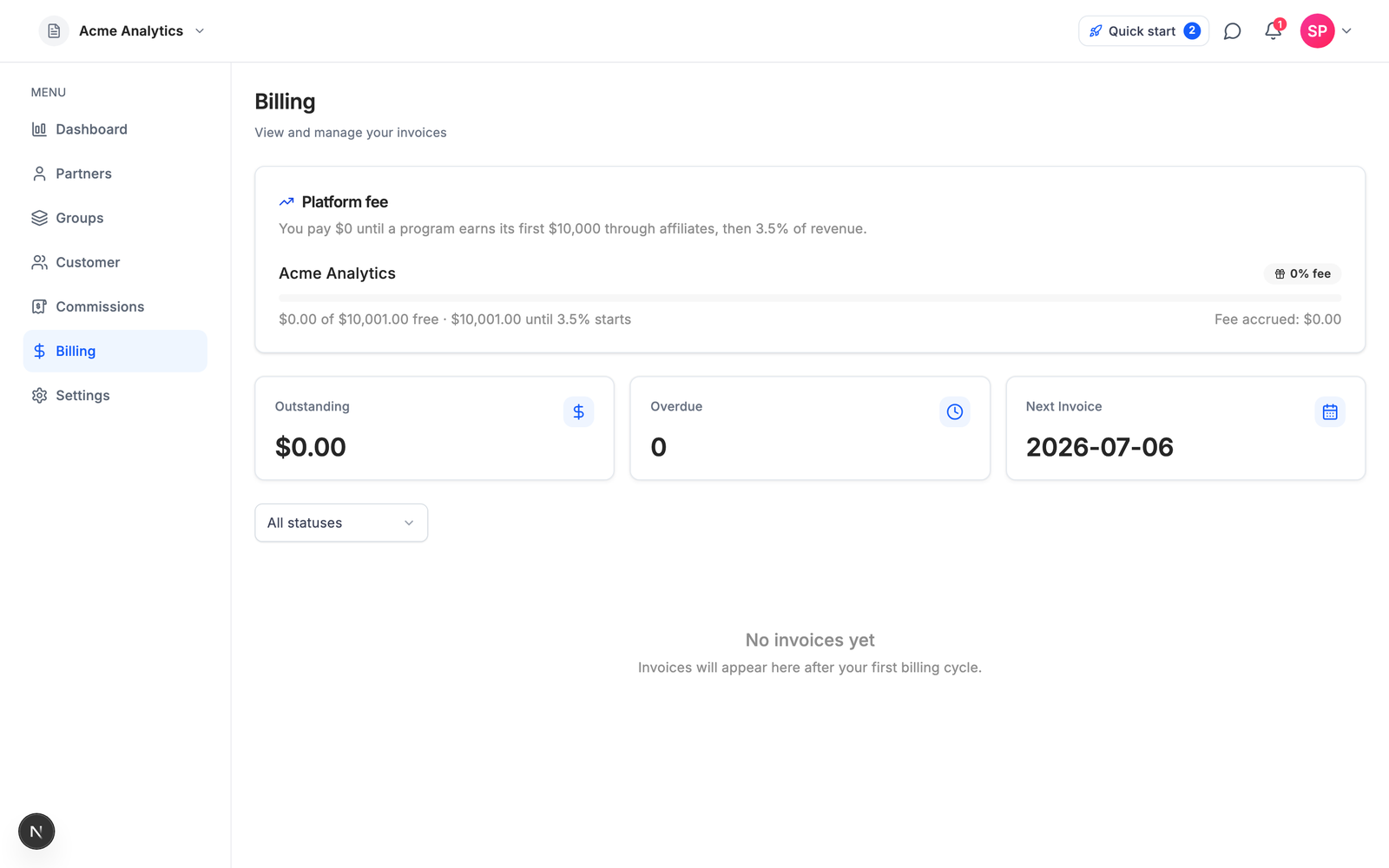
## FAQ
### Does Stripe have a built-in affiliate program?
No. Stripe has no native affiliate feature — no referral links, no click or signup tracking, no partner accounts, no commission calculation, and no affiliate dashboard. Every Stripe affiliate program is a tracking and commission layer added on top of Stripe's metadata, webhooks, and payout rails.
### How do I create an affiliate program for my Stripe SaaS?
Six steps: understand what Stripe provides and what it leaves out, pick an affiliate layer that fits your billing, set commission terms (15–30% of referred revenue is the SaaS norm), wire attribution into your Stripe Checkout metadata, run the integration, and verify it end to end before launch. With Affitor the install-and-verify steps are one command: `npx affitor onboard`.
### How much does Stripe affiliate software cost?
Entry pricing as of July 5, 2026: Affitor $0/month (3.5% on affiliate-driven sales after your first $10,000), Rewardful $49/month, FirstPromoter $49/month, Tolt $69/month, and Dub Partners $90/month plus a 5% payout fee. Prices drift fast in this category — check each vendor's live pricing page.
### What commission rate should a Stripe SaaS pay affiliates?
SaaS affiliate programs typically pay 15–30% of the revenue a partner generates, with 20–25% the most common band, and recurring commissions on renewals outperform one-time bounties for subscription businesses. Set the rate so it stays within 30–40% of your gross margin.
### Can affiliate tracking work without cookies?
Yes. Signup-anchored attribution binds the click to a durable identity — a hashed email at signup, then the Stripe customer ID — so the referral survives cleared cookies, ad blockers, and device switches. Cookie-window tracking (the category default, 60 days) loses the sale in all three cases.
## What's next
You now have the whole picture: Stripe supplies the payment events and the metadata rails, a third-party layer answers "who caused this sale," and the durable way to answer it on a subscription business is to anchor attribution at signup, not in a cookie.
[Create your program on Affitor](https://affitor.com). It costs $0 until your program earns its first $10,000 through affiliates, then 3.5% on affiliate-driven sales only. If you want to read the wiring before you sign up, start with the [Stripe tracking docs](https://docs.affitor.com/brand/tracking/payment-tracking-stripe).
---
id: "blog/tolt-alternatives"
type: "blog"
url: "https://affitor.com/blog/tolt-alternatives"
updated: "2026-07-05"
---
# Best Tolt Alternatives for SaaS in 2026 (5 Tools Compared)
> Five honest Tolt alternatives for SaaS — Affitor, Rewardful, FirstPromoter, Dub Partners, and PartnerStack: pricing verified July 2026, the 2% payout-fee nuance, attribution trade-offs, and a straight answer on who should pick what.
SaaS teams leave Tolt for three reasons: revenue caps that step the price up as affiliates perform, a payout model where automation costs an extra 2% and the entry tier only pays partners manually, and cookie-based attribution that drops conversions. If none of those hurt yet, keep Tolt. It is the cleanest modern product in its lane, with unlimited affiliates and referrals on every tier, global payout rails (PayPal, Wise, local bank, crypto, wire), and more revenue headroom per dollar at $99 than Rewardful or FirstPromoter offer at the same price. Plenty of programs never need more.
This guide compares five alternatives worth shortlisting in 2026: Affitor, Rewardful, FirstPromoter, Dub Partners, and PartnerStack. One disclosure before we start: we build Affitor. It is one of the five tools below, and this post tells you plainly where the others beat it.
## Quick answer: what is the best Tolt alternative for SaaS?
Affitor is the best Tolt alternative for SaaS that wants to pay $0/month until affiliates generate their first $10,000 in revenue. Pick Rewardful if you want the category's most familiar flat-fee tool with a REST API on every tier, FirstPromoter if you bill through providers beyond Stripe and Paddle, Dub Partners if developer experience decides your tooling, and PartnerStack if you run a multi-type partner program with an enterprise budget. Stay on Tolt if unlimited affiliates on a flat subscription is exactly what you need and its caps and payout fees do not hurt you yet.
| Tool | Best for | From price (as of Jul 2026) | Transaction fee | Attribution |
|---|---|---|---|---|
| [Affitor](https://affitor.com) | Paying only on results | $0/mo | 3.5% on affiliate-driven sales after first $10K | Signup-anchored via Stripe metadata |
| [Rewardful](https://www.rewardful.com/pricing) | Simplest flat-fee setup on Stripe | $49/mo | 0% | Cookie, 60-day default |
| [FirstPromoter](https://firstpromoter.com/pricing) | Billing beyond Stripe and Paddle | $49/mo | None stated | Cookie, 60-day default |
| [Dub Partners](https://dub.co/pricing) | Developer-first teams | $90/mo | 5% payout fee (3% Enterprise) | Signup/lead-anchored |
| [PartnerStack](https://www.partnerstack.com/pricing) | Enterprise multi-type programs | From $1,000/mo (paid annually) | None published | Not publicly documented |
Every price on this page was checked against each vendor's live pricing page on July 5, 2026. Affiliate software pricing moves fast — two of these vendors materially changed their pricing pages in the three weeks before this was written — so treat the live pages as the source of truth.
## Why teams outgrow Tolt
Tolt's model is a flat subscription with revenue-capped tiers. Per [tolt.com/pricing](https://tolt.com/pricing) (as of July 5, 2026):
| Tier | Price (as of Jul 5, 2026) | Affiliate revenue cap | Programs | Payouts |
|---|---|---|---|---|
| Basic | $69/mo | $10,000/mo | 2 | Manual only |
| Growth | $99/mo | $20,000/mo | 5 | Automated, 2% processing fee |
| Pro | $199/mo | $50,000/mo | Unlimited | Automated, 2% processing fee |
| Enterprise | Custom | $50,001+/mo | Custom | Custom |
There is no free tier; there is a 14-day trial with no card required and a 30-day refund. One housekeeping note: several software directories still show a stale $49 Basic price. The live page says $69 — always check the vendor's own page.
Three things push growing programs off this ladder. The first is the caps. A program doing well crosses $10,000/mo in affiliate revenue and the price steps to $99, crosses $20,000/mo and it steps to $199 — not because you used more software, but because your affiliates performed.
The second is the payout nuance. Tolt markets 0% transaction fees, and that claim has a footnote: automated payouts carry a 2% processing fee, and the Basic tier avoids the fee only because its payouts are manual. At $69/mo, you are the payout automation. To pay partners automatically you need the $99 tier and you hand back 2% of every payout on top of the subscription.
The third is attribution and programmatic access. Tolt tracks with cookie-based click attribution (the window is configurable). When the cookie is gone — cleared, blocked, expired, or the buyer switches devices — the referral is gone with it. And for teams that want to script or agent-drive their affiliate stack, no API is surfaced on Tolt's pricing page, and a June 2026 audit of the category found no official MCP server for it.
## What to evaluate in a replacement
Three questions separate the five tools below faster than any feature checklist.
**How does it charge, and how many times?** Flat subscription, percentage of results, or both. Tolt itself is a subscription plus 2% on automated payouts; some replacements charge once, some also charge twice. Watch for the double toll before comparing headline prices.
**What happens when the cookie dies?** Cookie-window tracking is the category default and its weakest point. Tools that anchor attribution to a durable identity (a signup, a Stripe customer record) survive cleared cookies and device switches; pure cookie models do not.
**Can your coding agent do the integration?** In 2026 a lot of Stripe SaaS integration work is done by AI agents. An audit of the major tools in this category in June 2026 found none shipping an official MCP server or an agent-completable integration runbook with a self-verify loop. If that matters to you, it narrows the list quickly.
## 1. Affitor — best for paying only on results

Affitor is our product, so here is the model stated plainly: you pay nothing until your affiliate program actually pays you.
### Key features
Attribution is the architectural difference, not the pricing. Instead of a tracking cookie, Affitor anchors attribution to the signup: the click ID is joined to a hashed email at signup and then to the Stripe customer ID, riding Stripe Checkout metadata (`affitor_click_id`, `affitor_customer_key`) through to the sale. A cleared cookie after signup does not lose the referral, because the identity chain no longer depends on the cookie.
The agent surface is live today, not a roadmap item: a `skill.md` runbook an agent can complete end to end, the `affitor` CLI, browser and server SDKs, an MCP server, and a self-verify loop that fires a synthetic click, lead, and sale through your live integration and returns `integration_verified: true` when the chain holds. You (or your agent) get proof the integration works before a single real affiliate joins. The full setup path is walked in [How to create a Stripe affiliate program](/blog/stripe-affiliate-program).
### Pricing

$0/mo, $0 setup, and a 3.5% platform fee on affiliate-driven sales only. The fee is $0 until your program earns its first $10,000 through affiliates, then 3.5%. If your affiliates generate nothing, you pay nothing. There are no tiers, no revenue caps, and no separate payout-processing fee.
### Pros & cons
**Pros:** no subscription and no caps, so cost scales with results; attribution survives cookie loss and device switches; the only tool in this comparison an agent can integrate and verify end to end.
**Cons:** a percentage fee means Affitor gets more expensive than a flat subscription as your program scales. At $20,000/mo in affiliate revenue, 3.5% is $700/mo while Tolt's Growth plan is $99/mo plus 2% on automated payouts. The crossover sits between roughly $2,000/mo and $2,800/mo in affiliate-driven revenue, depending on which Tolt tier your volume would require. Below that (and before your first $10,000 total, when Affitor is free), the performance model wins; above it, a flat subscription is cheaper on paper, if you stay within its caps. Run your own numbers before choosing. Affitor is also Stripe-native — if you bill elsewhere, FirstPromoter covers more rails — and Tolt's polish and payout rails (PayPal, Wise, local bank, crypto, wire) are genuinely strong; Affitor does not match that payout breadth today.
**Tolt:** $69 to $199/mo from day one, plus 2% on automated payouts, cookie attribution.
**Affitor:** $0/mo, 3.5% on affiliate-driven sales after the first $10,000, signup-anchored attribution.
## 2. Rewardful — best for the simplest flat-fee setup on Stripe
Tolt is often described as the modern Rewardful alternative, so it is fair to point back the other way: Rewardful remains the default flat-fee pick for a Stripe SaaS, and it is $20/mo cheaper at entry.
### Key features
The simplest setup in the category for a Stripe or Paddle SaaS and the strongest brand recognition among indie hackers. The 0% transaction fee is genuine — no payout-processing surcharge, so the subscription is all you pay. And unlike Tolt, a REST API is included on every tier, even the $49 plan.
### Pricing
Per [rewardful.com/pricing](https://www.rewardful.com/pricing) (as of July 5, 2026): Starter is $49/mo for up to $7,500/mo in affiliate-generated revenue, with 1 campaign and up to 2 team members. Growth is $99/mo for up to $15,000/mo, with unlimited campaigns and a branded affiliate portal. Enterprise starts at $149/mo above that, with phone support and 1-click PayPal payouts. 14-day free trial, 2 months free on annual billing, no free tier.
### Pros & cons
**Pros:** cheapest entry in the flat-fee trio, true 0% fee with no payout surcharge, REST API on all tiers, and the most familiar tool in the category.
**Cons:** the caps are tighter than Tolt's — $7,500/mo on Starter vs Tolt's $10,000, and $15,000/mo at the $99 tier vs Tolt's $20,000 — and Starter allows one campaign where Tolt Basic allows two programs. Attribution is the same cookie model you are leaving (first-touch or last-touch, selectable, 60-day default window), so a move from Tolt to Rewardful changes the price ladder, not the tracking fragility. If Rewardful is your leading candidate, the dedicated [Rewardful alternatives guide](/blog/rewardful-alternatives) runs this comparison from the other direction.
**Rewardful:** $49 to $149+/mo, 0% transaction fee, cookie attribution, API on every tier.
**Affitor:** $0/mo, 3.5% on affiliate-driven sales after the first $10,000, signup-anchored attribution.
## 3. FirstPromoter — best for billing providers beyond Stripe and Paddle
FirstPromoter is the most feature-complete of the sub-$100 tools, and the practical answer when your billing stack rules Tolt out: per its own site it integrates natively with five billing providers — Stripe, Paddle, Recurly, Chargebee, and Braintree.
### Key features
MRR-based commissions, tax form handling, fraud detection, and personalized affiliate dashboards with a custom domain on the Business tier. If you bill through Recurly or Braintree, FirstPromoter is often the shortest path to a working program.
### Pricing
Per [firstpromoter.com/pricing](https://firstpromoter.com/pricing) (as of July 5, 2026): Starter is $49/mo for up to $5,000/mo in affiliate revenue, 3 campaigns, 1,000 affiliates, and no API. Business is $99/mo for up to $15,000/mo with unlimited campaigns and affiliates, API and webhooks, and tax forms. Enterprise starts at $149/mo. 14-day trial, no card required. No transaction fee is stated on the pricing page.
### Pros & cons
**Pros:** the deepest back office at this price — MRR-shaped commissions, tax forms, fraud detection — and the widest billing-provider coverage in the sub-$100 set.
**Cons:** the $5,000/mo cap on Starter is the lowest in this peer group — half of Tolt Basic's headroom — so upgrade pressure arrives earliest here. The API and webhooks are paywalled to the $99 tier: the entry plan is dashboard-only, which rules out programmatic and agent-driven setups at $49. Tracking is a cookie-window model on the front end (`_fprom_*` cookies, 60-day default); conversions are recorded at signup, but identity does not ride Stripe metadata natively. For a head-to-head with the category default, see [Rewardful vs FirstPromoter](/blog/rewardful-vs-firstpromoter).
**FirstPromoter:** $49 to $149+/mo, API and webhooks from the $99 Business tier up.
**Affitor:** API, CLI, and MCP access at $0/mo on every program.
## 4. Dub Partners — best for developer-first teams
If the thing pushing you off Tolt is the missing API, Dub is the opposite pole: the best developer experience in this list, and it is not close.
### Key features
SDKs in five languages, real-time webhooks, and docs built for programmatic use. Credit where due on architecture too: Dub's attribution is anchored to the signup lead rather than to a cookie window, which makes it the closest system to Affitor's model here — and a genuine attribution upgrade over Tolt's cookies. If you already run Dub for link infrastructure, adding Partners keeps links, analytics, and payouts in one platform.
### Pricing
Per [dub.co/pricing](https://dub.co/pricing) (as of July 5, 2026): Partners requires a paid plan. Business is $90/mo with partner payouts up to $2,500/mo at a 5% payout fee. Advanced is $300/mo with payouts up to $15,000/mo, also at 5%. Enterprise is custom, annual, with a 3% fee. These numbers are fresh: between June and July 2026, Business went from $75 to $90, Advanced from $250 to $300, and the Advanced payout fee from 3% to 5%.
### Pros & cons
**Pros:** best-in-class SDKs and webhooks, signup/lead-anchored attribution, and one platform for links, analytics, and payouts.
**Cons:** the toll structure is heavier than the one you are leaving. Tolt charges a subscription plus 2% on automated payouts; Dub charges a bigger subscription plus 5% on every partner payout, and the payout caps meter your program's growth by tier — a Business-plan program cannot pay partners more than $2,500 in a month. Attribution records live inside Dub's network, with no third-party-verifiable record; the only MCP found in June 2026 was community-built and static-key, with no self-verify loop.
**Dub Partners:** $90/mo plus a 5% fee on partner payouts, capped by tier.
**Affitor:** $0/mo plus 3.5% on affiliate-driven sales after the first $10,000, no payout caps.
## 5. PartnerStack — best for enterprise partner programs
PartnerStack is not really a Tolt substitute; it is a different category, priced like one.
### Key features
A full partner-relationship-management suite: a B2B partner marketplace, lead and deal registration, MDF management, and partner training (LMS). If you run affiliates, resellers, and referral partners as one program at scale, it is the serious option on this page.
### Pricing
PartnerStack published pricing in mid-2026 after years of sales-gated quotes. Per [partnerstack.com/pricing](https://www.partnerstack.com/pricing) (as of July 5, 2026): Launch starts at $1,000/mo paid annually, Growth at $1,520/mo paid annually, Enterprise is custom. That is a minimum commitment of roughly $12,000 per year, demo-led, with no self-serve signup.
### Pros & cons
**Pros:** marketplace distribution, multi-type partner motions, and enterprise operations no point tool on this page attempts.
**Cons:** the price and the process. Attribution mechanics are not publicly documented, so we make no claims about them either way. For a team replacing a $69 tool, this is the wrong aisle; for a partnerships team that has outgrown affiliate-only motion, it is the right one. If PartnerStack's price is the reason you are here, the dedicated [PartnerStack alternatives guide](/blog/partnerstack-alternatives) goes deeper.
**PartnerStack:** from $1,000/mo billed annually, demo first, full PRM suite.
**Affitor:** self-serve signup, $0/mo, affiliate programs only.
## Which one should you pick?
The honest segmentation is by stage, because the pricing models flip in value as affiliate revenue grows.
**$0–500K ARR: pick Affitor, or Rewardful if you want a known flat cost.** At this stage your affiliate program earns little or nothing yet, and a $49–$90 subscription is pure downside risk — Tolt's $69/mo doubly so, since its cheapest tier makes you run payouts by hand anyway. Affitor is free until affiliates have generated $10,000, so the software decision needs no budget. If you would rather pay a predictable flat fee for the category's most familiar tool, Rewardful's $49 Starter undercuts Tolt by $20/mo.
**$500K–5M ARR: run the crossover math.** If affiliate-driven revenue is consistently above roughly $2,000–$2,800/mo, a flat plan gets cheaper than a percentage — and at that point Tolt's $99 Growth tier is actually a strong value, with a $20,000/mo cap that beats Rewardful's and FirstPromoter's $15,000 at the same price. Just include the 2% automated-payout fee in the math. If you bill through Recurly, Chargebee, or Braintree, FirstPromoter's Business tier at $99/mo is the shortlist of one. If affiliate revenue is still lumpy, Affitor's pay-on-results model keeps quiet months free.
**$5M+ ARR: think in programs, not trackers.** If you run affiliates plus resellers plus referral partners with a partner manager, PartnerStack's PRM suite is the real option. If it is still a pure affiliate motion, Tolt's Pro tier ($199/mo up to $50,000/mo) and the Enterprise tiers of Rewardful ($149+/mo) or FirstPromoter (from $149/mo) — or Dub's custom Enterprise with its 3% payout fee — cover the volume.
## Every alternative at a glance
:::note
All prices verified against each vendor's live pricing page on July 5, 2026. Two vendors materially changed their pricing pages in the three weeks before publication. Check the live page before you commit.
:::
| Platform | Monthly price | Fees on top | Caps | Attribution | API and agent surface |
|---|---|---|---|---|---|
| **Affitor** | $0 | 3.5% on affiliate-driven sales after first $10K | None | Signup-anchored, rides Stripe metadata | API, CLI, MCP, agent self-verify loop |
| **Tolt** | $69 / $99 / $199 | 2% on automated payouts (Basic: manual only) | $10K / $20K / $50K per mo affiliate revenue | Cookie, configurable window | No API listed on pricing page |
| **Rewardful** | $49 / $99 / $149+ | 0% | $7.5K / $15K per mo affiliate revenue | Cookie, 60-day default | REST API on all tiers |
| **FirstPromoter** | $49 / $99 / $149+ | None stated | $5K / $15K per mo affiliate revenue | Cookie window, 60-day default | API and webhooks at $99+ |
| **Dub Partners** | $90 / $300 / custom | 5% payout fee (3% Enterprise) | Payouts $2.5K / $15K per mo | Signup/lead-anchored | Strong API and SDKs |
| **PartnerStack** | From $1,000 (annual) | None listed | Not published | Not publicly documented | Sales-led onboarding |
No official MCP server was found for any of the five competitors as of the June 2026 audit.
## FAQ
### What is the best Tolt alternative for SaaS?
Affitor is the best Tolt alternative for SaaS that wants to pay $0/month until affiliates generate their first $10,000 in revenue. Rewardful is the strongest pick if you want the category's most familiar flat-fee tool with a REST API on every tier, and FirstPromoter when you bill through providers beyond Stripe and Paddle.
### Does Tolt charge transaction fees?
Tolt markets 0% transaction fees, with one nuance: automated payouts carry a 2% processing fee, and the $69/month Basic tier avoids that fee only because its payouts are manual (per tolt.com/pricing as of July 5, 2026). The subscription itself runs $69, $99, or $199 per month, with each tier capped by monthly affiliate revenue.
### Is Affitor cheaper than Tolt?
Affitor is cheaper than Tolt until your program does roughly $2,000–$2,800/month in affiliate-driven revenue, and it is free until your first $10,000 total. Above the crossover, Tolt's flat $69–$199/month tiers (as of July 2026) are cheaper on paper — if you stay within their revenue caps and account for the 2% fee on automated payouts.
### Which affiliate software has no monthly fee?
Affitor is the only tool in this comparison with no monthly fee: $0/month, with a 3.5% platform fee on affiliate-driven sales that starts only after your first $10,000 in affiliate revenue. Every competitor has a subscription floor — Rewardful $49, FirstPromoter $49, Tolt $69, Dub Partners $90, PartnerStack from $1,000/month paid annually (all as of July 5, 2026).
### How much does affiliate tracking software cost in 2026?
Entry-tier pricing as of July 5, 2026: Rewardful and FirstPromoter $49/month, Tolt $69/month, Dub Partners $90/month plus a 5% payout fee, PartnerStack from $1,000/month paid annually, and Affitor $0/month plus 3.5% on affiliate-driven sales after the first $10,000. Prices in this category drift fast — two vendors changed their pricing pages in the three weeks before this was written.
### Why do SaaS teams leave Tolt?
Three reasons: revenue-capped tiers ($10,000, $20,000, and $50,000 per month) that step the price up as affiliate sales grow, a payout model where automated payouts cost a 2% processing fee and the entry tier only pays partners manually, and cookie-based click attribution that drops conversions when cookies are cleared or devices switch. Teams that integrate programmatically also note that no API is surfaced on Tolt's pricing page.
## What's next
The short version: stay on Tolt if unlimited affiliates on a clean flat-fee product is exactly what you need and the caps, the 2% payout fee, and the cookie model do not hurt you yet. Pick Rewardful for the cheapest, most familiar flat-fee setup with an API on every tier. Pick FirstPromoter for billing providers beyond Stripe and Paddle or for tax forms. Pick Dub Partners if you want serious developer tooling and accept the payout fee. Pick PartnerStack when you are running a multi-type partner program with an enterprise budget. Pick Affitor if you want to pay only when your affiliates actually generate revenue, keep attribution alive after the cookie dies, or hand the whole integration to an agent and get back proof it works.
If the performance model fits your stage, [create your program](https://affitor.com/welcome). It costs nothing to run until your affiliates have generated $10,000, so the way to evaluate Affitor is to launch with it.
If you want to see how signup-anchored tracking works before you decide, [read the tracking docs](/brand/tracking/tracking-overview). The click, signup, and sale chain is documented end to end, including the verification call that proves your integration is live.
## More comparisons
- [The best Rewardful alternatives for SaaS](/blog/rewardful-alternatives)
- [PartnerStack alternatives](/blog/partnerstack-alternatives)
- [Rewardful vs FirstPromoter](/blog/rewardful-vs-firstpromoter)
- [FirstPromoter alternatives](/blog/firstpromoter-alternatives)
- [Tolt vs Rewardful](/blog/tolt-vs-rewardful)
- [PartnerStack vs Rewardful](/blog/partnerstack-vs-rewardful)
- [Affiliate software pricing comparison](/blog/affiliate-software-pricing-comparison)
- [Best affiliate software for SaaS](/blog/best-affiliate-software-saas)
---
id: "blog/tolt-vs-rewardful"
type: "blog"
url: "https://affitor.com/blog/tolt-vs-rewardful"
updated: "2026-07-05"
---
# Tolt vs Rewardful: Which Is Best for SaaS in 2026?
> Rewardful starts $20 cheaper and ships its API on the $49 tier; Tolt gives a third more headroom at $99 and automates global payouts. Every number verified against both live pricing pages on July 5, 2026 — plus Affitor, the $0/month option neither compare page mentions.
Tolt markets itself as the modern alternative to Rewardful, and Rewardful is the name every Tolt shopper is measuring against — so this is the most natural head-to-head in the category. Both are flat-subscription affiliate trackers built for Stripe SaaS, both track with cookies, and they sit $20 apart at the entry tier. This page is the version you would send a friend: the verified numbers, the trade-offs each vendor's marketing leaves out, a score per criterion, and the one option neither of them mentions.
:::tip
Disclosure: we make [Affitor](https://affitor.com), which competes with both products. Affitor gets one clearly marked section near the end of this page and one column in the summary table. Everything else comes from [Tolt's](https://tolt.com/pricing) and [Rewardful's](https://www.rewardful.com/pricing) own pricing pages, fetched July 5, 2026. Prices drift, so check the live pages before you buy.
:::
## Quick answer: Tolt or Rewardful?
Rewardful is the better pick for most Stripe SaaS starting an affiliate program in 2026: it costs $20 less at entry, includes its REST API on the $49 tier, and its stated 0% transaction fee carries no payout-fee asterisk. Pick Tolt when payouts and program count decide it: unlimited affiliates on every tier, automated payouts to PayPal, Wise, local bank, crypto, or wire from the $99 tier, and a third more revenue headroom at that price. On the four criteria below, the rubric finishes Rewardful 2, Tolt 1, with attribution a tie — and if you want to skip the subscription entirely, Affitor charges $0/month until your affiliates generate their first $10,000.
| Tool | Best for | From price (as of Jul 2026) | Transaction fee | Attribution |
|---|---|---|---|---|
| [Tolt](https://tolt.com/pricing) | Unlimited affiliates and global payout rails | $69/mo | 0% marketed; 2% fee on automated payouts | Cookie, configurable window |
| [Rewardful](https://www.rewardful.com/pricing) | Stripe/Paddle SaaS wanting API access at $49 | $49/mo | 0%, stated on all tiers | Cookie, 60-day default, first- or last-touch |
| [Affitor](https://affitor.com) | Paying only on results | $0/mo | 3.5% after first $10K affiliate revenue | Signup-anchored via Stripe metadata |
Every number on this page was checked against each vendor's live pricing page on July 5, 2026.
## Pricing: Tolt vs Rewardful — $20 apart at the door, different math at $99
Both products sell a flat monthly subscription metered by *affiliate revenue* — the revenue your affiliates generate each month, not your total revenue. The ladders look similar from a distance; the differences live in the caps and the fine print.
**Tolt** prices like this (per [tolt.com/pricing](https://tolt.com/pricing), as of July 5, 2026):
| Tier | Price | Affiliate revenue cap | Programs | Payouts |
|---|---|---|---|---|
| Basic | $69/mo | $10,000/mo | 2 | Manual only |
| Growth | $99/mo | $20,000/mo | 5 | Automated, 2% processing fee |
| Pro | $199/mo | $50,000/mo | Unlimited | Automated, 2% processing fee |
| Enterprise | Custom | $50,001+/mo | Custom | Custom |
Affiliates and referrals are unlimited on every tier. The trial is 14 days with no card required, and there is a 30-day refund policy. No free tier. One housekeeping note: several software directories still list Tolt Basic at a stale $49 — the live page says $69, which is why every number here cites the vendor's own page.
**Rewardful** uses the familiar three rungs (per [rewardful.com/pricing](https://www.rewardful.com/pricing), as of July 5, 2026):
| Tier | Price | Affiliate revenue cap | Notable limits and unlocks |
|---|---|---|---|
| Starter | $49/mo | $7,500/mo | 1 campaign, up to 2 team members |
| Growth | $99/mo | $15,000/mo | Unlimited campaigns and team, branded portal |
| Enterprise | $149+/mo | Over $15,000/mo | Phone support, 1-click PayPal payouts |
Rewardful states a 0% transaction fee on every tier, plainly, on the pricing page. There is a 14-day free trial (the page does not say whether a card is required, so we will not claim it either way), annual billing gets you two months free, and there is no free tier. The REST API is included on every tier — more on that below.
Now the head-to-head math. At the entry rung, Rewardful is $20 cheaper in absolute terms; Tolt answers with a higher revenue cap ($10,000/mo against $7,500/mo) and unlimited affiliates where Rewardful's Starter allows 1 campaign and 2 team members. At the $99 rung, the value flips direction: Tolt's Growth caps at $20,000/mo where Rewardful's caps at $15,000/mo — a third more headroom for the same money.
Then there is the fee print. Rewardful's 0% is unconditional. Tolt's "0% transaction fees" has a nuance its marketing does not lead with: automated payouts carry a 2% processing fee, and the $69 Basic tier avoids that fee only because its payouts are manual. Pay 2% for automation, or pay with your own time — either way, the true cost of Tolt is slightly more than the sticker once your program pays real commissions.
And note that both ladders meter success: the better your affiliates perform, the sooner you cross a cap and get the upgrade email, whether or not your margins moved. If you want the cost picture across the whole category, [the affiliate software pricing comparison](/blog/affiliate-software-pricing-comparison) runs this math for six tools side by side.
**Verdict: Rewardful takes pricing, narrowly** — a $20-lower floor, two months free on annual, and the only 0% fee with no payout asterisk; but if you expect to live at the $99 tier, Tolt's extra $5,000/month of headroom is the better buy. **Score: Rewardful 1, Tolt 0.**
## Attribution: Tolt vs Rewardful — the same cookie, the same blind spot
This criterion is closer to a tie than either vendor's positioning suggests, because both products use the same underlying model: cookie-based click attribution.
**Rewardful** defaults to a 60-day window and lets you choose first-touch or last-touch credit. That choice matters more than it sounds: first-touch pays the affiliate whose link the buyer clicked first, which protects reviewers and content sites; last-touch pays the most recent click, which favors whoever touched the buyer on the way to checkout.
**Tolt** is also cookie-based, with a configurable attribution window.
For the common case — one browser, one device, a signup inside the window — both systems work fine. The shared weakness is that cookie attribution breaks on cookie loss, and the failure is silent. The buyer switches from laptop to phone, clears cookies, runs a blocker, or converts after the window closes; the affiliate loses credit, and no dashboard shows you the miss. Neither vendor is worse than the other here, so do not let a compare page convince you tracking is the reason to switch between these two.
**Verdict: a tie** — the same cookie model with the same silent failure mode; attribution is not the reason to pick either. **Score: Rewardful 1, Tolt 0, one tie.**
## API and integrations: Tolt vs Rewardful — one of them ships an API at $49
**Rewardful** includes its REST API on every tier, including the $49 Starter. It is built for Stripe and Paddle billing, its setup is the simplest in the category for a Stripe SaaS, and it carries the strongest brand recognition among indie hackers — which matters when you search for integration examples at midnight.
**Tolt** is a clean, modern product in the Stripe ecosystem, but no API is surfaced on its pricing page (as of July 5, 2026). That does not prove one is absent — it means programmatic access is not part of the published offer, and you should confirm it with Tolt directly before committing if your integration is code-first.
That asymmetry gives you a clean decision rule: if you plan to automate anything — custom onboarding, commission logic, data syncs — Rewardful is the only one of the two that publishes an API as part of every plan, from the first dollar.
Worth knowing if you automate with AI agents: neither product ships an agent-completable integration path. As of the June 2026 audit, no official MCP server was found for either, and neither publishes a runbook an agent could execute and then verify on its own. Both are human-developer surfaces.
**Verdict: Rewardful takes the API criterion** — a published REST API on every tier against an offer where the pricing page surfaces none. **Score: Rewardful 2, Tolt 0, one tie.**
## Payouts and program limits: Tolt vs Rewardful — global rails vs Enterprise-gated PayPal
Here Tolt runs away with it.
**Tolt** pays affiliates through PayPal, Wise, local bank transfer, crypto, or wire — genuinely global rails — with automated payouts from the $99 Growth tier up (that automation is where the 2% processing fee applies). Affiliates and referrals are unlimited on every tier, and the ladder scales from 2 programs on Basic to 5 on Growth to unlimited on Pro, which also adds a dedicated Slack channel.
**Rewardful** keeps this surface small. On its pricing page, payout automation appears as 1-click PayPal payouts on the $149+ Enterprise tier, and no payout automation is listed below that. The Starter tier's limits are also tighter on the program side: 1 campaign and up to 2 team members at $49.
For a program with more than a handful of affiliates, payout mechanics are not cosmetic. Someone has to send the money every month, and doing it by hand across PayPal and bank transfers is exactly the kind of chore that stops happening by month three. If your partners are international — and affiliate programs skew international fast — Tolt's rails cover cases Rewardful's page does not mention at any price.
**Verdict: Tolt takes payouts and program limits** — five payout rails with automation from $99, unlimited affiliates everywhere, against PayPal-only automation gated to a $149+ tier. **Final score: Rewardful 2, Tolt 1, one tie.**
## When to choose Tolt over Rewardful
- **Your affiliates are global and you refuse to run payouts by hand.** Automated payouts to PayPal, Wise, local bank, crypto, or wire from $99/mo is the single clearest thing Tolt has that Rewardful does not, at any comparable price.
- **You expect to live at the $99 tier.** $20,000/mo of affiliate-revenue headroom against Rewardful's $15,000/mo means your affiliates can grow a third further before the next upgrade email.
- **You want many affiliates and more than one program.** Unlimited affiliates on every tier, and 2–5 programs at the lower rungs against Rewardful Starter's single campaign.
- **You want an exit ramp.** A 14-day no-card trial plus a 30-day refund is the friendliest try-it policy of the two; Rewardful's page offers 14 days and stays silent on the card.
If Tolt is winning this comparison for you but you still want to see the field, [the best Tolt alternatives for SaaS](/blog/tolt-alternatives) compares five tools against it.
## When to choose Rewardful over Tolt
- **You want the lowest flat price with an API.** $49/mo with the REST API included is the cheapest programmatic entry point between the two — Tolt surfaces no API on its pricing page at all.
- **You want the fee print with no asterisk.** Rewardful's 0% transaction fee is stated on every tier, with no payout-processing fee attached to automation.
- **You bill through Stripe or Paddle and want the fastest setup.** Rewardful's setup is the simplest in the category for Stripe SaaS, and its brand recognition means more tutorials, more integrations content, and more people who have hit your exact error message.
- **You plan to pay annually.** Two months free on annual billing takes Growth from $1,188 to $990 a year; Tolt's page makes no equivalent published offer.
If Rewardful is winning but you want to stress-test it, [the best Rewardful alternatives for SaaS](/blog/rewardful-alternatives) puts it against its strongest challengers.
## The option neither compare page mentions

Tolt positions itself against Rewardful, and Rewardful is the incumbent everyone measures against — but neither vendor's marketing mentions Affitor, so here is that section, written under the same rules as everything above.
**Affitor** drops the subscription entirely. It costs $0/mo with $0 setup, and you pay nothing until your program earns its first $10,000 through affiliates — then 3.5% on affiliate-driven sales only. There is no tier ladder to outgrow because there are no tiers, and no revenue cap that turns your affiliates' good month into your upgrade email.
Attribution works differently too. Instead of a cookie window, [attribution rides Stripe metadata](https://docs.affitor.com/brand/tracking/tracking-overview): the click ID and customer key travel on the Stripe Checkout Session itself, anchored to a signup-based identity chain (click, then hashed email, then Stripe customer) that survives cookie loss — the exact failure mode both tools above share.
And the integration is agent-verifiable, shipped and live today: a `skill.md` runbook an AI agent can complete end to end, an `affitor` CLI, and a self-verify loop that fires a synthetic click, lead, and sale, then returns `integration_verified: true` from the readiness endpoint. As of the June 2026 audit, no other platform in this comparison ships an equivalent. The full Stripe wiring is walked step by step in [How to create a Stripe affiliate program](/blog/stripe-affiliate-program).
Now the trade-offs, because this page promised them:
- **Affitor is Stripe-native.** If you bill through Paddle, Rewardful supports it and Affitor does not.
- **Percentage fees flip at scale.** Affitor is cheaper than Tolt until roughly $2,000/mo of affiliate-driven revenue against the $69 tier (about $2,800/mo against the $99 tiers), and free until your first $10,000 total. Above the crossover, a flat $69–$99 subscription is cheaper on paper — if you stay inside its caps. Paying $0 until the program works is cheaper for a new program that might earn nothing. Do the math for your own volume before choosing.
## Every number at a glance
| | Tolt | Rewardful | Affitor |
|---|---|---|---|
| Monthly price | $69 / $99 / $199 / custom | $49 / $99 / $149+ | $0 |
| Platform fee | 0% marketed; 2% processing fee on automated payouts | 0% transaction fee, stated on all tiers | 3.5% on affiliate-driven sales after the first $10,000, which is fee-free |
| Cap on the entry tier | $10,000/mo affiliate revenue | $7,500/mo affiliate revenue | No tiers |
| Affiliates | Unlimited on every tier | 1 campaign, 2 team members on Starter | Unlimited |
| API access | Not surfaced on the pricing page | All tiers, including $49 | Included, with CLI and agent runbook |
| Attribution | Cookies, configurable window | Cookies, 60-day default, first- or last-touch | Signup-anchored via Stripe metadata, survives cookie loss |
| Payouts | PayPal, Wise, local bank, crypto, wire; automated from $99 (2% fee); manual only on Basic | 1-click PayPal payouts on Enterprise ($149+) | Partner payouts via bank transfer, PayPal, Stripe, or Wise |
| Trial | 14 days, no card; 30-day refund | 14-day free trial | Free until the first $10,000 in affiliate revenue |
| Agent integration | No official MCP found (June 2026) | No official MCP found (June 2026) | `skill.md` runbook + self-verify loop returning `integration_verified: true` |
| Rubric score | 1 of 4 criteria (payouts) | 2 of 4 (pricing, API) | Not scored — different model |
All Tolt and Rewardful figures were verified against their live pricing pages on July 5, 2026. Pricing in this category moves fast — two vendors in the wider peer set materially changed their pricing pages in the three weeks before this was written — so treat any comparison older than a few months, including this one, as a starting point rather than a quote.
## FAQ
### Is Tolt cheaper than Rewardful?
No, not at the entry tier: Tolt starts at $69/month against Rewardful's $49/month (as of July 5, 2026). At the $99 tier the math flips — Tolt caps you at $20,000/month in affiliate revenue where Rewardful caps at $15,000/month, so Tolt gives a third more headroom for the same price. Ignore the software directories still showing Tolt Basic at $49; the live pricing page says $69.
### Does Tolt charge transaction fees?
Tolt markets 0% transaction fees, with one nuance worth knowing: automated payouts carry a 2% processing fee, and the $69/month Basic tier avoids that fee only because its payouts are manual (per tolt.com/pricing as of July 5, 2026). Rewardful states a 0% transaction fee on every tier with no payout-fee asterisk.
### Which is better for a Stripe SaaS, Tolt or Rewardful?
Rewardful is the better pick for most Stripe SaaS starting an affiliate program: it costs $20 less at entry, includes its REST API on the $49 tier, and its 0% fee has no payout asterisk. Tolt wins once payouts and program count decide it — unlimited affiliates on every tier, automated payouts to PayPal, Wise, local bank, crypto, or wire from $99, and more revenue headroom at that price.
### Does Tolt have an API?
No API is surfaced on Tolt's pricing page (as of July 5, 2026), so treat programmatic access as something to confirm with Tolt directly before you commit. Rewardful includes its REST API on every tier, including the $49 Starter. Neither product ships an official MCP server or an agent-completable integration runbook (as of the June 2026 audit).
### Is there an alternative to both Tolt and Rewardful?
Affitor drops the subscription both of them charge: $0/month with a 3.5% fee on affiliate-driven sales that starts only after your first $10,000 in affiliate revenue. It anchors attribution to the signup and Stripe customer record instead of a cookie, so referrals survive cookie loss.
### How do Tolt and Rewardful track referrals?
Both use cookie-based click attribution. Rewardful defaults to a 60-day window and lets you choose first-touch or last-touch credit; Tolt's window is configurable. Both share the same blind spot — when the cookie is cleared, blocked, or the buyer switches devices, the affiliate silently loses credit.
## What's next
If you are choosing between the two names in the title, take both 14-day trials, wire up one real affiliate link in each, and watch two things: which dashboard your team actually opens in week two, and how each handles your first real payout run. The payout rails, the API, and the $99-tier caps will make the decision faster than any comparison page.
If the $0-until-it-works model fits where your program is today, [create your program on Affitor](https://affitor.com) or [read how the performance pricing model works](https://docs.affitor.com/getting-started/pricing-performance-model).
## More comparisons
- [The best Rewardful alternatives for SaaS](/blog/rewardful-alternatives)
- [PartnerStack alternatives](/blog/partnerstack-alternatives)
- [Rewardful vs FirstPromoter](/blog/rewardful-vs-firstpromoter)
- [FirstPromoter alternatives](/blog/firstpromoter-alternatives)
- [Tolt alternatives](/blog/tolt-alternatives)
- [PartnerStack vs Rewardful](/blog/partnerstack-vs-rewardful)
- [Affiliate software pricing comparison](/blog/affiliate-software-pricing-comparison)
- [Best affiliate software for SaaS](/blog/best-affiliate-software-saas)
---
id: "blog/what-affitor-means"
type: "blog"
url: "https://affitor.com/blog/what-affitor-means"
updated: "2026-07-05"
---
# What Affitor means
> Affitor is affiliate + -tor: an AI-native affiliate platform for SaaS that costs $0 until your first $10,000 in affiliate revenue, then 3.5%, and verifies its own integration. The story behind the name and the bet the company is built on.
{/* DRAFT: naming narrative proposed by content team, Son must confirm before publish */}
{/*
Publish gates (CONTENT-MAP V2):
- BLOCKED on Open Question 1 (name origin). No source file explains the name
(FACTS-wishes 1). The etymology below is a PROPOSED reading, not a verified
fact. Son must confirm or replace it before this ships.
- The pricing-philosophy language echoes the 2026-06-09 manifesto draft, which
was written "for owner review" and has not been verified as shipped copy.
Son's confirmation of this post covers that reuse.
*/}
Affitor is not a dictionary word, and until now we never wrote down what it means, so this post is the answer: where the name points, the pain that produced the product, and the one bet the whole company is built on.
## The name
Affitor is affiliate, compressed, plus the suffix -tor. English borrows -tor from Latin to name a thing by what it does: an actor acts, a creator creates, a competitor competes. An affitor, if the dictionary had needed the word, would be the thing that does the affiliate work.
That is the job description in one word. Most affiliate software is a ledger you operate: you configure it, you reconcile it, you chase it. The name describes software that acts instead. It sets the program up, tracks the sale, and proves the tracking worked, so you do not have to.
There is a second resonance in the ending. The suffix -tor is also how attributor ends, and attribution is the question this entire category lives or dies on: who sent the customer, and can you prove it. The name points at that job too.
## Built from over a decade of affiliate pain
I have worked in affiliate for over a decade, on the affiliate side, long before I built software for it. Affitor did not start as a market analysis. I said it plainly in June 2025: Affitor is a product I built myself, and it came from my own pain doing affiliate work.
The pain is specific. When I measured it in April 2026, setting up an affiliate program from scratch took about 60 minutes and 11 manual steps. Every step assumed a human with patience: paste this snippet, configure that webhook, hope the test sale shows up. We collapsed that into three commands and about five minutes, and we put the whole setup flow into the terminal, where the work actually happens.
The product exists because the founder was the user first. That is also why the rest of this post is short on adjectives. When you have lived the problem, you describe it instead of decorating it.
## What it stands for
Three commitments, and each one is checkable.
**Pay for outcomes, not access.** Most affiliate tools charge a subscription from day one, before a partner has sent you anything. We did not want to build that. Affitor costs $0 until your program earns its first $10,000 through affiliates, then 3.5%, and the fee applies only to the sales affiliates drove for you. We make money when affiliates make you money. That is the whole arrangement.
**Be the layer an agent reaches for.** Affitor is an AI-native affiliate marketing platform for SaaS companies, and the one bet behind it is this: be the affiliate layer an AI agent reaches for by default, installs, and can prove works. Agents do not forgive a broken quickstart the way humans do. An agent that fails its first integration never defaults to you again, so the integration has to verify itself, end to end.
**Label everything honestly.** What is shipped, we call shipped. What is a draft, we call a draft, including in the next section. A platform whose pitch is verifiability cannot afford unverifiable marketing.
## Where it's going
Two directions, one shipped and one that is explicitly not.
**Open program data: shipped.** When [OpenAffiliate](https://openaffiliate.dev) launched on April 18, 2026, free and open source with 450 affiliate programs, and roughly 750 within two days, I gave the rationale plainly: affiliate data should be public infrastructure, not the proprietary database of any single network. Like npm for packages, OpenAffiliate for affiliate programs.
**Verifiable attribution: vision.** VSAL, the Verifiable Signup Attribution Log, is a draft specification, not a product. The design goal is that VSAL replaces trust with proof: every touchpoint becomes a signed claim, and the winner is picked by a public deterministic function instead of by whoever runs the log. Nothing there is shipped, and we will keep saying so until it is. The full argument lives in [the agent commerce post](/blog/agent-commerce-attribution-layer).
In November 2025 I wrote about a dream: seeing Vietnamese builders ship products that do not have to be modest in any market. Affitor is the path I chose. When I say the name, that is what it means.
## What's next
If the arrangement sounds fair, [create your program on Affitor](https://affitor.com). It stays free until your affiliates have earned you real money. If you want the mechanics first, [read the docs](https://docs.affitor.com), or point your coding agent at [skill.md](https://docs.affitor.com/skill.md) and let it verify the integration itself.
---
id: "changelog"
type: "changelog"
url: "https://docs.affitor.com/changelog"
updated: "2026-07-06"
---
# Affitor Changelog
## Read honest affiliate-software comparisons on the new Affitor blog (2026-07-06)
> Twelve posts comparing the tools you're actually evaluating — every price dated "as of," competitor strengths conceded up front, and .md twins plus llms.txt so your AI assistant reads the same facts you do.
The [Affitor blog](/blog) is live with 12 posts: comparisons of Rewardful, FirstPromoter, Tolt, PartnerStack, Dub Partners, and more, plus guides on starting and pricing a SaaS affiliate program.
- **Honest comparisons.** Every price is verified and labeled "as of July 5, 2026," and every post concedes where a competitor is the better pick before positioning Affitor.
- **Built for AI readers.** Each post ships a markdown twin at its URL + `.md`, and the site publishes `llms.txt` — the assistant researching tools on your behalf gets the same facts.
Start with [Best Affiliate Software for SaaS in 2026 (7 Tools Compared)](/blog/best-affiliate-software-saas) →
---
## Invite partners — with the email already written (2026-07-05)
> Recruit affiliates by email, CSV, or from your other programs — and send an invitation generated from your program's real terms instead of writing one from scratch.

You can now invite partners into your program directly — type emails, import a CSV, or pick people already performing in your other Affitor programs. When you get to the email, it's **already written from your program's real terms**: commission model, attribution window, payout threshold. Edit it freely, check the live preview, and send. Invited partners skip the application queue — they're active the moment they accept, tracking link in hand.
The Partners page now shows everyone — active partners, applications, pending invites, rejections — in one table with status badges, and you can resend or cancel any pending invite right from the row.
Read the full guide: [Inviting Partners](/brand/quickstart/inviting-partners)
---
## Faster, less noisy docs search (2026-04-25)
> Search now matches page titles only — no more wading through paragraph snippets to find what you need.
Docs search now matches page titles only — no more wading through a wall of half-matched sentences. Press `⌘K`, start typing, and you'll see a clean list of pages.
This is how docs search should feel: you type a topic, you get the page. We rebuilt the search index and re-skinned the results so the page you want is always the first thing you see.
Try `tracking`, `commission`, or `payout` and you should land on the right page in one keystroke. [Start from the docs home →](/)
---
## Content Lab — write affiliate posts in one click (2026-04-20)
> Pick a program, get a publish-ready affiliate post in one click — free, 30 posts a day.
Content Lab is now live on [openaffiliate.dev/content-lab](https://openaffiliate.dev/content-lab). Pick any of the affiliate programs in the OpenAffiliate registry — around 750, mostly SaaS and AI — and get a publish-ready post in one click. No prompt engineering, no blank page: the draft is ready to edit and ship.
It's completely free at 30 generations a day, and the whole tool is open source at [github.com/Affitor/content-lab](https://github.com/Affitor/content-lab).
[Generate your first post →](https://openaffiliate.dev/content-lab)
---
## Partner profile and security settings (2026-04-10)
> Partners can now update their profile, avatar, and password without contacting support.
Partners get a proper Settings page. Two tabs: **Account** for your name, email, avatar, and payout details; **Security** for your password.
Payout details cover every supported method — bank transfer, PayPal, Stripe, and Wise — and your avatar shows up across the dashboard as soon as you upload it.
If you've been emailing support to update partner details, that's no longer needed. [Log in and open Settings to update your profile →](https://affitor.com/welcome)
---
## 47 agent skills for affiliate workflows (2026-03-28)
> Run common affiliate workflows — researching programs, drafting content, analyzing traffic — directly from your AI assistant.
If you use Claude Code or another agent framework, the [affiliate-skills](https://github.com/Affitor/affiliate-skills) library now ships 47 ready-to-use skills across eight stages of affiliate work, research through analytics. One command installs the whole set:
```bash
npx skills add Affitor/affiliate-skills
```
A few you might reach for first: `affiliate-program-search` queries the open program directory, `commission-calculator` scores what a program actually pays, and `competitor-spy` and `trending-content-scout` cover research.
The library is open source and works with any AI that reads text — Claude Code, Cursor, Windsurf, ChatGPT, or Gemini CLI. *(Update, July 2026: the registry now counts 52 skills.)*
[Browse the full skills library →](https://github.com/Affitor/affiliate-skills)