# Commission Approval & Cash Flow
> Understand how attributed sales move into commissions, billing, and payout workflow.
This page traces the journey from an attributed sale through commission review, billing, and partner payout.
## Payment integration method
| Method | Checkout ownership | How it works |
|--------|--------------------|--------------|
| **Invoice billing** | Your checkout | You collect customer payment, Affitor attributes conversions and bills through its invoice workflow |
---
## Invoice billing
**Step by step:**
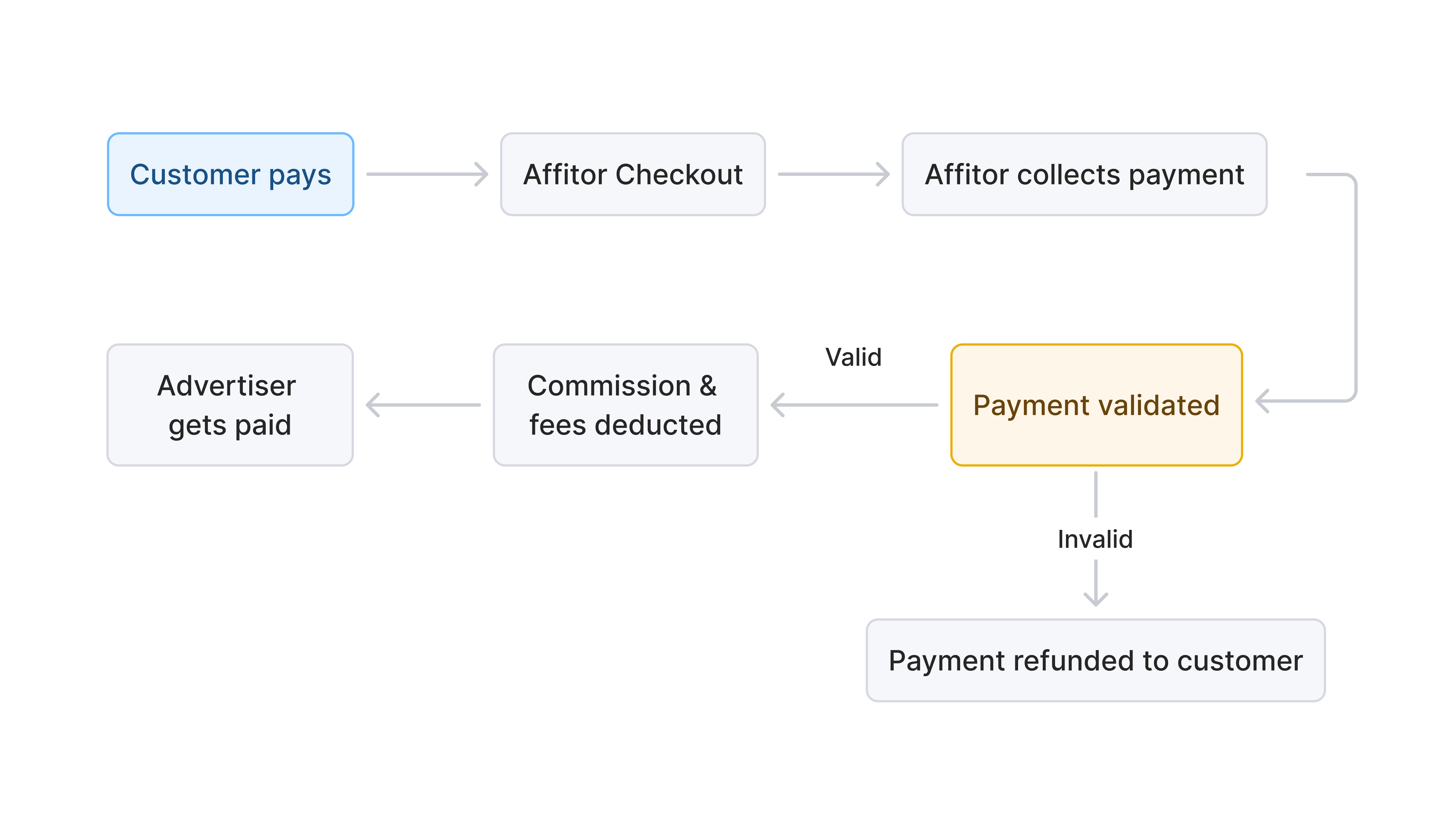
1. Customer purchases through your existing checkout.
2. You receive payment in your own payment stack.
3. Affitor attributes and validates the conversion.
4. Commission is created according to your program rules.
5. Advertiser billing is handled through Affitor's invoice workflow.
6. Commission moves through review / hold / payout operations.
---
## Validation Before Commission
Affitor validates each attributed sale before the commission workflow proceeds.
Checks include:
- Valid attribution
- No duplicate sale event
- In-window attribution
- Matching program/customer relationship
---
## Approval and Hold Workflow

Every commission moves through the same lifecycle:
B[Pending]
B -->|hold period ends| C[Approved]
B -->|refund or failed validation| X[Invalid]
C --> D[Invoiced to you]
D -->|you pay| E[Paid to partner]
`} />
Use review and hold settings to control when commissions become payable.
### Common uses
- Reduce refund risk
- Review suspicious activity
- Delay payout until a commission is cleared
---
## Public-safe cash flow summary
---
## Refund Handling
Refunds are reconciled based on the commission's current lifecycle stage.
---